Products


AI Platform


Asana Foundations
Company Type

Visit our pricing page for more information.
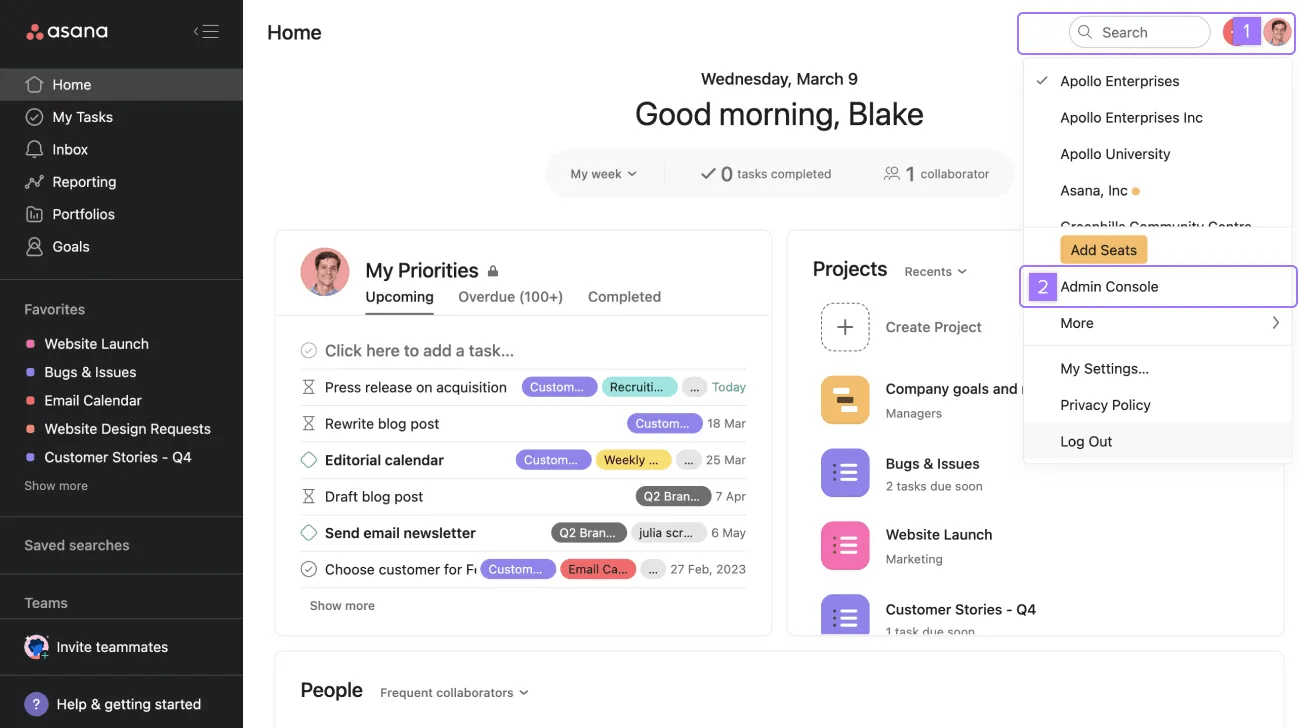
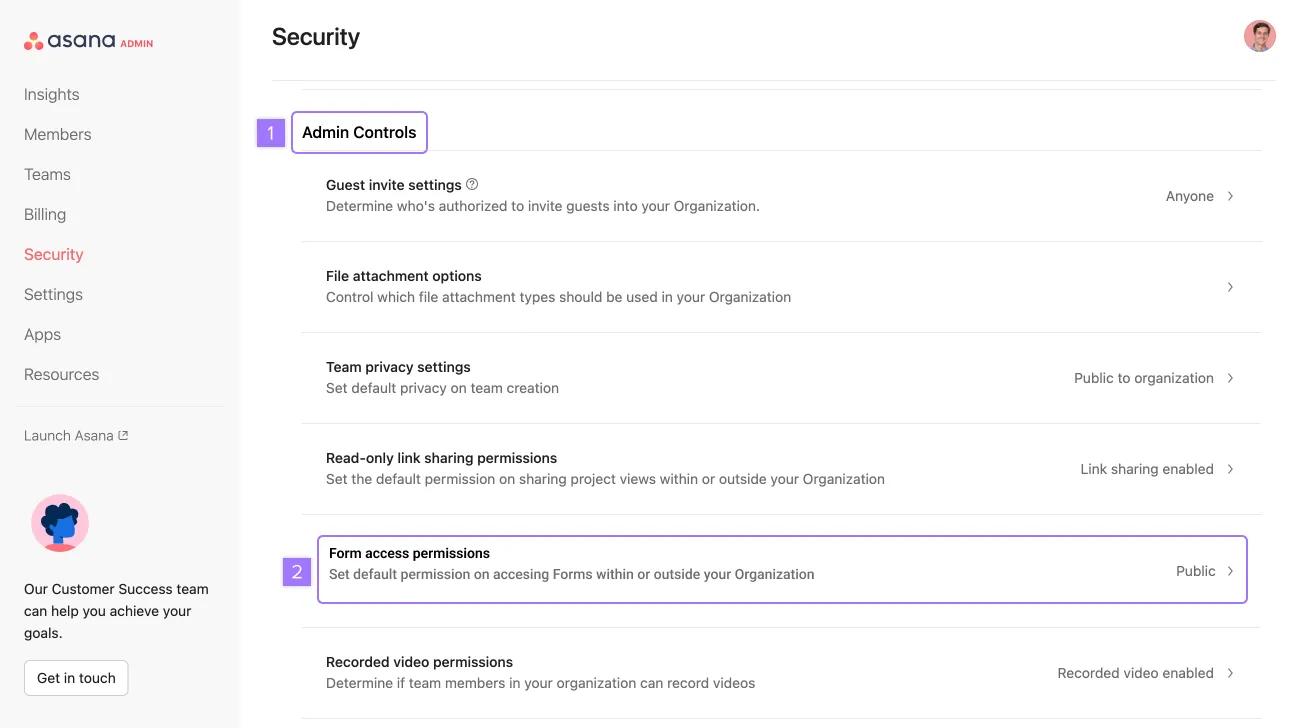
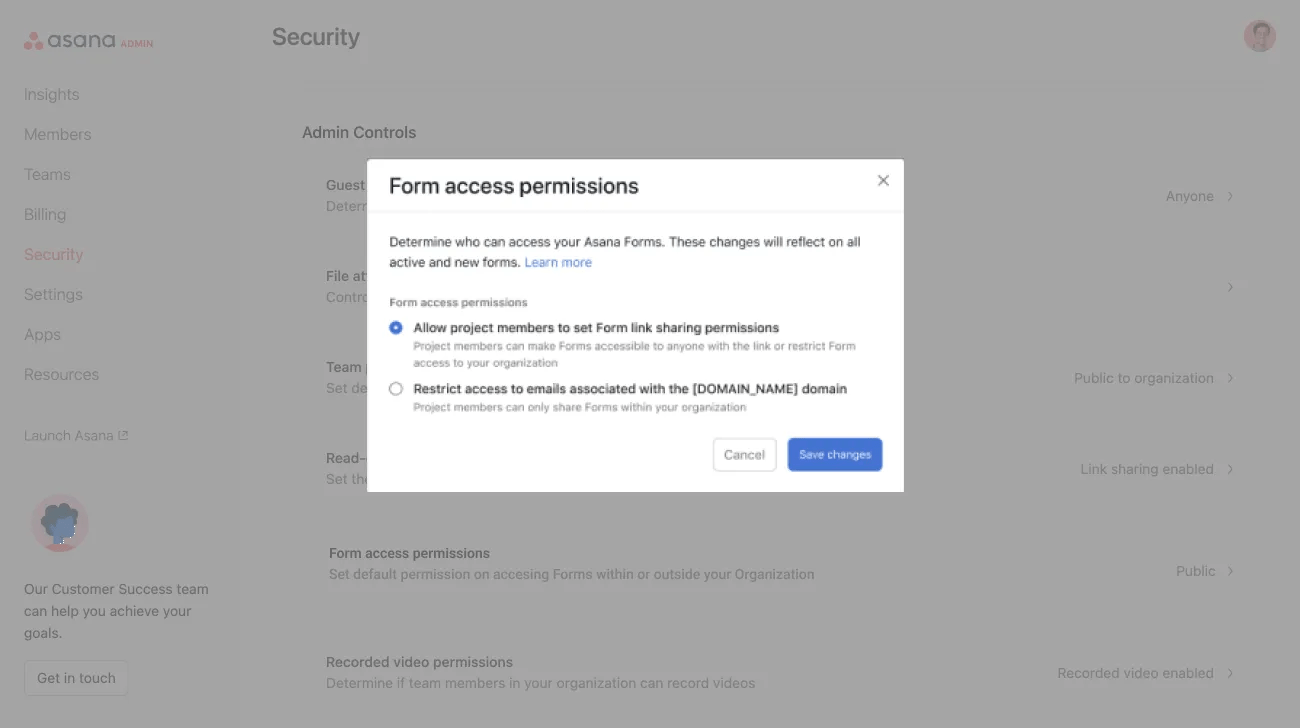
The forms access permissions feature allows super admins to restrict form access to people who have an email address from their organization’s domain.
Super admins can set form access permissions for their entire domain on the Asana Enterprise+ tier, as well as legacy tier Legacy Enterprise.
Note
Allowing project members to set form link sharing permissions is suggested when there is a mix of internal and external use cases for forms.
When restricting access to emails associated with the organization domain, all new and existing forms in the domain will be ‘internal-only’ requiring authentication before viewing or submitting a form.
The authentication method depends on what the admin has enabled for the domain (Google SSO, SAML, or no authentication method). If no authentication method has been enabled, forms recipients must log in or sign up to view the form.
Modifying this setting to Organization only could disrupt existing forms and workflows. Before making the change, we recommend notifying team leads and providing them time to review and adjust their workflows as necessary.
Setting form access permissions for projects is available on Asana Starter, Advanced, Enterprise, and Enterprise+ tiers, as well as legacy tiers Premium, Business, and Legacy Enterprise.
Form access permissions are available to users when the admin setting for the domain is set to Allow project members to set form link sharing permissions.
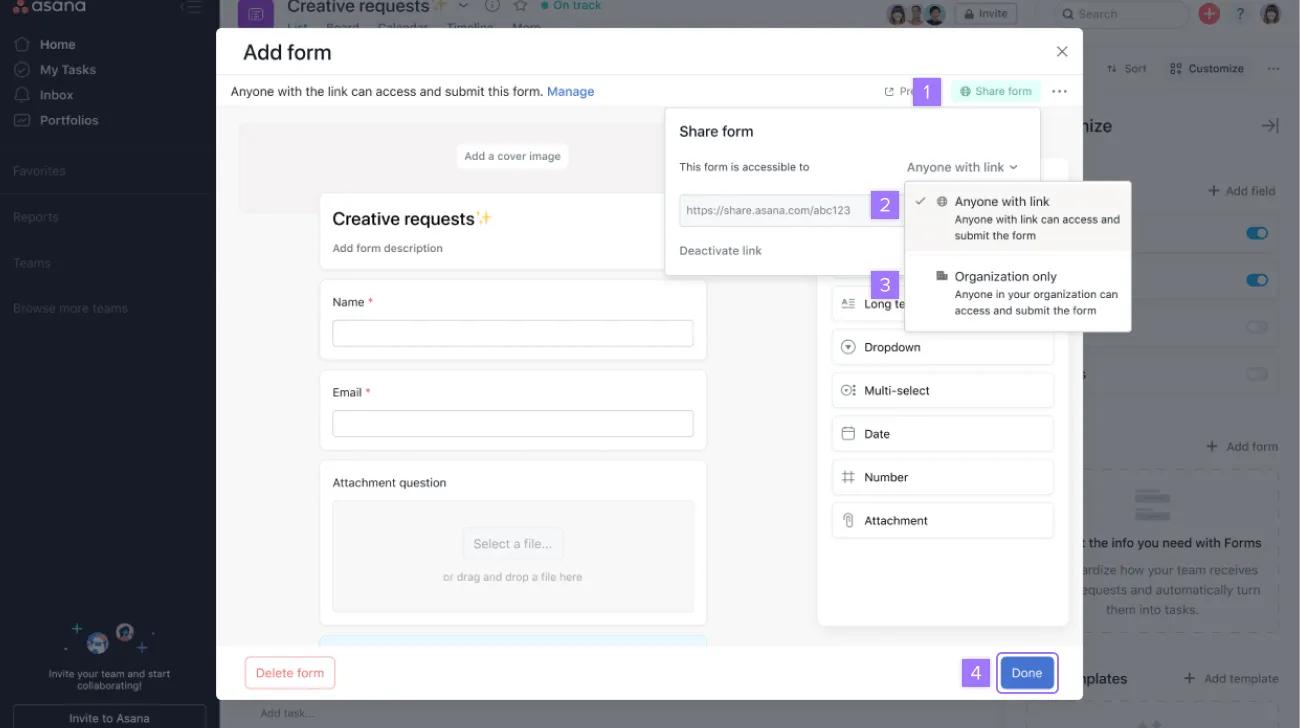
Forms recipients receiving a form with organization-only access enabled can access the form.
Non-Asana members can authenticate with the identity provider for the domain to access the form, and will not be billed unless they complete their sign up for Asana. For domains with a password login, non-members of Asana must log in or sign up for Asana to access the form.
They can access the form by signing in to their Asana account.

