Products


AI Platform


Asana Foundations
Company Type
In This Article

Visit our pricing page for more information.
Available for organizations and divisions on Asana Enterprise and Enterprise+ tiers, as well as legacy tier Legacy Enterprise.
Visit our pricing page for more information.
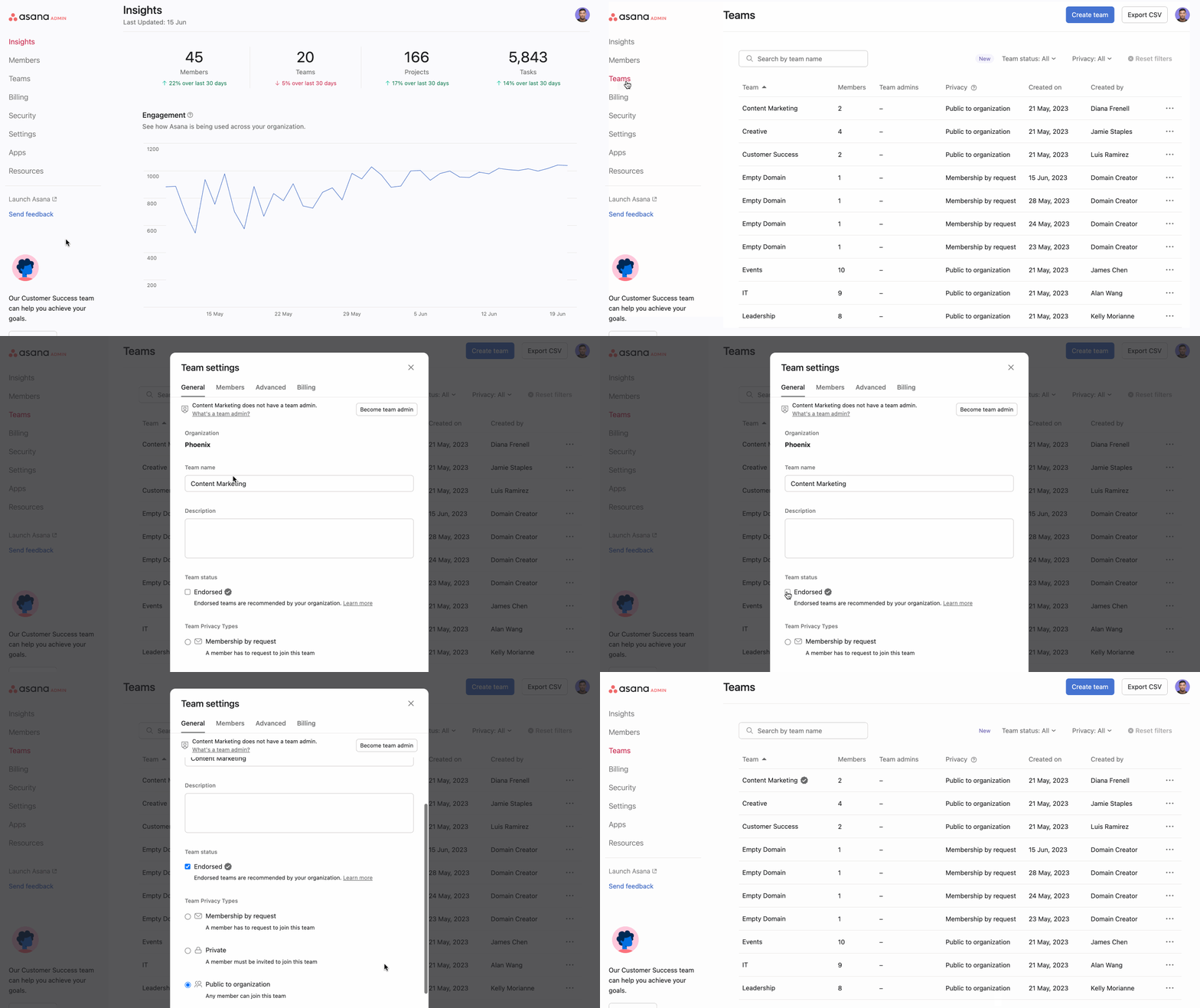
Endorsed teams allows admins and super admins to mark select teams as endorsed, differentiating them from other teams in Asana. By endorsing teams, organizations can create a standardized and curated set of teams, making it easier for users to identify and engage with them.
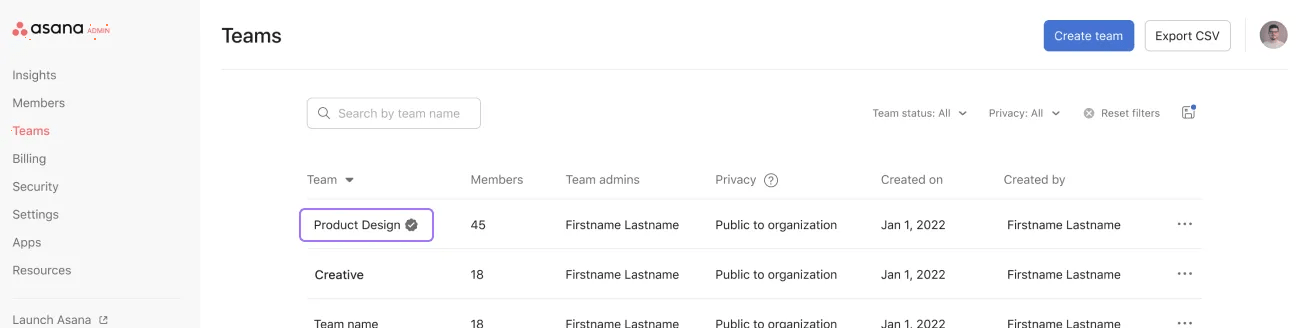
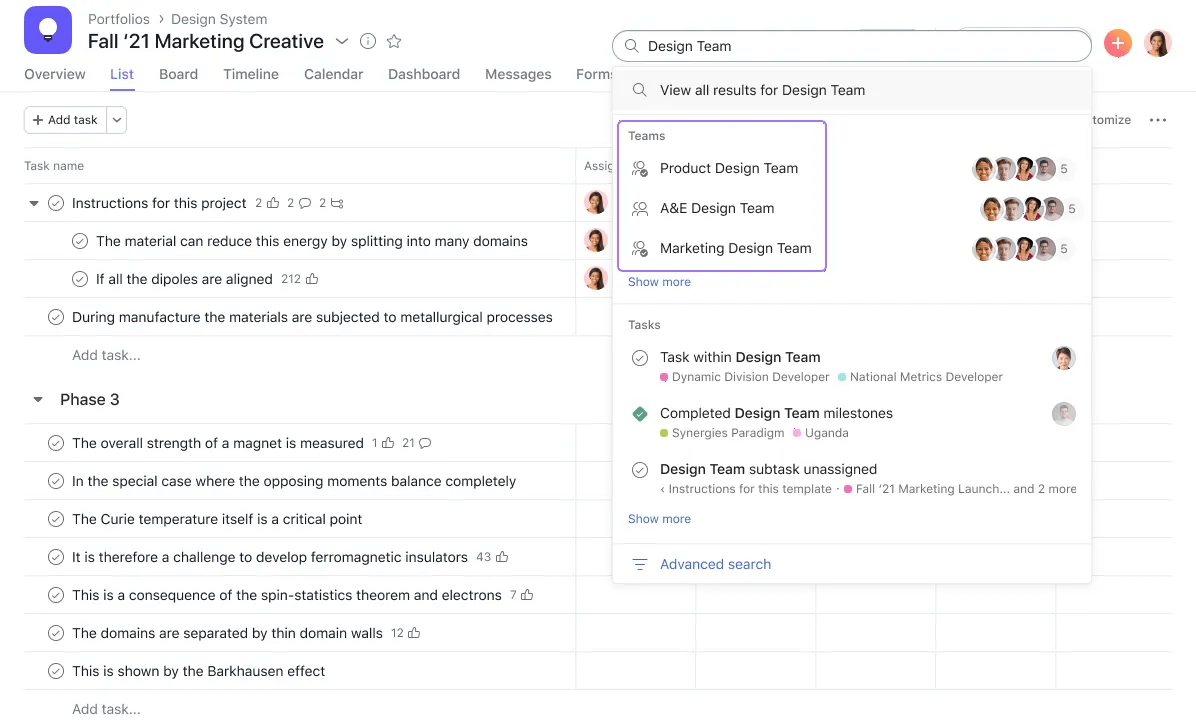
Endorsed teams will be visually marked on the teams tab in the admin console and in search results.
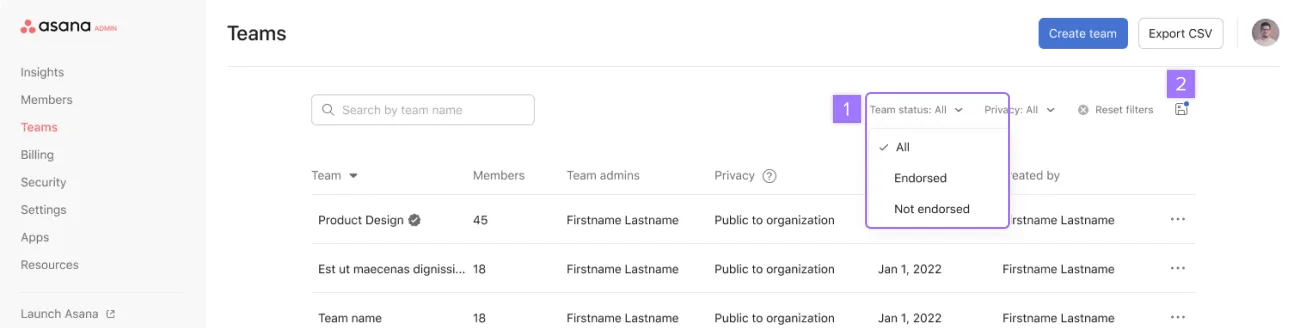
You can filter teams by All, Endorsed, and Not endorsed and save the view as default.
Only super admins, organization admins, and division admins can endorse a team. Team admins can’t endorse a team unless they are also an admin or super admin.
Endorsement is easily reversible. You can mark a team as not endorsed, similar to how you would mark it as endorsed.
If a team’s privacy is set to private or membership by request, then you need to be a member of that team to endorse the team.
We recommend marking critical organizationally relevant teams as endorsed. These could represent your organization's departments, business units, or large teams. We recommend discussing this question with your organizational stakeholders as well.
Other suggestions on which teams should be marked as endorsed:

