Loading

Topics

HubSpot rules integration

In This Article

Rules and integrations work together to automate routine tasks and establish workflows across your team's favorite tools. This article shows how rules integrations can be an effective solution for sales and services.

See How to create a rule for tips on getting started with rules.

Related articles

HubSpot

The HubSpot + Asana integration allows teams to keep track of important context from deals and marketing campaigns across apps. Track campaign performance and collaborate with teams in one location, without having to switch between tools.
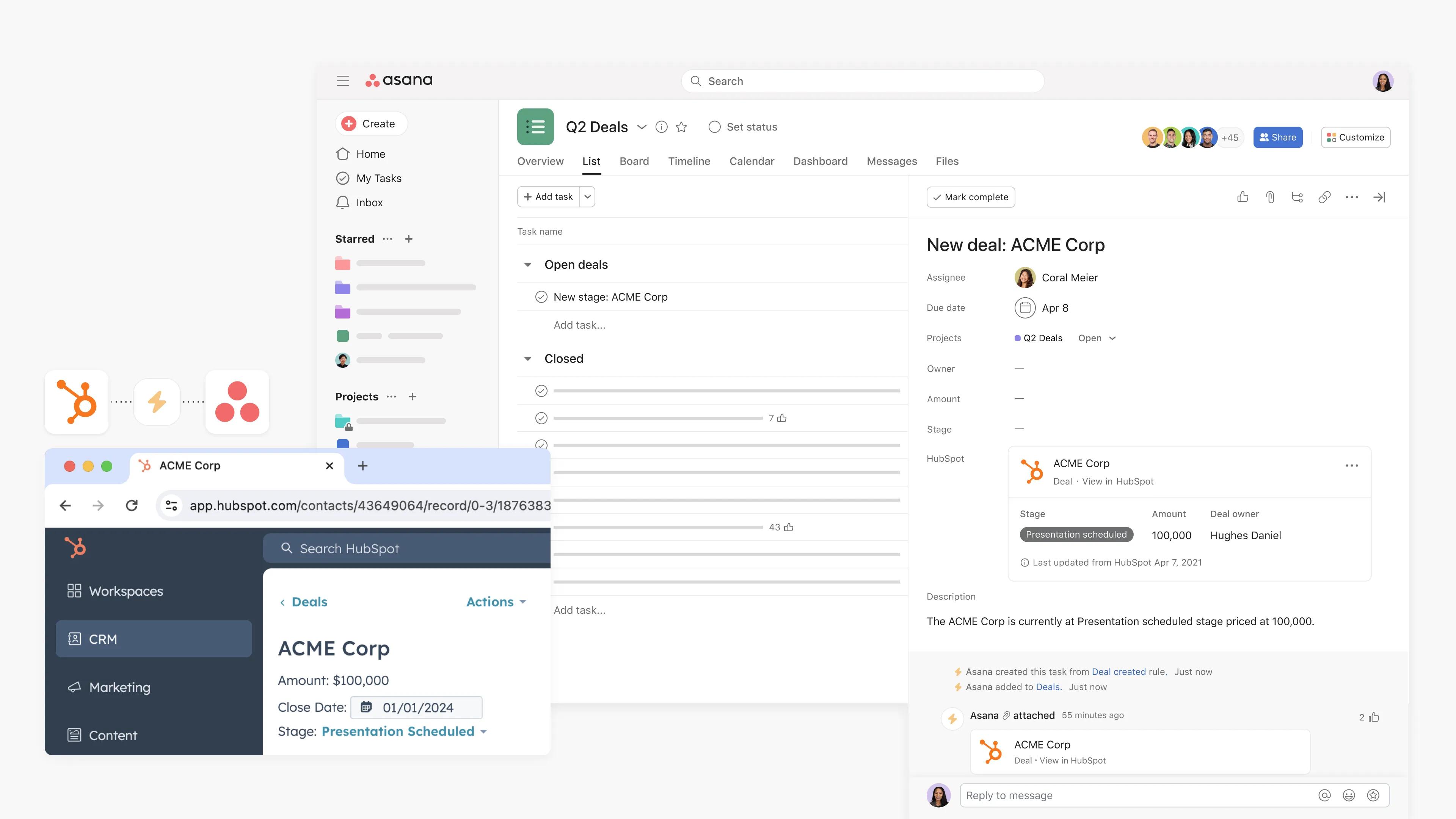
Creating a rule to create a HubSpot deal.png

Easily attach details from HubSpot deals directly into an Asana task, to track relevant information like the deal amount and deal owner.

Quickly add your chosen campaign from HubSpot by clicking the HubSpot field from your task view. Attach campaigns relevant to the tasks you're tracking in Asana, so you can view accurate HubSpot campaign statuses and metrics while working on Asana tasks.
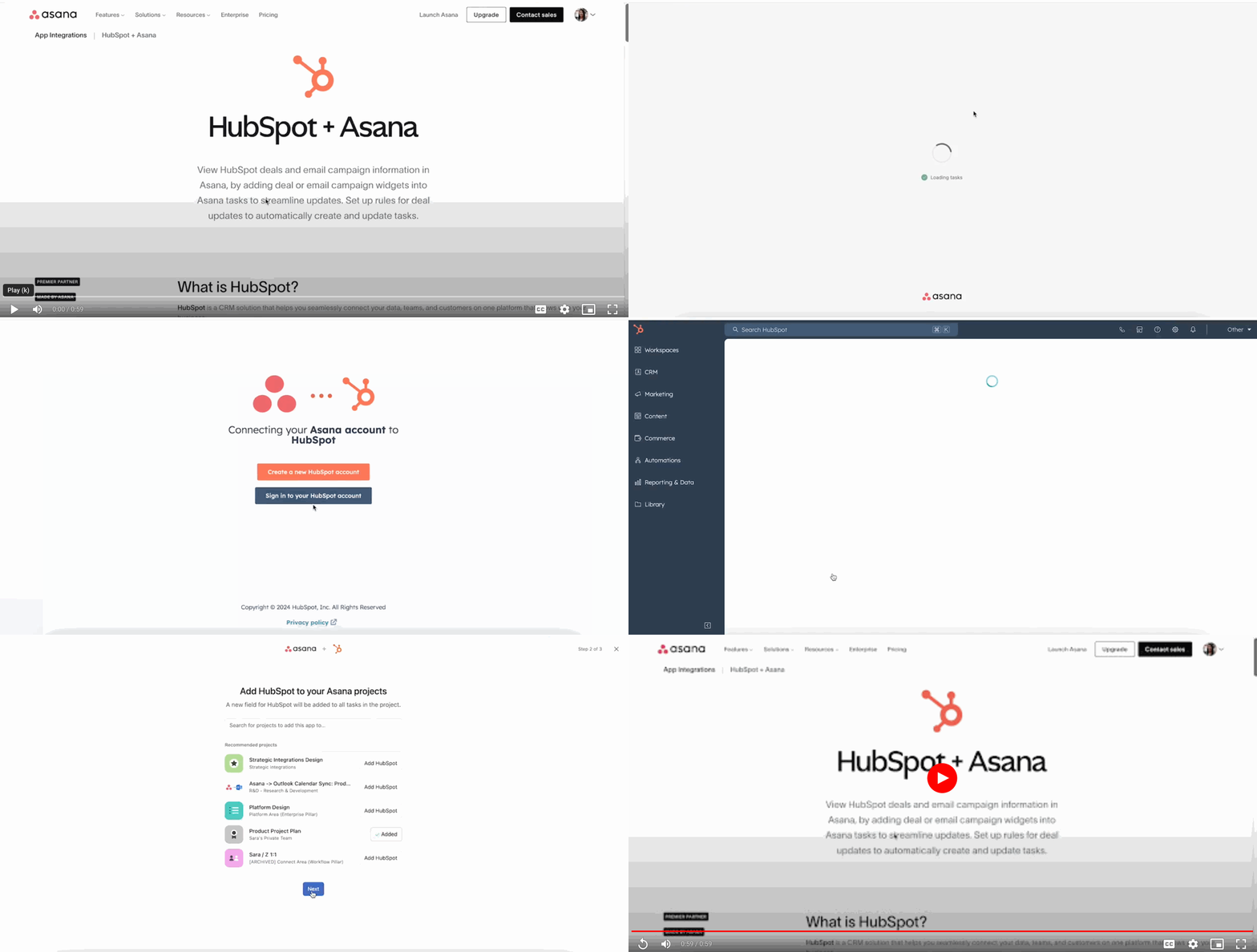
How to integrate HubSpot and Asana.gif

Here’s how to attach a HubSpot deal or marketing campaign to an Asana task:

  1. Click on Install HubSpot for Asana
  2. If you are not already logged into your Asana account, you will be asked to login
  3. Click Connect to HubSpot
  4. Click Sign into your HubSpot account or Create a new HubSpot account if you don’t have one already
  5. Once signed into your HubSpot account, choose the HubSpot account you'd like to connect Asana
  6. Choose Connect app to grant app permissions for HubSpot to access your Asana account
  7. Search for projects to add the HubSpot app to or select Skip for now
  8. You can also now navigate to your Asana account, and find the project where you want to enable the HubSpot widget
  9. Click Customize in the upper right-hand corner
  10. Scroll down to the Apps section, then select +Add app
  11. Select HubSpot
  12. Click Add to project and follow the steps to connect HubSpot to Asana
  13. Navigate to an Asana task
  14. Link a deal or a marketing email to a task by clicking the Add HubSpot deal or marketing email button on the HubSpot field at the top of the task details pane
  15. Insert the URL for your relevant HubSpot deal or email campaign
  16. Attached HubSpot details will appear as a widget in the task pane

Note: This integration is already built into Asana, but you need to sign up for a HubSpot account to get started.

To disconnect HubSpot from Asana:

  1. Navigate to Customize
  2. Click Apps
  3. Select HubSpot and click Remove from project

To disconnect Asana from HubSpot:

  1. In your HubSpot account, navigate to Reporting & Data > Integrations
  2. Click Actions on Asana and click Uninstall
  3. In the dialog box, type “uninstall” in the text field and click Uninstall

Uninstalling Asana, disconnecting the HubSpot widget, or removing a rule does not impact a user's HubSpot accounts or data; Asana does not delete or edit any data in HubSpot.

The HubSpot widget is available on Asana Starter, Advanced, Enterprise, and Enterprise+ tiers, as well as legacy tiers Premium, Business, and Legacy Enterprise.

Loading
Rules integrations for sales and services