Though it has roots in software development, Agile is now a way of working for many teams, and organizations. Agile teams are suited to work quickly in changing conditions, helping organizations go to market faster with higher quality work. This article will guide you through leveraging Asana's features to support Agile and Scrum methodologies, enabling your team to work more efficiently and collaboratively.
 Note
Note
If you are brand new to Asana, we recommend reading our quick start guide on how Asana works so you can best understand Asana concepts and more easily translate them to Agile frameworks.
Translating Scrum concepts into Asana terms
One of the most popular Agile frameworks is Scrum. Here’s how common Scrum concepts translate into Asana, including some helpful examples.
Creating an epic (Asana portfolio)
An "epic" is an overall effort towards a specific objective, which can be broken down into smaller pieces. In Asana, that translates into projects and tasks for "features" and "stories", respectively. Things like big launches could be epics, as could a series of events or campaigns in service of a larger goal (like more sales leads or revenue).
To create an epic in Asana, you’ll create a portfolio. Portfolios allow you to group related projects and monitor them together. You can see the epic’s health at a glance and easily see status updates across the features.
Creating features and backlogs (Asana projects)
Features document the larger activities that will help you achieve your epics, and backlogs help you keep track of work that you haven’t yet prioritized. In Asana, both features and backlogs can be created as individual projects, or you can include your backlog as a section in your project.
Let's take an epic around your biggest product launch of the year as an example. You could create projects for research and feedback, development, and the marketing launch or sales plans.
To create features and backlogs:
- First ensure that you’ve created a team in Asana so you have a place to host your features which will be created as projects.
- Create a project for each feature. Use project templates to speed up the process. You can check if any Asana-created templates match the work in your feature.
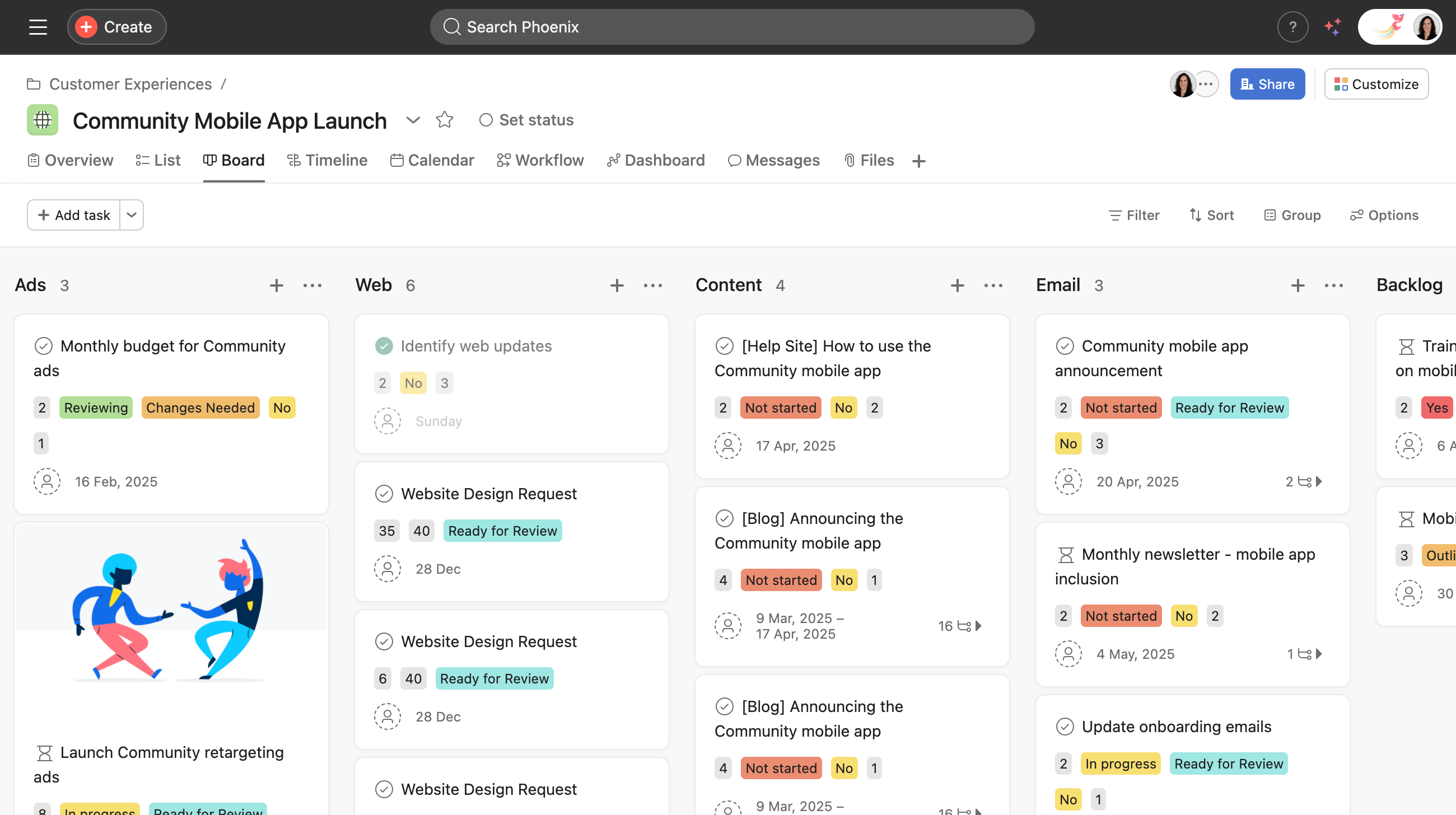
- Use board view to create a Kanban-style board with columns for your workflow stages (e.g., Backlog, To Do, In Progress, Review, Done).
- Add sections to organize tasks by sprint or feature.
- Next, add custom fields to your project so you can track things like story points, priority, task status, sprint number, etc.
- Create task templates for recurring types of work, such as user stories or bug reports.
- Now that you have created your features, you can decide to add your backlog as a section of the feature project, or create a separate project for backlog items. Follow the same project creation process above if you wish to create a backlog project.
Next, you’ll learn how to break your features into stories.
How to create stories and add them to your sprint (Asana tasks)
A story is one actionable piece of work to help you break up a feature into smaller, actionable parts. In Asana, this means adding tasks to your project. So for an epic about an app launch, you could have a mobile app launch feature with stories like “draft web copy,” and “email announcement”, etc.
To create stories:
- Add stories to your feature by creating tasks in your project.
- In the task description, you can add your acceptance criteria and any other relevant details.
- Fill out any custom fields you’ve added to your project to provide more clarity on things like task status, priority, etc.
- Assign the task to the person responsible for completing the work, giving them a start and due date so they can plan accordingly.
- Once you’ve created your stories as tasks in Asana, you can go on to break them down into "tasks", which would be considered subtasks in Asana. Subtasks are how you break up work into even smaller parts and distribute responsibility.
Once you create stories, consider creating a sprint planning project to capture the actionable pieces of work that you’ll take on in a sprint. Check out our sprint planning blog to learn how to build and manage sprint planning. Now you’ve built a basic Scrum framework with Asana.
Managing Agile work with Asana
Now that you’ve got your basic Scrum structure built, and have added work to your sprint project, we’ll give you tips on managing the work in Asana.
Capture user stories and tasks
- Use forms to standardize story submissions and bug reports from team members and stakeholders.
- Create tasks for each user story, feature, or bug in your backlog.
- Use custom fields to prioritize tasks and assign story points.
Organize your backlog
- Use board view to visually manage your backlog.
- Drag and drop tasks to prioritize them within the backlog column.
- Use sorting and filtering to quickly find and organize tasks based on priority, story points, or other criteria.
How to manage your Agile sprint
Create a sprint
- Create a new section or project for each sprint.
- Use timeline view to plan your sprint, setting start and due dates for each task.
- Establish dependencies between tasks to ensure a smooth workflow.
Allocate tasks
- Move tasks from the backlog to the current sprint section or project.
- Assign tasks to team members.
- Use workload view to balance task distribution and ensure no team member is overburdened.
Daily stand-ups and sprint tracking
Conduct daily stand-ups
- Use board view during daily stand-ups to quickly identify work in progress and any blockers.
- Update custom fields showing a tasks status and move those tasks across the board as work progresses.
Track sprint progress
- Set milestones for key sprint events (e.g., Sprint planning, Sprint review).
- Use dashboards to create burndown charts and track sprint velocity.
- Create rules to:
- Notify team members of task changes
- Move tasks to the correct stage when a status is updated
- Send reminders for upcoming deadlines
- Integrate Asana with GitHub to sync commits and pull requests with tasks.
- Link code changes directly to Asana tasks for better traceability.
Sync with other tools
Keeping up with sprint updates
- As work moves forward, make sure teammates are marking tasks complete and attaching any relevant work to the completed task so it’s clear and easily accessible to other teammates.
- Show progress by moving tasks into the appropriate column in your sprint project. That way, anyone who needs a pulse on where work stands can simply open the project and see this at a glance.
- Add relevant stakeholders and managers to your sprint planning project as project members. You can give them commenter permission levels so they can't modify anything.
- Post regular status updates to bring stakeholders up to speed on sprint progress.
Conduct sprint reviews
- Use milestones to help mark and identify the end of a sprint.
- Review completed tasks, ongoing work, and any backlog items that need to be carried forward.
- Update each task's status and move completed items to the Done column.
Conducting an effective retrospective in Asana
Retrospectives are an important part of the Agile process. They help teams digest what was accomplished, and determine what can be improved or iterated on in the future. Here’s how you can use Asana to supercharge your retrospectives, leading to actionable insights.
- Create a form to capture team feedback on what went well, what didn't, and what could be improved for future sprints.
- Use the reporting feature to generate sprint performance metrics.
- Create tasks for action items identified during the retrospective. If retrospective feedback is actionable, assign the task to the person responsible for implementing it or surfacing it to other teams.
- Post a final status update with the sprint results and accomplishments.
- Archive your sprint project so only the current sprint project is referenced. You will still be able to access archived projects in Asana.
- Create a new sprint project and repeat the process!
Leveraging AI for enhanced productivity
Asana's AI-powered features can help streamline your Agile workflows:
- Leverage smart status for AI-generated project status updates, saving time on manual reporting.
- Utilize smart summaries to get concise overviews of your sprints or projects.
- Try Asana AI Studio to build your own smart workflows.
Though there are many facets and pieces to Agile work that contribute to team success, the ability to easily track, manage, and plan this work in one place undoubtedly drives results. By following these steps, teams can efficiently manage Agile and Scrum workflows, maintain high visibility, and continuously improve their processes. This approach enables better sprint management, optimizes resource allocation, and fosters enhanced communication and collaboration across teams.