Products


AI Platform


Asana Foundations
Company Type
In This Article

Visit our pricing page for more information.
Discover how to add new members to your project, reassign the project owner role and customize notification settings to keep team members informed without overwhelming them.
Each project only has one project owner, but can have many project members. Both project owner and project members can add, remove, and edit tasks in the project. Both project owner and project members can update the project's status and adjust the project's progress chart as well as receive notifications about the project.
One of the project members can become the project owner.
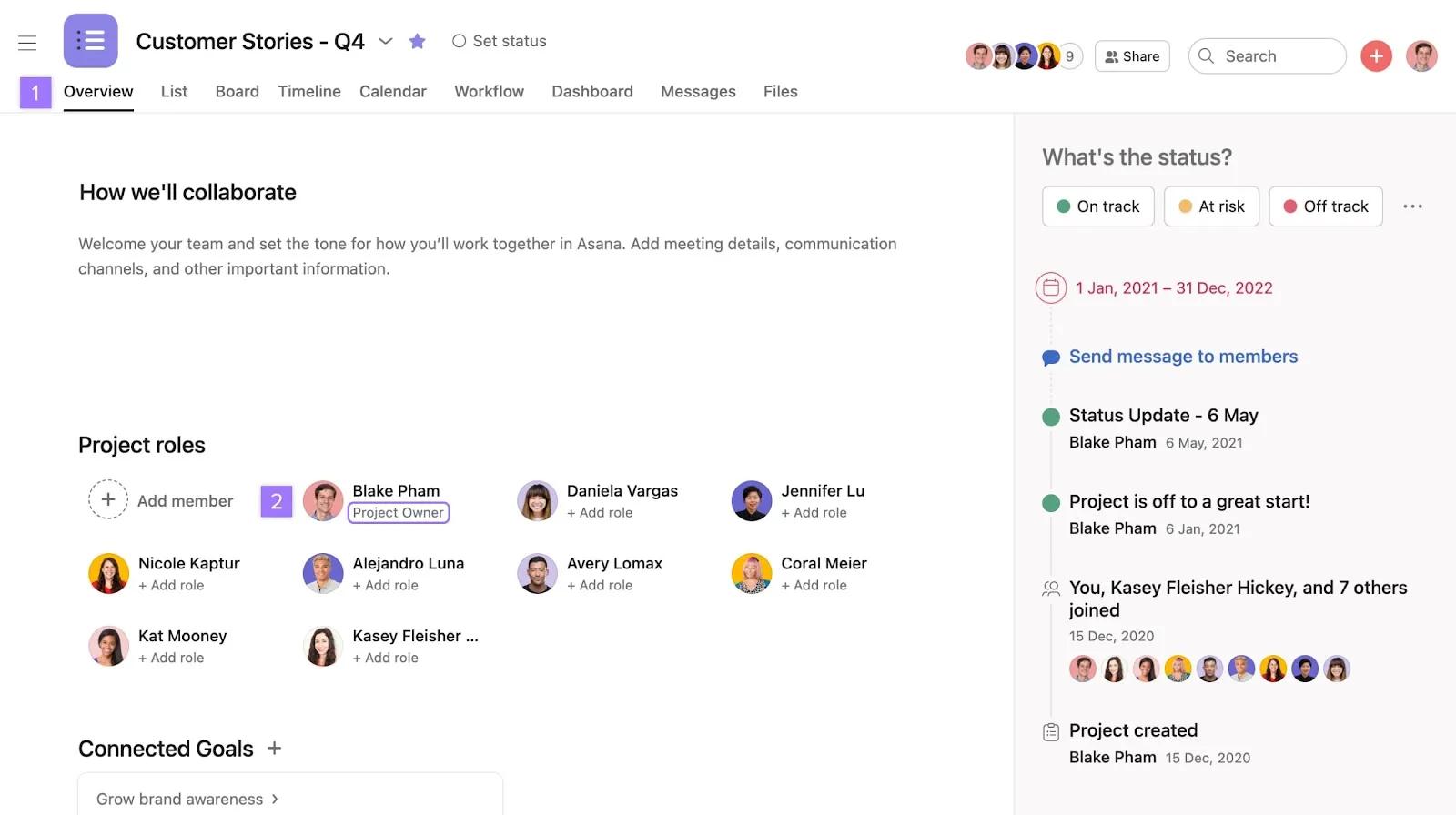
By default, the person who creates the project will be set as the project's owner.

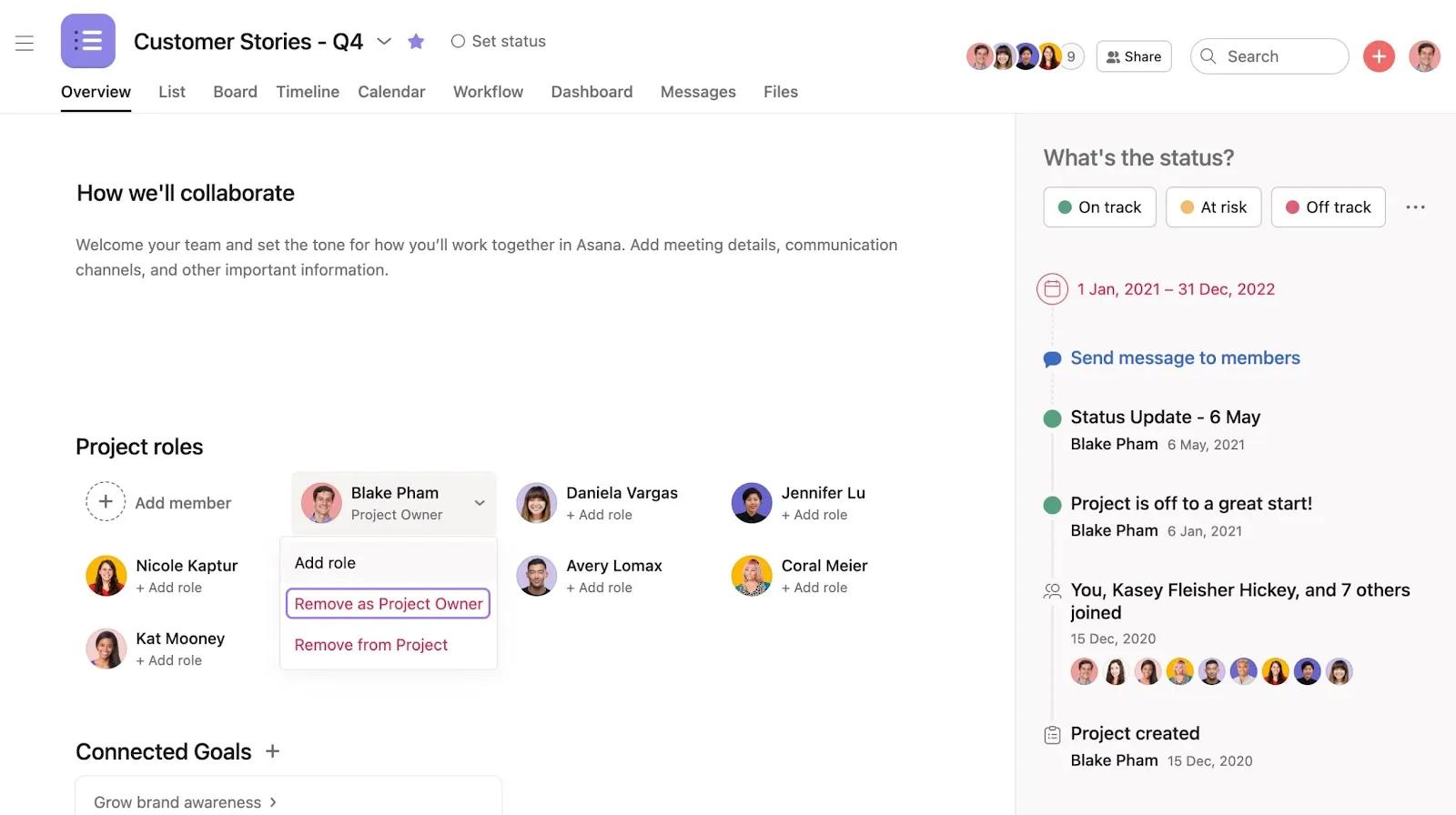
You can also click on the dropdown arrow beside the current project owner's name and select Remove as project owner
Keep yourself and your colleagues in the loop on projects by becoming project members.
Project members will receive a notification (via email or inbox, depending on your notification settings) when:
You don't necessarily need to be a project member to see a project. Project visibility is determined by the project's permissions.
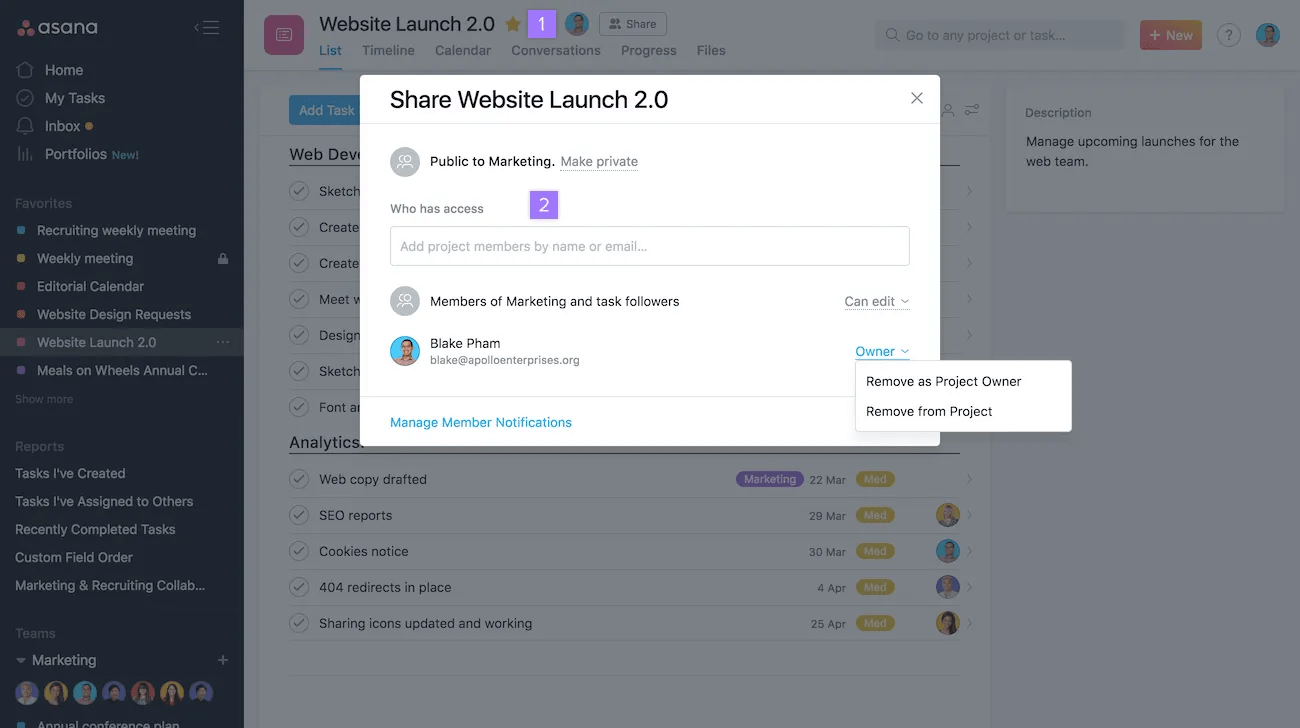
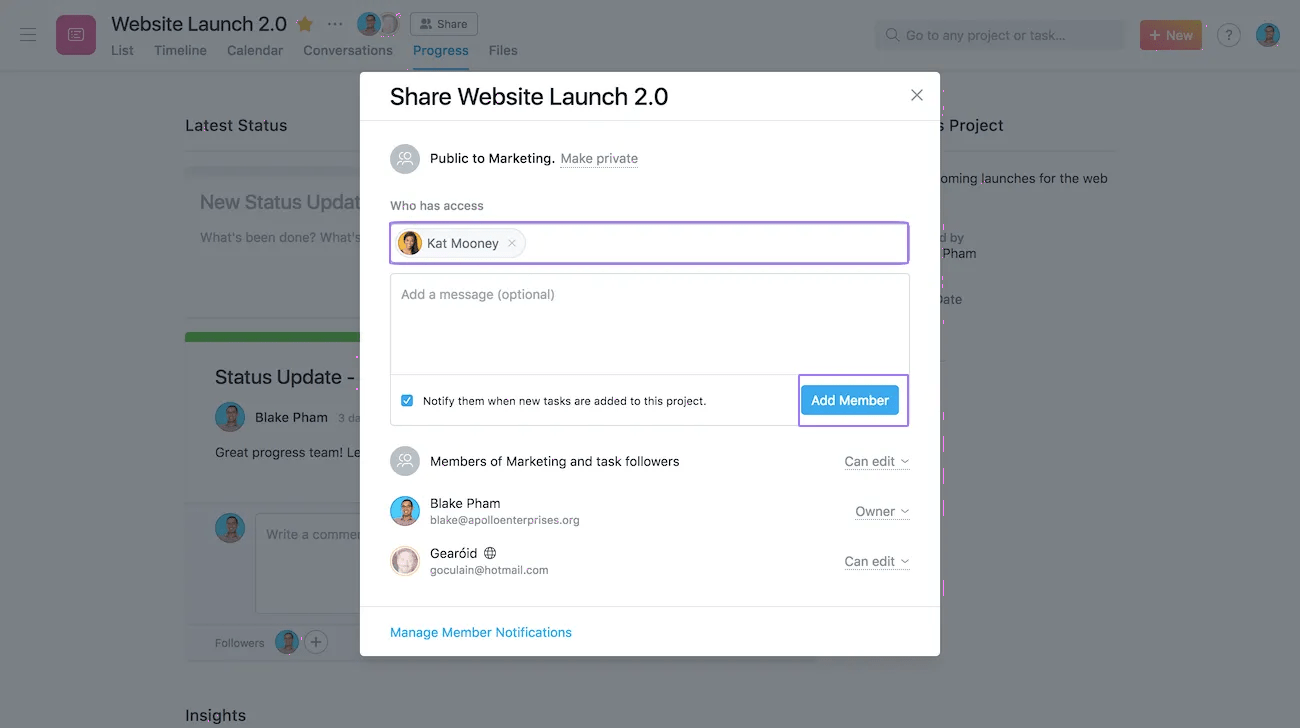
You can add multiple people in the project members field. Once you've entered the person's name or email address, you'll be prompted with an Add Member button
All project members will receive email notifications for project deletions. It is not possible to turn these notifications off.
Deleted project notifications also contain a link to restore the deleted project.
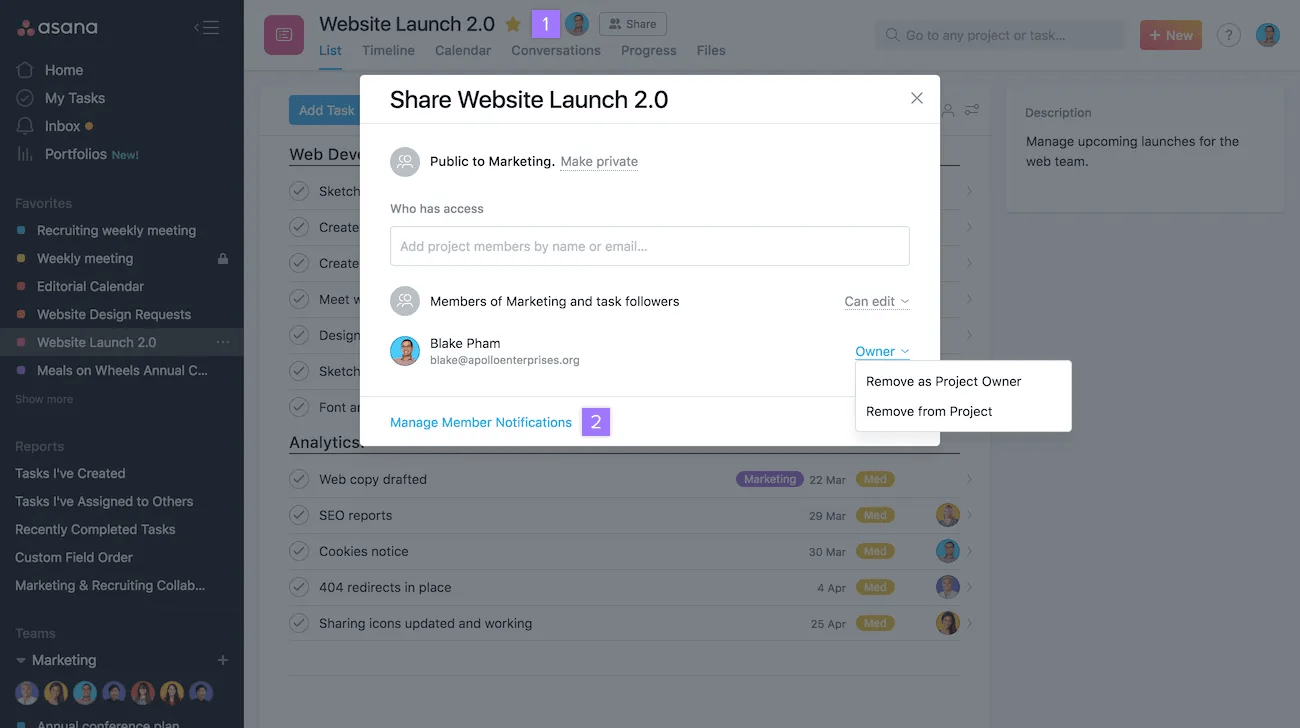
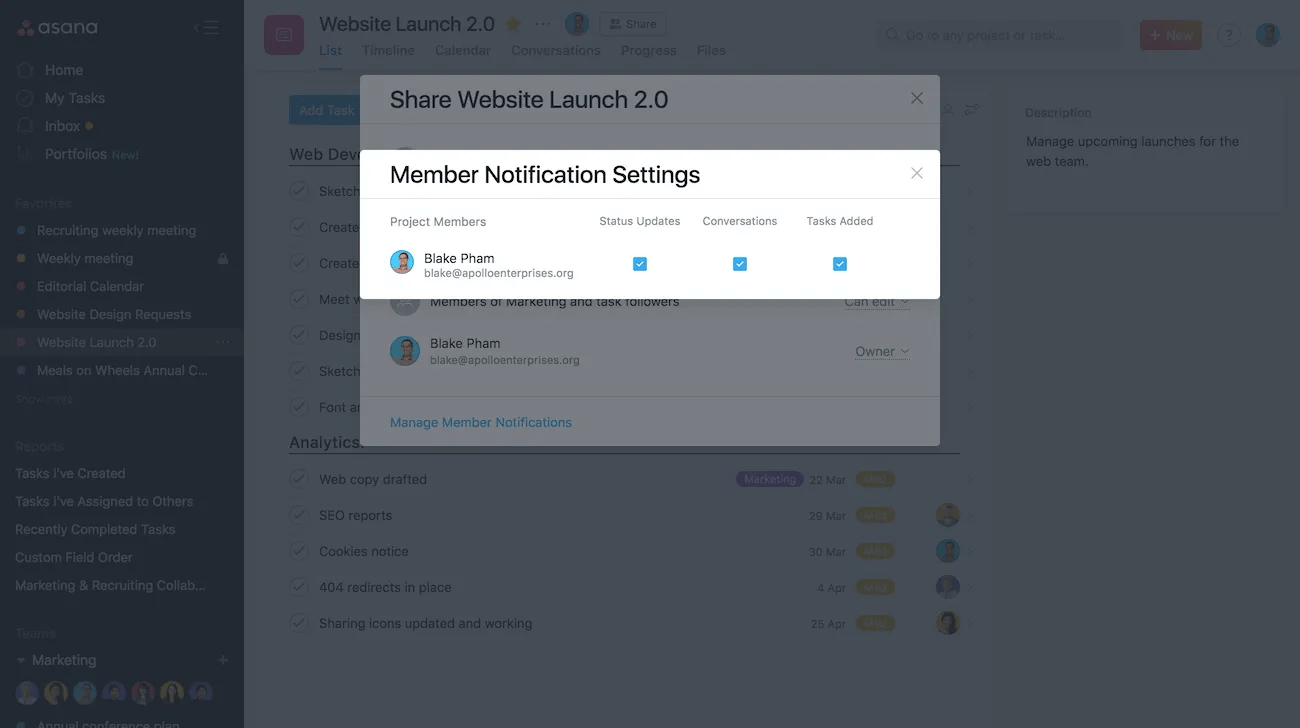
In the project notification settings, there are three options to choose from:
There are two categories of notifications in projects:
Asana users receive email notifications when comments or @mentions are being made to a task they are collaborating on.

