Products


AI Platform


Asana Foundations
Company Type

Visit our pricing page for more information.
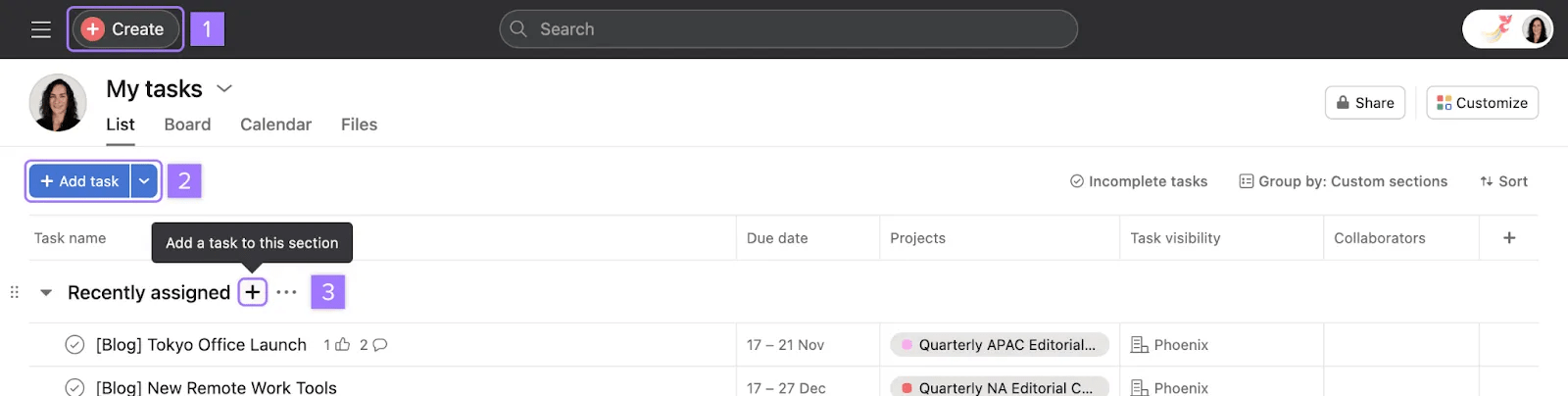
Tasks represent actionable steps or to-do’s to make it clear who’s responsible for what by when—but they can also represent ideas and reference items. If you're used to sending emails every time you need something from a teammate, try a task instead.
Tasks store all the instructions, comments, and attachments related to it so information stays in one place. Tasks are usually part of a project so they’re easy to find and visible to your teammates.
Note
You can also create tasks from emails, Slack messages, and other external apps.
Every task can only have one assignee, but it can have many collaborators.
Both a task's assignee and collaborators can view the task, and may edit the task based on the task's permission settings. The task creator and task assignee are automatically added as task collaborators.Task collaborators receive notifications when the task is updated.
Tasks assigned to will appear in your My tasks.
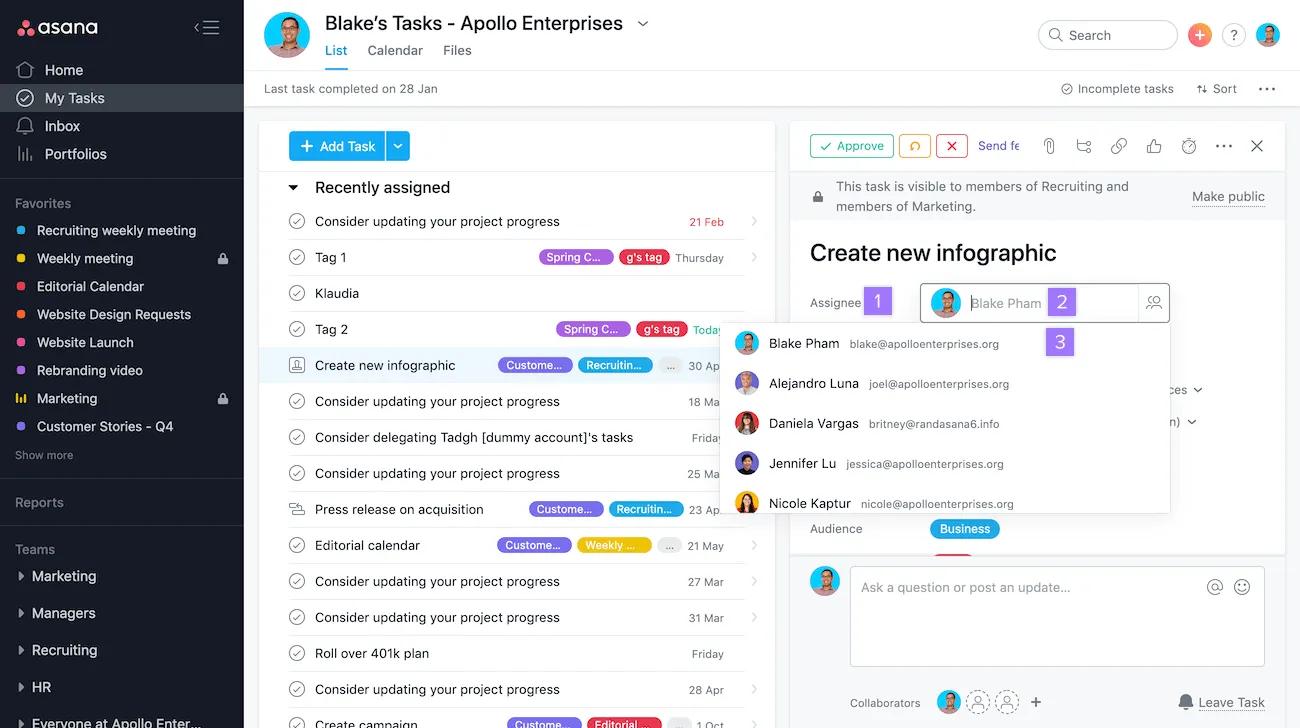
To unassign a task, navigate to the Assignee field and click the X.
Press
Tab+Mto assign a task to yourself.
You can create the same task for multiple people.
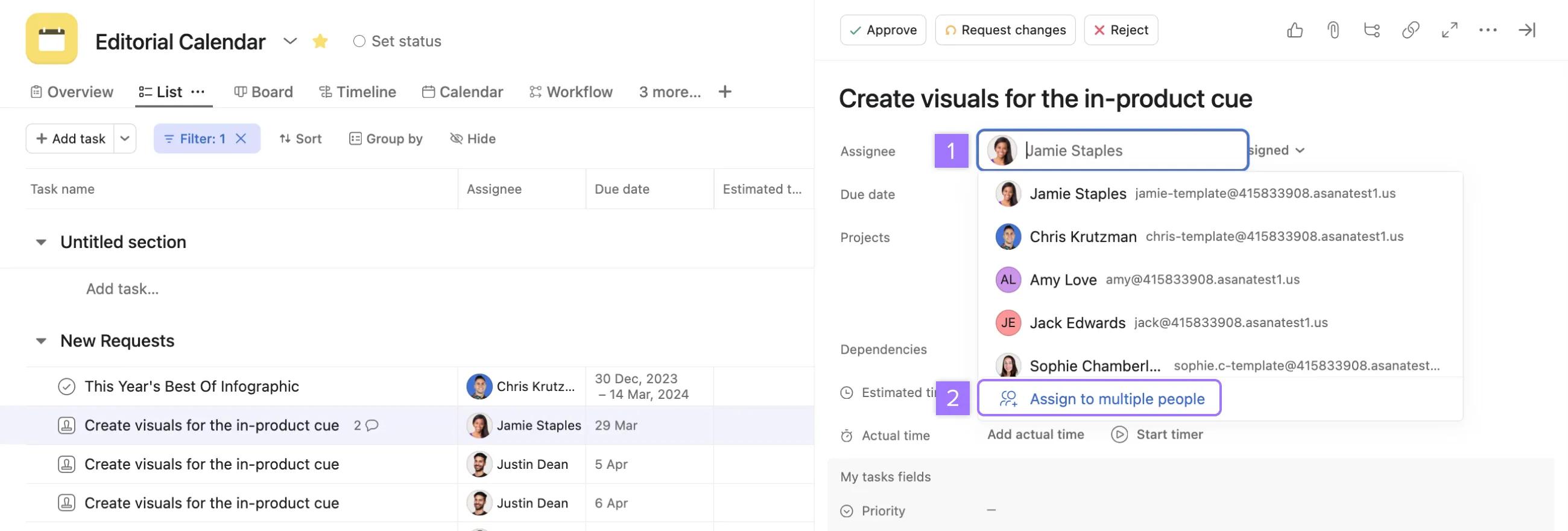
Assigning copies does not assign the original task to multiple people; it creates multiple copies of the task and assigns them to each person.
Become a collaborator on a task to stay informed on the following changes:
Collaborators will receive inbox notifications and can receive notifications via email depending on their settings.
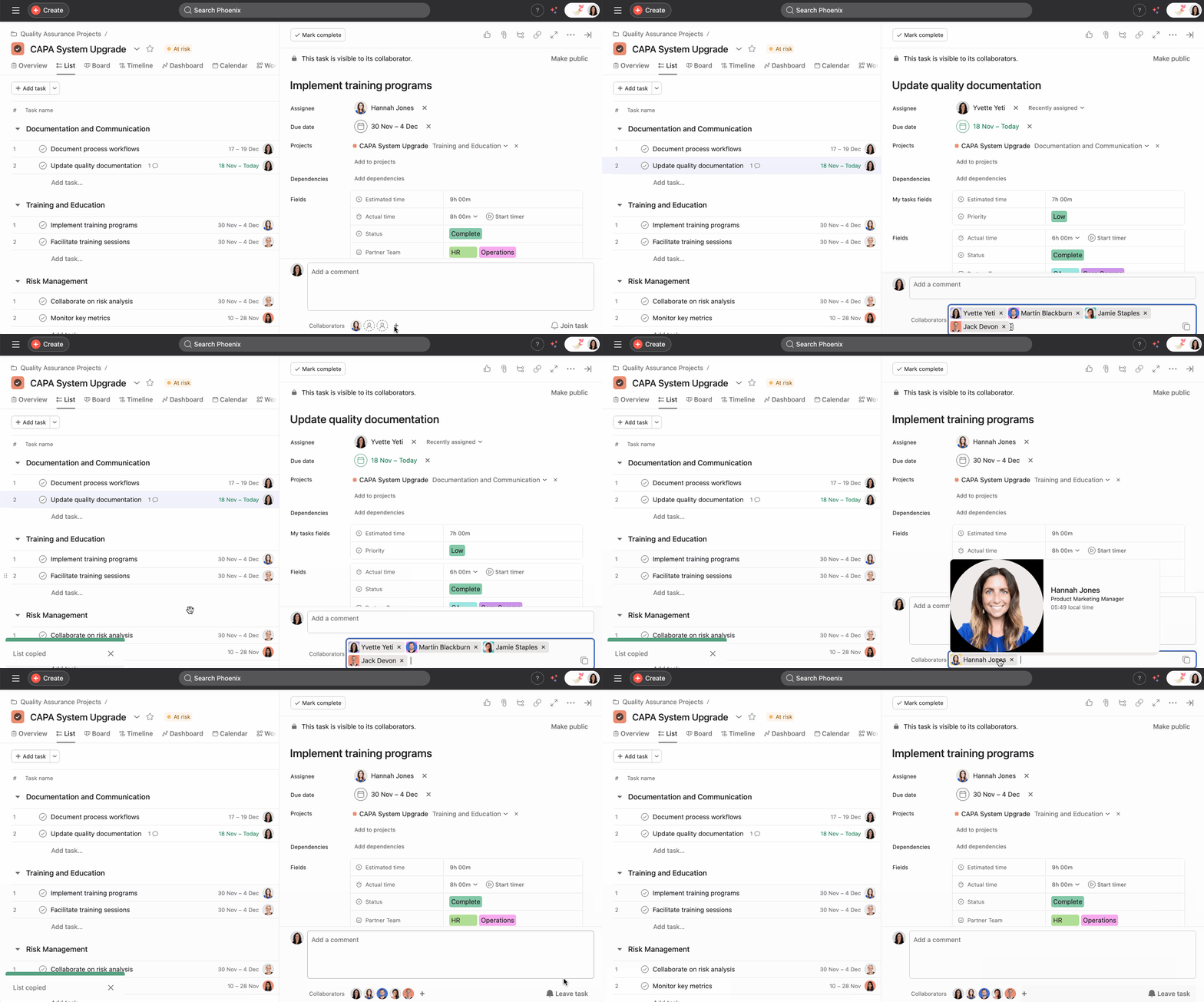
To add a collaborator to a task click the + button beside Collaborators to add or remove collaborators.
If you are getting notifications for a task that you are no longer interested in, you can remove yourself from the task collaborators by clicking the Leave task button.
If you @mention another person in a task's description or comments, they will automatically be added as a collaborator on the task.
You can copy all task collaborators at once by clicking on the copy link. This allows you to easily paste the collaborator list to another task instead of manually adding collaborators.
Check out our framework below to help you choose the right way to go:
| Create a project... | Create a task... | Create a subtask... | Examples | |
|---|---|---|---|---|
| Effort level | It's a large effort with a group of stakeholders working towards a goal over time, or you want a central place to track work. | You're trying to capture a singular to-do for one person that can be achieved within a few minutes or work days. | Multiple people are contributing to a task’s completion to help you divide and conquer. | Project: Editorial calendar Task: Publish blog Subtask: Gather customer quotes for blog |
| Complexity | What you're doing has a lot of steps, stages, stakeholders, or layers. | You want to communicate with a subset of stakeholders about a specific piece of work (versus the whole project). | You're trying to break down a task into more bite-sized pieces. | Project: New Year's campaign Task: Finalize campaign messaging Subtask: Review campaign messaging |

