Products


AI Platform


Asana Foundations
Company Type

Visit our pricing page for more information.
This article explains how billing owners and admins can access, view, and download invoices from the billing tab in their workspace or organization's settings. It also details switching payment methods between credit card and PayPal via the admin console, including steps to update payment information.
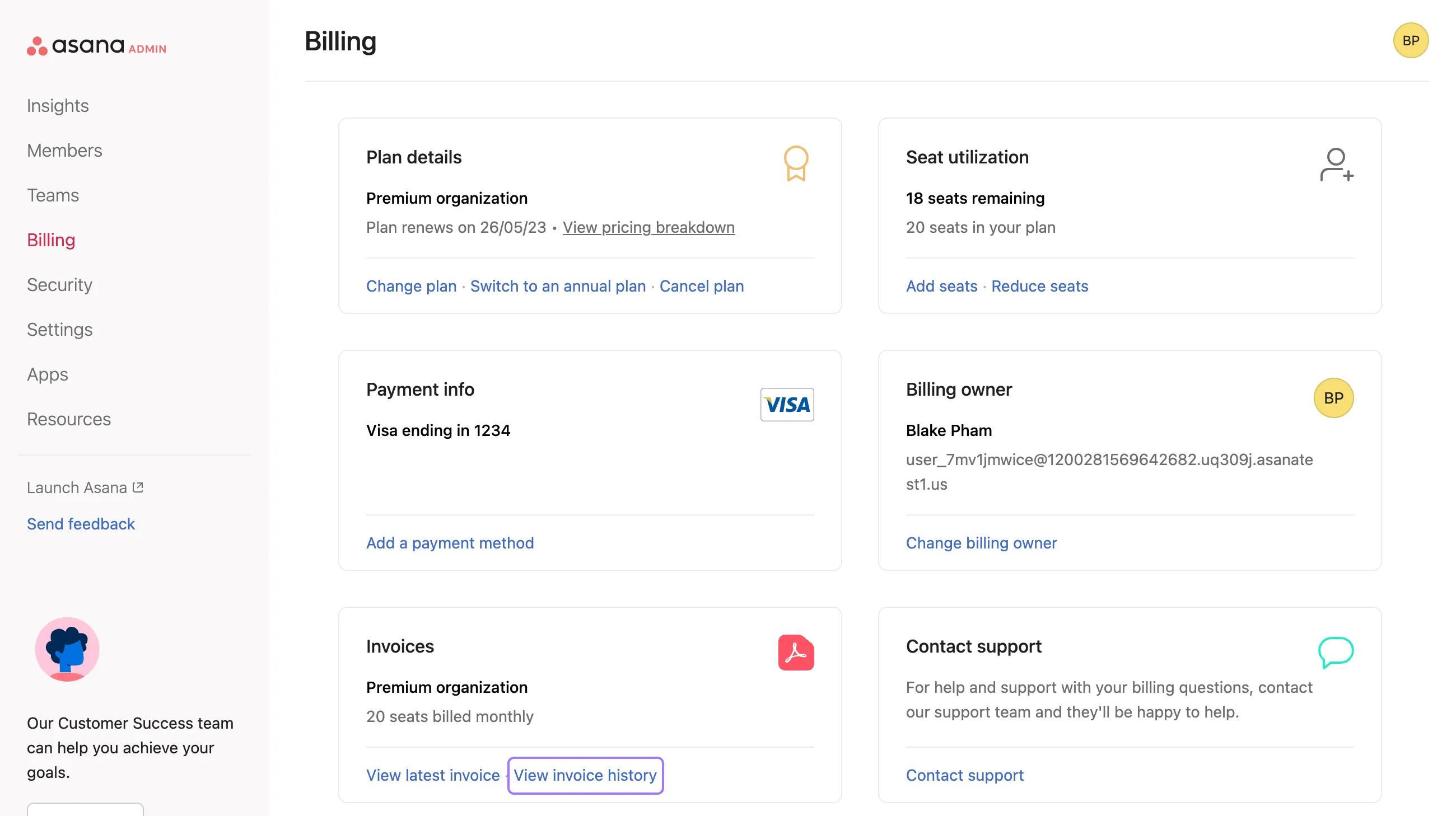
Billing owners can access their latest invoice at any time from the Billing tab in their workspace or organization's settings. Admins in paid organizations who are also the billing owner for their plan, can access their invoice through the billing tab of their admin console.
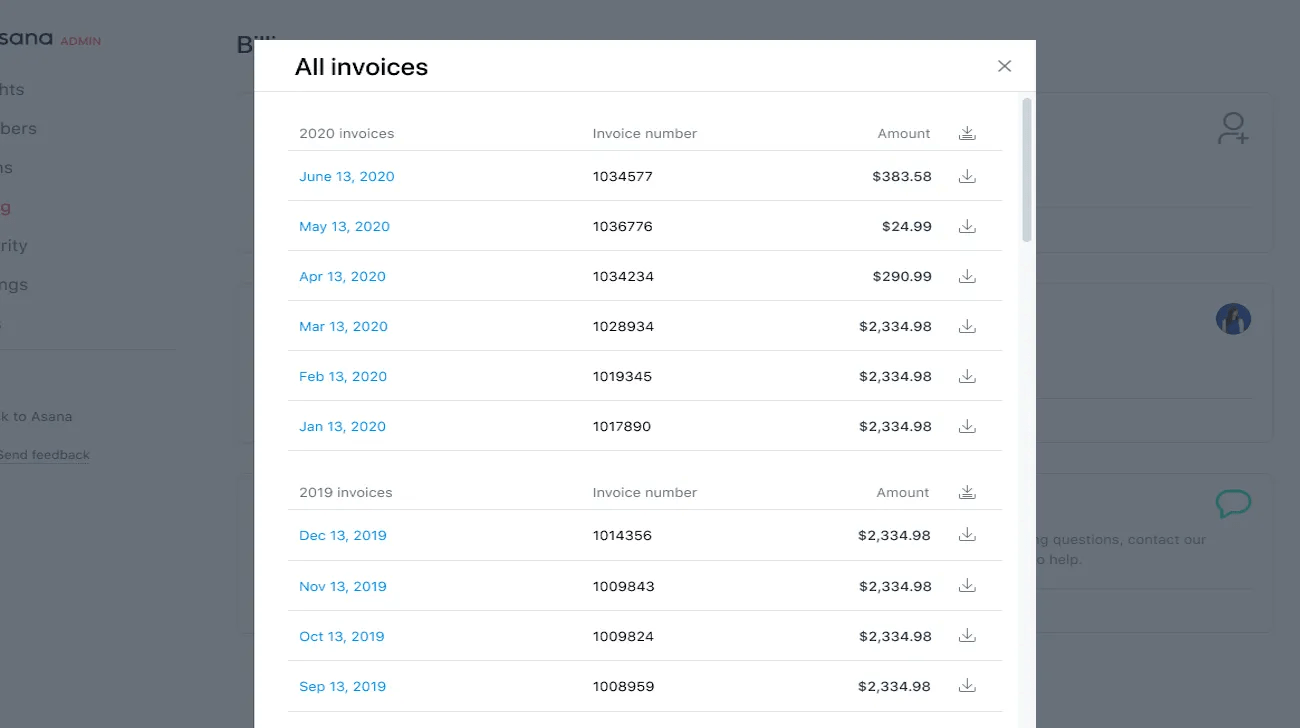
Billing owners and admins can view and download all past invoices.
You can view your latest invoice and your invoice history under Invoices in the Billing tab of the admin console. You also have the option to download all invoices for a particular year.
Billing owners can switch their payment method from credit card to PayPal and vice versa from their Billing tab.
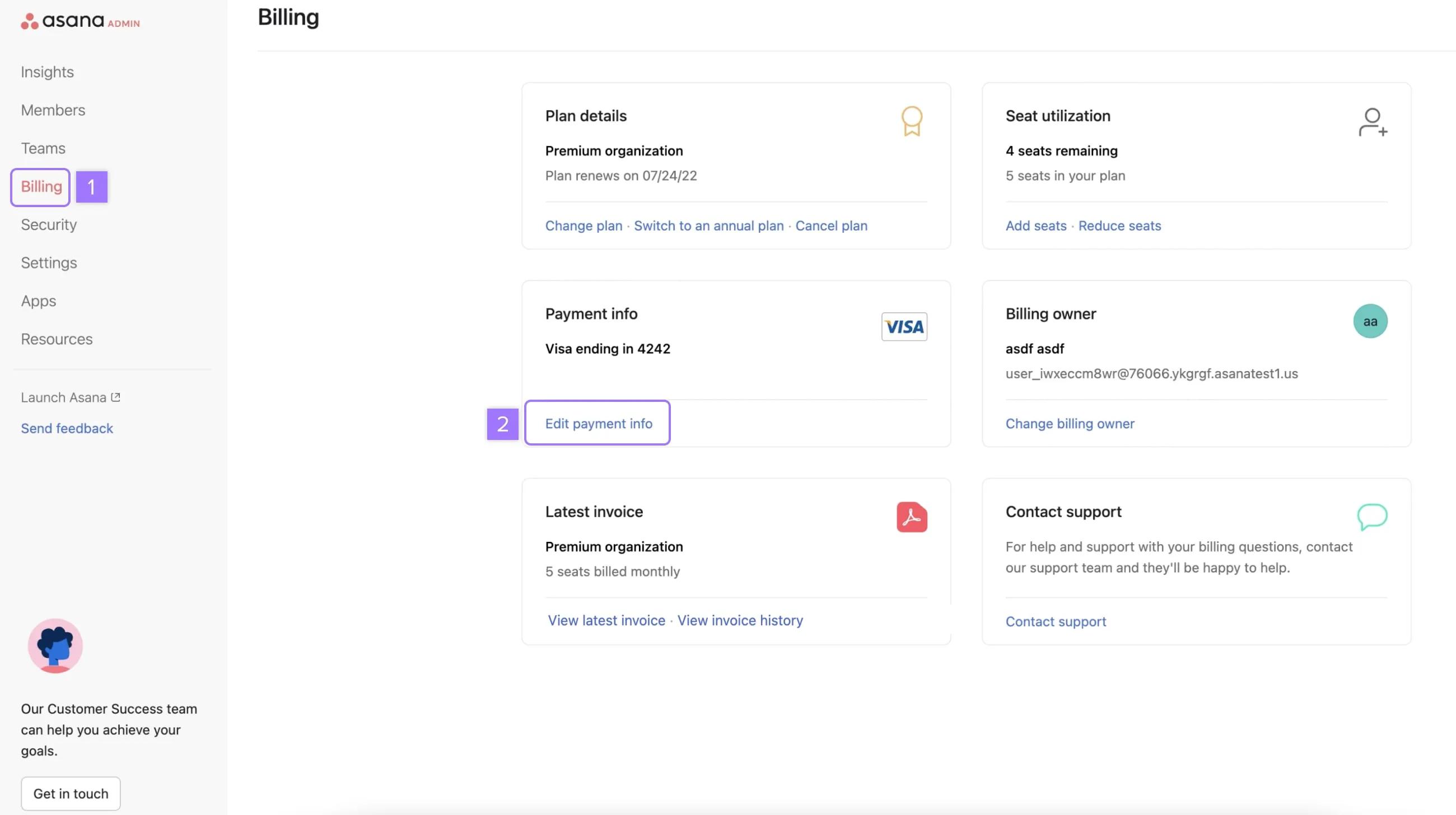
In order to switch payment method:

From here, you can select your desired payment method.
You will be prompted to enter your credit card information or log in to your PayPal account. Once your payment method has been successfully updated, click on done.
Note
Like what you see? Get started with a free Asana trial today.

