Products


AI Platform


Asana Foundations
Company Type

Visit our pricing page for more information.
Asana accounts are free and are tied to individual users. Asana accounts grant access to shared workspaces and organizations to collaborate with other Asana users.
With a single Asana account, you can create or join multiple workspaces and organizations to collaborate with various groups of Asana users. These workspaces and organizations you belong to are their own separate entities, each with their own unique set of people, projects, and tasks.
In order to join an existing workspace, a current member must invite you.
You can leave a workspace if you are no longer actively collaborating with the workspace members.
Once you leave, you will not have any access to projects or tasks in the workspace and the workspace will no longer appear when you click your profile picture, but the workspace will continue to exist.
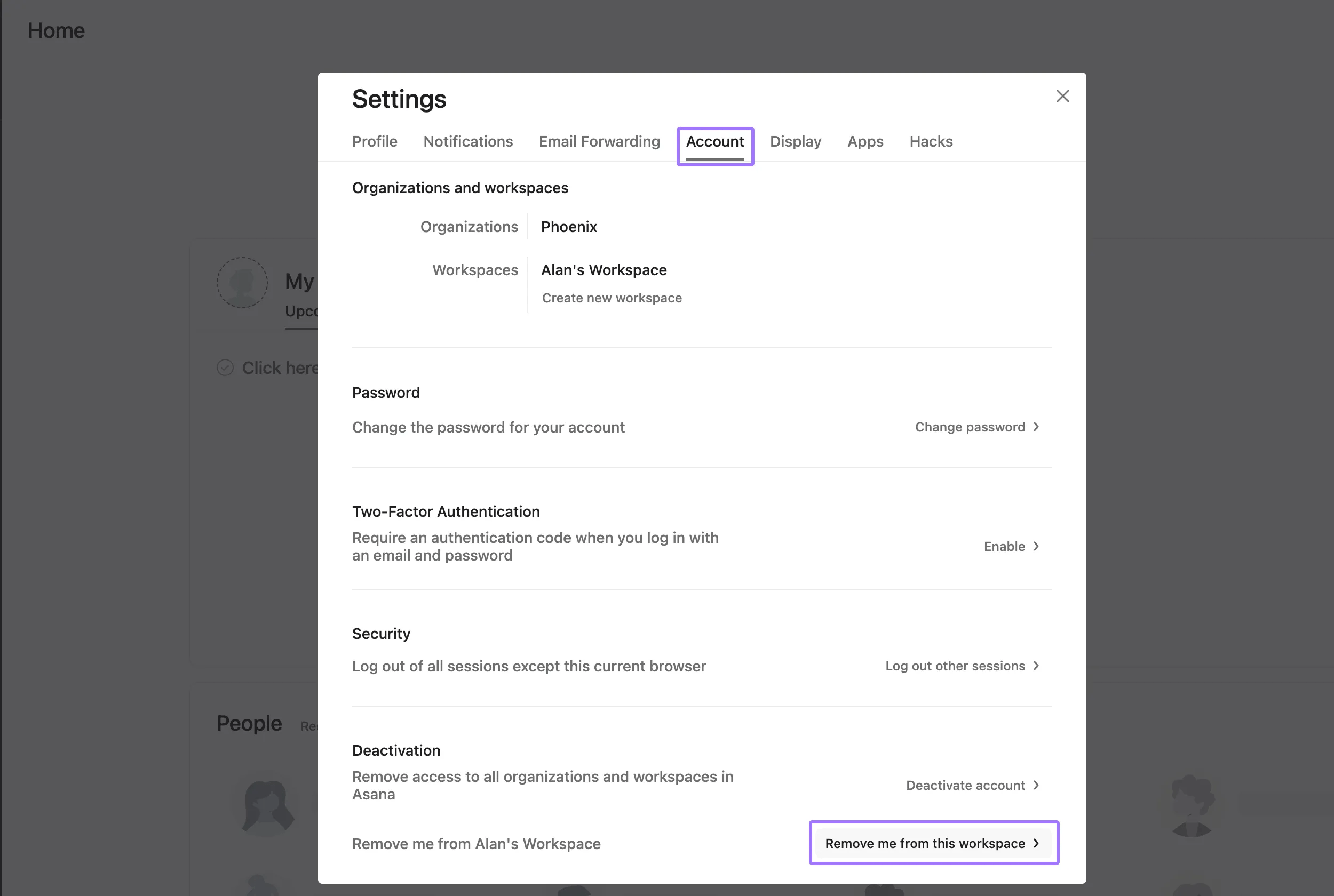
Once you leave a workspace, you will no longer have access to its projects and tasks.
As a workspace member, you can use the admin console to:
Note
Here you will also see the number of workspace members and guests at the top of the menu. Upgrade your workspace to add more people once you reach your limit.
You can convert any member into a guest to limit their access, or convert any guest into a member to give them access to all public projects in your workspace.
You can invite people to your workspace from the Members tab of your admin console
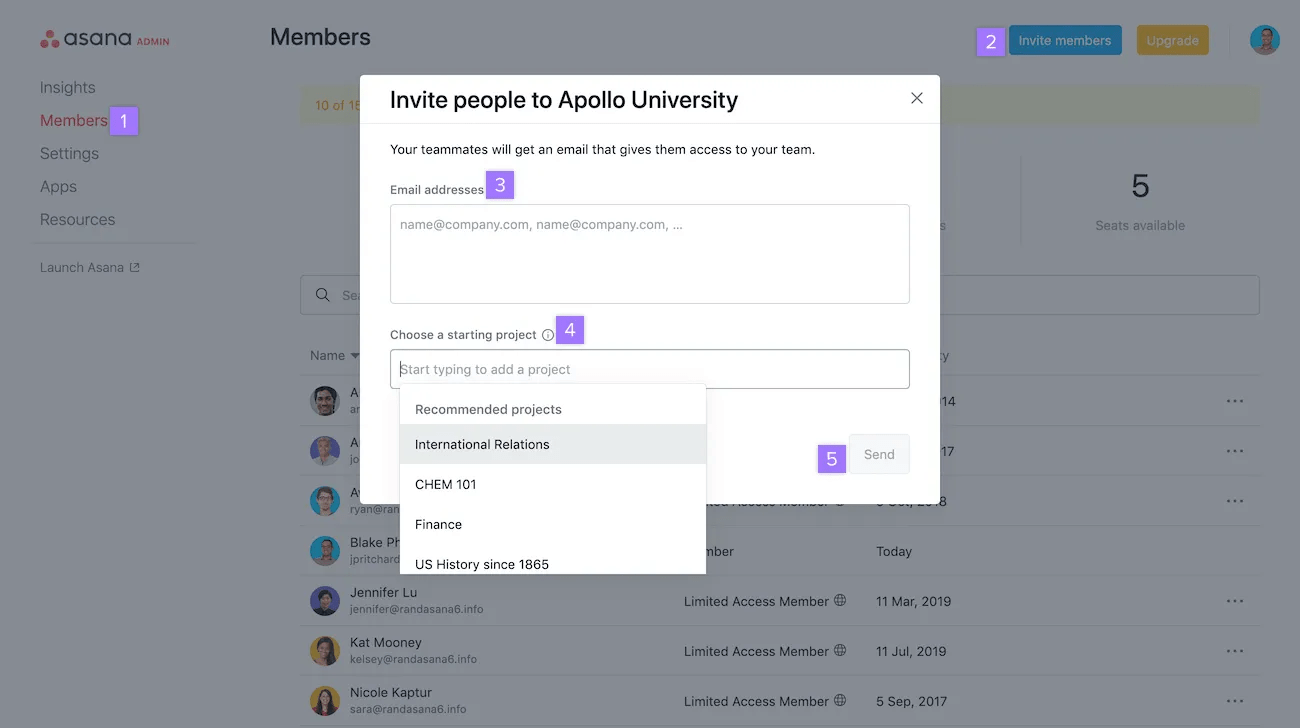
You can make a workspace user a guest by clicking the three dot icon beside their name within the Members tab of the admin console.
You can also invite people from within a project as follows:
You will be alerted when inviting someone to the project who is not yet part of your workspace.
The person whose invitation you cancel will still have received their invitation email, but following the link will no longer lead them to your workspace or project. Instead, they'll see a "Sorry, you don't have access" error message.
Remove members or guests from your workspace if you no longer want them to have access to the workspace's projects and tasks.
When someone is removed from your workspace, the tasks, projects, messages, attachments and comments the person created will remain intact, but their previously assigned tasks will now be left unassigned.
To ensure no tasks go unaccounted for, it is a good idea to go into the person's My tasks and reassign their tasks before removing them.

