Products


AI Platform


Asana Foundations
Company Type
No articles found for this topic.
No articles found for this topic.
In This Article

Visit our pricing page for more information.
Available on Asana Advanced, Enterprise, and Enterprise+ tiers, as well as legacy tiers Business and Legacy Enterprise.
With Asana for iOS, you can organize your tasks for the day and communicate with your team from anywhere. This article takes a look at creating and using portfolios on iOS. Download the Asana app for your iPhone and iPad from the App Store. Asana's mobile app is only compatible with iOS 16 or later.
Portfolios help you keep track of projects across your team or your whole organization. Portfolios let you categorize Asana projects, see and request status updates, and organize projects.
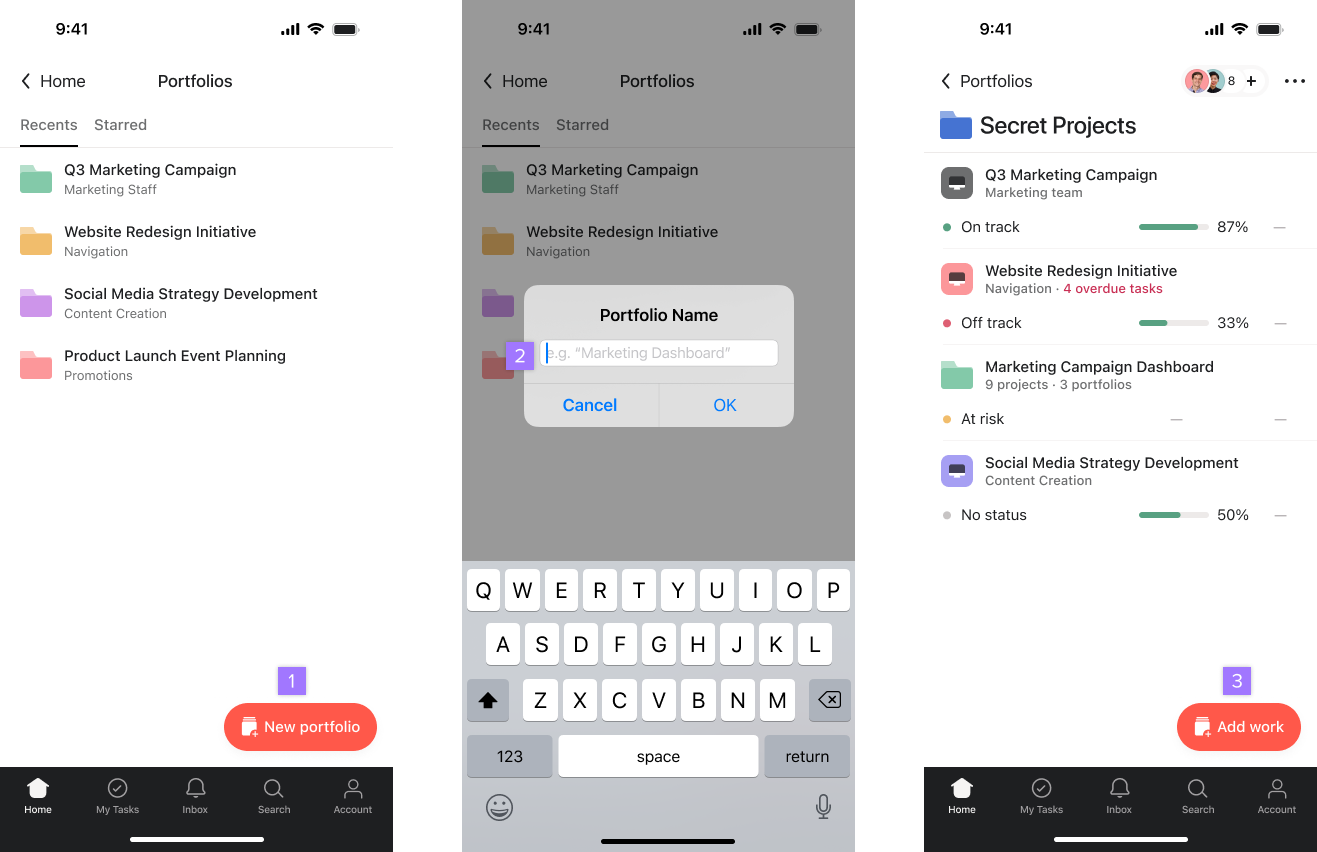
Once you've created a portfolio and added a few projects, you can keep track of their health in one place.
From the Portfolio view, you can view the following:
Organize and monitor the health of your work with portfolios. Get started with a free Asana trial. Try for free.

