Products


AI Platform


Asana Foundations
Company Type
No articles found for this topic.
No articles found for this topic.

Visit our pricing page for more information.
Tracking project progress effectively is essential for keeping your team aligned, meeting deadlines, and delivering successful outcomes. Asana provides multiple ways to monitor your projects in real-time, from basic task completion tracking to advanced AI-powered insights and comprehensive reporting dashboards.
This article will walk you through the essential methods for tracking project progress in Asana, helping you stay on top of your work and make data-driven decisions.
Before you can effectively track progress, ensure your project is properly structured:
Create clear project sections
Organize your project into logical sections that represent different phases, departments, or work streams. This makes it easier to see progress at a glance.
Set task due dates and assignees
Assign clear due dates and owners to each task. This creates accountability and helps you identify potential bottlenecks early.
Use custom fields for additional tracking
Add custom fields to capture important project data like priority levels, estimated effort, or budget information. These fields become valuable for reporting and filtering.
Projects keep you organized, and the sort option helps you make sense of all the tasks in your project. While there are many ways you can sort in Asana, a few of the most essential ways to sort in projects are:

This feature provides a quick overview, making it easy to identify tasks assigned to specific team members, those with impending deadlines, and those marked with high priority.
Filter is another great option for a more refined search to help you drill down and see what matters most to you. When you filter in your project, the project will only show you the results that match your filter.
There are many ways to filter in projects, but some of the most important are:
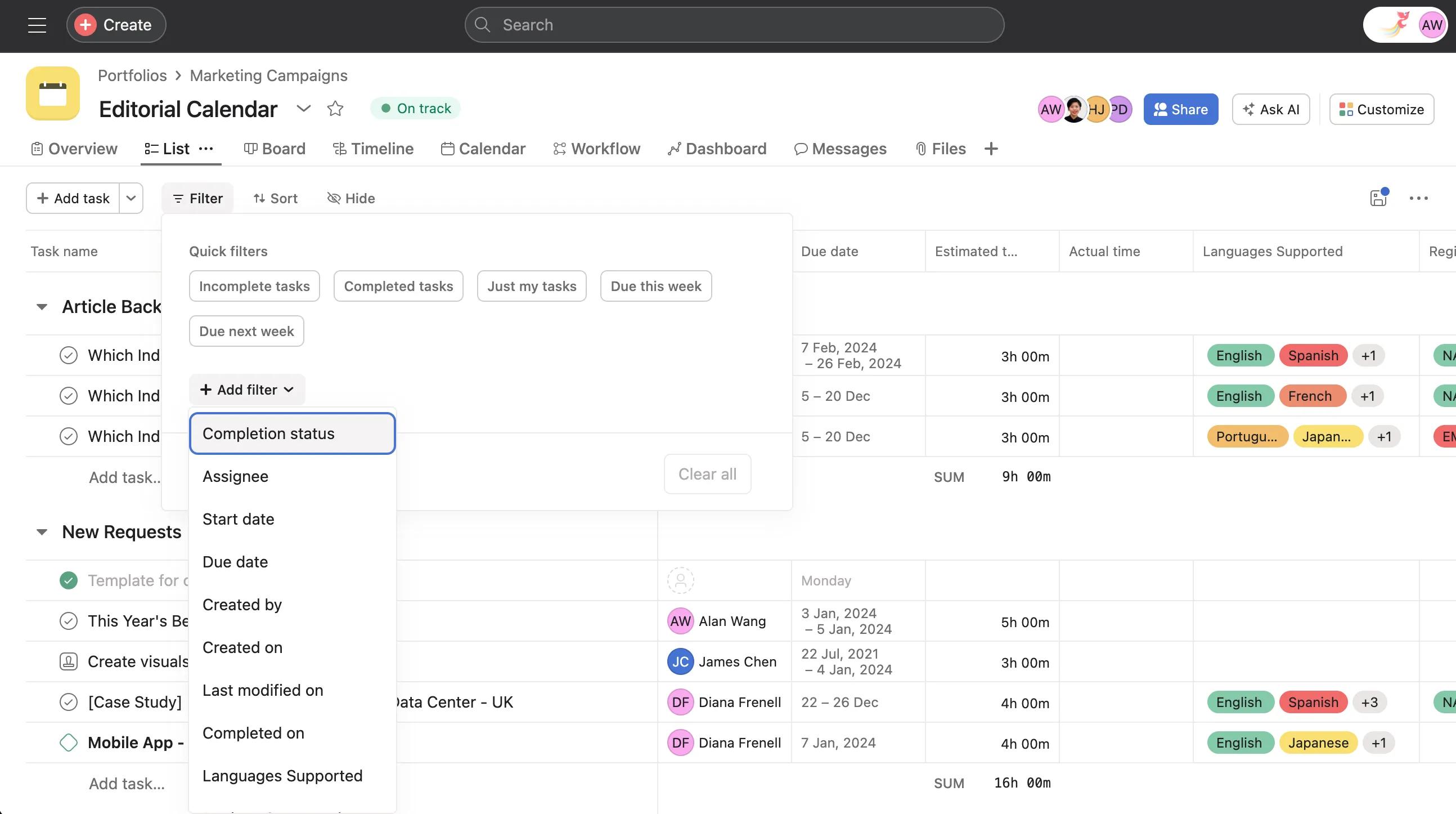
Asana offers advanced search capabilities. Users can simultaneously filter tasks based on assignees, due dates, and priority levels. This feature proves invaluable when dealing with large and complex projects, meaning you can zero in on specific information.
It’s important to assess if team members are getting work done or if there are individuals who are falling behind. Use the filter and sort tools to assess team members’ progress by checking for completed tasks, overdue items, and high-priority tasks to gauge your team's overall workload and productivity. Filter and sort also allow you to flag overdue items, re-prioritize tasks, and open up conversations with team members who may be struggling with their tasks or workload.
Project reporting dashboards
Create custom dashboards to visualize project data in charts and graphs:
Portfolio-level tracking
If you're managing multiple related projects, use portfolios to track progress across your entire initiative:
Goal alignment
Connect your project to company goals to track how your work contributes to broader objectives:
Effective project progress tracking in Asana helps you deliver better results while reducing stress and uncertainty. By combining the right views, regular updates, and AI-powered insights, you'll have complete visibility into your project's health and can make informed decisions to keep everything on track.

