Products


AI Platform


Asana Foundations
Company Type
No articles found for this topic.
No articles found for this topic.
Available on Asana Enterprise and Enterprise+ tiers, as well as legacy tier Legacy Enterprise.
Visit our pricing page for more information.
Bundles are any combination of rules, fields, sections, and task templates that can be applied across multiple projects at once.
This article will explain how to update your bundle and manage its permissions.
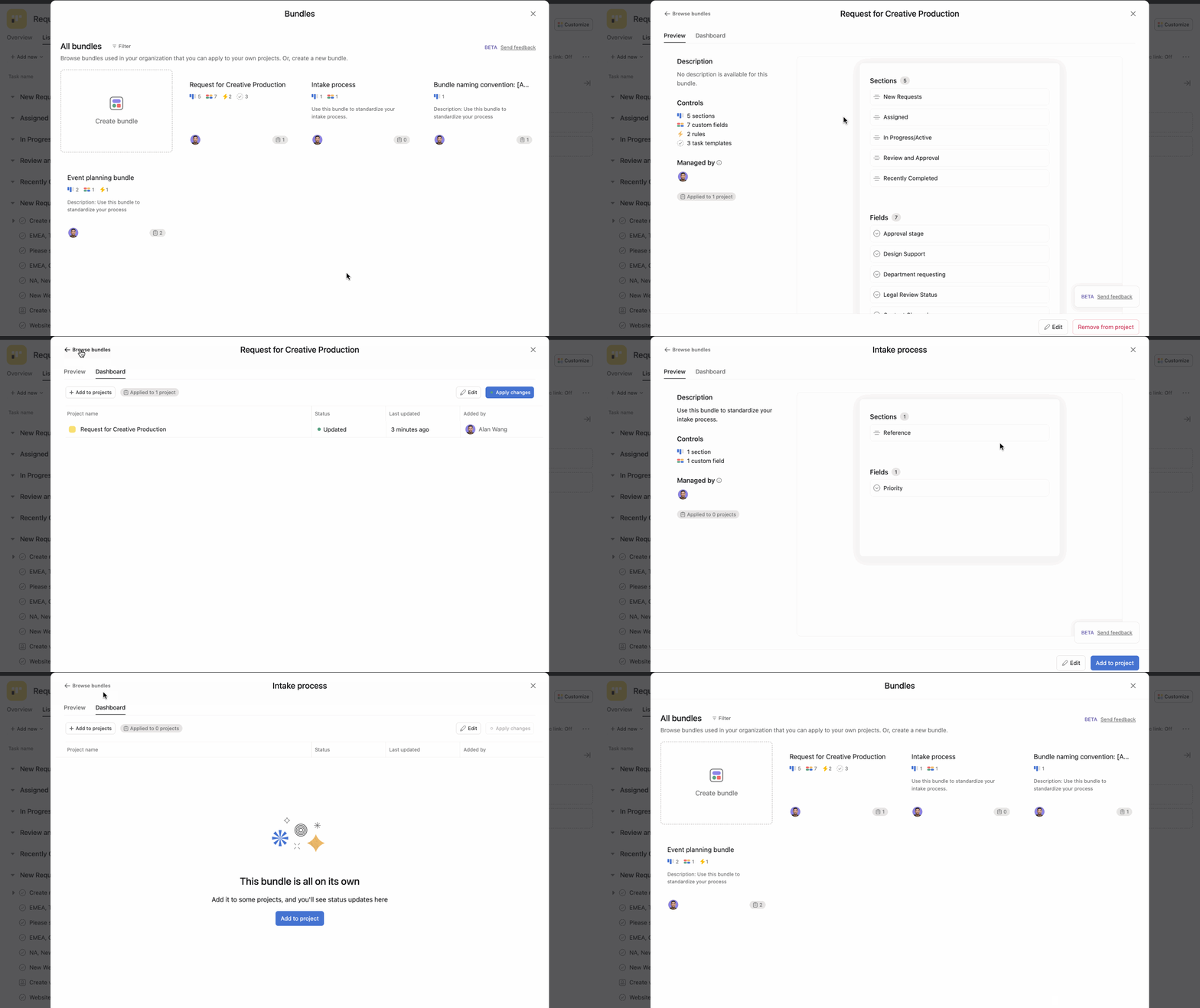
From the bundles gallery, you can click on any existing bundle and see a preview of it.
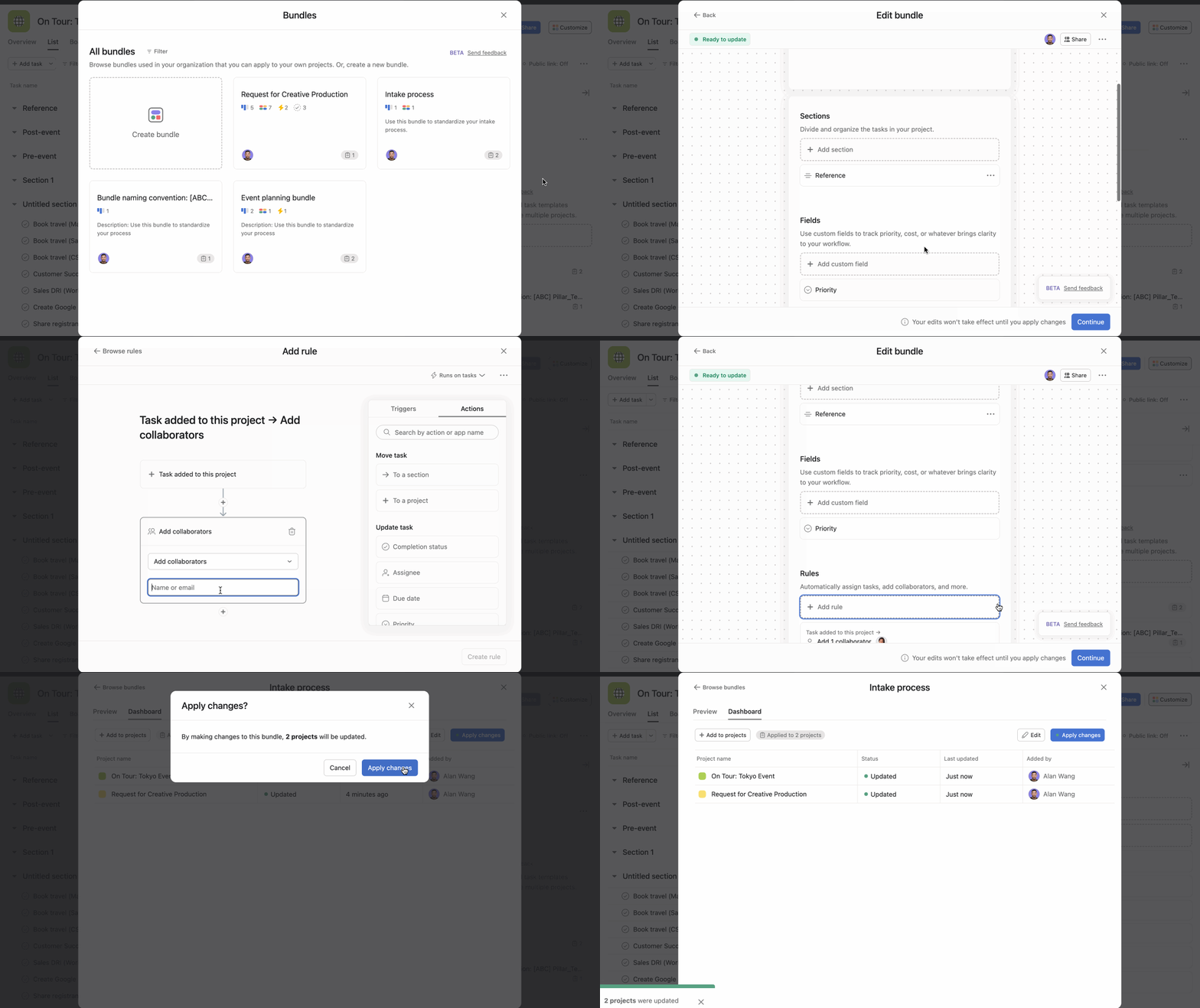
All projects using the bundle will automatically reflect the changes, enabling you to update multiple projects at once.
Note
To edit a bundle you must have the appropriate permissions.
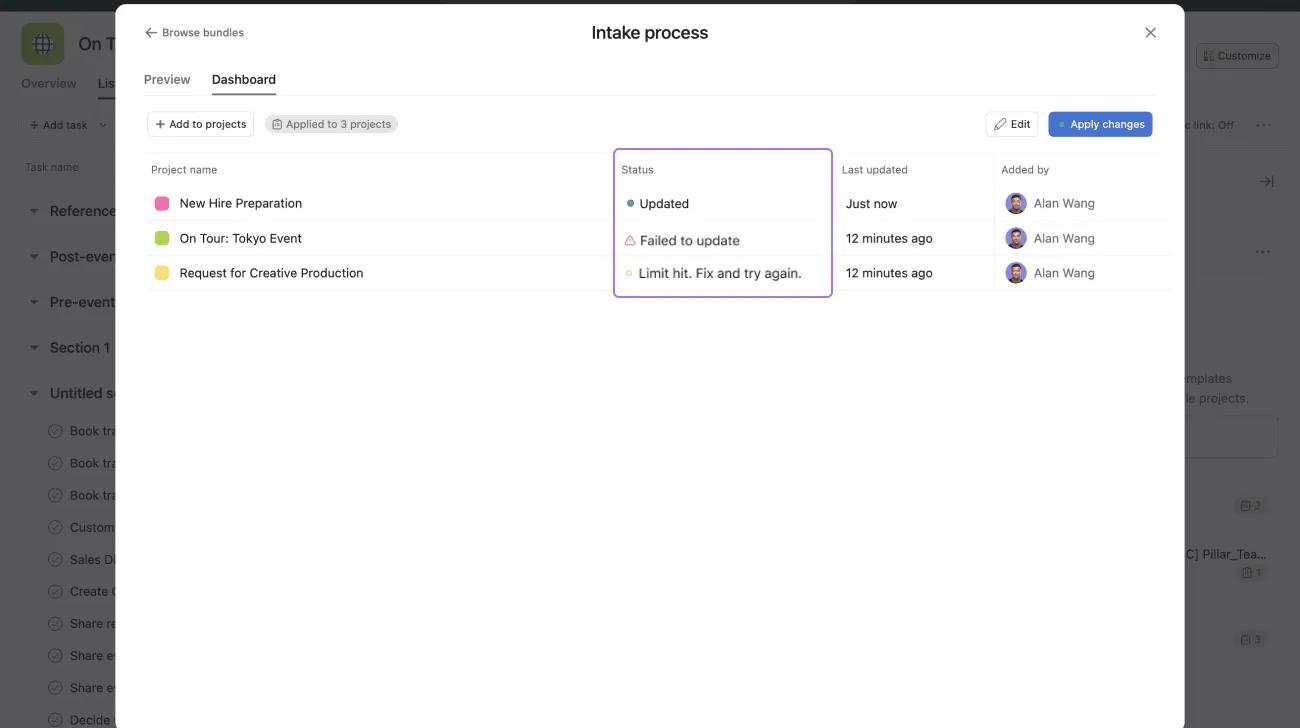
If any elements of the bundle aren't working properly, for example, a rule is broken, then the bundle will fail to update. This will be visible under the Status section of the Dashboard tab.
A bundle admin or editor can draft changes in a bundle without having to publish these changes right away. Once they decide to publish these updates, the updates will apply to all projects using that bundle.
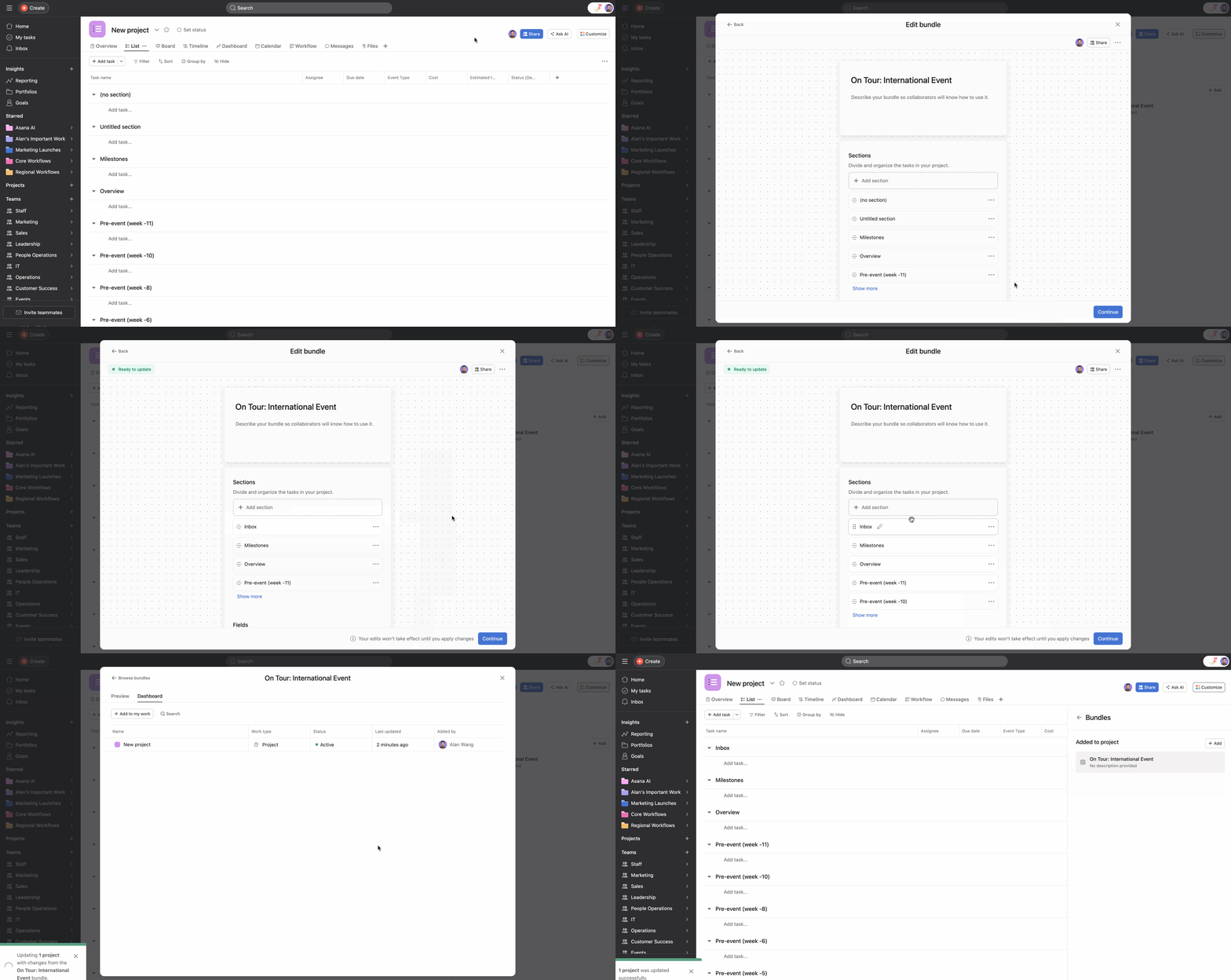
Projects added from the dashboard before Apply changes is clicked will receive the pre-updated version of the bundle.
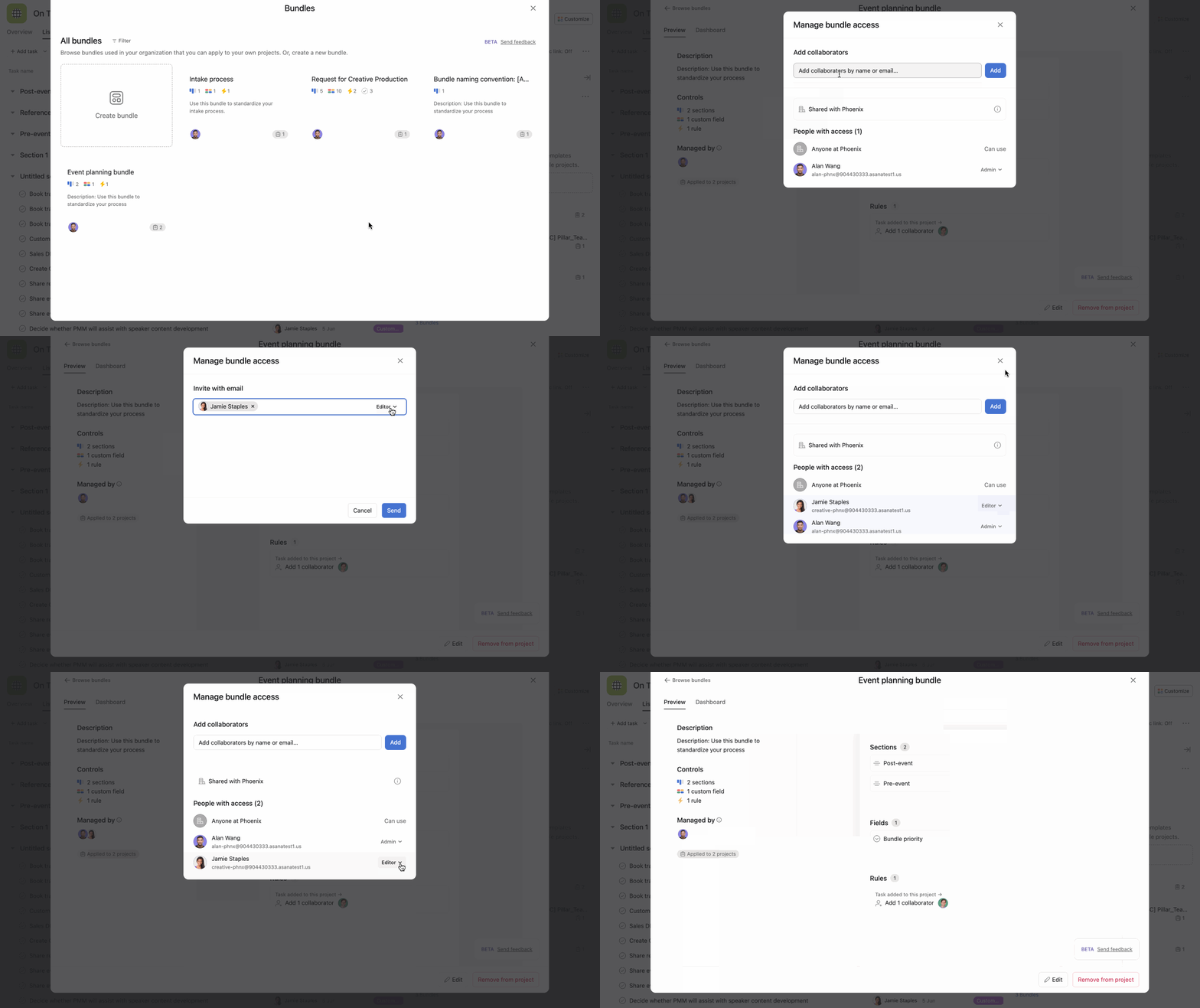
You can add multiple members to a bundle. There are two types of permissions for members; Admin or Editor.
Bundles can be updated by the bundle creator at any time.
You can share bundles using their shareable link. Sharing this link lets others quickly add bundles to their projects from the bundle's dashboard.
From the Preview tab, click the three dot icon and click Copy bundle link.
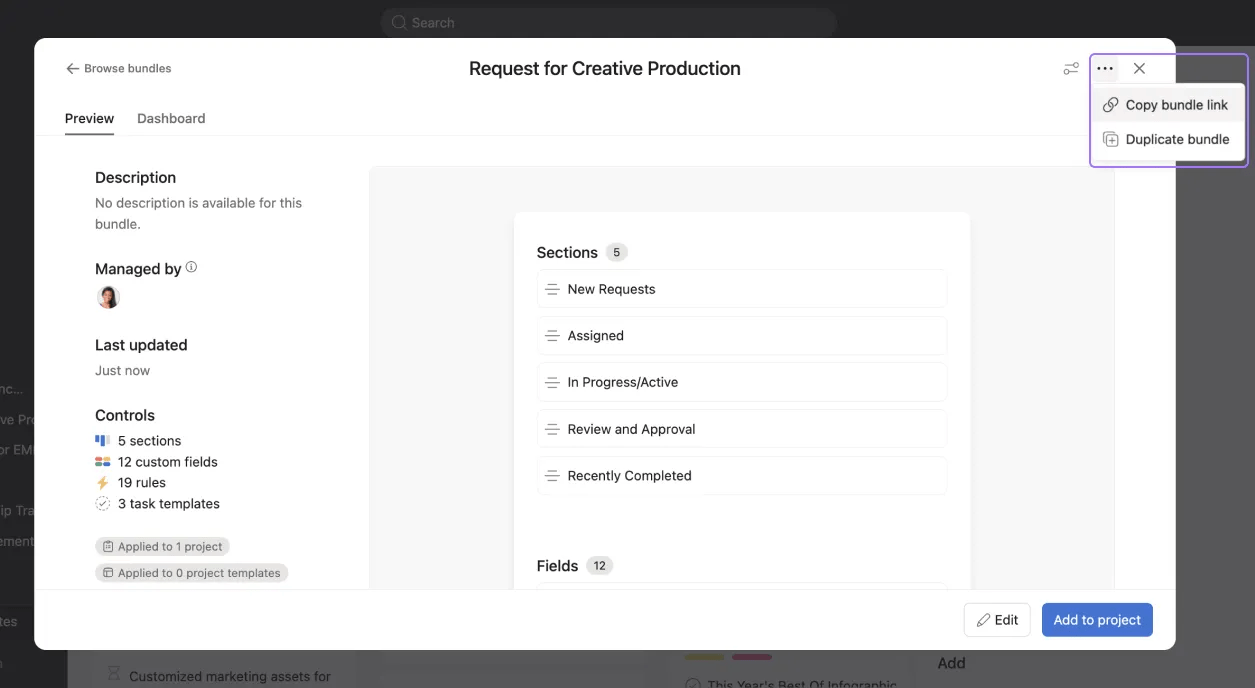
You can duplicate existing bundles and update the duplicated bundle directly.
To duplicate a bundle, click Duplicate bundle.
Bundle admins can determine who can access and use their bundles, allowing them to protect sensitive information.
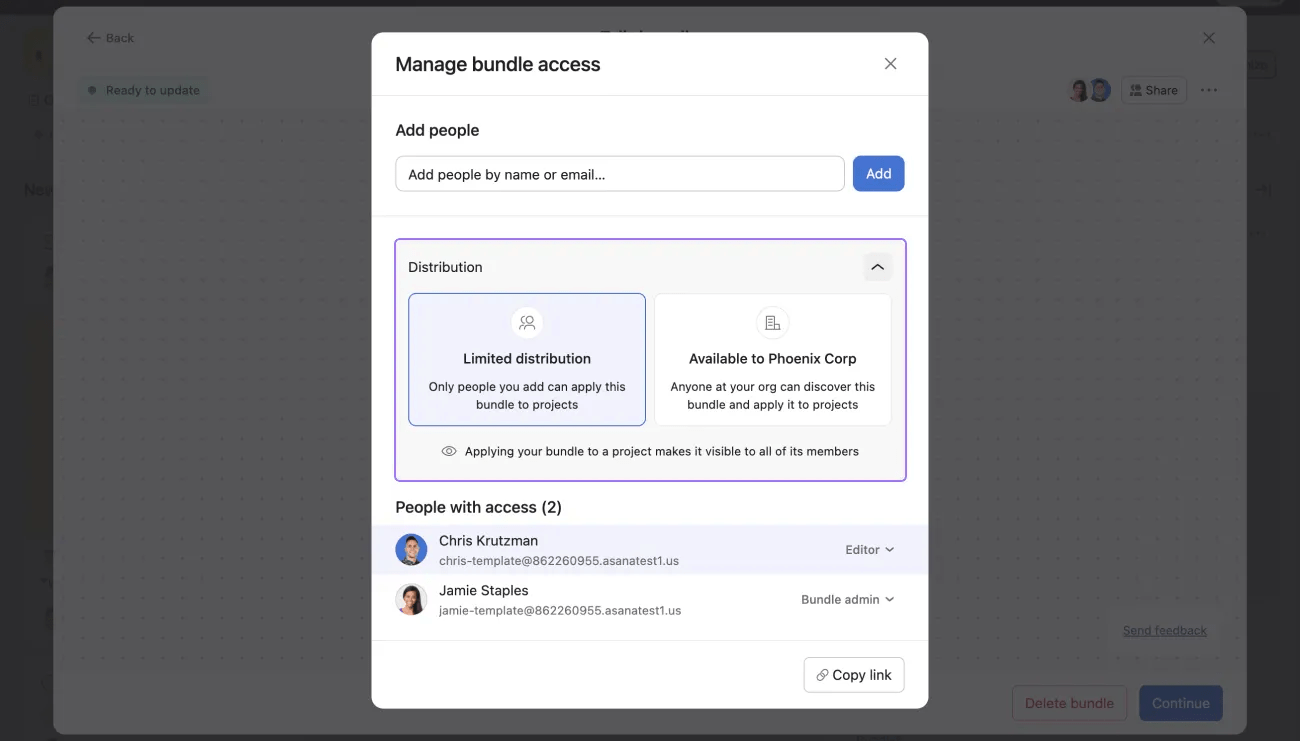
To manage permission settings, click the Share button on the bundle's preview page and navigate to Distribution. From here, you can choose between Limited distribution and Available to [Organization name].
With Limited distribution, only people added to the bundle can access and apply it. If you choose Available to [organization name], anyone in the organization can access and apply the bundle to their projects. You must have access to the bundle and appropriate project-level permissions to apply it to your projects or remove it from them.
Note that bundles set to limited distribution will be viewable by project members with the appropriate project-level permissions.
Contact our Sales team if you’re interested in bundles and want to learn more.
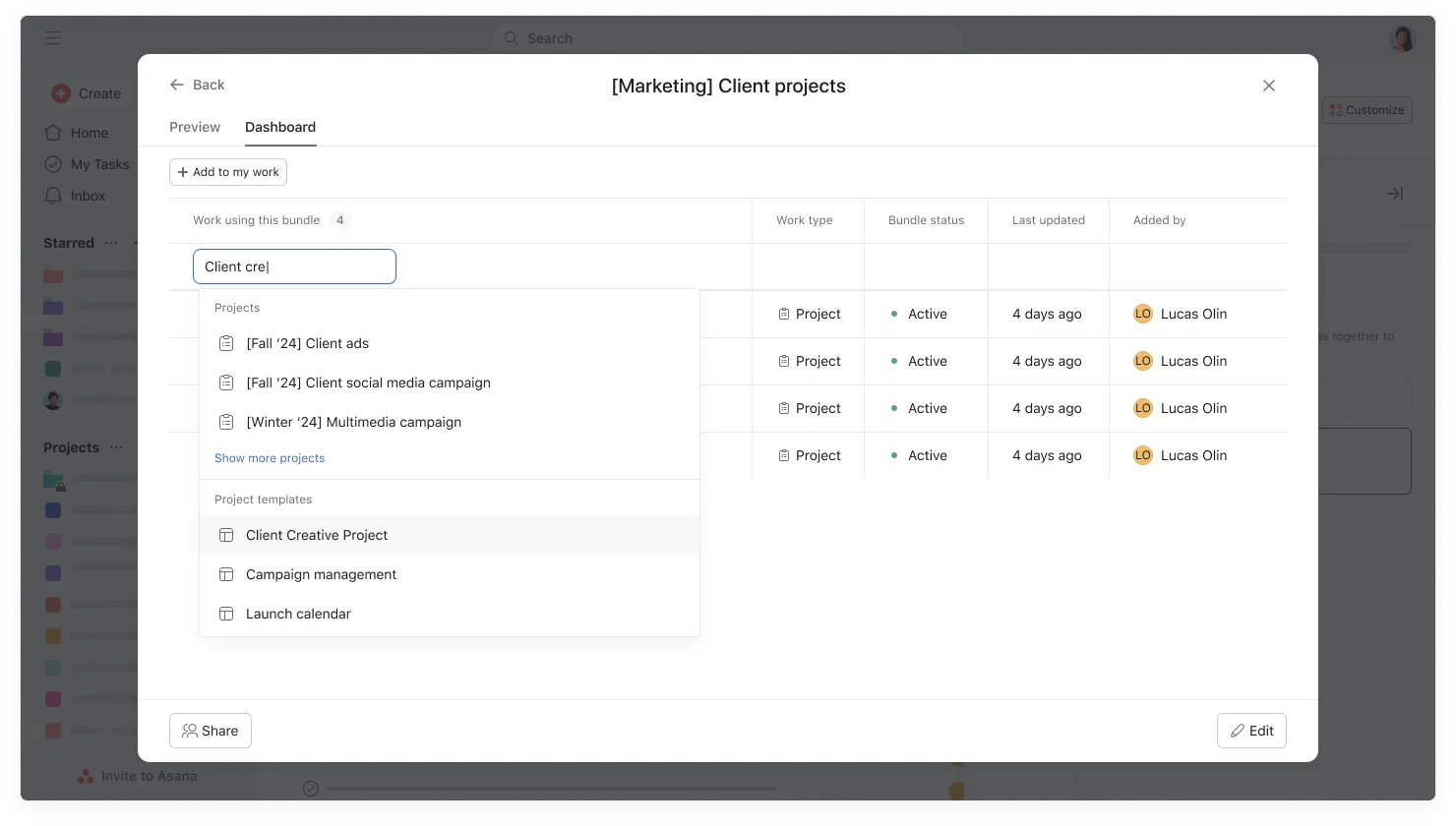
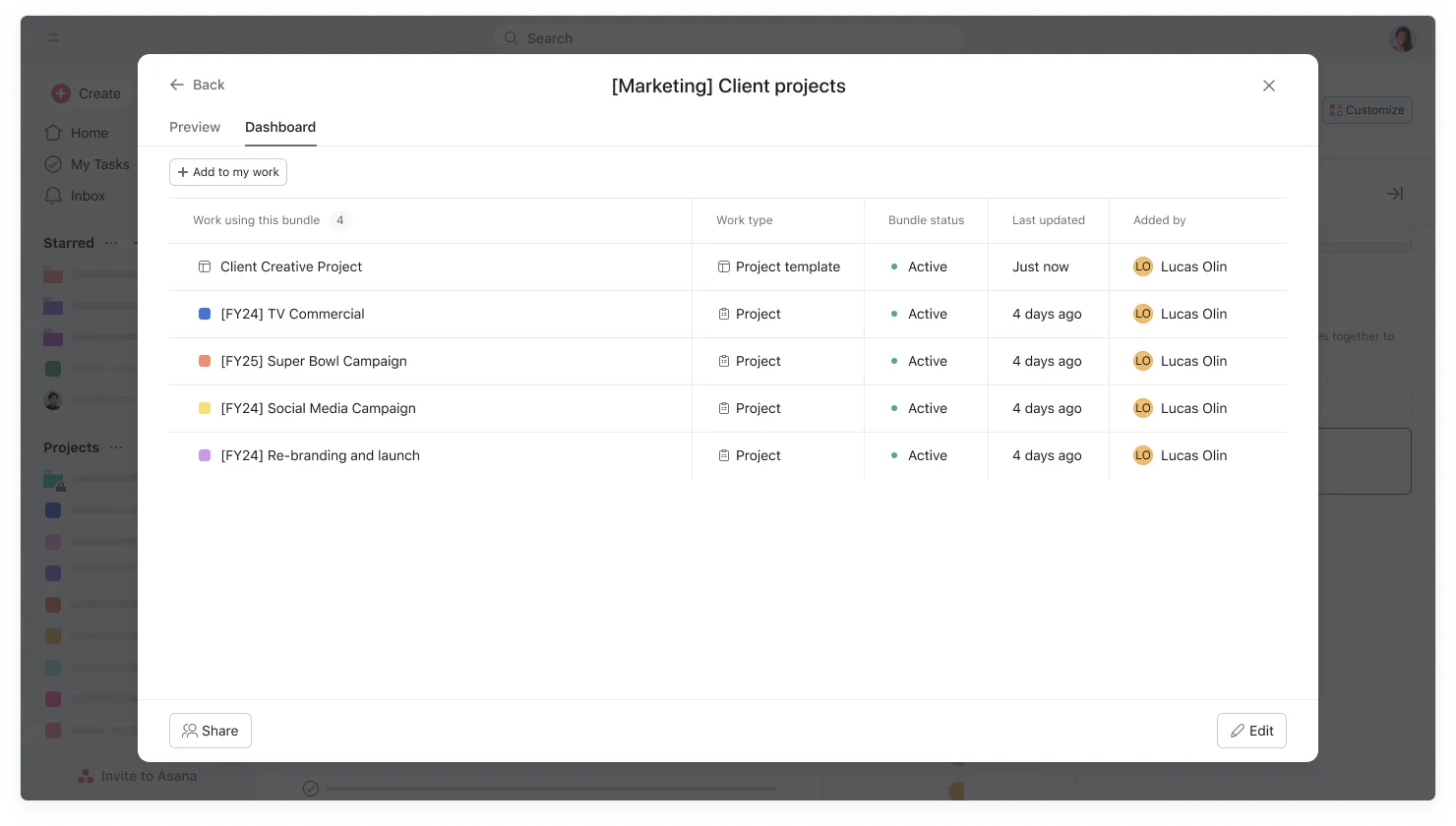
Users can add bundles to project templates via the Customize button when creating a project from a project template. Bundles in project templates allow users to standardize and manage their projects and workflows, even after a project has been created, meaning that:
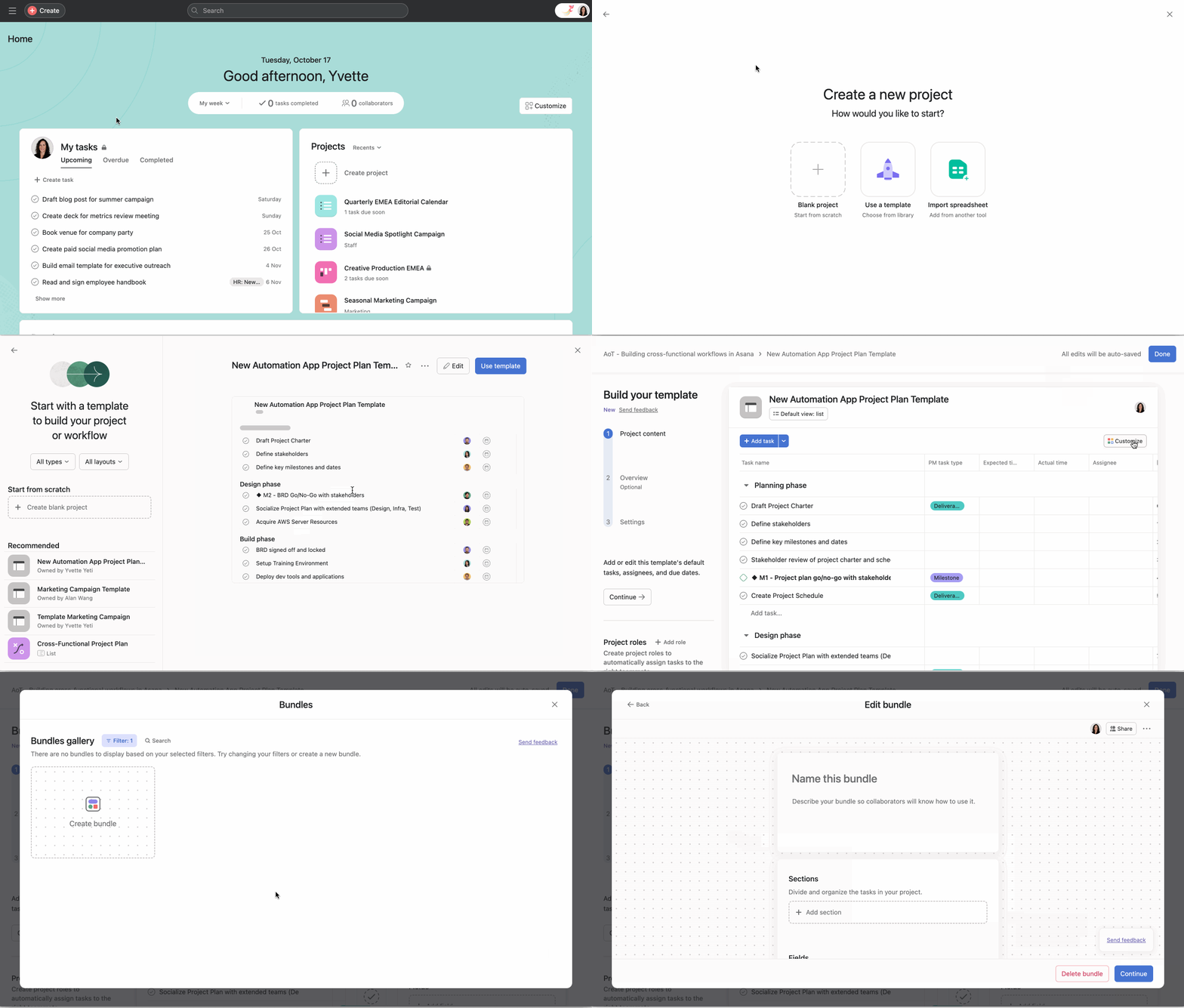
After you create or select an existing bundle from within the gallery, you need to add the bundle to the project template from the bundles management dashboard for the template to receive the bundle.
A bundle can also be applied to a project template from directly within the bundles management dashboard as shown below.