You can easily convert tasks into projects in Asana. This article covers how to convert and add tasks to projects.
Related articles:
Convert a task into a project
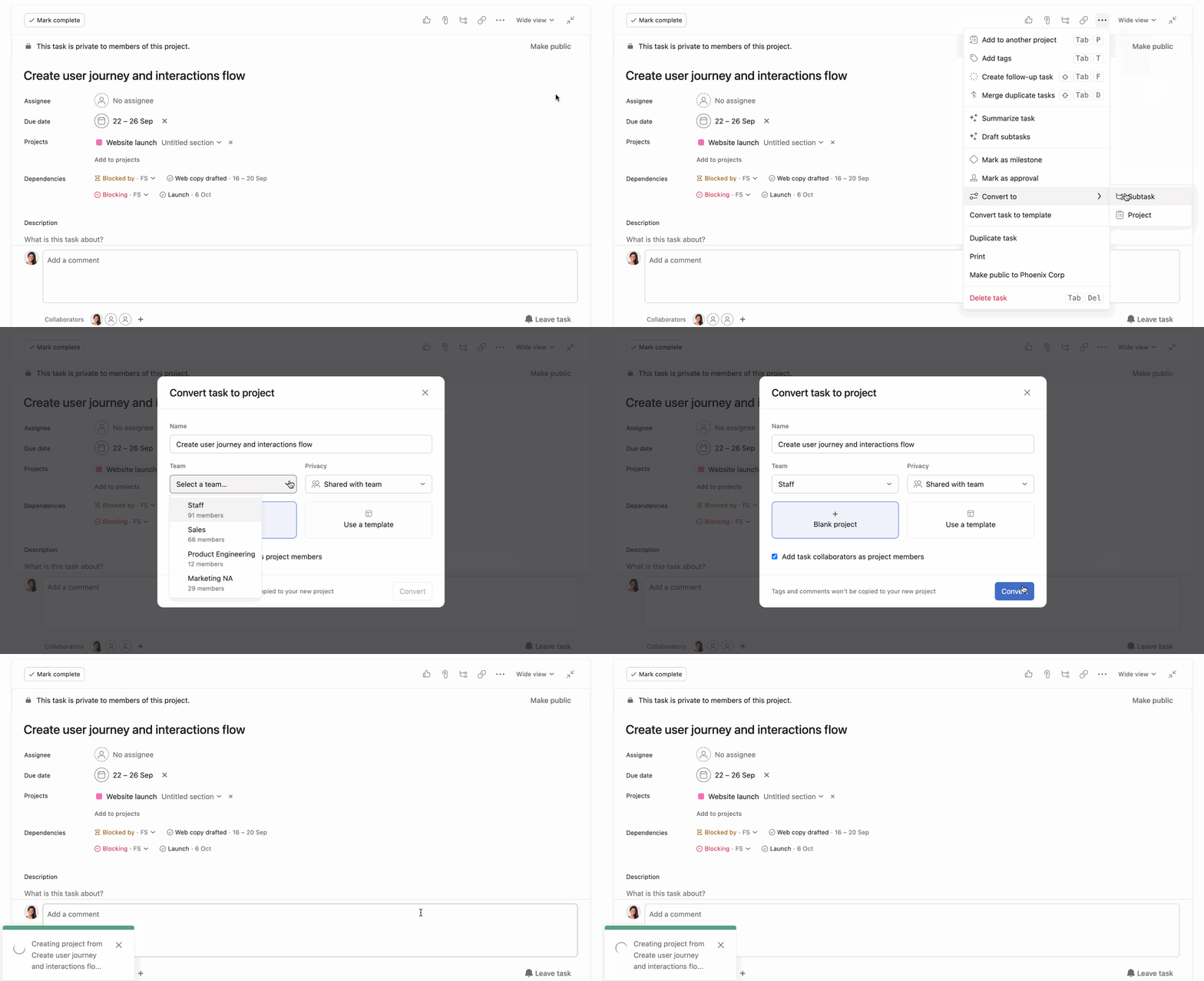
To convert a task into a project:
- Click the three dot icon from the task details pane
- Navigate to Convert to and from the drop-down menu choose Project
- Enter the project's name
- Select the team you would like to add the project to
- Select Blank project or Use a template
- Click Convert
In organizations, you also select what team the project should be created in. By default, the project will be created in the same team as the original task.
Your new project
After a task is converted into a project, many of its details will convert over to the new project:
| Original field: | New field: |
|---|
| Task name | Project name |
| Task assignee | Project owner |
| Task collaborators | Project members |
| Subtasks | Parent tasks |
- A link to the original task will be included in the project description.
- Task comments do not convert over and will remain in the original task.
- Task attachments can be added as key resources in the converted project (see below)
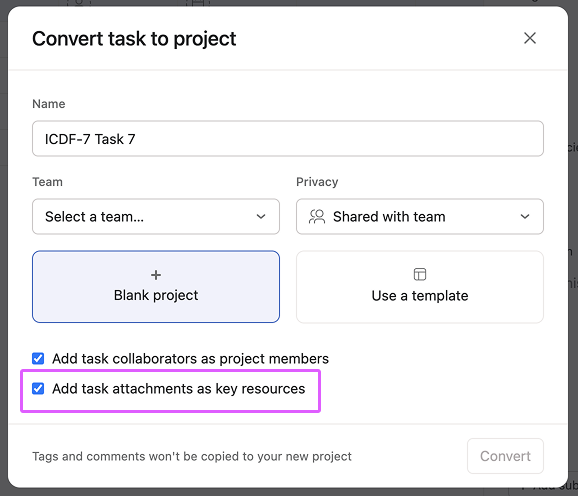
The original task
A link to the new project will be included in the original task's right pane.
Permissions
After a task is converted into a project, the new project will inherit the original task's permissions.
- A public task will convert to a project which automatically receives team only project privacy.
- A private task will convert into a project which is private to members, with the option not to include collaborators as project members.
Add a task to a project
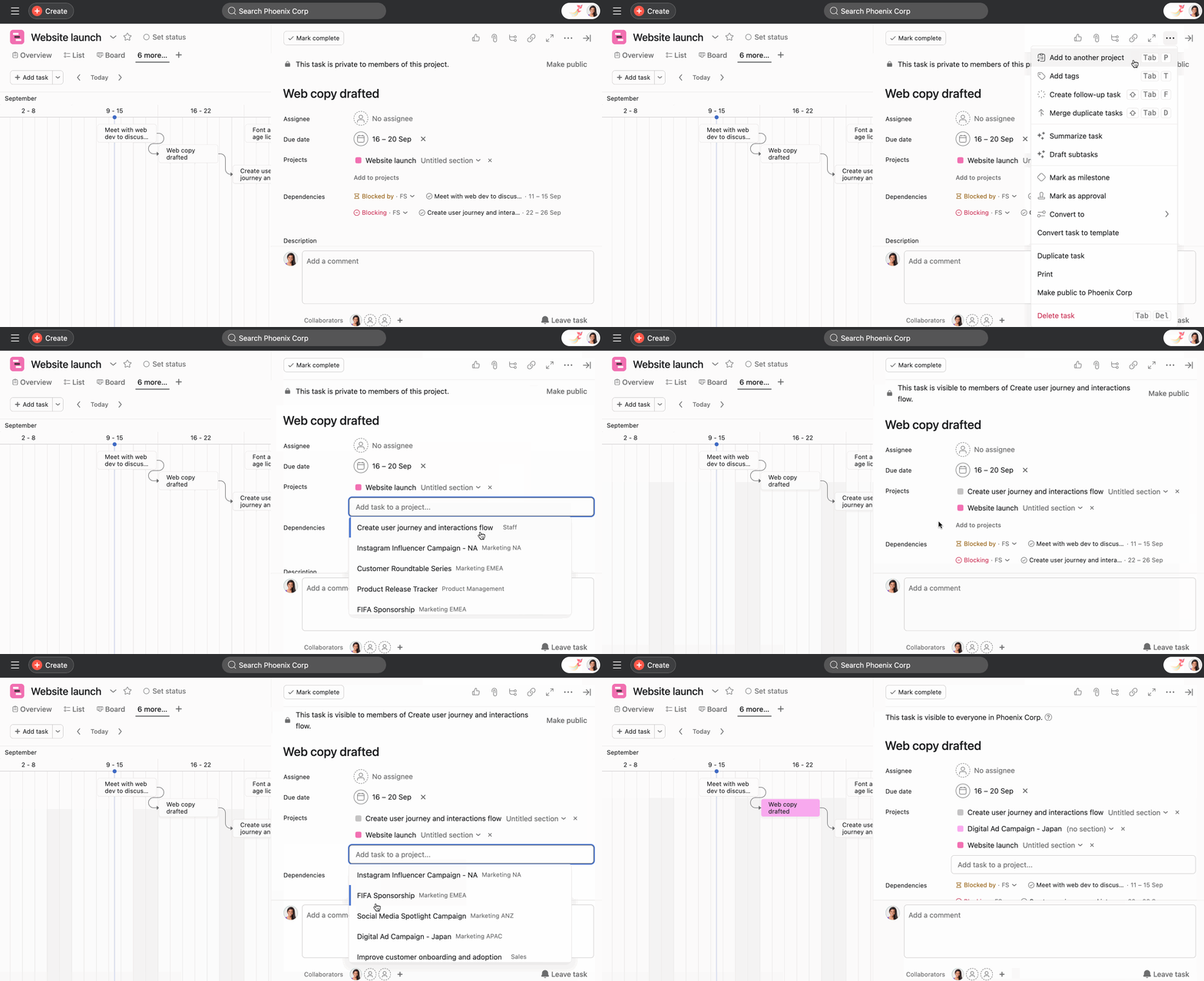
To add a task to a project:
- Click on the three dot icon from the task details pane and select Add to another project
- Search for and select the project you would like to add the task to
- Or from the task details pane under Projects, click Add to projects
 Note
Note
You can also use the shortcut Tab + P to add a task to another project




