Products


AI Platform


Asana Foundations
Company Type
No articles found for this topic.
No articles found for this topic.
In This Article

Visit our pricing page for more information.
Asana supports the ability to manually trigger rules, giving you more control over when your automations run. Instead of relying solely on pre-set conditions for a rule to run, manual triggers allow you to manually initiate rule actions, adapt to process changes, and ensure consistent data across your tasks and projects.
Manual rule triggers let you proactively move tasks from one workflow stage to another, without needing to wait for certain criteria to be met. This also removes any need to create inefficient workarounds to simply force a rule to run.
Manual rule triggers also allow you to apply rule actions to tasks which already inhabit a project, akin to running a rule "retroactively" to standardize data on existing tasks. This is particularly useful for situations where a rule usually fires whenever a task is added to a project, but can't be triggered by tasks already inside the project.
Related Articles:
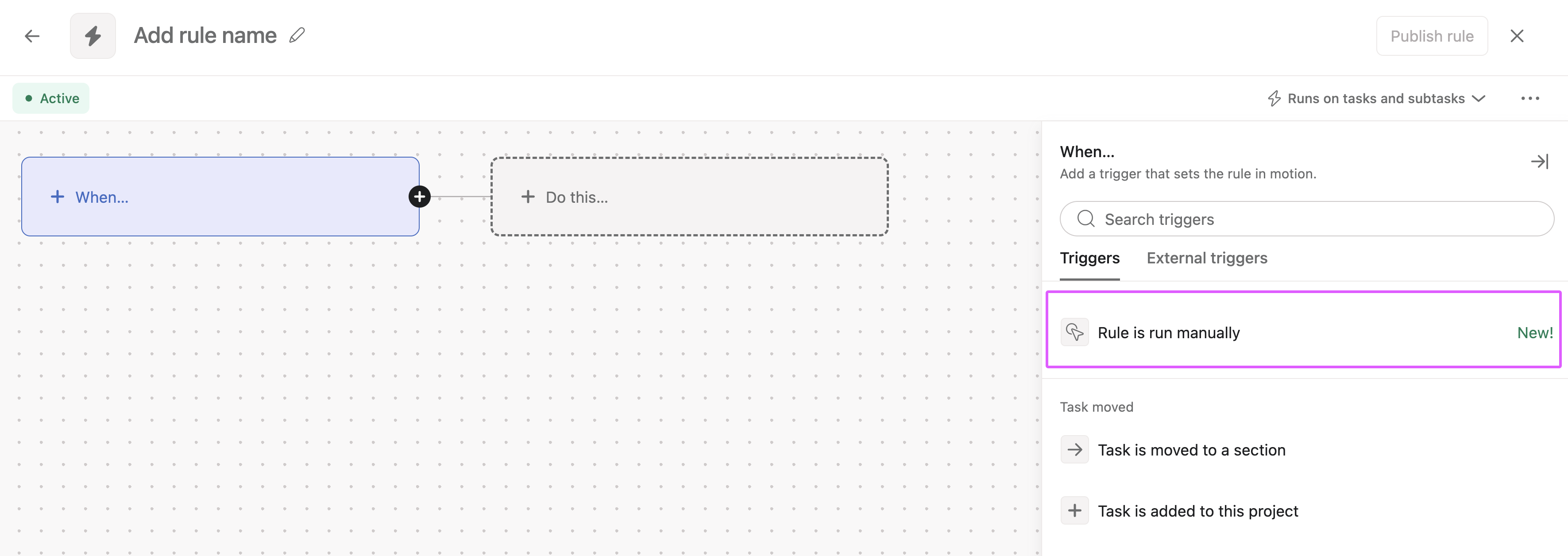
To create a manually triggered rule:
Navigate to Customize in the top-right corner of your project
Click + Add rule
Select Create custom rule
Under Triggers, select Rule is run manually
Next, choose a label for the manual trigger
Configure your desired rule actions
Click Publish rule when you are finished. The manual trigger must be named before the rule can be published.
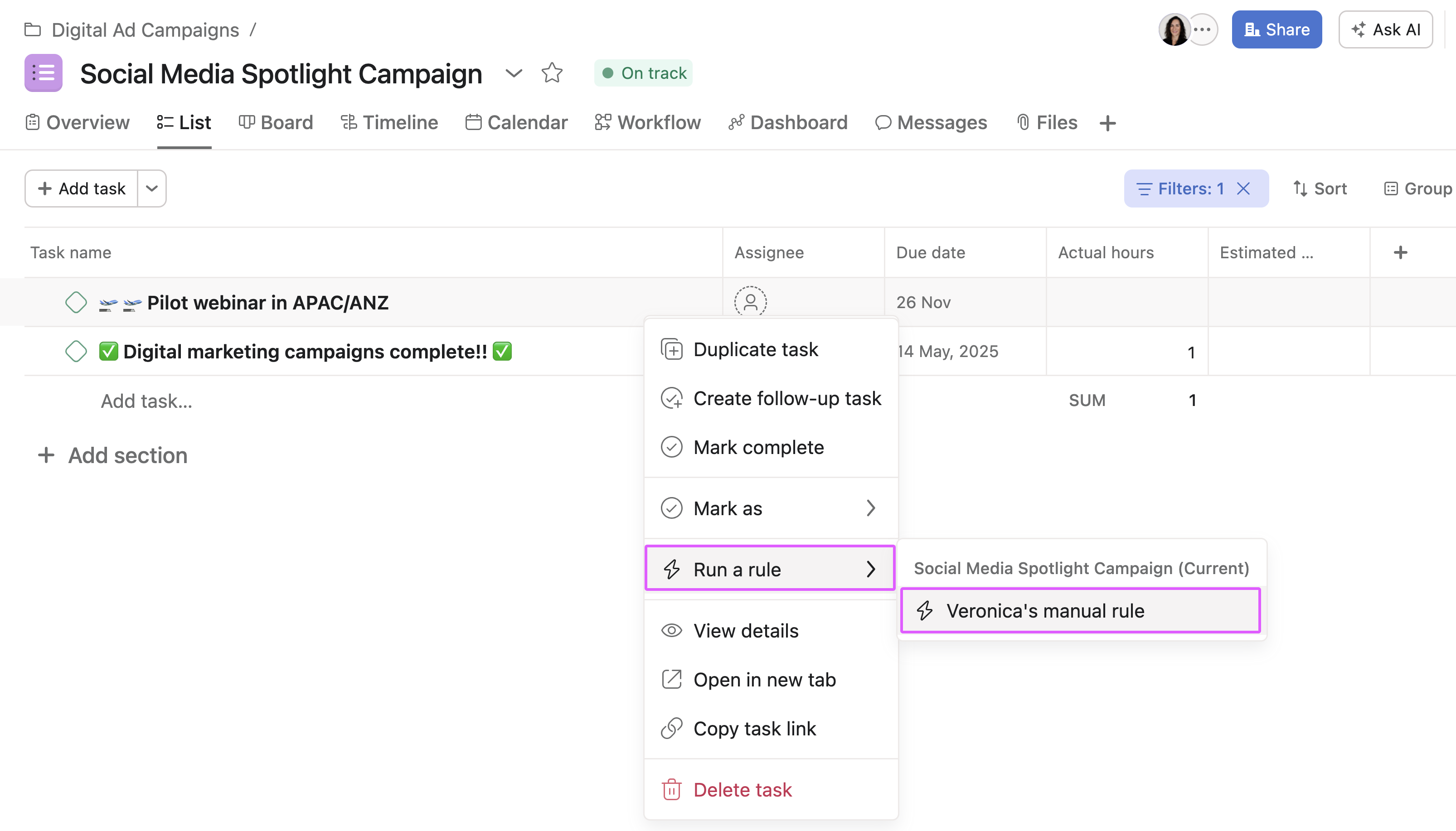
Once created, you can trigger your manual rule from two places:
Right-click on a task and select Run a rule from the menu.
Choose the label of the manual trigger to run the associated rule.
Click the three-dot icon in the task header and select Run a rule from the menu.
Choose the label of the manual trigger to run the associated rule.

Right-click on a project and select Run a rule from the menu.
Choose the label of the manual trigger to run the associated rule.
Not currently. The trigger will always show in the relevant menus if the rule exists in that project.
You can multi-select up to 50 tasks at once when running a manual rule.
The limit is 50 rules per project, which is shared with all rule types.
No, manual rules do not currently run on subtasks.
This depends on the role the user has in the project which contains the rule. Project admins and editors can view and run these rules via the manual trigger. Commenters and viewers cannot.

