Products


AI Platform


Asana Foundations
Company Type
In This Article

Visit our pricing page for more information.
Rules and integrations work together to automate routine tasks and establish workflows across your team's favorite tools. This article shows how Asana's rules integrations can play a part in how your team communicates.
See How to create a rule for tips on getting started with rules.
Trust rules to notify your incident response team via PagerDuty when a task needs attention. Your chosen triggers allow Asana to integrate with PagerDuty and create incidents with context from the task automatically, whatever time of day or night.
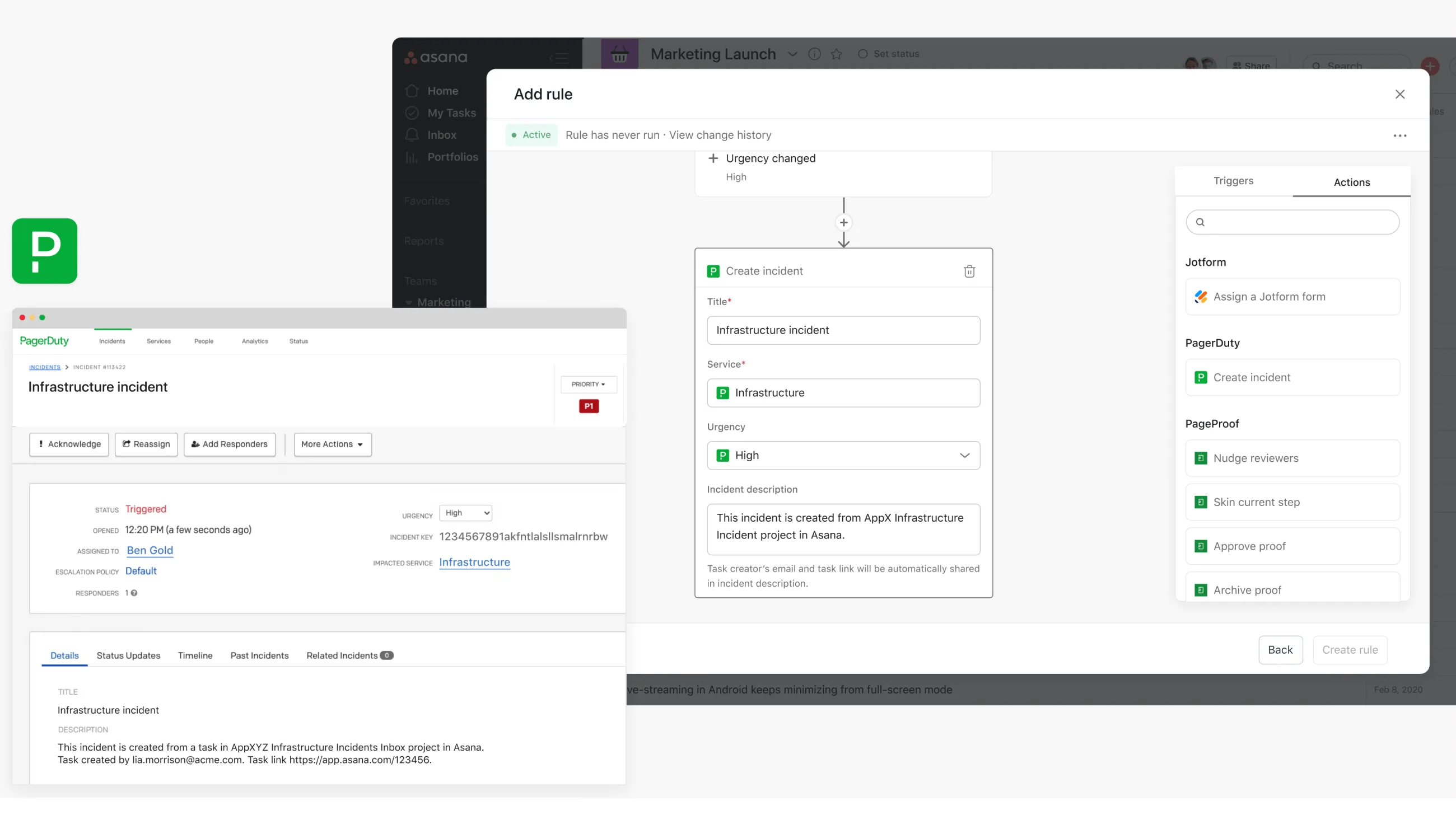
In this example, when the custom field value Urgency is set to High, the rule is triggered and the action is taken; a Pagerduty incident is created. The task creator’s email and task link will be automatically shared in the incident description.

