Products


AI Platform


Asana Foundations
Company Type

Visit our pricing page for more information.
Visit our pricing page for more information on Starter, Advanced, Enterprise, and Enterprise+ tiers, as well as legacy tiers Premium, Business, and Legacy Enterprise.
If you wish to upgrade, click here to go directly to the upgrade page.
Explore Asana's paid features for free. Get started with a free Asana trial today.
During the upgrade process, you can appoint either yourself or one of your colleagues as the billing owner of your subscription. The billing owner must be a member of the space to be upgraded.
The billing owner:
When deciding to upgrade to a paid plan you should identify three things.
Which space you want to upgrade:
Your billing cycle:
Note
Annual plans receive a discount equivalent to two months. See pricing details here.
We offer 2, 3, 4, and 5 seat plans to address the needs of smaller teams. We do not offer paid subscriptions for 1-user plans.
You can choose to upgrade one team if you only need one specific group to have access to paid features instead of your whole organization. However, subscriptions are non-transferable between separate workspaces and organizations. If you upgrade the wrong space, you will need to cancel it first and then upgrade the correct space again.
If you are in an organization, you need to determine whether you want to upgrade the entire organization, one specific team, or a group of teams under one division.
If you upgrade the organization, you are paying for every member in the organization; the entire organization and all teams inside of your organization can leverage the paid features.
If you upgrade a specific team, only that particular team will be considered on a paid plan. The rest of the organization and the other teams will remain on the Basic version of Asana with the option to upgrade in the future. Contact our Sales team if you're interested in upgrading multiple teams together.
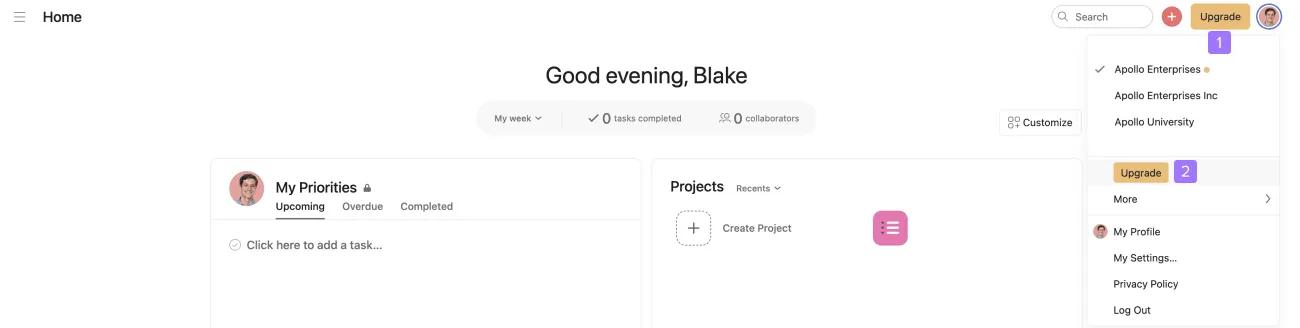
This will redirect you to a page that allows you to choose which paid tier you would like to upgrade the workspace or organization to. You can choose between an Asana Starter, Advanced, Enterprise, or Enterprise+ plan. If you're having difficulty upgrading, please get in touch with our Support team.
Once you've selected your preferred tier, you will be brought to a page where you can choose whether to upgrade the entire organization or a single team.
The checkmark indicates the workspace or organization you are about to upgrade.
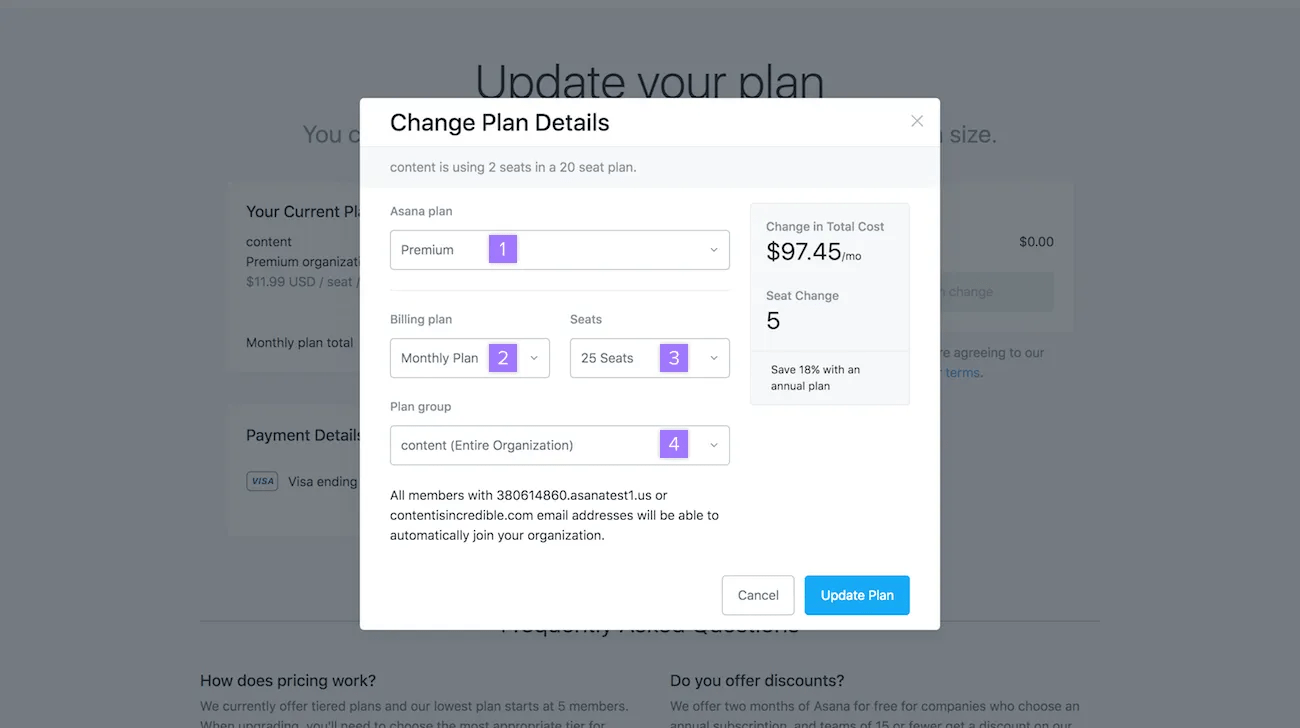
All our plans are tiered. We do not currently offer single user paid plans.
When you have selected all of your options, click the Update plan button to go to the billing information page.
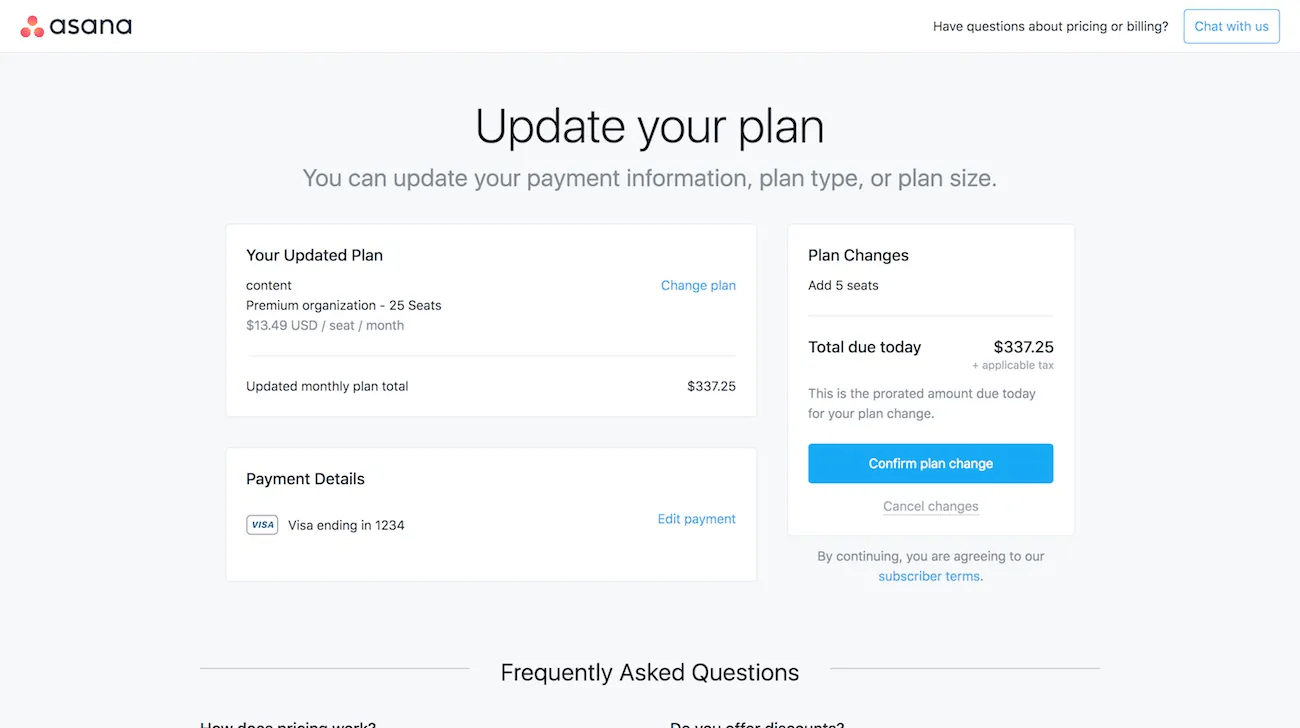
On the billing information page, you can then enter your payment details & billing address.
Once you've selected your plan type and entered your billing details, select Upgrade
We offer invoice payments for annual plans of 20 or more members.
For more information, please contact our Sales team.
Billing owners can add seats through their admin console or in team settings for team plans.
If you’re on a manual invoice you will be directed to our Sales team to request the change.
You can change the size of your plan via the Seats drop-down menu when you choose to update the plan.
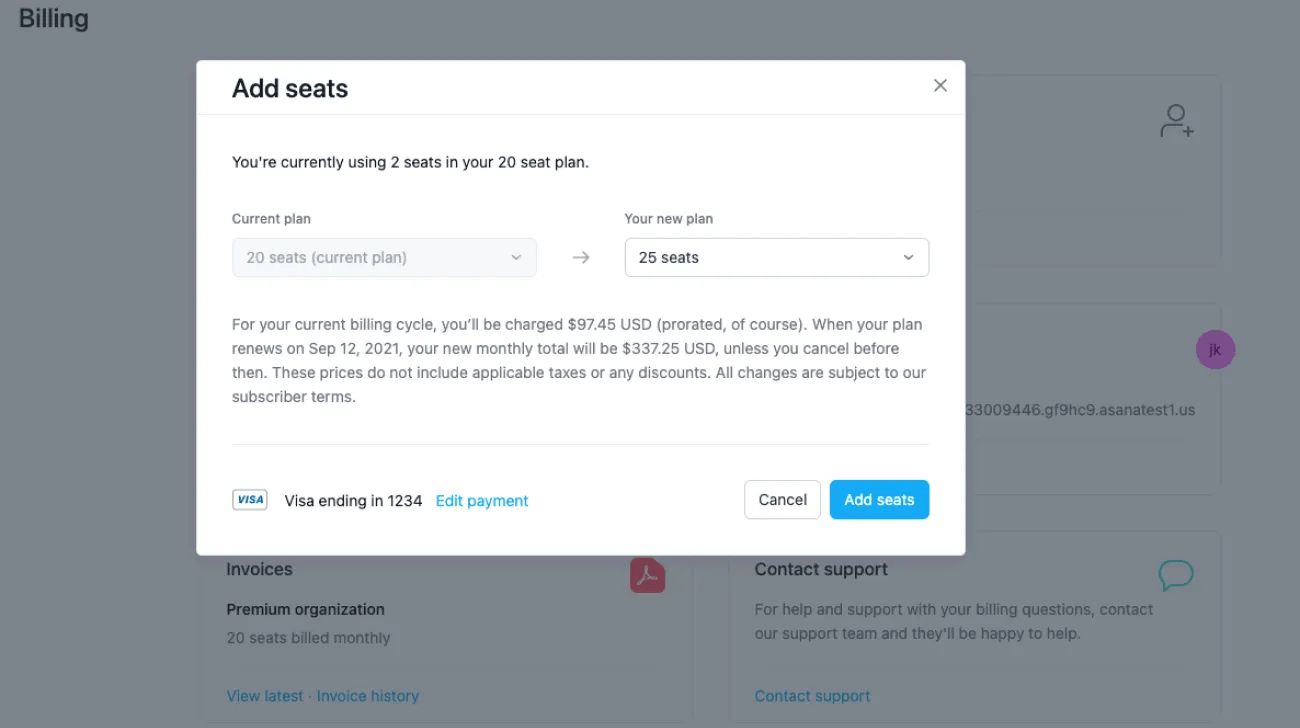
To change or cancel your paid plan:
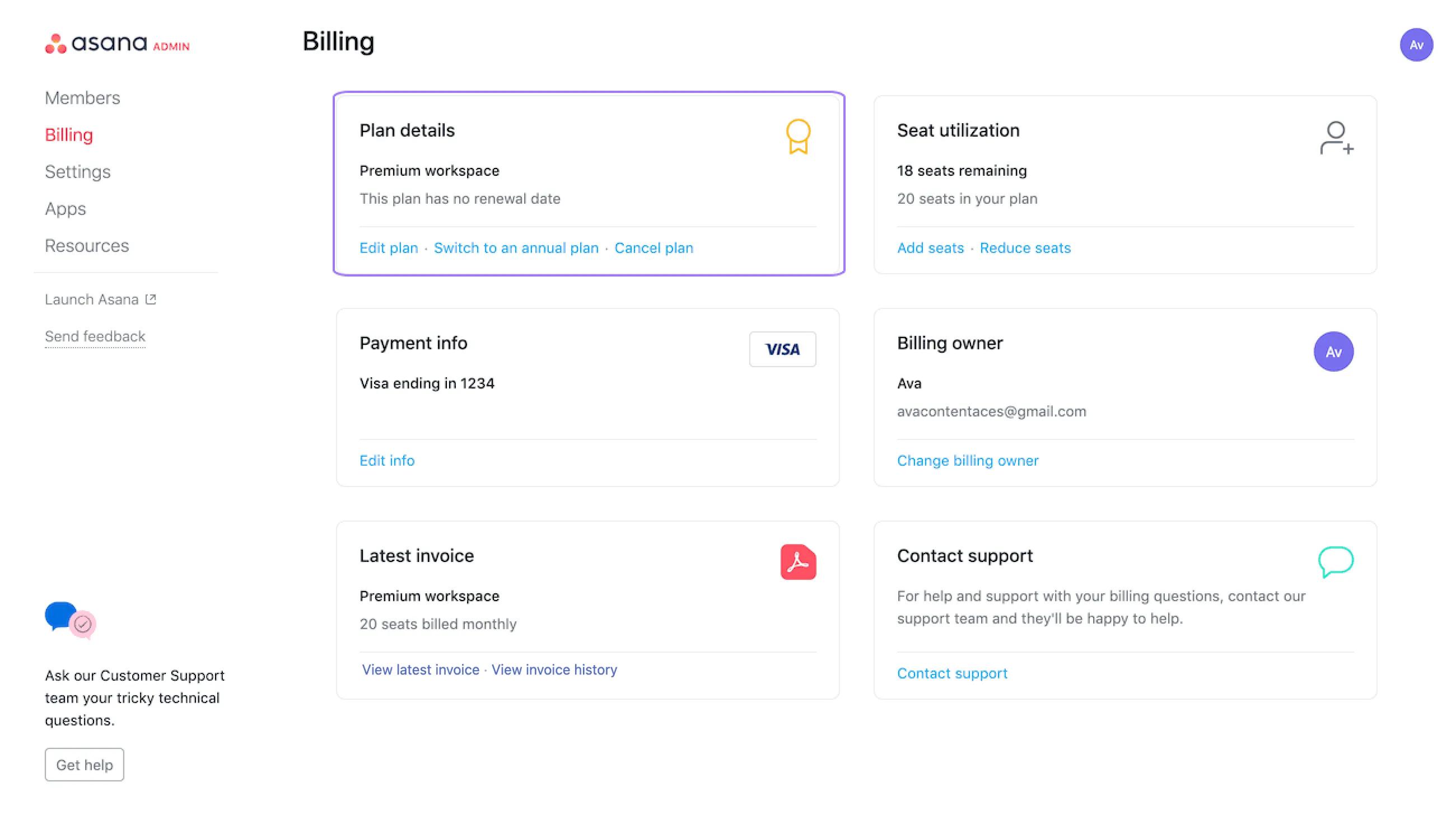
If you are on an annual plan and wish to cancel your subscription you can follow the steps in Asana's cancellation policy. Once these steps have been followed the subscription will automatically be cancelled on the plan's renewal date.
Find out more about our cancellation policy and other options you may wish to consider here.
Click here to go straight to your billing page.
Upgrading or downgrading will not result in any data loss whatsoever.
From your admin console you can easily change your paid plan from Starter to Advanced or vice versa.
To change your plan:
Navigate to the admin console and select the Billing tab.
Click on Change plan.
From here, you can choose to between Asana Starter and Advanced . When you’ve chosen your desired tier, click Confirm and change plan.

