Products


AI Platform


Asana Foundations
Company Type
Available on Asana Enterprise and Enterprise+ tiers. Visit our pricing page for more information.
Work access mode is not available to divisions.
Work access mode allows super admins to access both public and private work content within Asana. With this feature, super admins can use advanced search to locate tasks, projects, and portfolios across the organization, even if they're private. Previously, super admins could only view private tasks or projects if they had been added to them directly. Work access mode removes this limitation, giving super admins full visibility when needed.
Work access mode is especially useful in situations like employee onboarding, offboarding, or team and role transitions, where access to current or past work is critical for ensuring business continuity and maintaining organizational security. It also allows super admins to assist other team members by granting access to relevant tasks or projects when needed.
Super admins can also search for content created by removed users using advanced search in work access mode.
To enable work access mode:
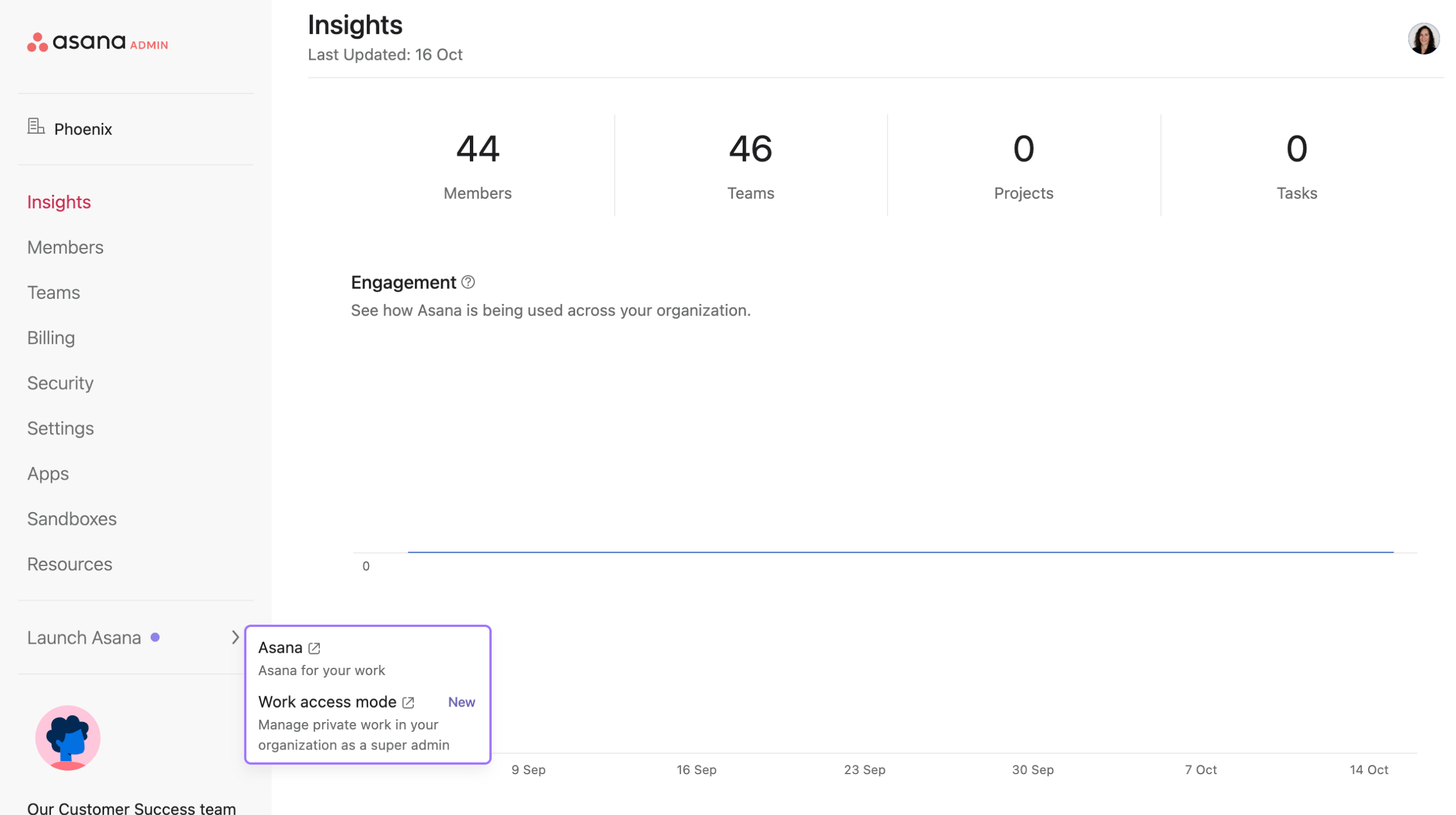
Navigate to the admin console
Click Launch Asana in the left pane
Select Work access mode
Super admins can use work access mode for up to 30 minutes, but can extend their session if needed. 5 minutes before the session ends, a message will appear which asks you to either end the session or extend it. Clicking Extend session will extend work access mode by 30 minutes.
While Work Access Mode allows super admins to view private tasks, projects, and portfolios across the organization, making changes to private content requires additional steps to ensure proper permissions.
Before making any changes to private content accessed through Work Access Mode, you must first join the object (project, team, or task). Attempting to create status updates, edit project details, or make other changes without joining will result in the application crashing or displaying error messages.
Actions which require joining the object:
Actions which do not require joining the object:
To join a private object while using Work Access Mode:
Remember: Work Access Mode is designed for viewing and accessing content. Making changes still requires following standard Asana permission protocols.

After super admins have finished accessing the necessary content, they should exit work access mode by selecting Turn off in the top bar. This will successfully disable work access mode and return the admin to normal viewing permissions.


