Products


AI Platform


Asana Foundations
Company Type
No articles found for this topic.
No articles found for this topic.

Visit our pricing page for more information.
Save time by using Asana AI to draft status updates to help identify blind spots, open questions, roadblocks, and an efficient path towards your goals. You can use smart status to draft status updates for projects, portfolios, and goals.
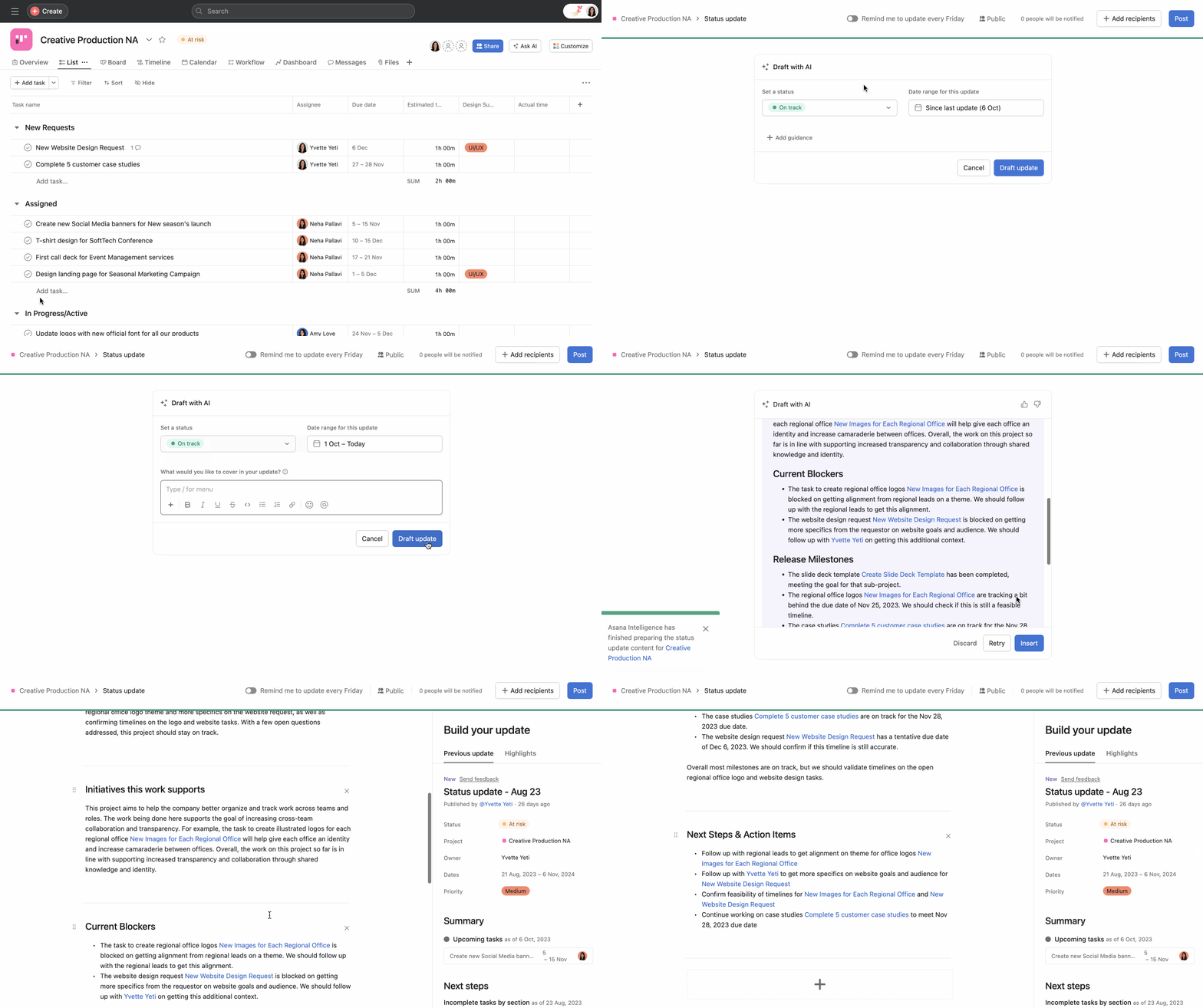
Once a draft is generated, you can choose to Discard, or Edit the draft. Once you've edited the draft to your liking, you can post the status by clicking Post in the top right corner.
You can view the status update at any time via the Overview tab.
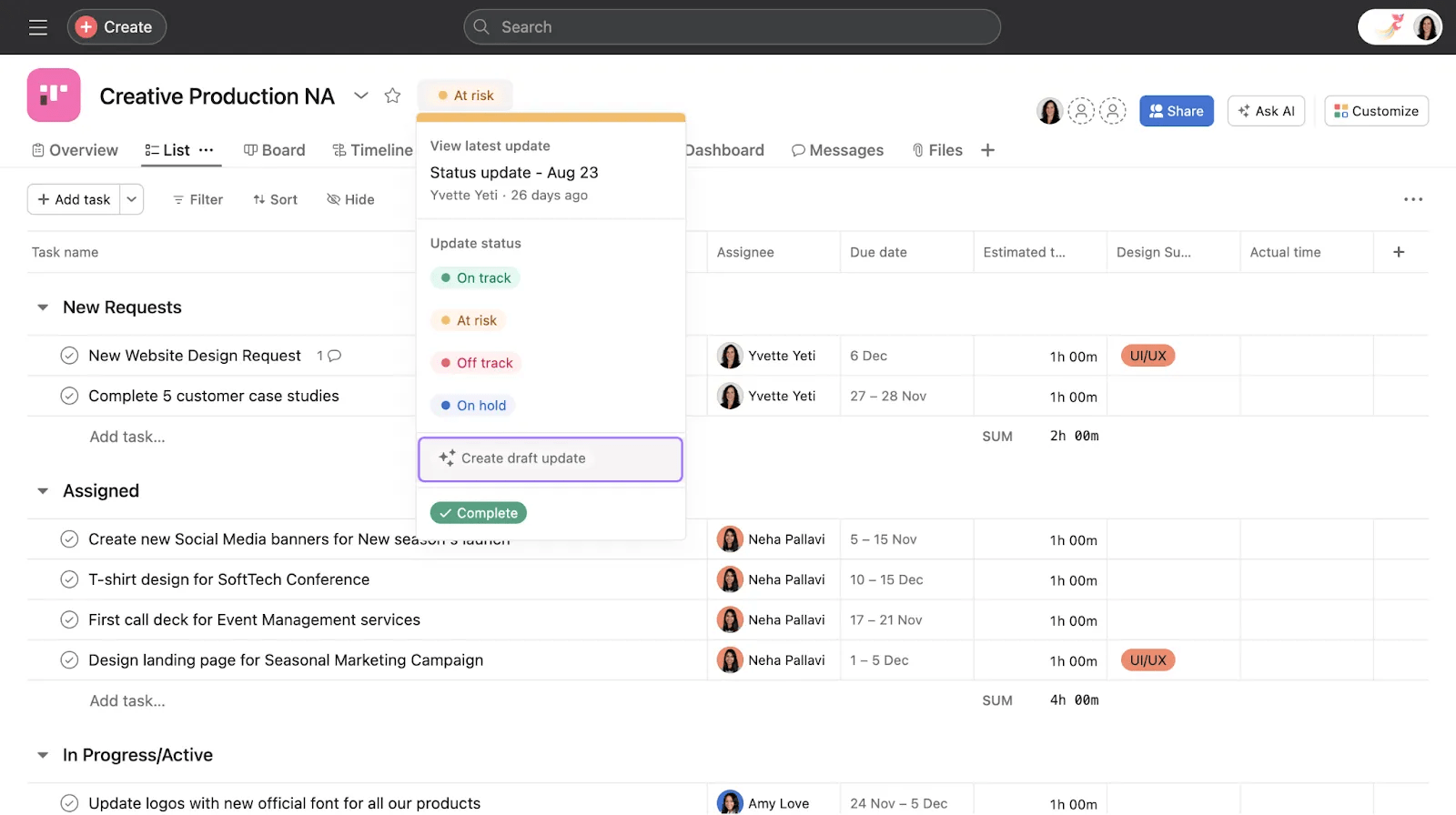
You can also draft a status update using Asana AI in any project view from the drop-down menu next to the project name.
Smart status on portfolios is available on Asana Advanced, Enterprise, and Enterprise+ tiers.
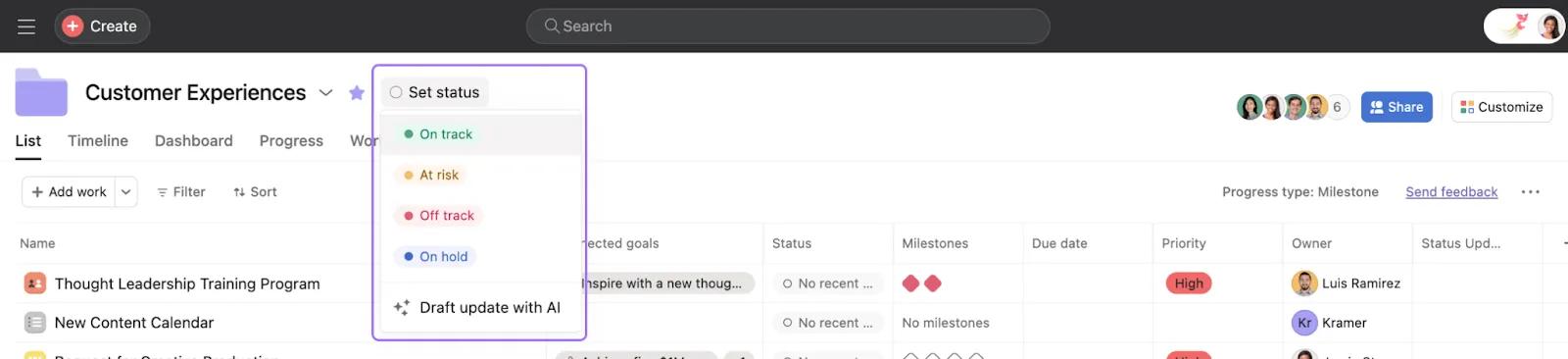
To create a status update with Asana AI for portfolios, click Set status and select Draft update with AI.
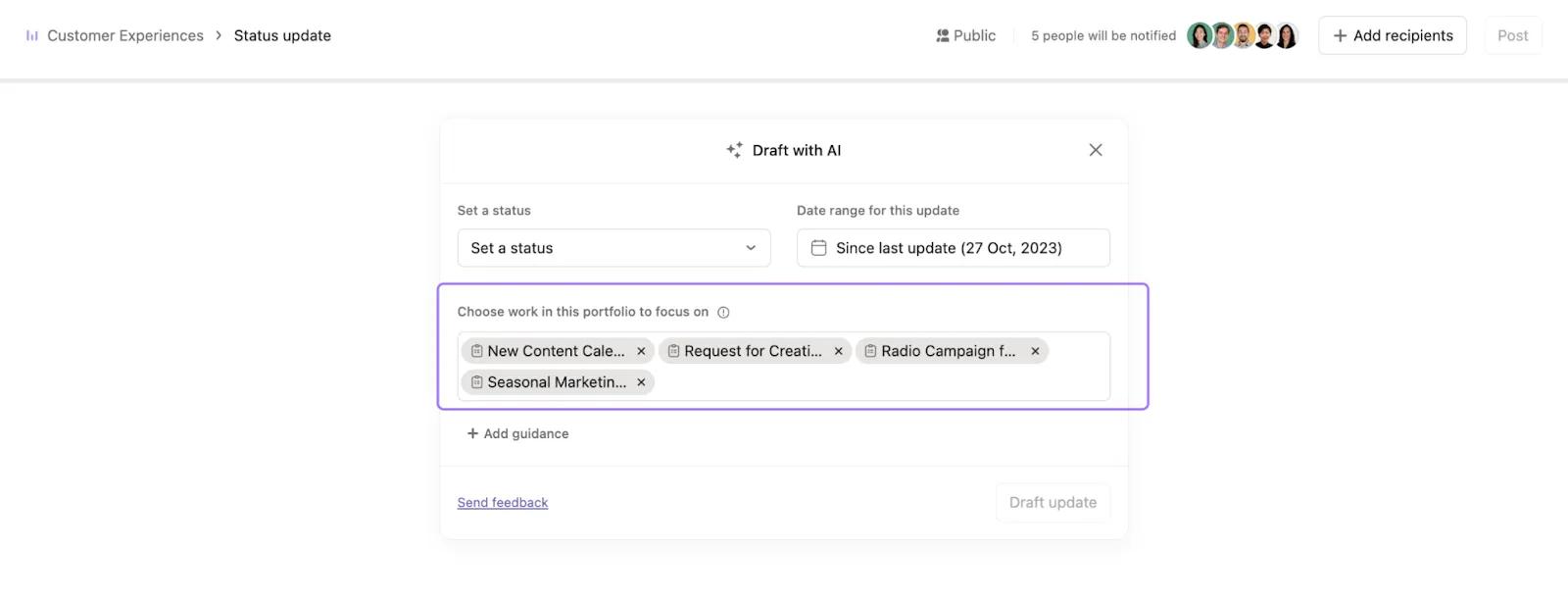
You can then choose the projects from the portfolio that you want to focus on for the status update and click + Add guidance to add further instructions.
Smart status on goals is available on Asana Advanced, Enterprise, and Enterprise+ tiers
To create a status update with Asana AI for goals, navigate to the goal’s details page, click the three dot icon, and click Draft update with AI.
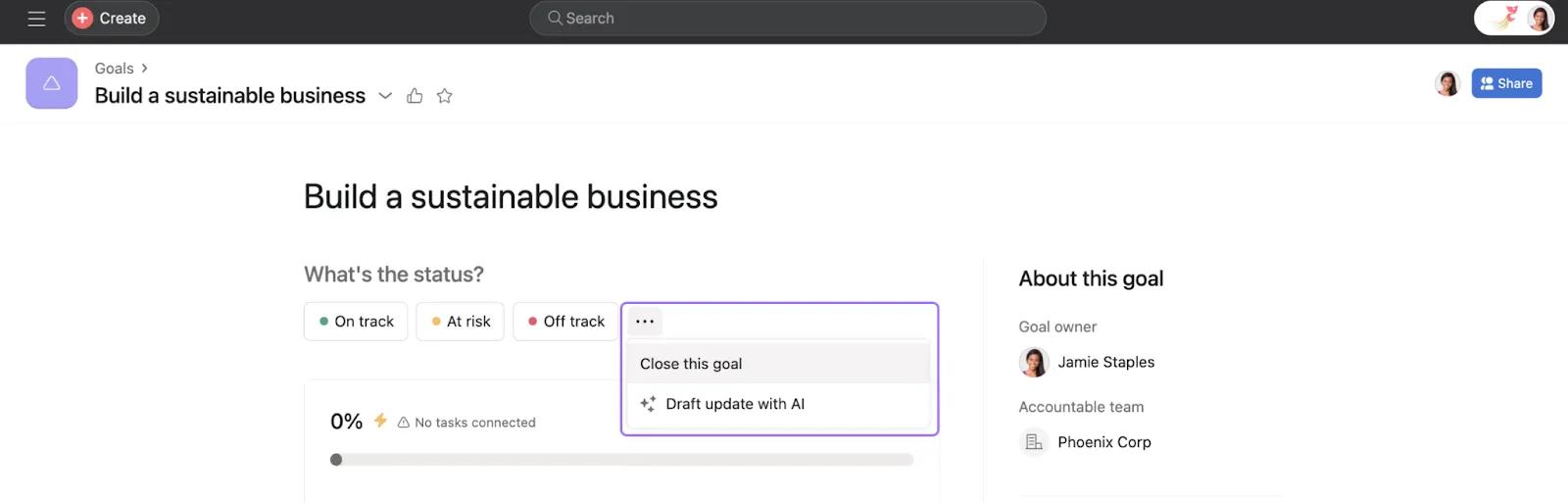
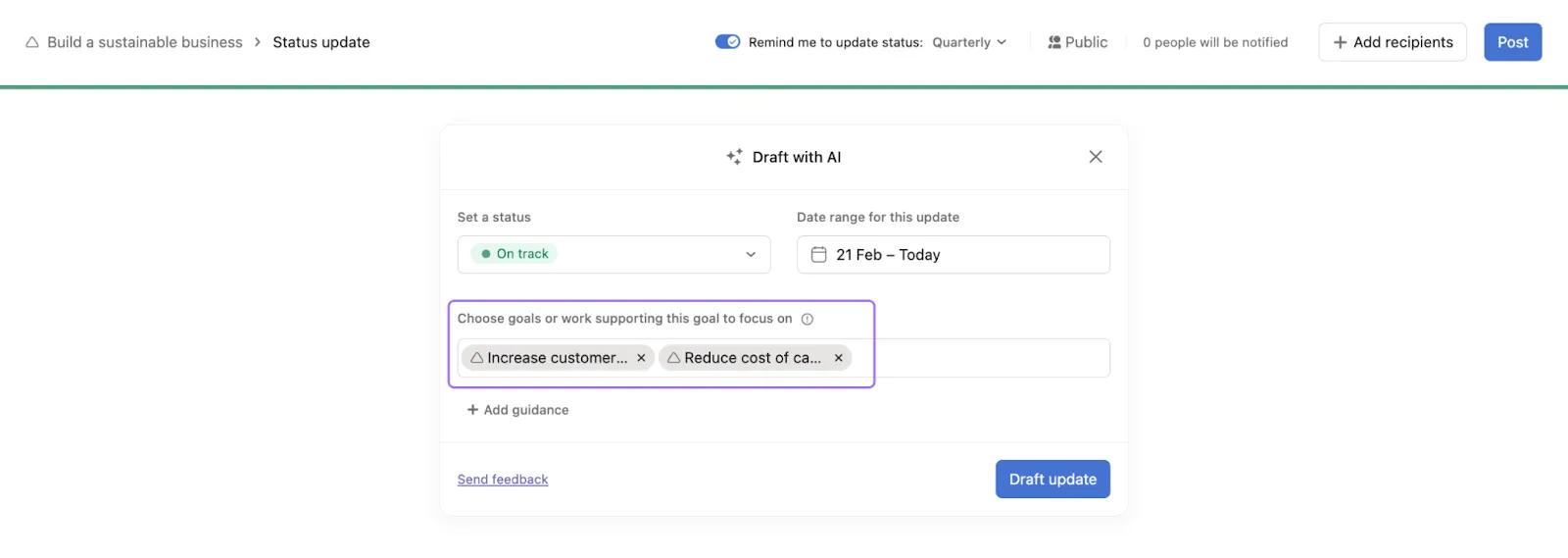
You can then choose the sub-goals, portfolios, and projects that you want to focus on for the status update and click + Add guidance to add further instructions.
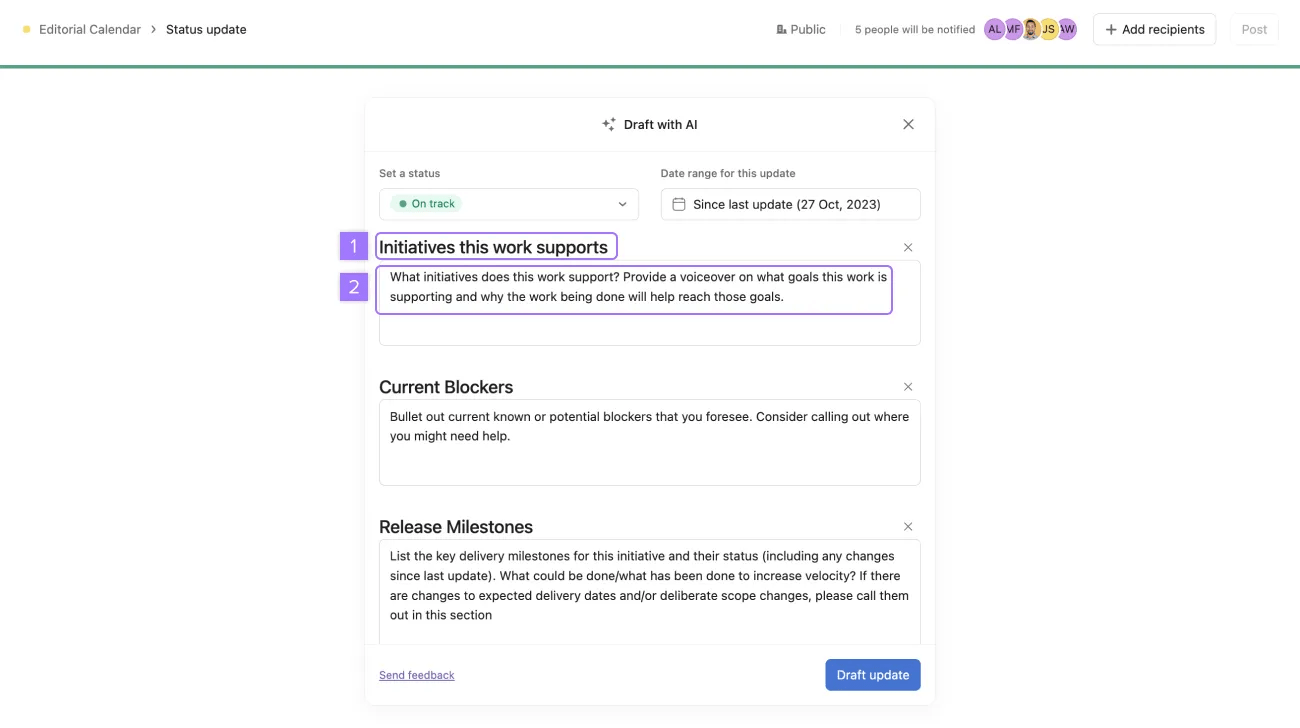
You can provide guidance to Asana AI to structure your status update in a specific way.
If instructions are not provided, Asana AI will use the previous status update structure (if one exists) or a default structure.
Example 1: Giving instructions - “Bullet out current known or potential blockers that you foresee. Consider calling out where you might need help”.
Example 2: Specifying structure, format the titles as headings in this case - “Initiatives this work supports, Current Blockers, Next Steps”.
Once everything is added, click Draft update. Wait for Asana AI to analyze your project, portfolio, or goal and draft a status update. You will be notified once the update is complete.
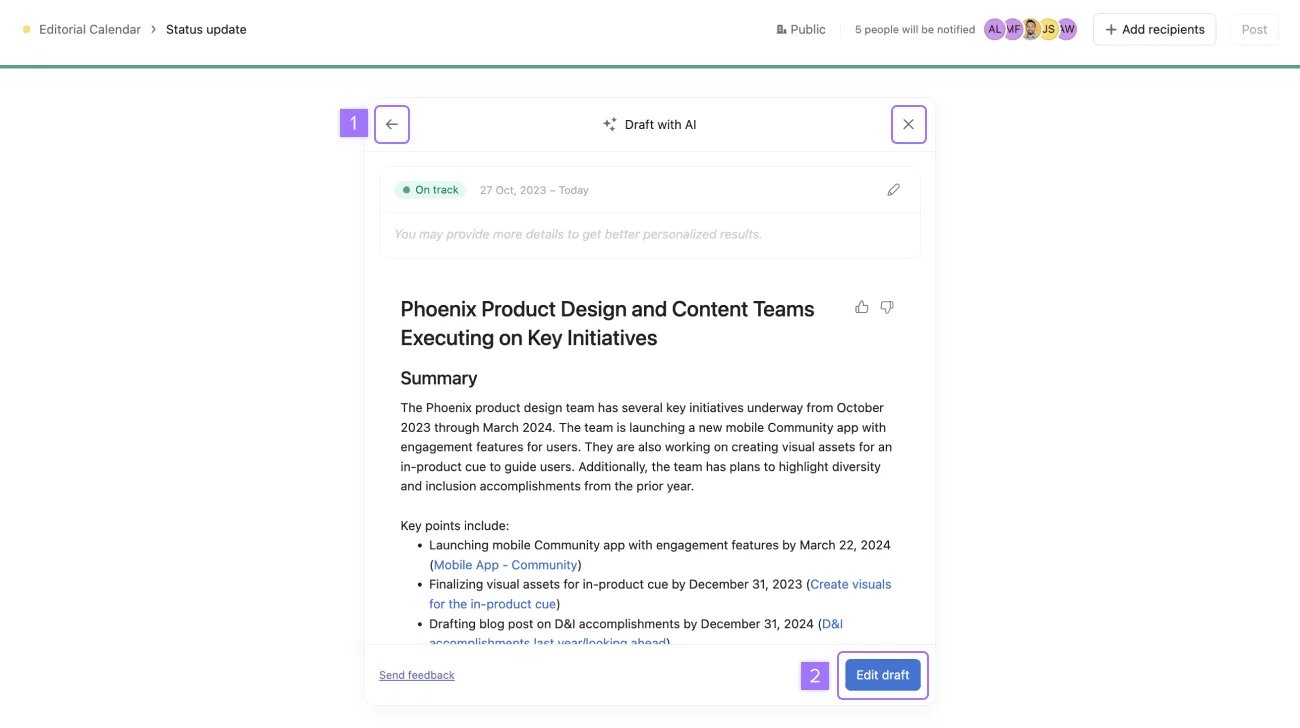
Once a draft is generated, you can choose to:
Clicking Edit draft will insert the draft into the editor.
Once you’ve inserted your status update, you can review and make changes to the AI-generated status update in the editor and then click Post in the top right corner.

