Products


AI Platform


Asana Foundations
Company Type
No articles found for this topic.
No articles found for this topic.

Visit our pricing page for more information.
Smart summaries offer visibility into the latest activities and progress about work. Whether you've been added to in-progress work and need to get up to speed, or are wanting to stay on top of work that you're not actively involved in on a day-to-day basis, smart summaries will help you focus on the most important conversations and work updates in Asana.
Available on Asana Starter, Advanced, Enterprise, and Enterprise+ tiers, as well as legacy tiers Premium, Business, and Legacy Enterprise.
Smart summaries for tasks allow users to get highlights from task descriptions and comments by summarizing task content and pulling out key action items as subtasks.
Note
Content generated via task summaries can only be summarized at the task level.
Available on Asana Starter, Advanced, Enterprise, and Enterprise+ tiers, as well as legacy tiers Premium, Business, and Legacy Enterprise.
Smart summaries for projects keep you updated on what teams have been working on. In the Overview tab, you can find a summary of recent activity in a project without checking each task individually. This summarizes discussions, decisions, and completed work in one place so it’s easy to scan and jump back into a project. You can choose to include Risk reports in your project summary and choose whether to receive them regularly.
Available on Asana Advanced, Enterprise, and Enterprise+ tiers.
Use smart summaries for portfolios to review recent portfolio activity. From the portfolio Progress tab, you can find a digest of recent activity in a portfolio that summarizes task activities that have occurred within the projects in a portfolio. The summary will provide an overview of recent activities, like discussions, decisions, and work completed, in one place so it's easily scannable and provides valuable insights to jump back into a portfolio. Smart summaries for portfolios allows you to stay better informed and get up to speed on notable changes quickly, without needing to descend into each project in the portfolio to see what has happened.
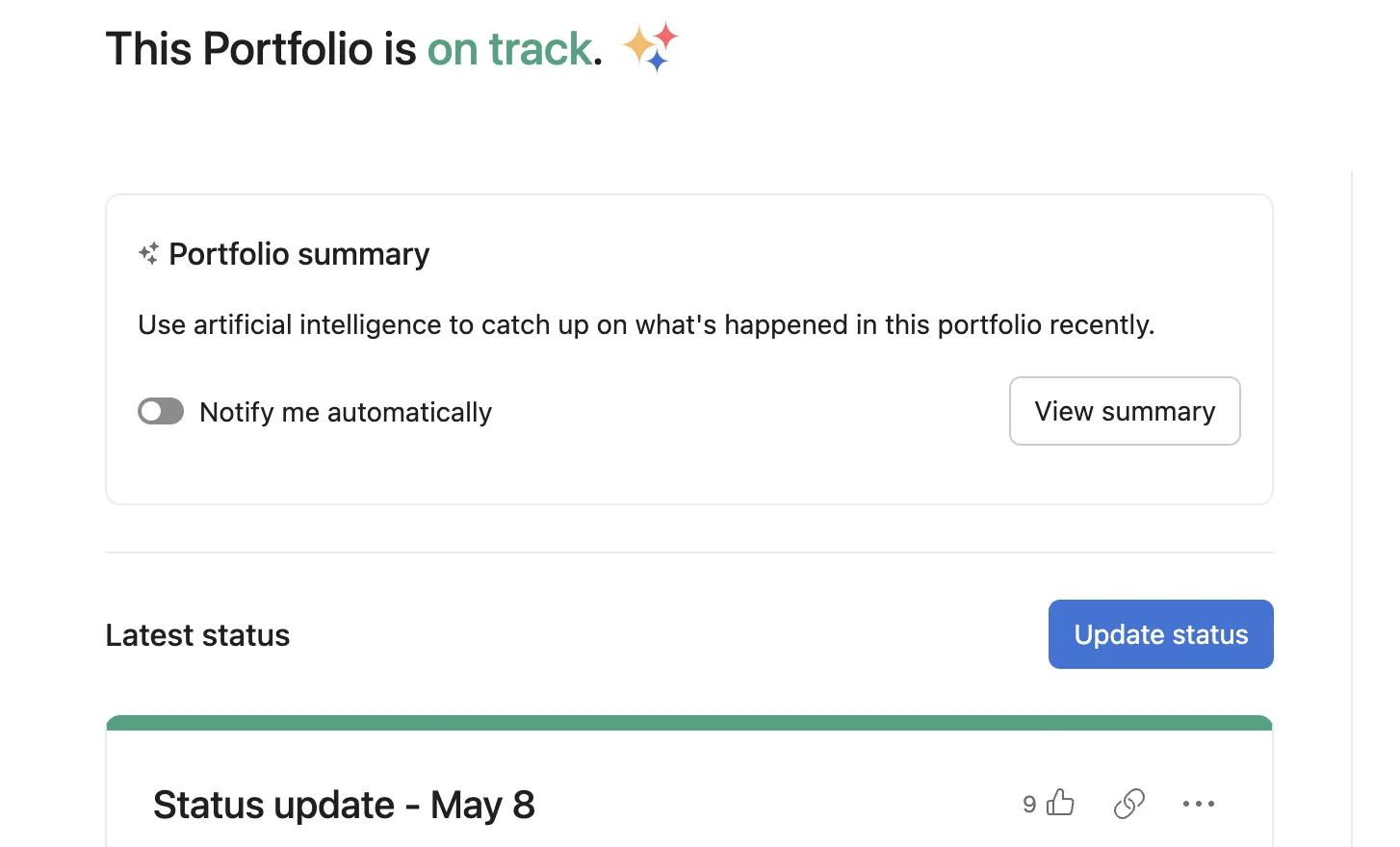
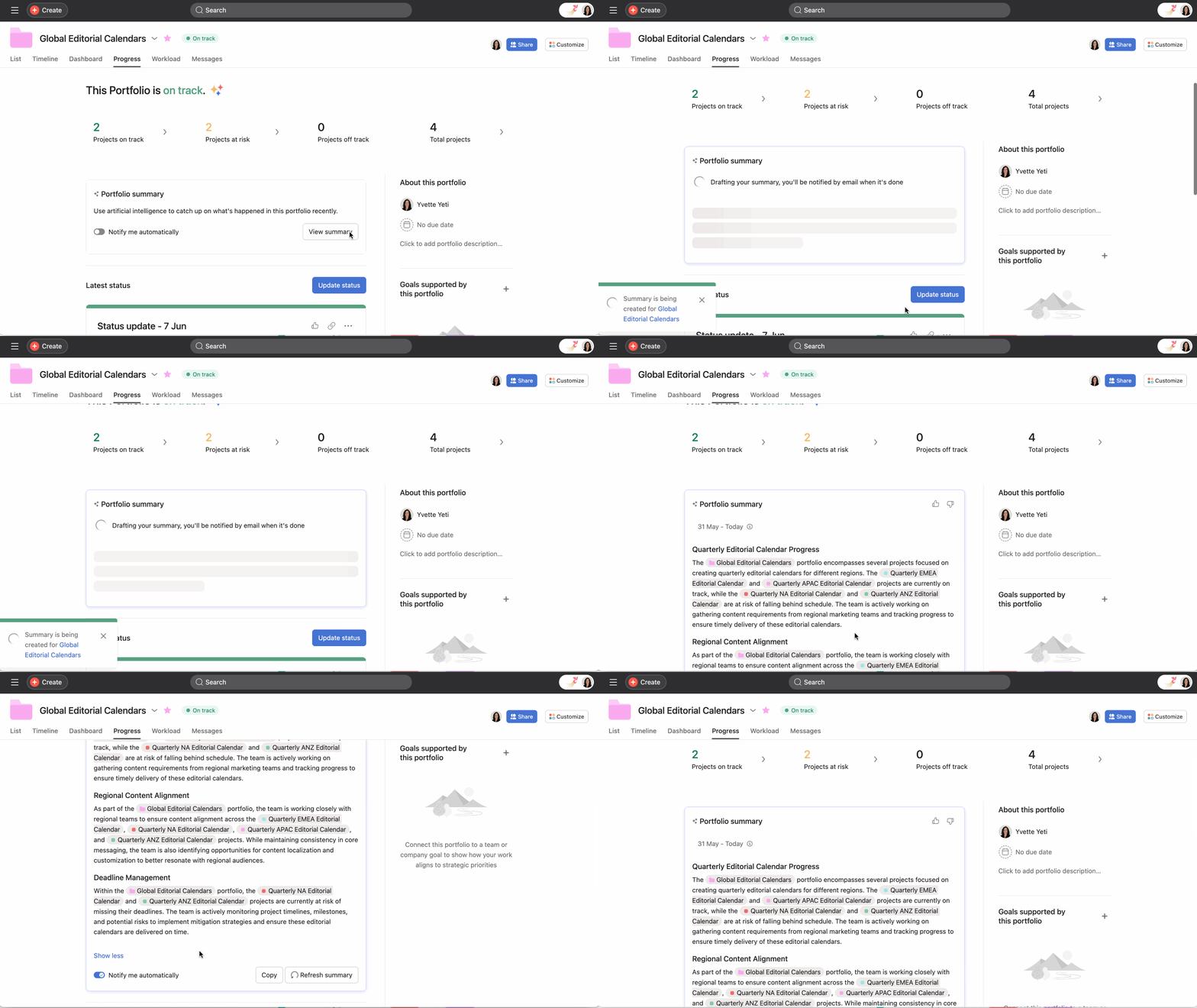
Portfolio summaries capture activities that occurred in projects within that portfolio. If there are projects within the portfolio that the user does not have access to, smart summaries respects the privacy of those projects and does not pull summary information from them. A smart summary is private to the user who generates it.
Available on Asana Starter, Advanced, Enterprise, and Enterprise+ tiers.
Smart summaries in your Inbox automatically analyze your notifications and provide a concise summary focusing on the most actionable and urgent items. Instead of scrolling through individual notifications, you can quickly understand what needs your attention.
To use smart summaries on Inbox:
You can customize the time frame of your summary to better fit your workflow needs (1, 3, 7 or 14 days).
Stay up to date on task details with smart summaries directly in Slack. These Ai-generated summaries allows teams to get a quick overview of work happening in a task without having to leave their Slack workspace. Visit this Help Center article for more information on Smart summaries in Slack.
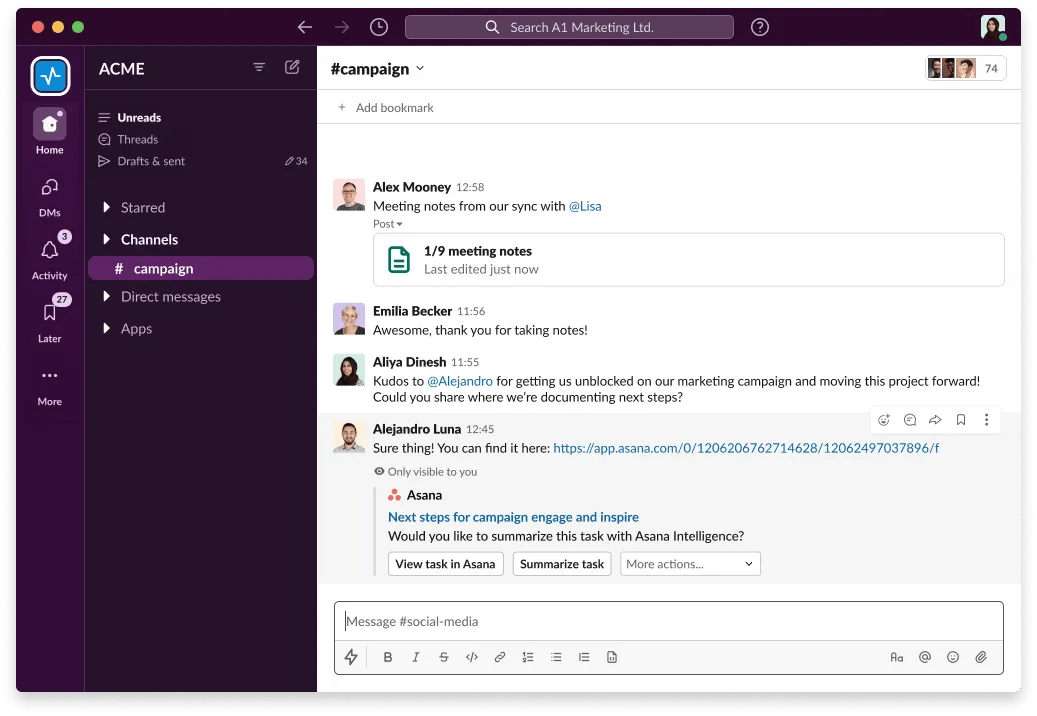
The task summary is not visible to other members of the slack channel. It is only visible to the user who requested it. Any member of the Slack channel with access to the task will have the option to summarize the task, however the summary itself is only visible to the user that clicked on the Summarize task button.
Spot risks early and address them on time with Asana risk reports. Risk reports help you identify potential blockers early so you can take action before they impact your project.
From the project’s Overview tab, enable risk reports and click Generate summary. Asana analyzes recent changes to tasks and milestones to surface potential risks, each linked to the relevant work and collaborators. You’ll also see suggested mitigation steps and receive the report in your inbox and email. From the summary, you can copy the report, create follow-up tasks, or add insights to a status update.
Turn on recurring updates to receive new risk reports automatically, and adjust which sections appear anytime through the report settings.

