Products


AI Platform


Asana Foundations
Company Type

Visit our pricing page for more information.
Use search to find tasks, projects, teams, messages, tags, portfolios, goals, or people in your workspace or organization.
From the Search page, you'll see recent searches you've done, quick filters you can apply and shortcuts to useful searches.
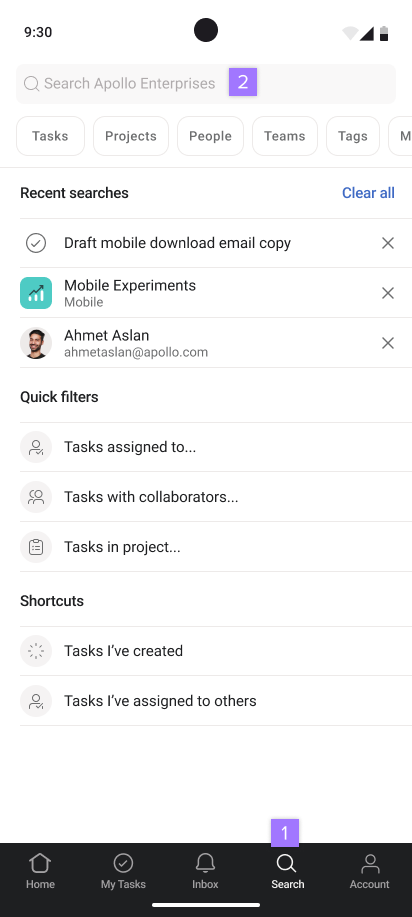
You can tap on the filters below the search bar to narrow your search.
Note
You can also use your Google search bar to find search results from Asana
When searching, the results will display:

