What are lookup fields?
Lookup fields let you automatically display field values from referenced records within tables directly within your project, portfolio or table view. By connecting a lookup field to a reference custom field, you can surface relevant data from linked records without manually duplicating information, keeping your project, portfolio or table views up to date and reducing repetitive data entry.
Related articles:
Create a lookup field
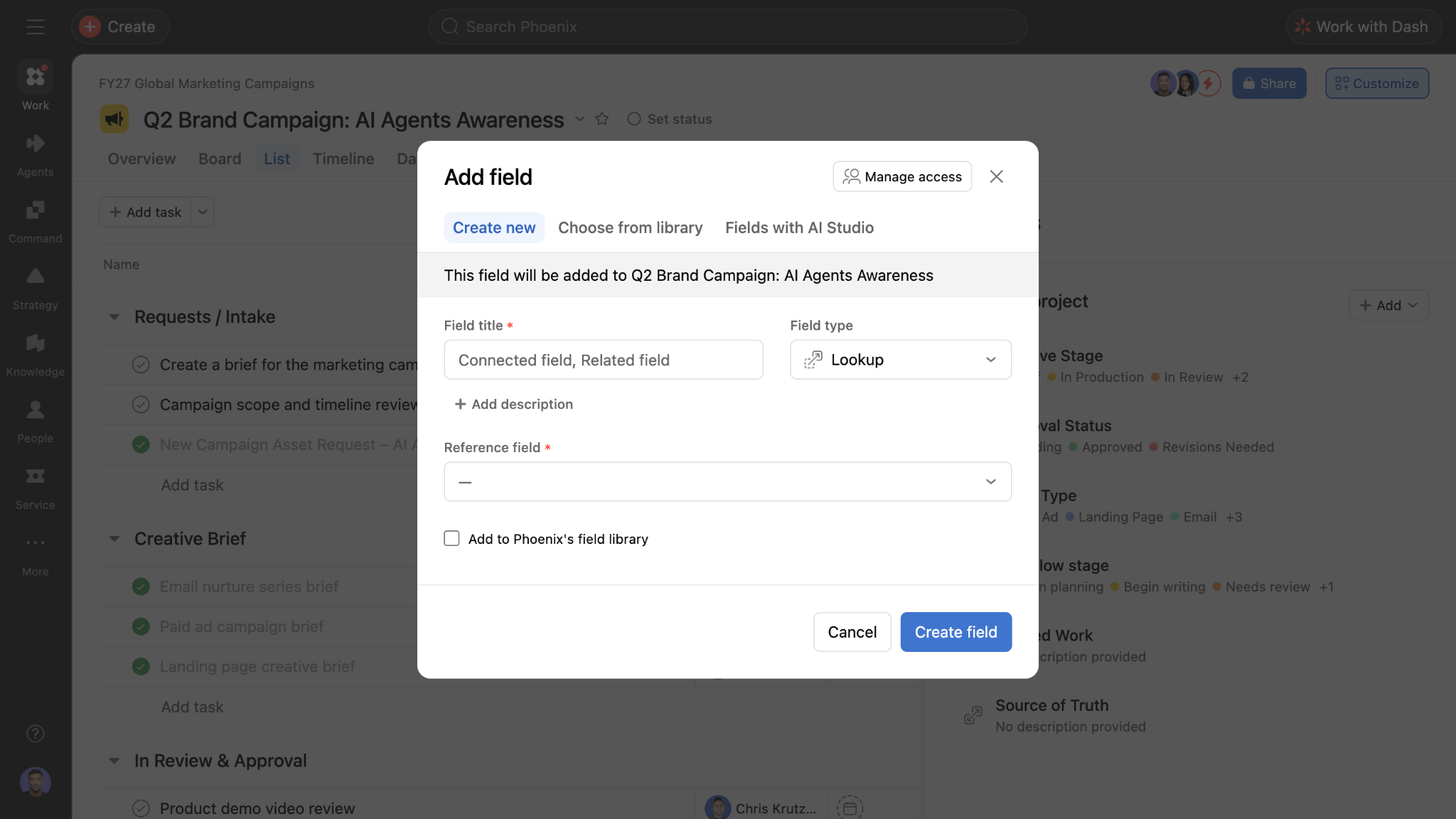
- Open your project in Asana.
- Click the + button next to the column headers in list view, or select Customize and then Fields.
- Click Add field.
- Select Lookup as the field type.
- Choose the reference custom field that the lookup field should pull data from.
- Note: The reference custom field must be Table-scoped for lookup fields to work. Project-scoped reference custom fields cannot be used in a lookup field.
- Click Create field.
Once added, the lookup field automatically populates with the corresponding field value from the referenced record. If the source data changes, the lookup field updates to reflect the change in real time.
How lookup fields work
Lookup fields work in conjunction with reference custom fields. When a task has a reference field pointing to a record, a lookup field can pull a specific field value from that referenced object and display it on the task.
- Lookup fields are read-only; you cannot edit the displayed value directly from the lookup field.
- To change the value shown in a lookup field, update the source field on the record.
- If the reference field is empty or the referenced object is private, the lookup field displays accordingly.
- If the source field is private but its value is empty, the lookup field will still display "Private" to prevent exposing whether the underlying source value is empty.
Use case
- Resource management: Surface assignee or team information from referenced records.
- Connecting tables and expanding table views: Connect two tables to pull related information directly into your view. For example, an office table can use a reference custom field to link to records in a vendors table, and lookup fields can then display details about the specific vendors assigned to each office.




