Products


AI Platform


Asana Foundations
Company Type

Visit our pricing page for more information.
Please note that the Asana for Workplace integration will be retired on April 15, 2026. Please review our FAQ article for further guidance.
Asana for Workplace allows you to access key Asana functionalities without leaving Workplace.
Workplace is an all-in-one business communication platform from Meta that securely combines chat, video, groups and your intranet with the work tools you already use. Think Facebook, but for your company.
You can create Asana tasks from scratch via the Asana bot in Workplace or through a post or comment in Workplace. This will allow you to capture action items without opening up a separate tab and breaking your flow.
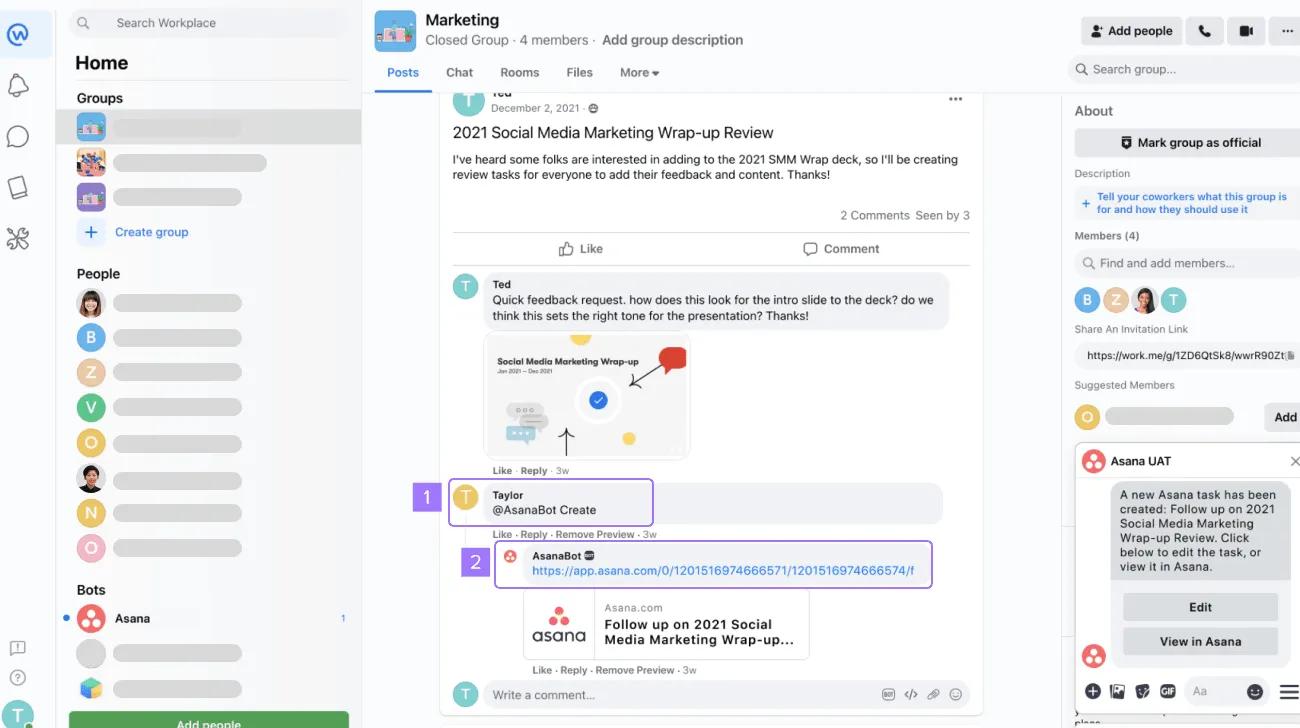
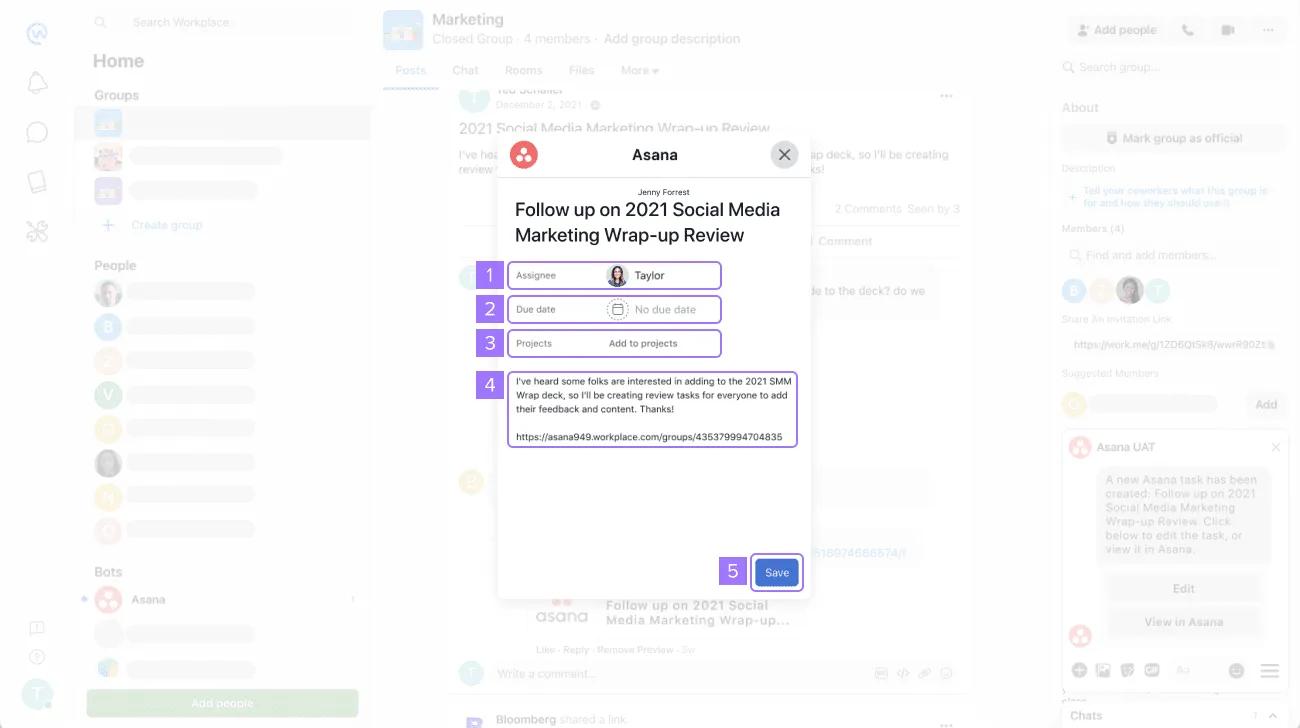
When you create a task from a post, the default title of your task will be the post title and the assignee will be the creator of the task.
If you create a task from a comment, then the default title will be what is written in the comment.
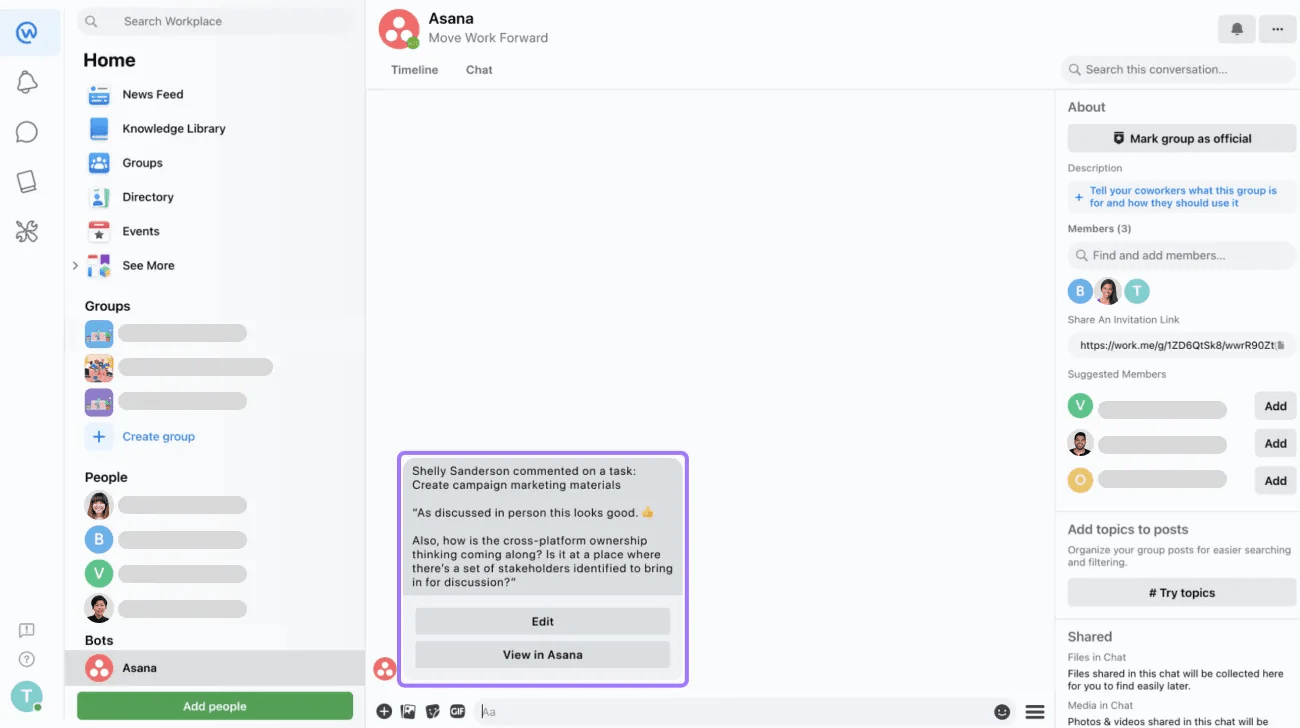
Get notified about important changes and updates to the tasks assigned to you. This will help you catch up on important updates directly on Workplace.
Receive relevant Asana project status and milestone updates by linking Workplace groups to Asana projects.
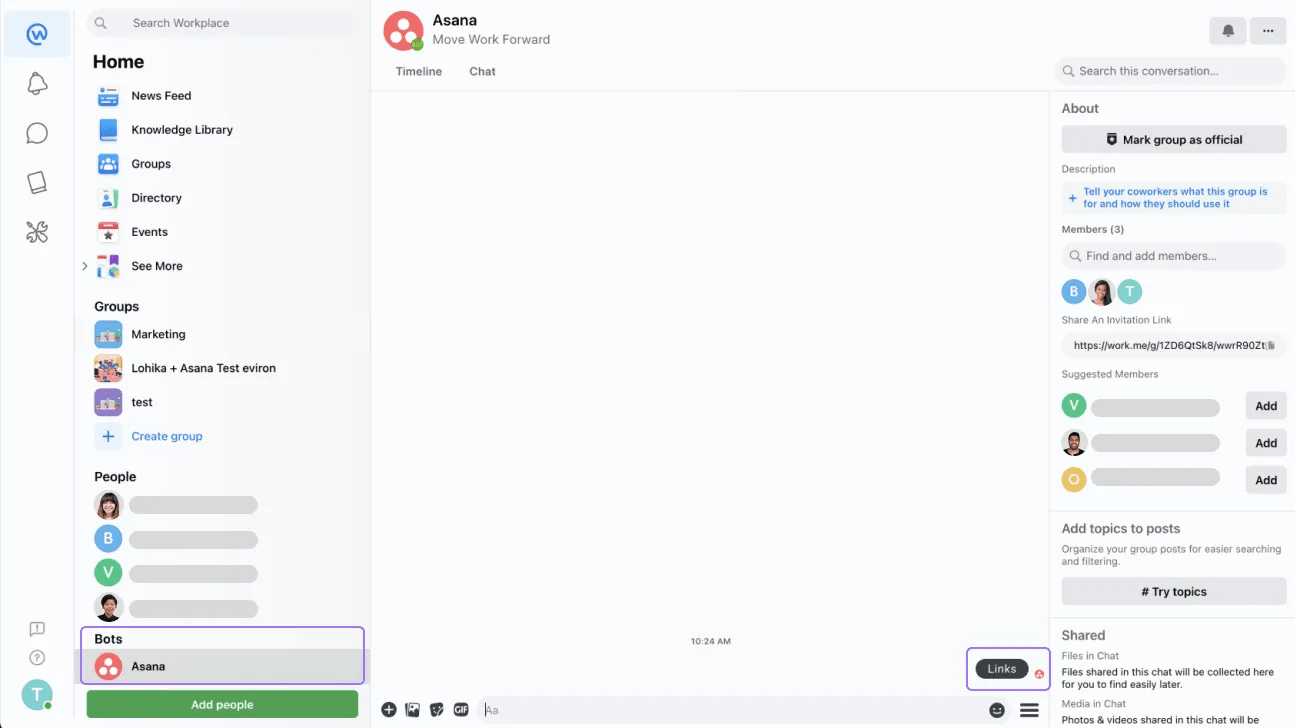
Click on the Asana bot and then click on Links.
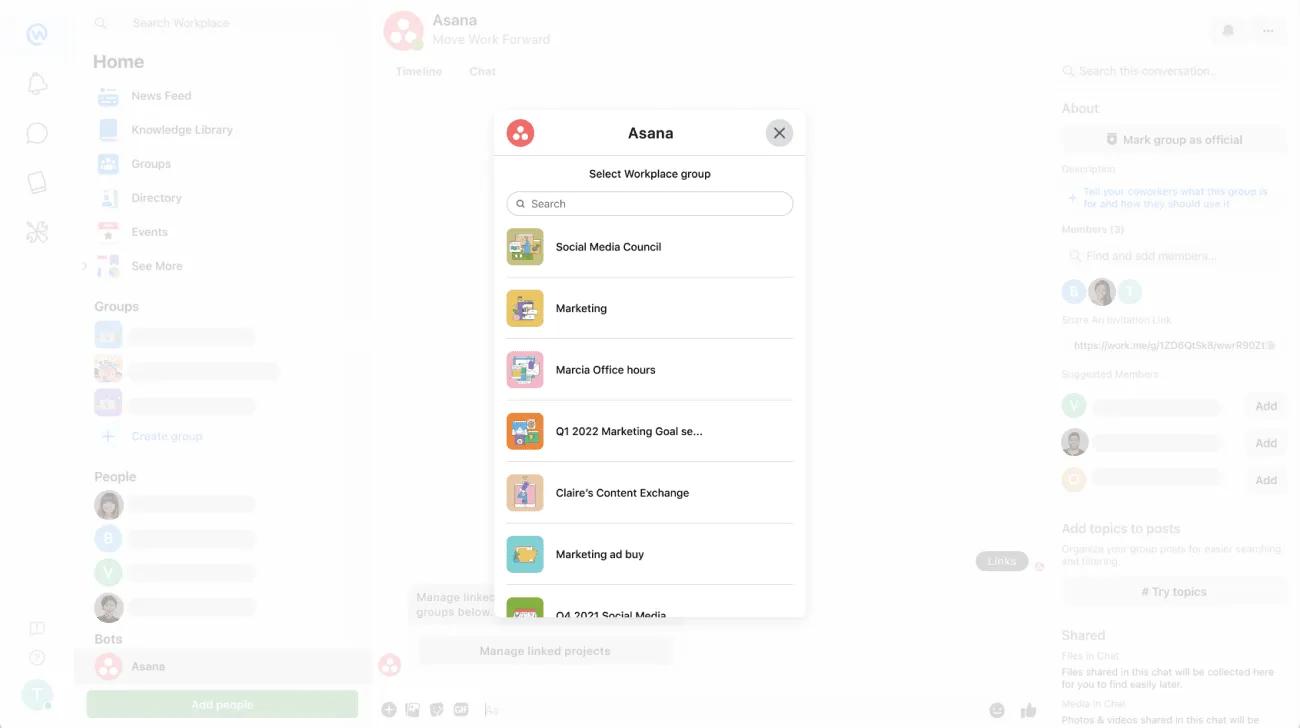
Select the Workplace group where you would like to receive notifications.
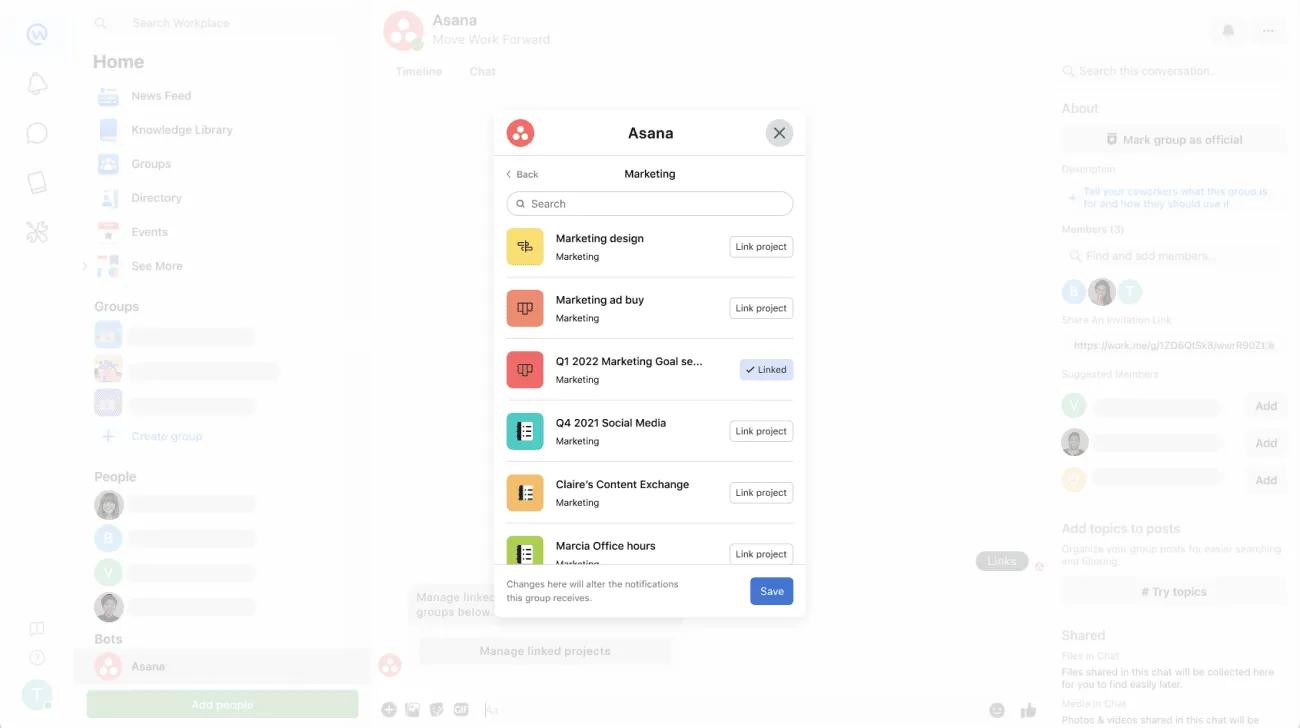
Select the project you would like to link the Workplace group with and click on Save.
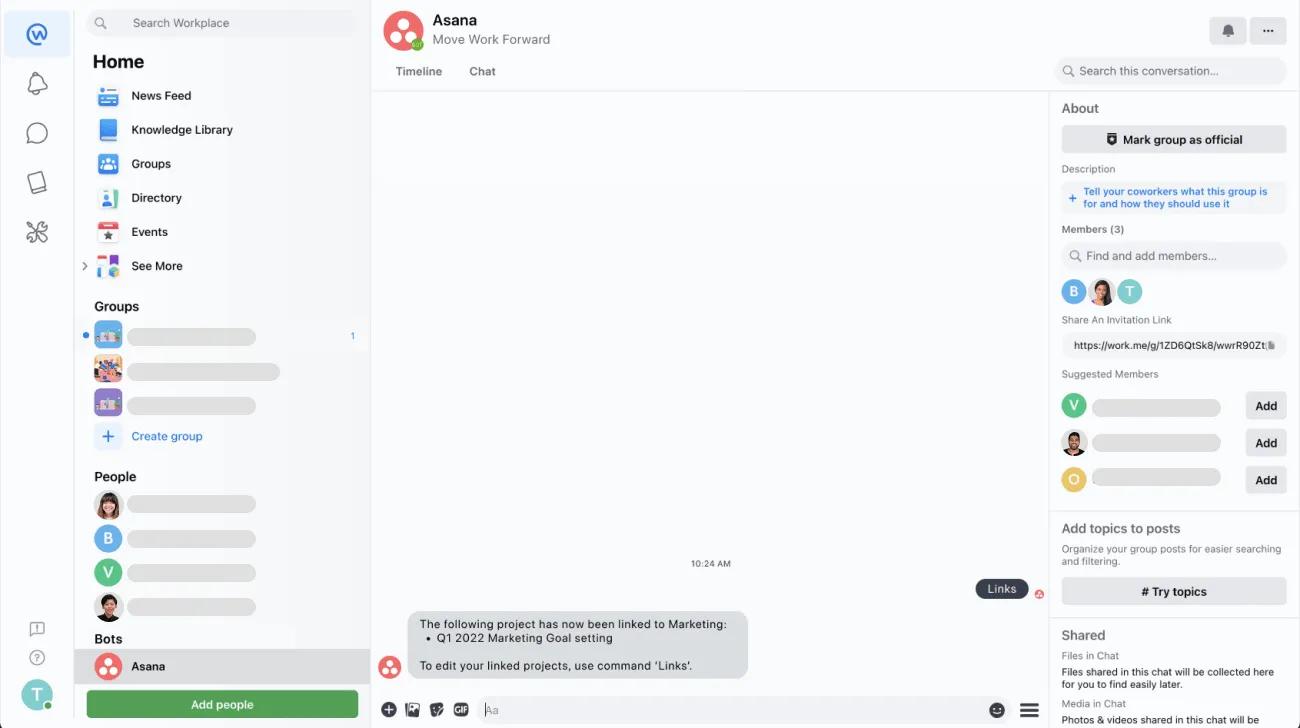
You will receive a message from the Asana bot saying that the project has been linked to the Workplace group.
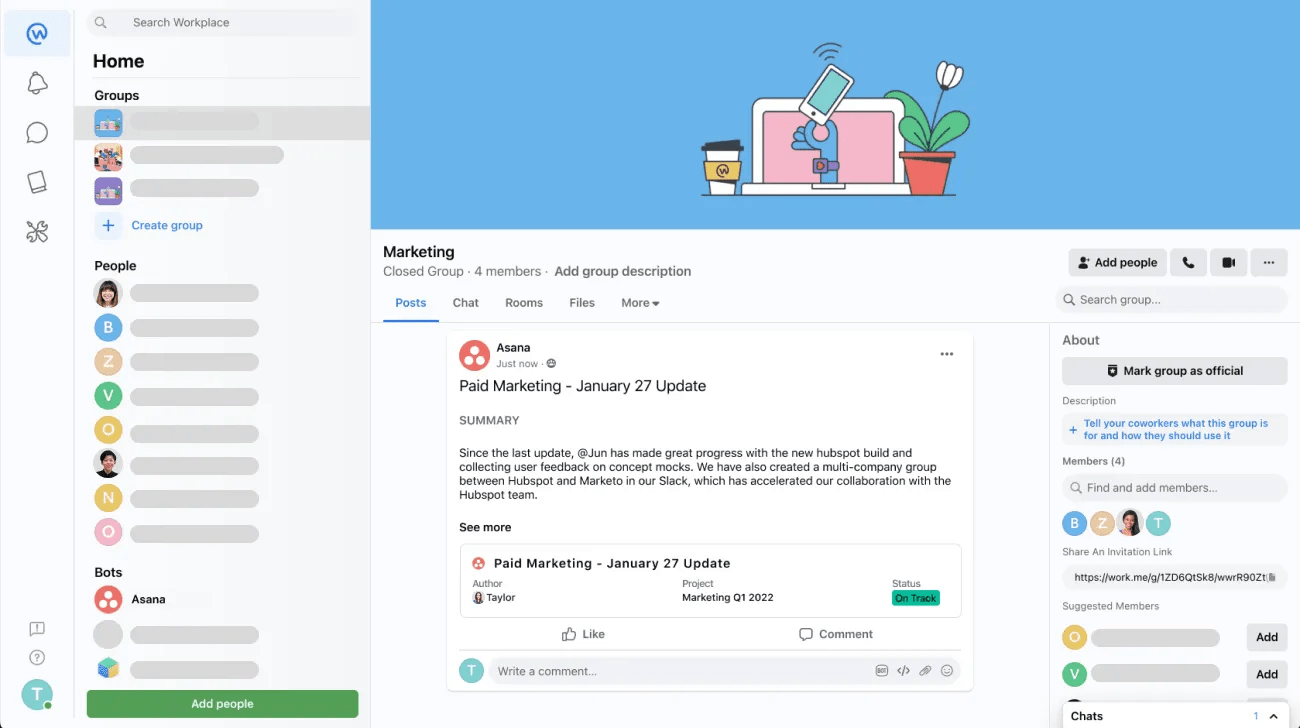
Now you will start receiving meaningful and actionable project updates directly from the Workplace group.
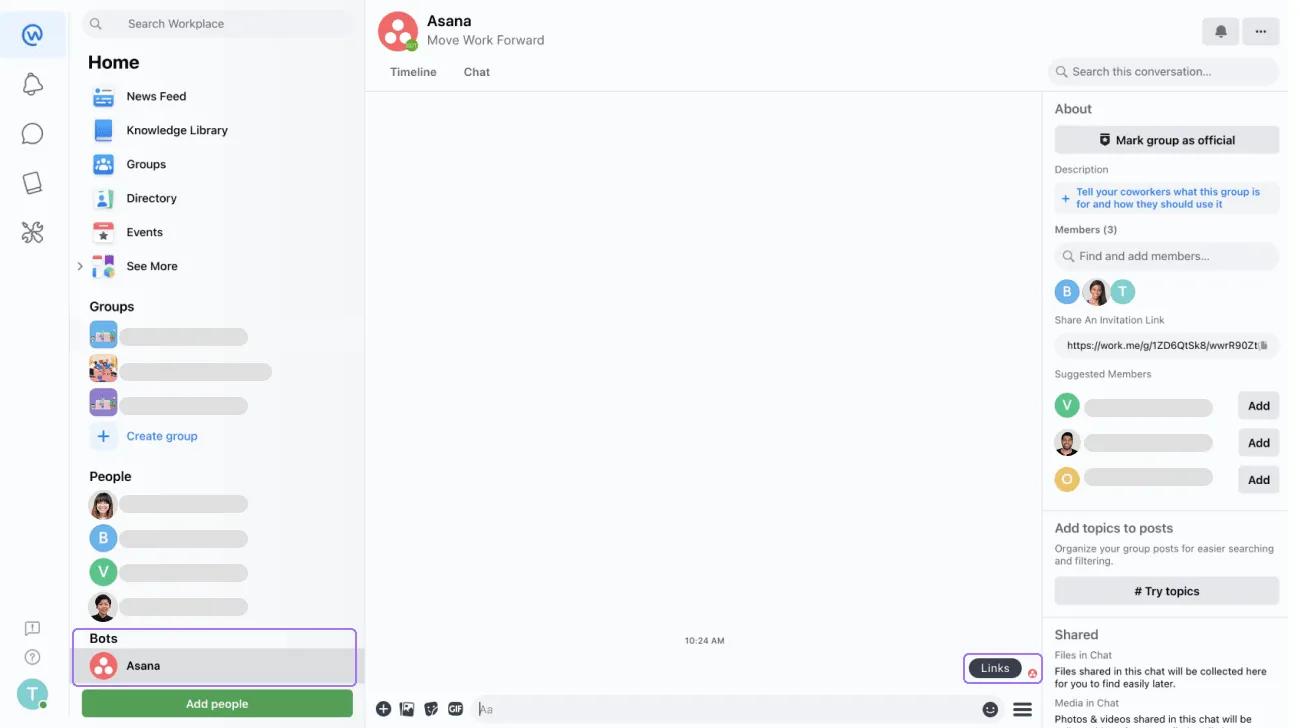
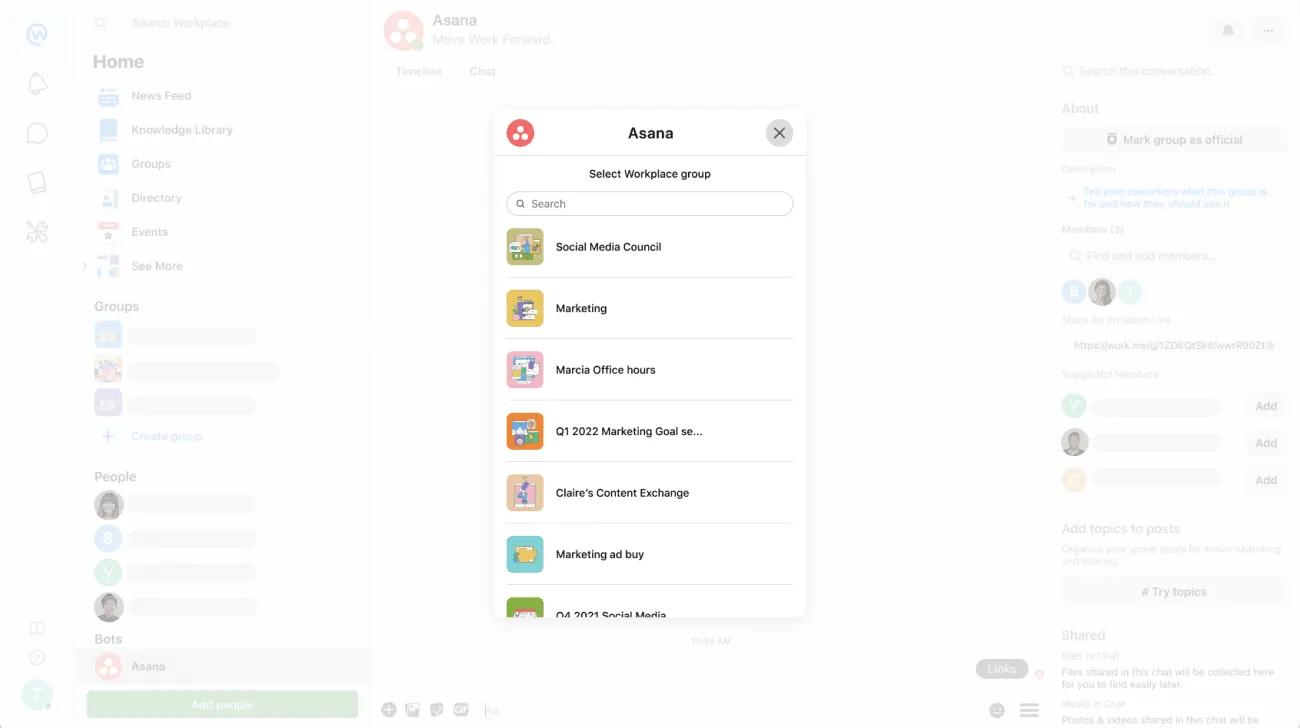
Select the Workplace group where the project is linked.
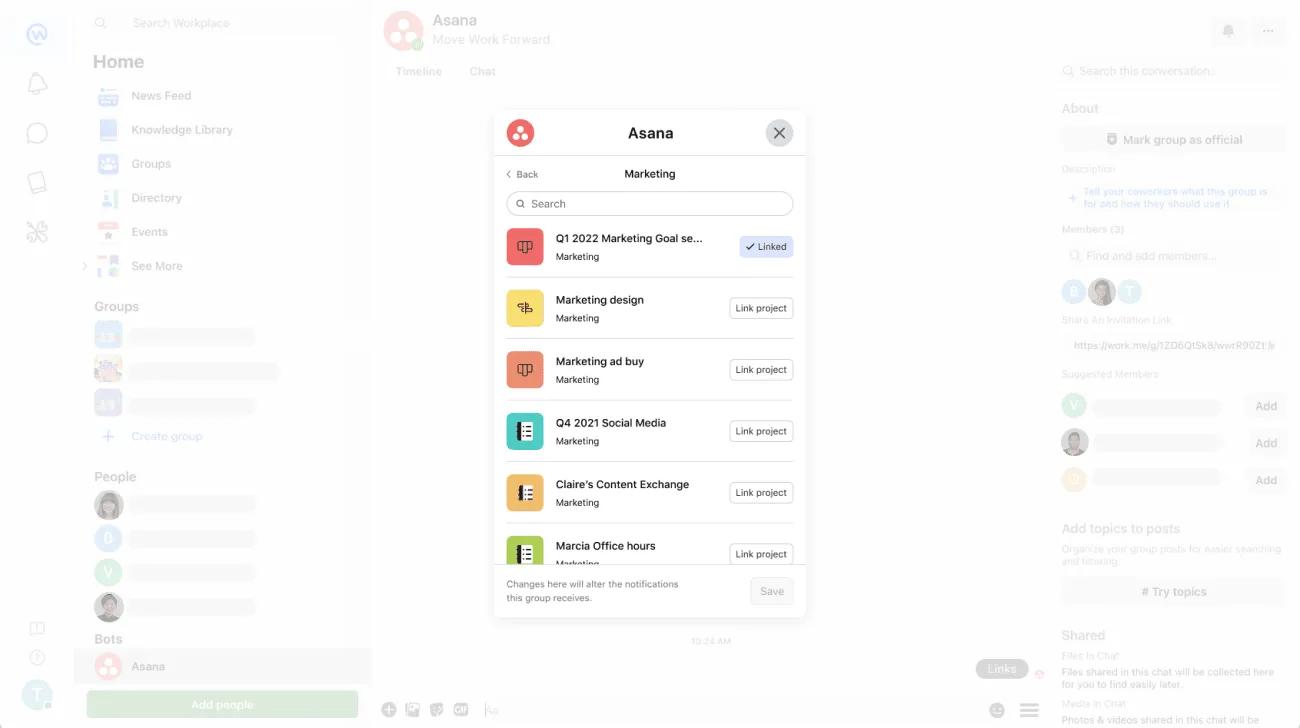
A list of projects will be displayed. Click on the Linked project to unlink it and click on Save.
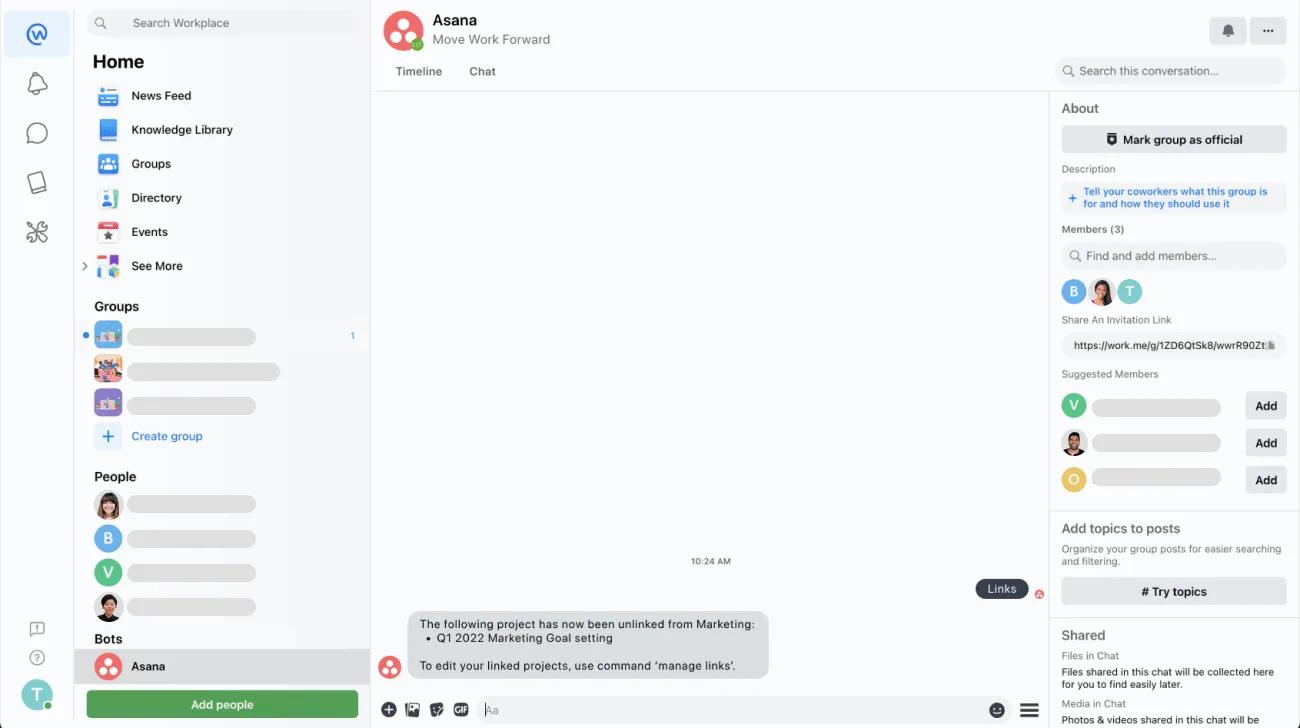
You will receive a message from the Asana bot saying that the project has been unlinked from the Workplace group.

