Products


AI Platform


Asana Foundations
Company Type
No articles found for this topic.
No articles found for this topic.
In This Article
Domain-wide admin controls allow admins and super admins to apply project defaults across their domain. This article explains the various options available to organizations and divisions. These admin controls are accessed via the admin console.
This feature is available on Asana Enterprise+. Super admins may disable the shared with organization project privacy setting for their organization.
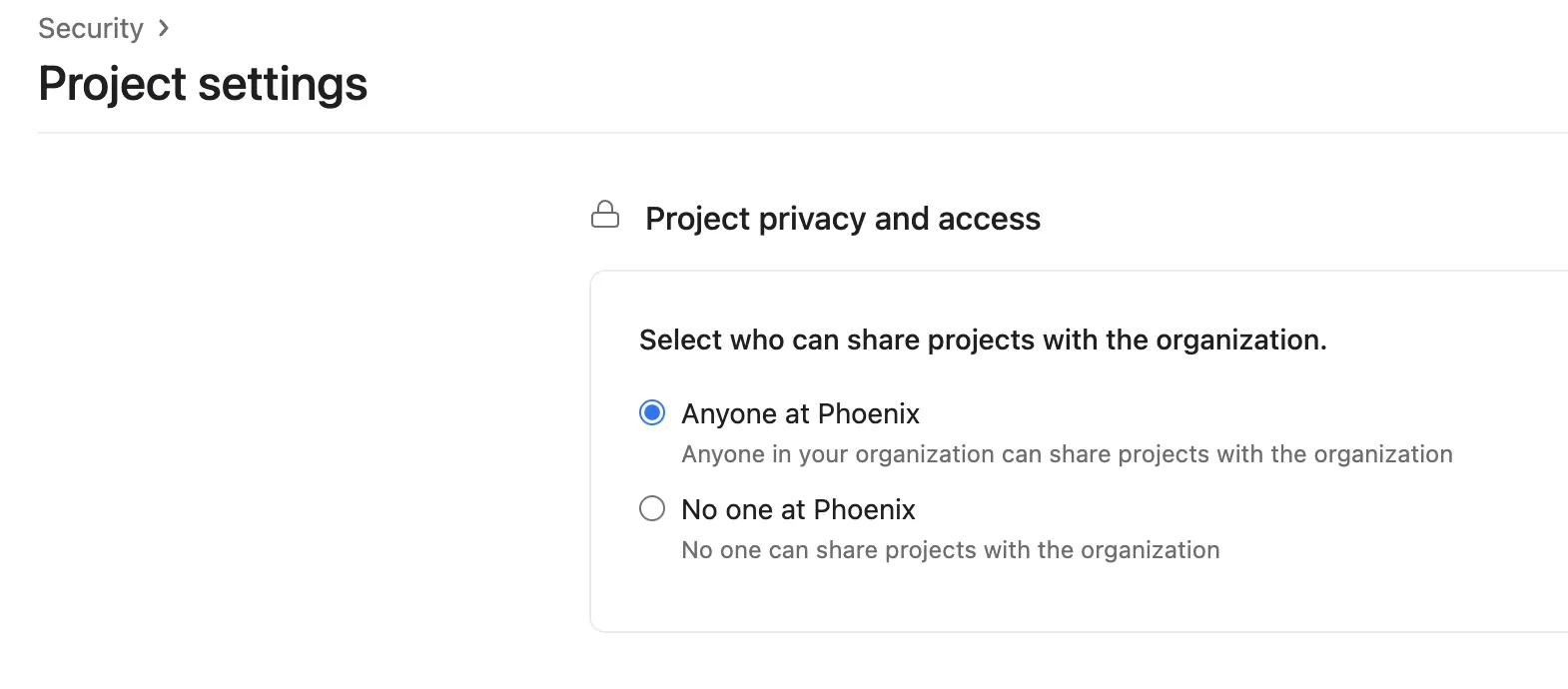
Super admins may choose between the two options shown above:
Note that this functionality is available for paid organizations, and is not available with a team or division subscription. The feature can only be enabled or disabled by a super admin.
This feature is available on Asana Enterprise and Enterprise+.
Admins can control the default project privacy for new projects in their organization or division. This helps drive consistency, as new projects are automatically aligned with the preferred privacy standard. Project admins and editors can still update project privacy for their respective projects at any time.
For domains where HIPAA is activated, this domain-wide admin control is available only to super admins. For other domains, this control is available to admins.
For detailed information on the privacy settings and how they work, visit our project privacy settings article.
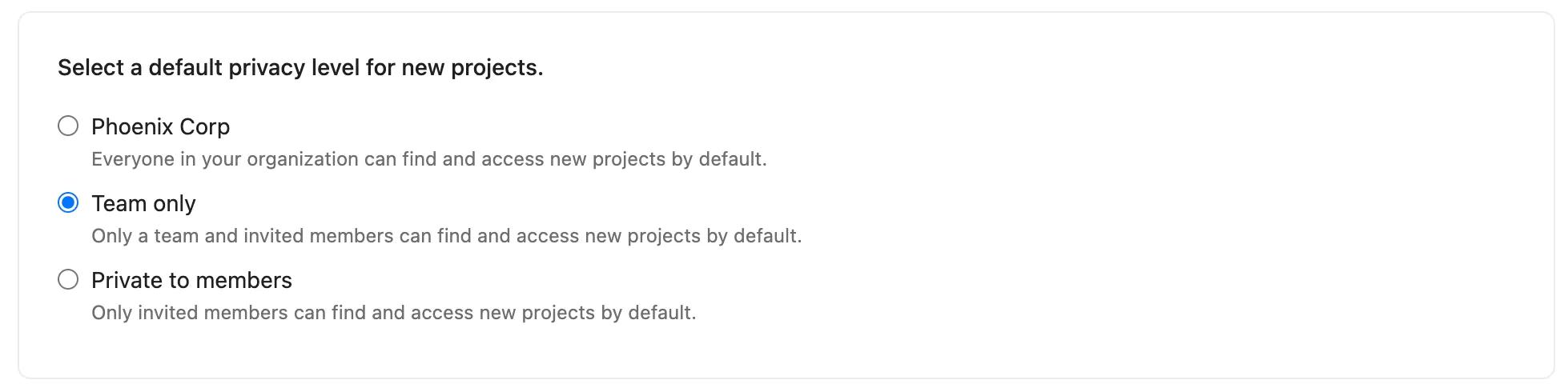
This feature is available on Asana Enterprise and Enterprise+.
Admins can control the default access levels for new projects in their organization or division. Once set, new projects will have the chosen access level selected by default. Project admins and editors can still make changes to project access levels at any time.
Admins and super admins of paid organizations can enable this feature. Admins and super admins of divisions can contact our support team for assistance enabling this feature.
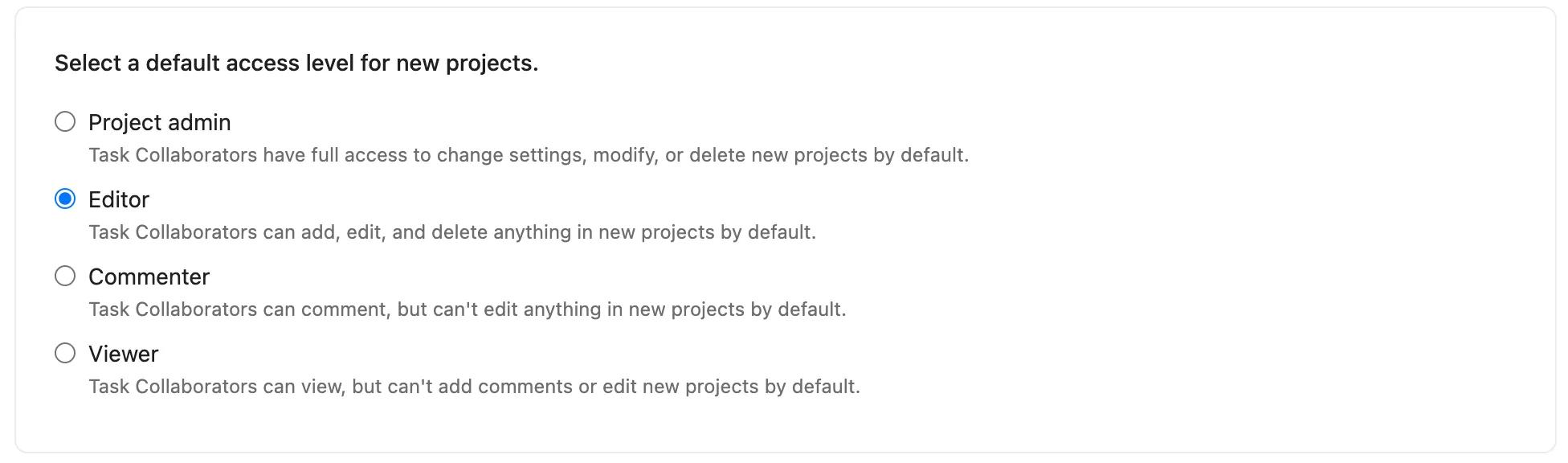
The default permissions for new projects are made up of two parts:
The default permissions options are detailed below.
This feature is available on Asana Enterprise and Enterprise+.
Admins can control the default setting for sharing and editing member access for new projects in their organization or division. Once implemented, all future projects automatically adopt the default permissions for sharing and editing member access. However, project admins retain the flexibility to modify these settings for their projects at any time.
Admins and super admins of paid organizations can enable this feature. Admins and super admins of divisions can contact our support team for assistance enabling this feature.

This feature is available on Asana Enterprise and Enterprise+..
Admins can control the default setting for modifying the workflow and appearance of new projects in their organization or division. After implementing this change, all new projects will automatically inherit the default permission settings across your deployment. Project admins, however, can update these settings for their projects at any time.
Admins and super admins of paid organizations can enable this feature. Admins and super admins of divisions can contact our support team for assistance enabling this feature.

When creating a new project via a project template or project duplication, the default settings of the newly created project will match those of the template it was created from, or the project it was duplicated from.
When creating new templates from scratch, the default settings that have admins and super admins have chosen for the domain are applied.
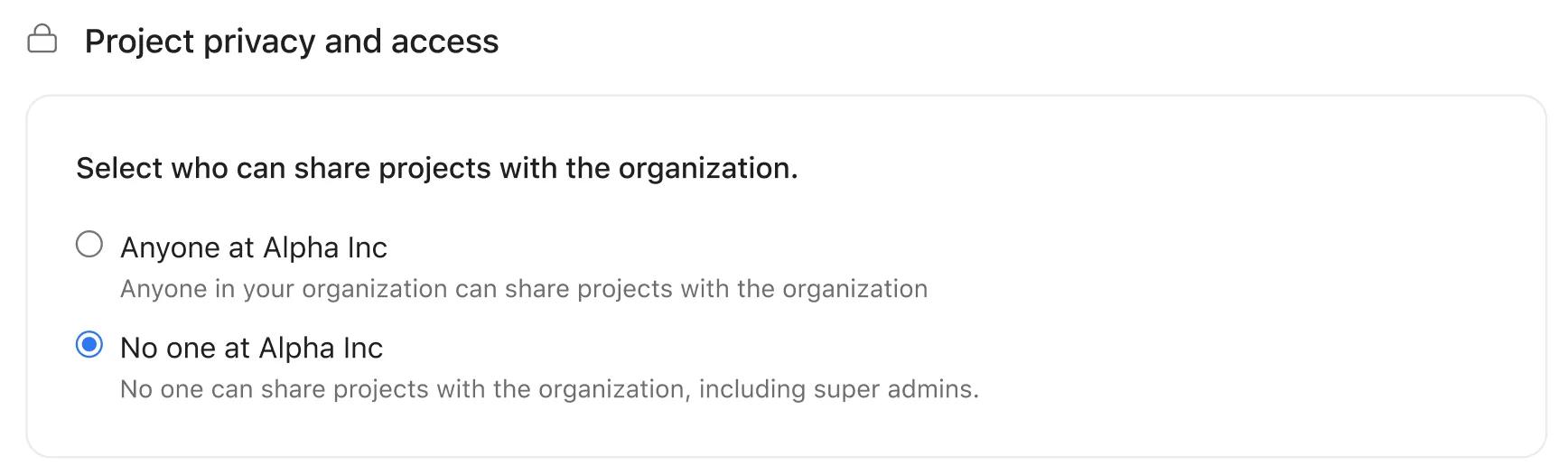
Admins can control the default project privacy for new portfolios in their organization or division. Admins can choose whether portfolios are initially created as Public to organization or Private to members.
Portfolio admins and editors can still update portfolio privacy for their respective portfolios at any time.
To set the default privacy for portfolios:
These defaults apply to portfolios created on web. Portfolios created through API and mobile remain private by default.
Admins can control the default goal privacy for new goals in their organization or division. Admins can choose whether goals are initially created as Public or Private to members.
Goal admins and editors can still update goal privacy for their respective goals at any time.
To set the default privacy for goals:
This setting will not override the privacy of goals created using a goal template, but it will apply to the creation of new goal templates.


