CAPABILITIES
Company Type
Note
On February 27, 2026, the Asana app in Salesforce’s AppExchange marketplace will be deprecated and removed from the marketplace. Customers should use the native "Salesforce in Asana” app going forward. Learn more about the deprecation.
Available on Asana Enterprise and Enterprise+ tiers, as well as legacy tiers Business and Legacy Enterprise. Visit our pricing page for more information.
Asana for Salesforce helps your Sales teams collaborate with cross-functional team members throughout the entire sales cycle. This article covers how to set up automation between Asana and Salesforce.
Learn how to create project templates.
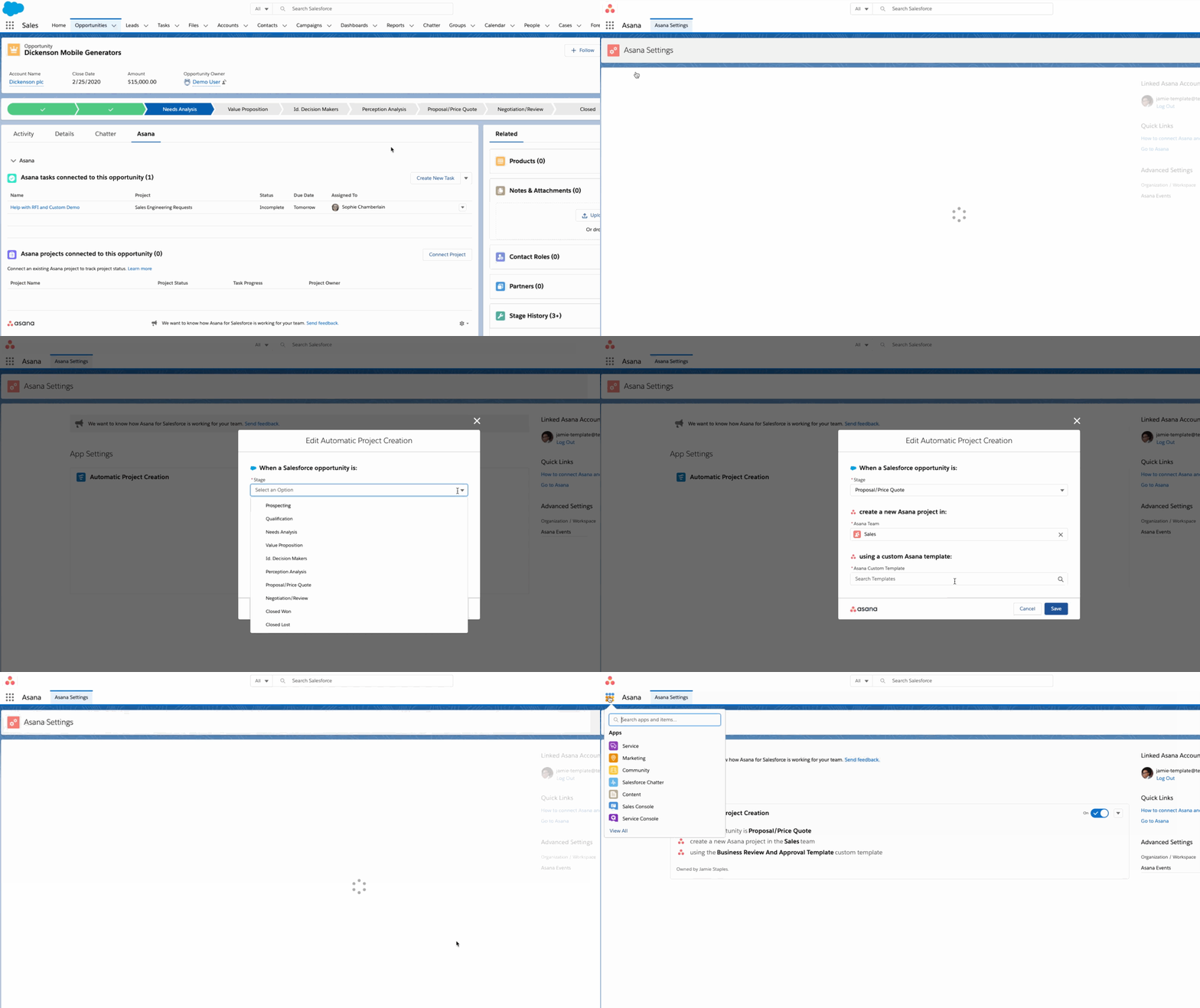
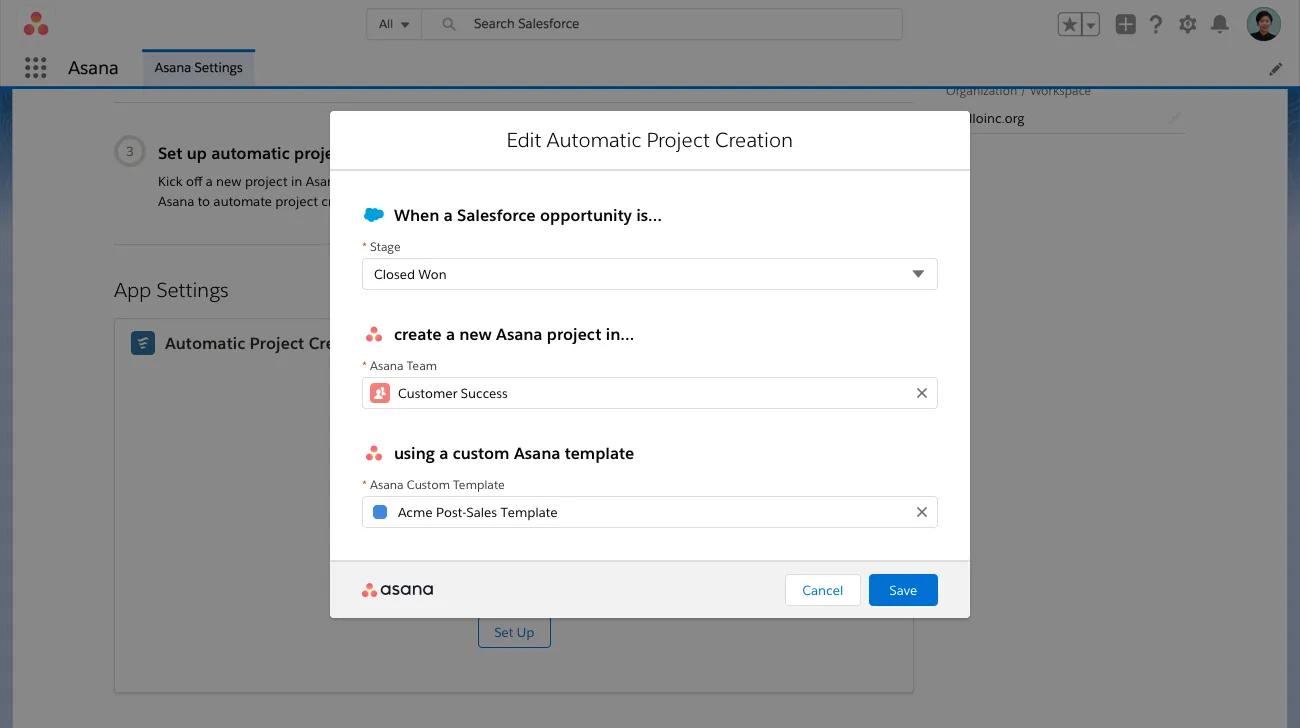
For example, if you’ve selected the Proposal/Price Quote stage and Legal team. When an opportunity moves to the Proposal/Price Quote stage, a project will be created within the Legal team using the custom template you chose.
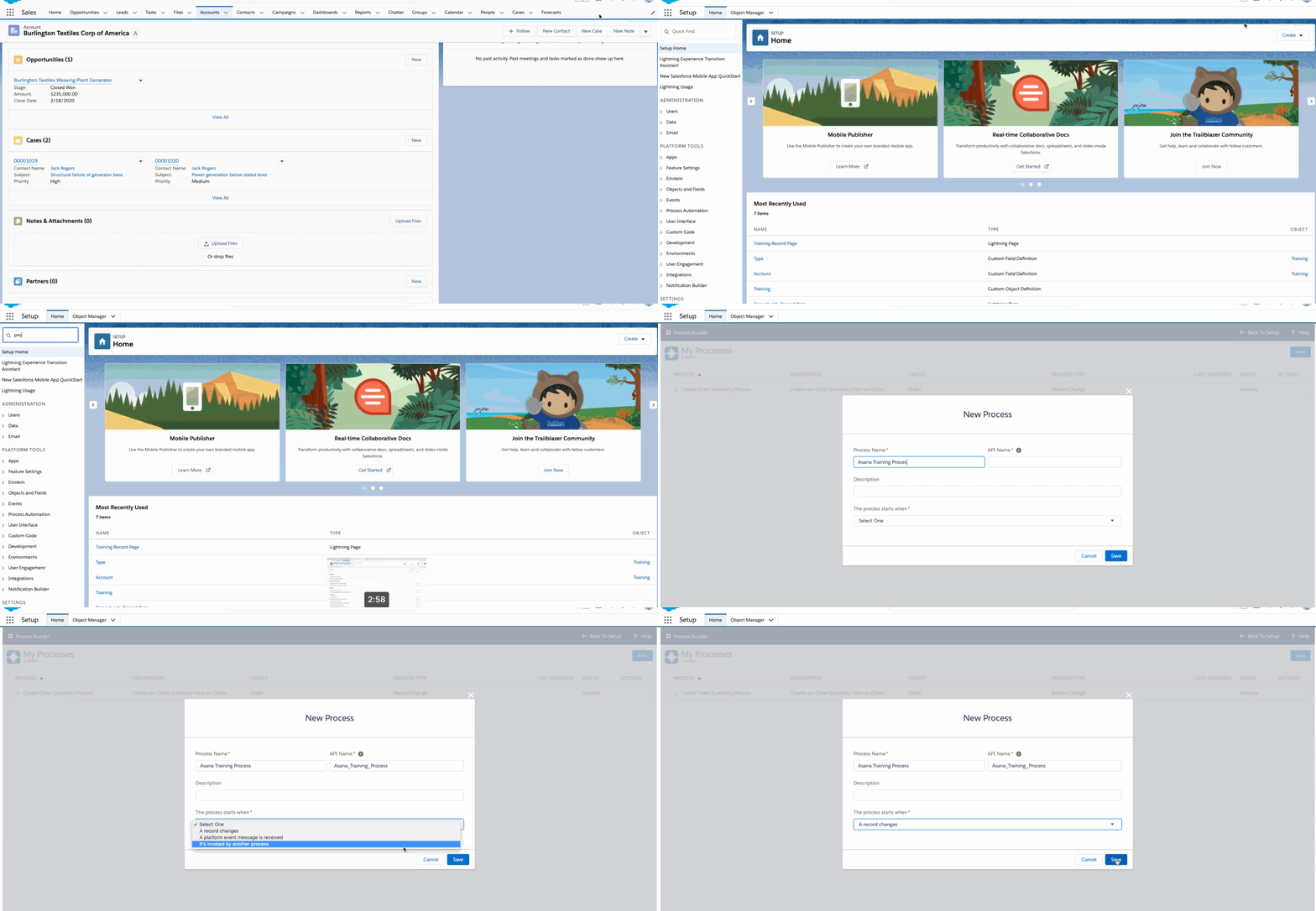
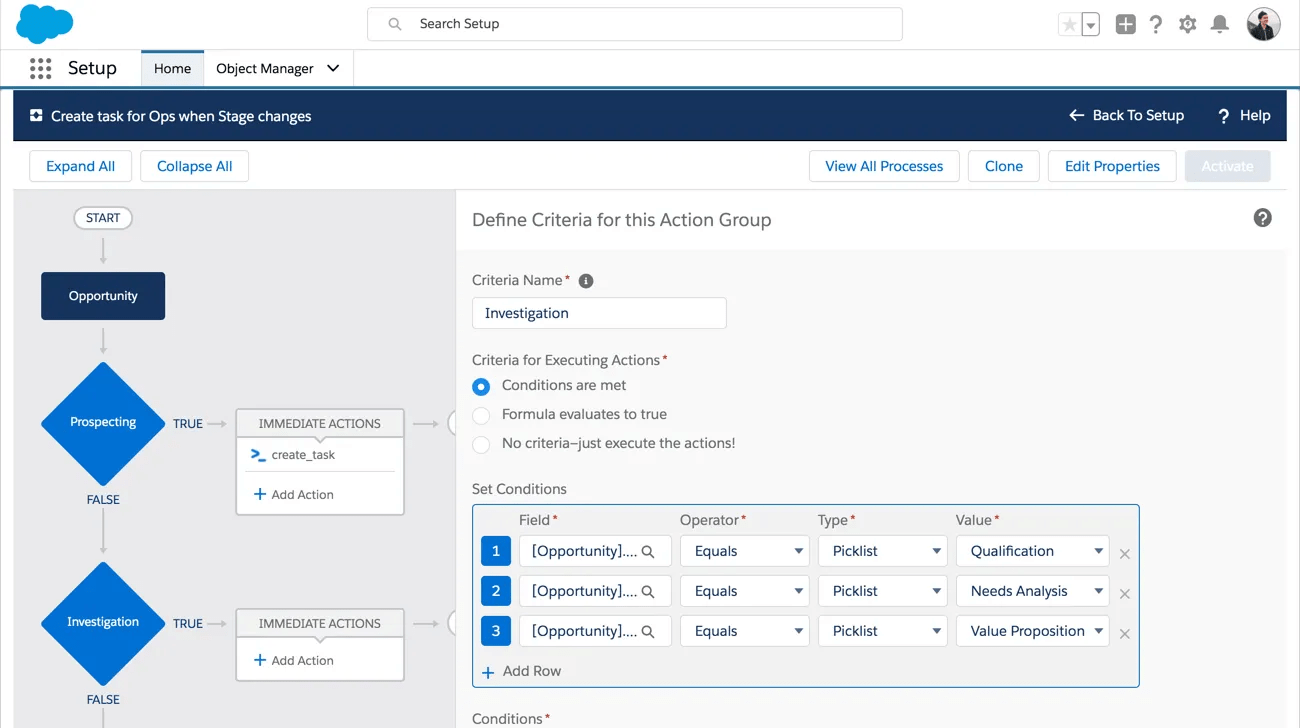
Set up automated workflows between Asana and Salesforce with the Flow Builder and automate any Asana work requests. With the Flow Builder, you can automatically trigger the creation of tasks and projects in Asana.
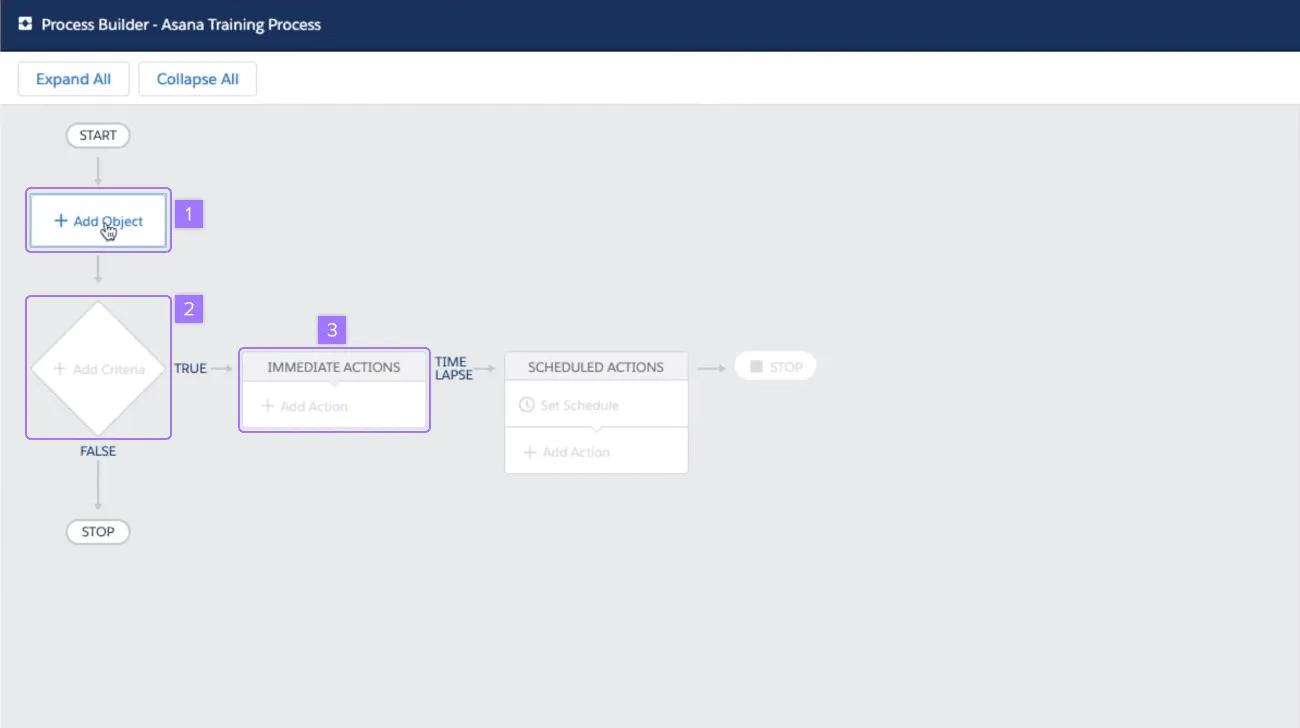
For example, in the image below, the object is an Opportunity. The criteria for executing actions is when conditions are met, and there are three conditions. When an opportunity is in the Qualification, Needs Analysis, or Value Proposition stage, an action will be triggered. This action can either Create an Asana task or Create an Asana project.
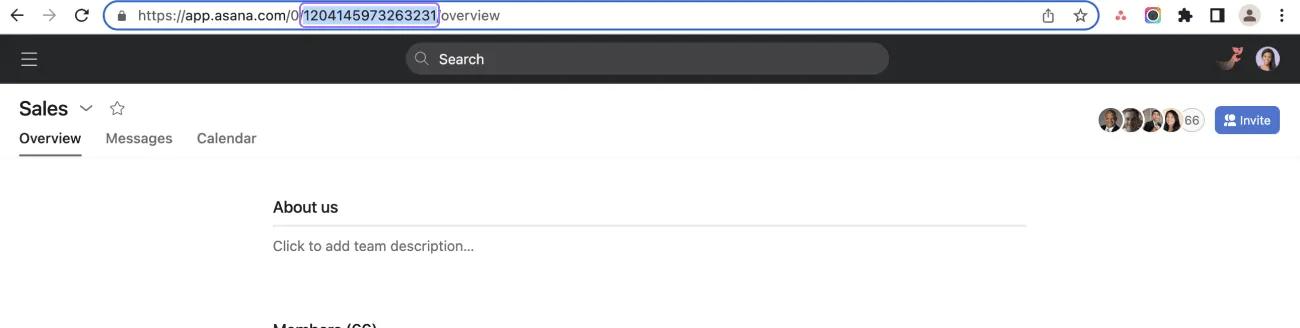
If you select Create Asana Projects as an action, you need to paste the project’s ID and the team’s ID in the Value field.
Like what you see? Get started with a free Asana trial today. Try for free
Once a deal is closed, you can streamline the hand-off between Sales and Post-Sales teams, reducing manual work and giving Sales teams visibility into the post-sales implementation progress contextually within Salesforce.
Sales teams can request help from Support teams without leaving Salesforce.
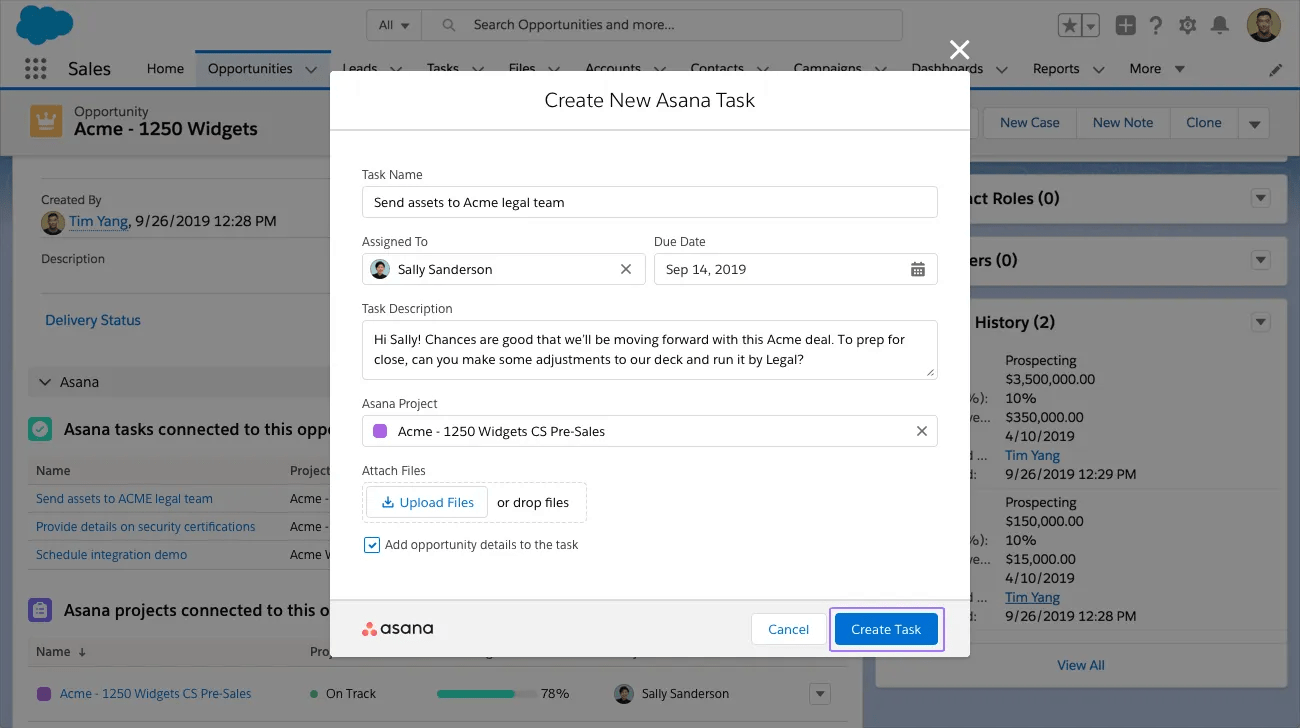
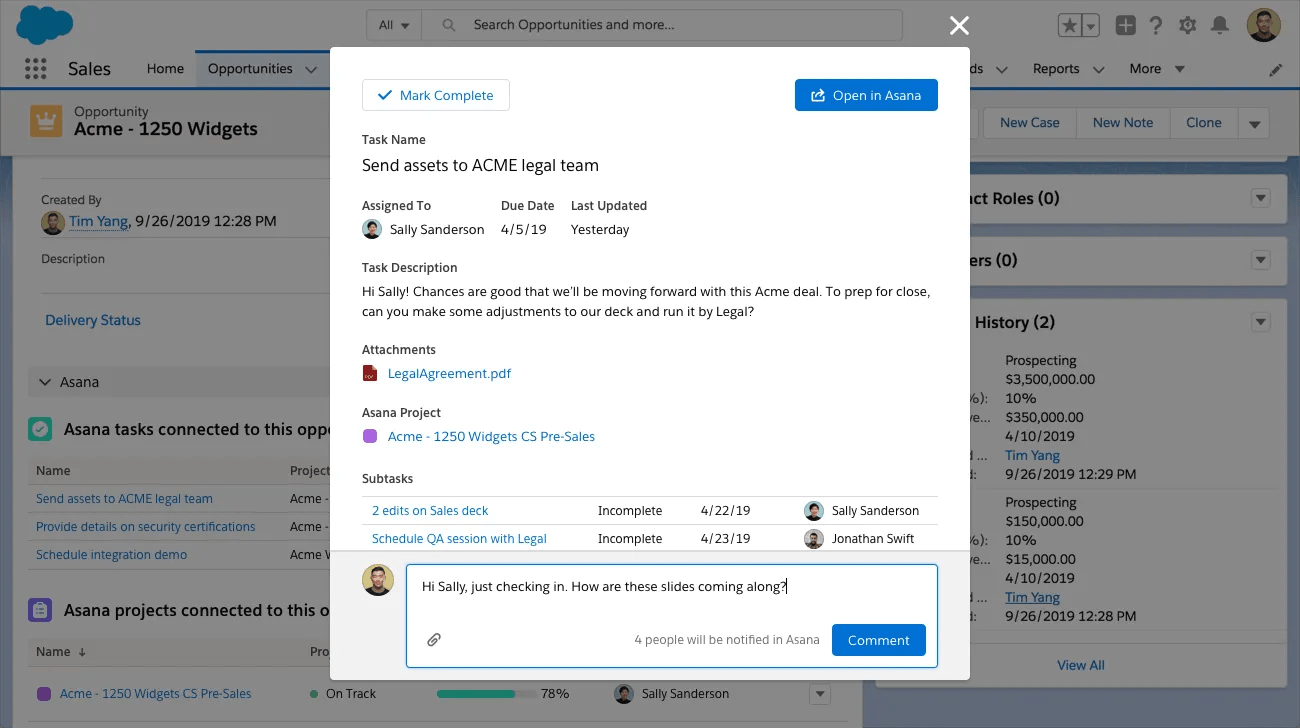
Sales teams can track the progress of Asana tasks within the proper context in Salesforce (e.g., a specific Salesforce opportunity).