Products


AI Platform


Asana Foundations
Company Type
Available for organizations and divisions on Asana Enterprise+ tiers.
Visit our pricing page for more information.
Automatic guest removal allows super admins to automatically remove guests after a certain period of time of inactivity, reducing security risks for organizations. Automatic guest removal reduces manual work for super admins and makes guest management easier.
Super admins can set the following domain-wide inactivity time limits for guests:
Inactive guests will be automatically removed from the organization unless they've been exempted.
Note
A user will be defined as active if they have engaged with Asana via mobile, web, or email. Read more about how last activity is defined.
To set inactivity day limits, you must enable this control from the admin console’s security tab.
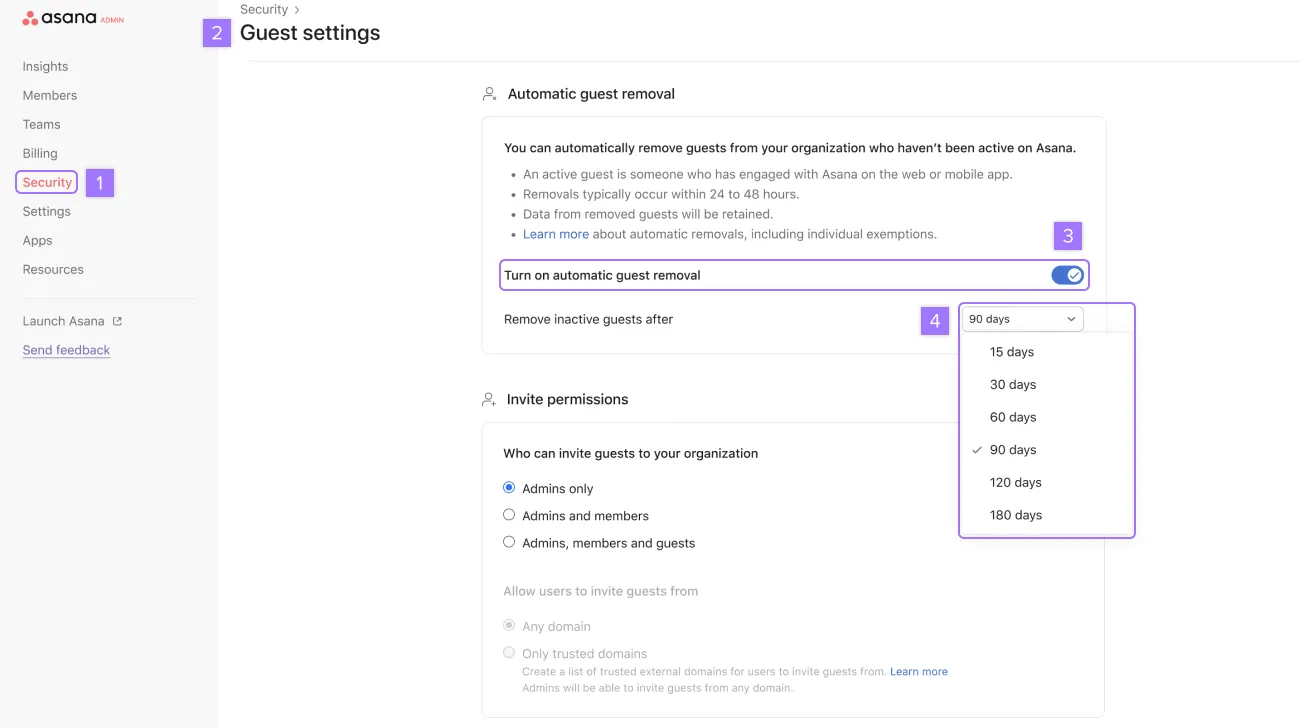
Changes to automatic removal settings will be applied within 24 to 48 hours. Afterward, automatic removals will happen once per day.
Newly invited or recently restored guests will have a grace period to become active. They will be automatically removed if they do not become active within this timeframe.
Admins and super admins can set exceptions for individual guests so their access never expires.
To set individual guest exemptions:
The user won’t be automatically removed even if they were last active beyond the limit.
Admins can monitor guests’ last activity through the admin console. To see their last activity, navigate to the Members tab in the admin console and look for the Last activity column.
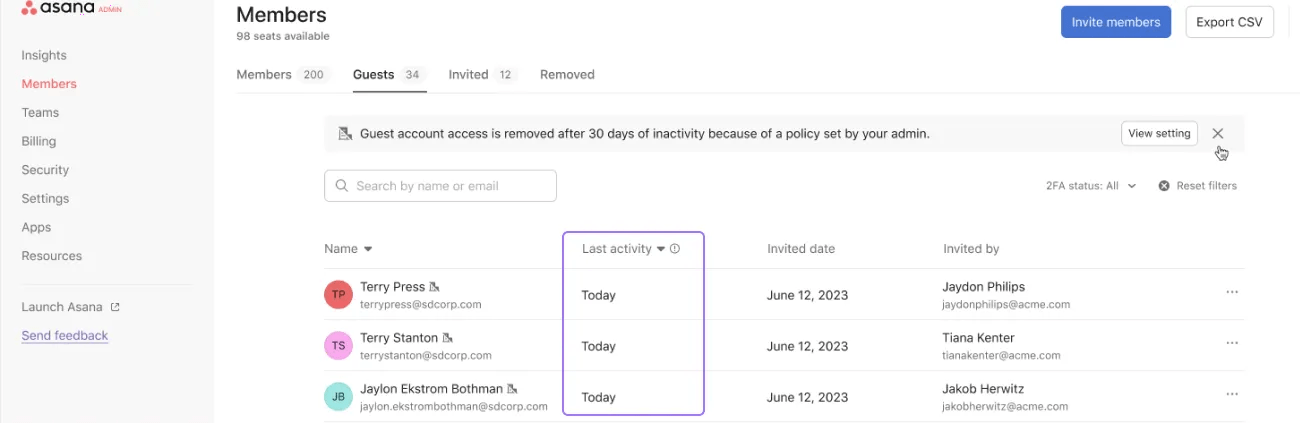
Asana will not send notifications to admins or guests regarding the removal.
When you remove guests, their tasks are added to a project, which is owned by the super admin you’ve assigned in the Member removal settings in the admin console.
The following are triggers which update the guest’s last activity:


