Products


AI Platform


Asana Foundations
Company Type
No articles found for this topic.
No articles found for this topic.

Visit our pricing page for more information.
In this article, you'll find practical guidance on how to effectively separate your Asana accounts.
Users should separate their Asana accounts if they meet both of the following criteria:
Céline is an employee of ACME and has an Asana account with the following email addresses:
This user has access to 2 domains:
Céline must separate her celine@gmail.com from the ACME Asana account in order to retain access to Celine Personal Workspace. The outcome of this will be two separate Asana accounts.
To separate your accounts, please follow the steps below:
Navigate to the Notifications tab under Settings in the relevant workspace and set the email address of the account you wish to separate as the Preferred Email in the Email notifications section.
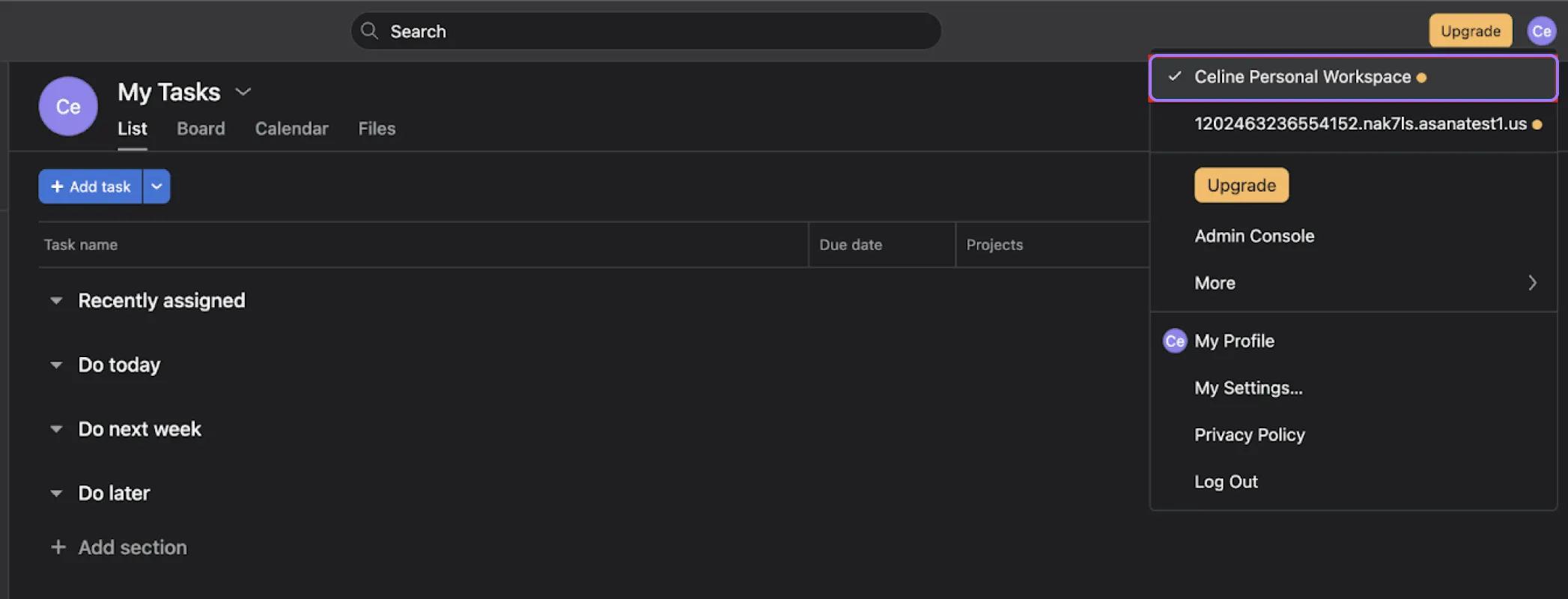
Navigate to the workspace that you’d like to separate into the new account
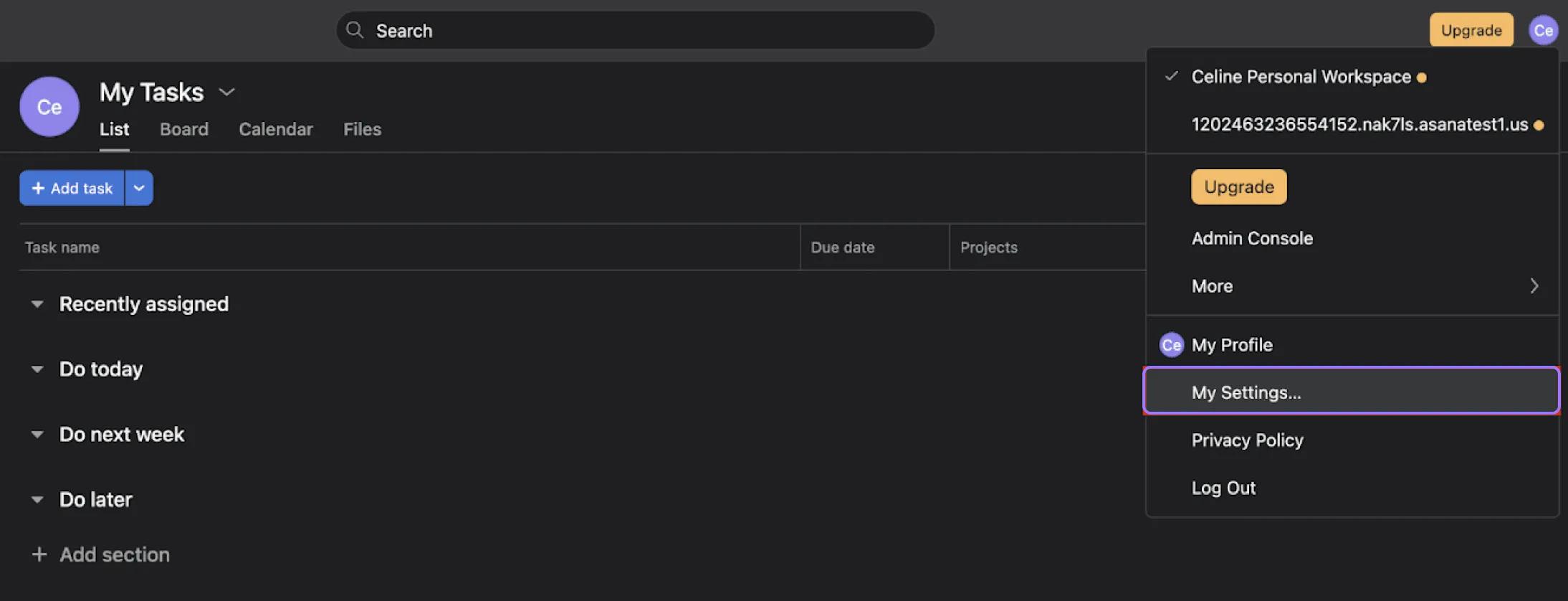
Navigate to My Settings
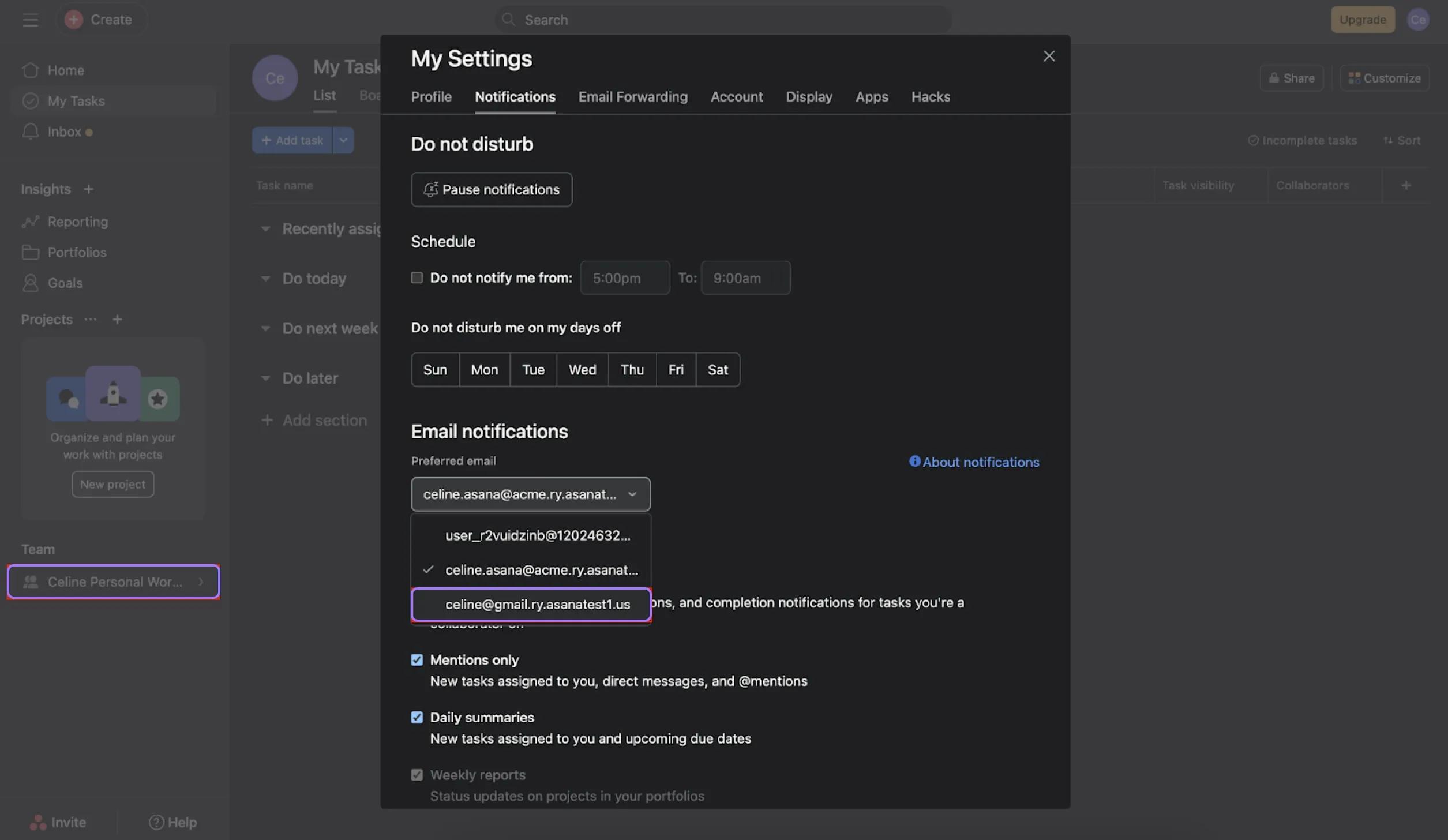
Please contact Support to complete your Asana accounts separation.
Affected users will be informed of the timeline for the upcoming changes via email and in Asana.
Please refer to the dedicated article for a detailed FAQ on the Asana account separation due to the Asana email policy.
Following the separation of accounts, Asana will send an email to the newly separated email addresses instructing affected users to set a password for the new account(s).
Note
Any API or app connections (Slack, Zendesk, etc.) will not be transferred. These will need to be manually added to the new account.

