Asana supports an app integration with Amazon Q Business which allows Asana users to access and share information to and from connected third party apps like GDrive, Sharepoint, Slack, Gmail, Outlook, and Salesforce.
To get started, customers will first need to set up an Amazon Q Business account and have their Super Admins complete a one-time setup to authorize Asana and any other connected platform access and share data with their Amazon Q index. Once connected, individual domain users do not need to authenticate individually.
AWS security and privacy
Asana does not manage the data usage or access control frameworks for Amazon Q. To learn more about how AWS manages your data, visit Amazon Q index Security and Data Protection.
Setup
Enable Asana as a data accessor in the Q Business console
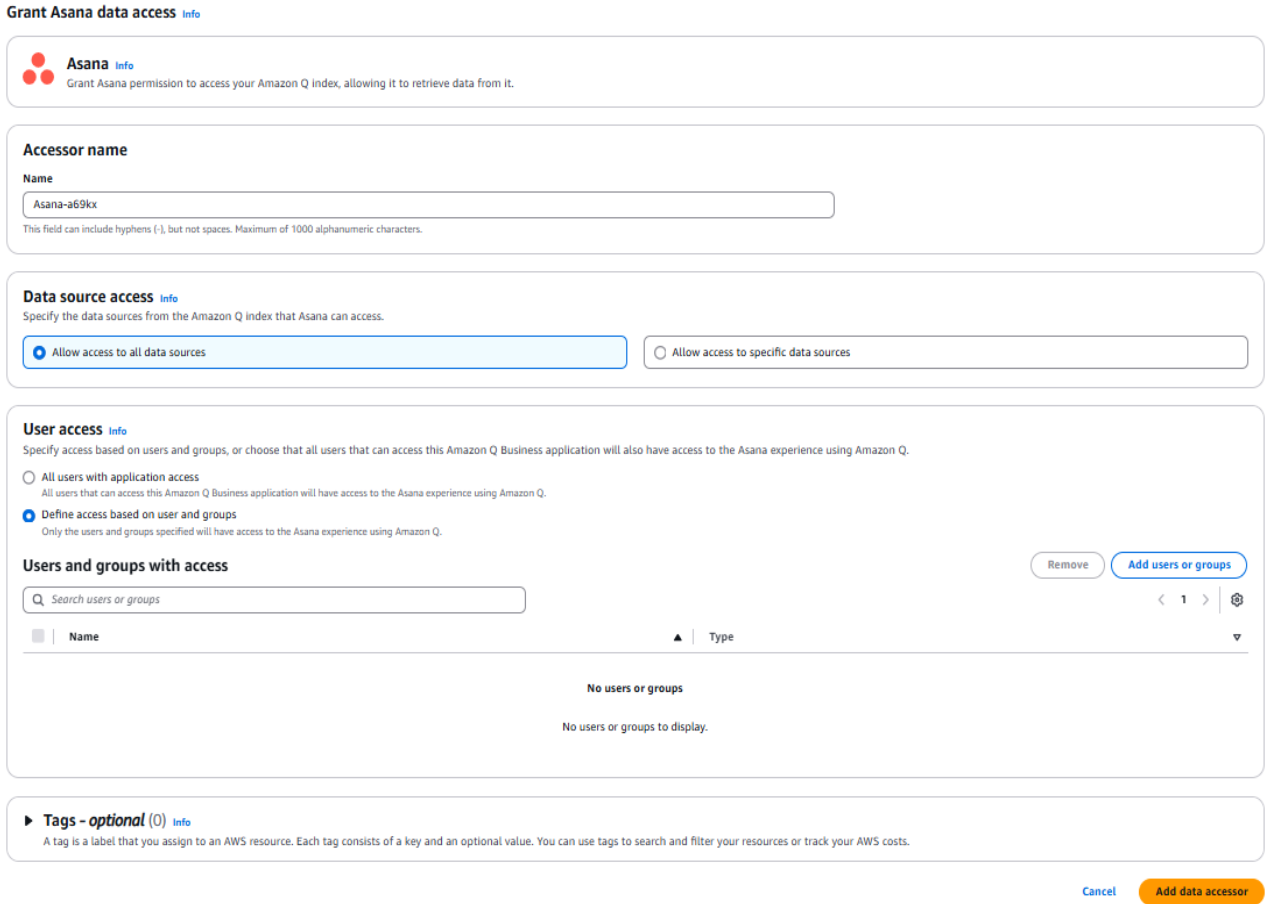
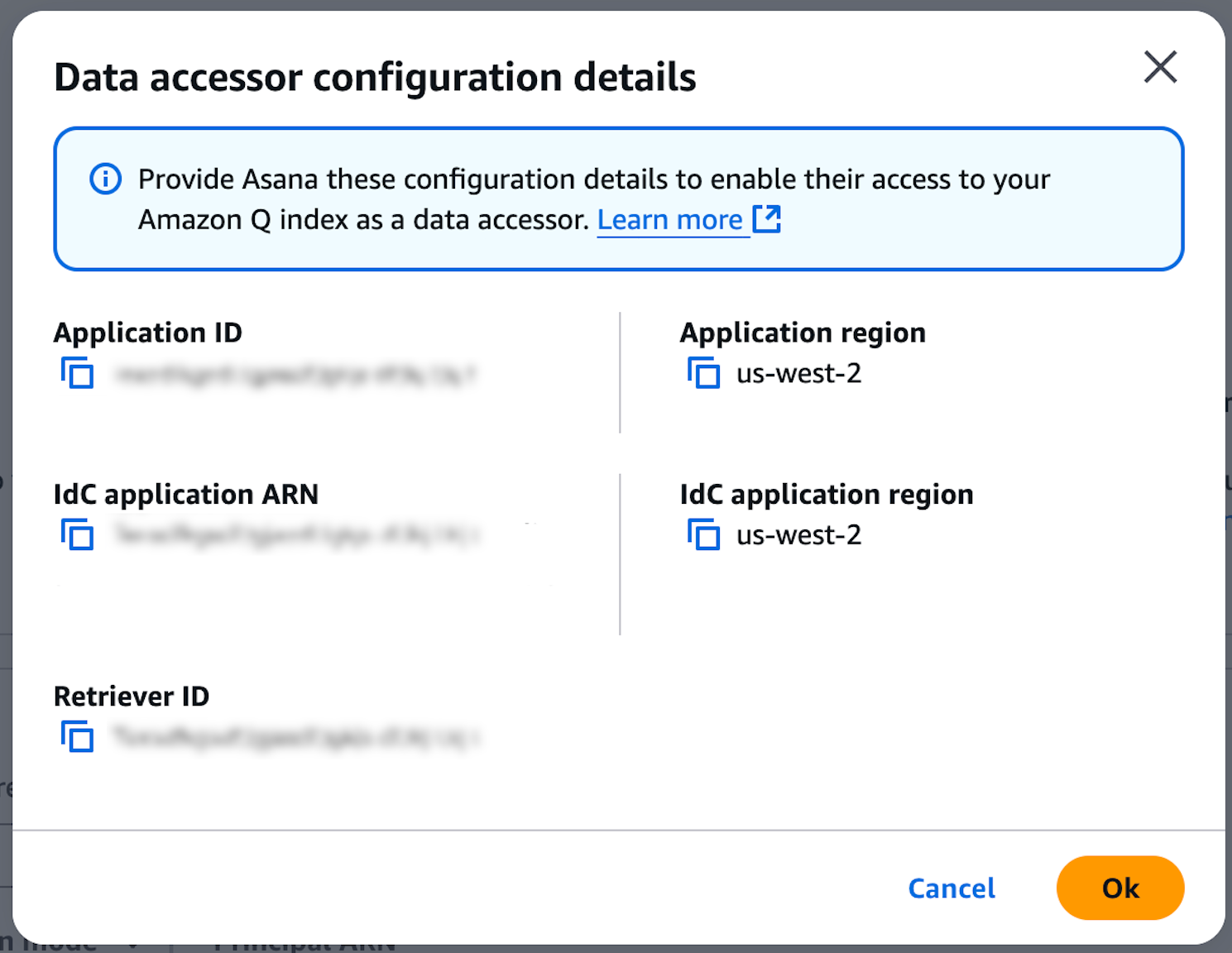
- Log into your Amazon Q Business account in AWS
- Navigate to Applications > Name of your Q index > Data Accessors
- Select Grant data access
- Select Asana
- Select Allow access to all data sources and All users with application access or choose more granular data sources and users groups for access control
- Add the Asana Admin user who will be enabling Q index as a user in the Q business app
- Make sure the Q app has some data connected and is not completely empty, or the connection will fail
- Complete by selecting Add data accessor
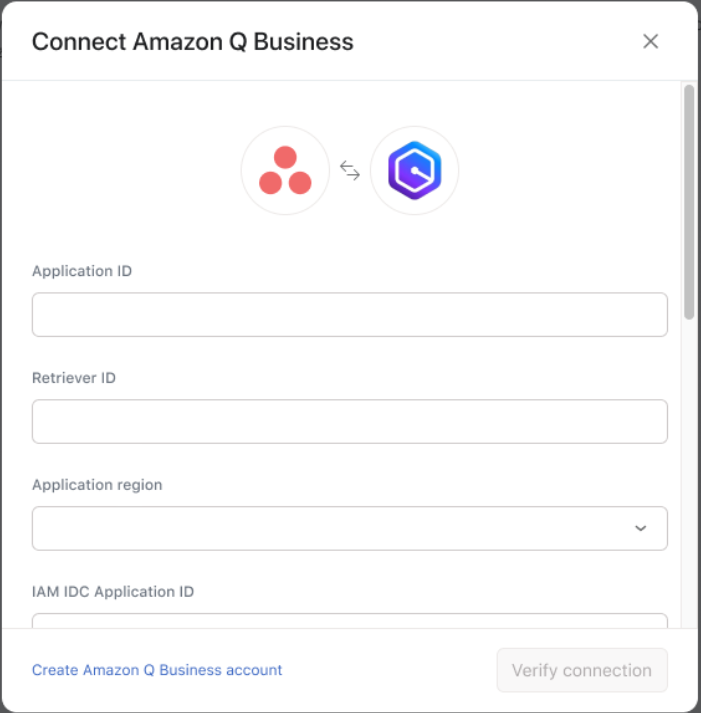
Enter Q index details into the Asana admin console
Connecting a Q index to Asana requires super admin permission.
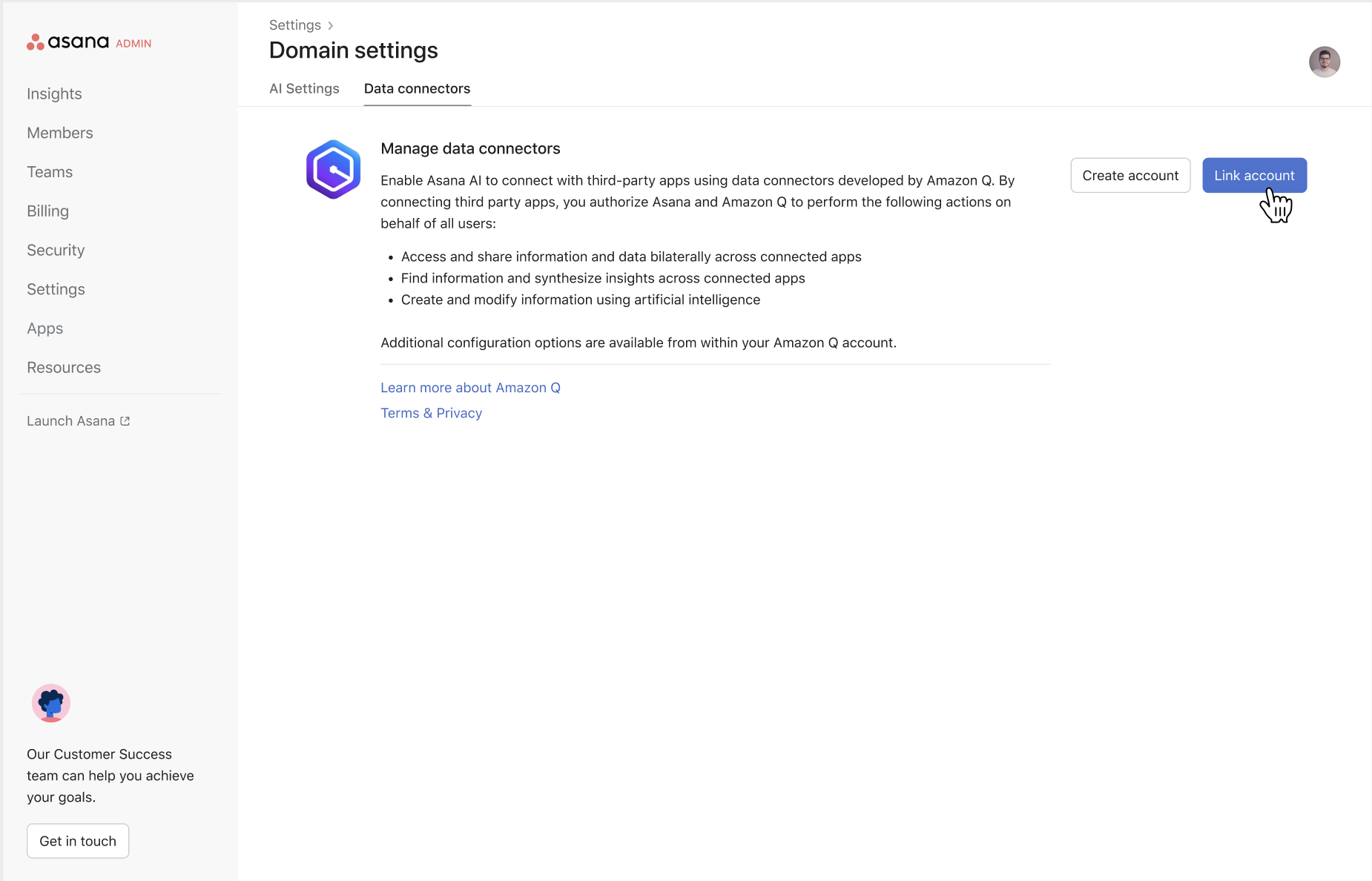
- Log into the Asana admin console
- Navigate to Settings > Asana AI > Data connectors
- Select Link Account
- Fill in all of the required fields with information gathered from the Amazon Q Business console
- Click Verify connection
How can the Amazon Q index be used?
Once connected, smart chat and AI Studio will be able to answer questions and run workflow rules with context from connected third-party data sources.
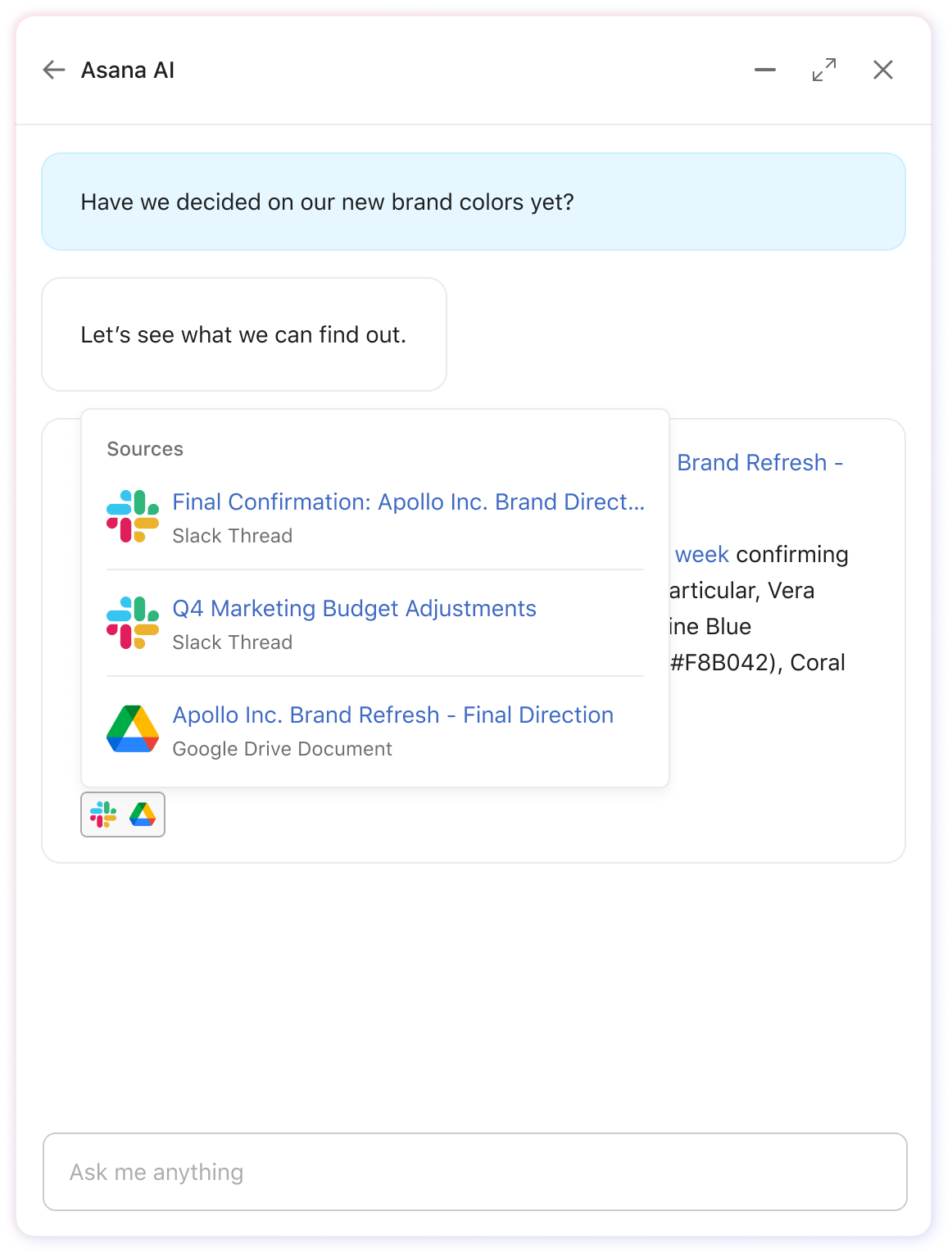
- Asana Smart chat will automatically search for relevant information across Asana and any connected data sources in order to answer user questions.
- AI Studio allows users to connect third-party data sources in the rule configuration settings. Once connected, the configured data source will be used when running the user-defined set of instructions.
Smart chat
Once connected, Q content will be used to answer questions in smart chat and citations to the external resources will be automatically included at the bottom of the chat response.
Ask about files outside Asana
Try asking smart chat about information outside of Asana
- "What did Bradley say in his most recent email about the launch timeline for this feature?"
- "Are there any templates in Google Docs I can use to write UXR interview scripts?"
- "Is anyone talking about our new feature launch in Slack?"
- "What's the status of the Salesforce deal connected to this project?"
Use third party context to get better answers
- "What are my upcoming priorities across Asana, Slack, and email?"
- "What decisions have been made about this project in Slack and email?"
- "Who should I talk to about this project based on Slack and email activity?"
- "What are the common roadblocks mentioned in team communications?"
AI Studio
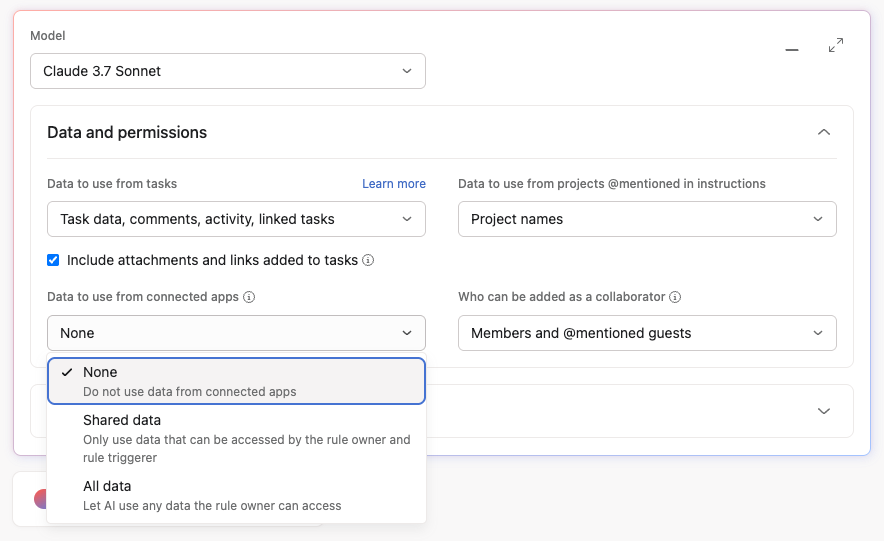
Once an Amazon Q index is connected to Asana, the option “Data to use from connected apps” will appear in the rule builder settings within AI Studio.
By default, this option will be set to None.
Settings permission detail
|
None
|
Amazon Q index is not queried and no data is returned
|
|
Shared data
|
Amazon Q index is called twice:
Only Amazon Q index results that were returned for both the Rule Creator and the Rule Triggerer will be used when the workflow is run.
|
|
All data
|
Amazon Q index is called as the rule creator
|
Credit usage
When “Data to use from connected apps” is set to either “Shared data” or “All Data” an additional 15 AI Studio credits will be consumed when the rule is run.
