CAPABILITIES
Company Type
Collaboration across teams and tools works best when everyone stays in sync and processes flow easily, without friction. This is why we have Asana's API. It's a platform to ensure all of your information is up to date and that your teams stay efficient and in the loop.
Asana’s API provides a means for software and scripts to read information from inside Asana, input information from outside Asana, and automatically react when things change. This can include: consistently doing repetitive or tedious tasks, creating reports on the state of tasks and projects, or staying in sync with other software such as Slack or Salesforce used in your organization.
Asana’s platform is built to be flexible and powerful. It's built to be intuitive enough for all teams to adopt and maintain clarity on the work being done.
If you're looking for further information on how to use Asana's API check out our Developer documentation. If you're interested in learning more about apps, check out our Apps page.
Explore Asana's paid features for free. Get started with a free Asana trial today.
Asana Connect is an easy and secure way to grant API access to third-party applications without sharing your username and password.
Asana Connect uses OAuth 2.0, an industry standard for authentication. You have likely used OAuth to authenticate and log in to services using your Facebook, Twitter, or Google accounts.
Always use discretion when approving access to your account. Carefully read any access or permission requests from the services to which you are connecting. It is also recommended that you regularly review apps you have authorized and revoke access from integrations you no longer want or need to have access to your account; you can always grant access again later.
You can use this link to access your developer console or follow the steps below:
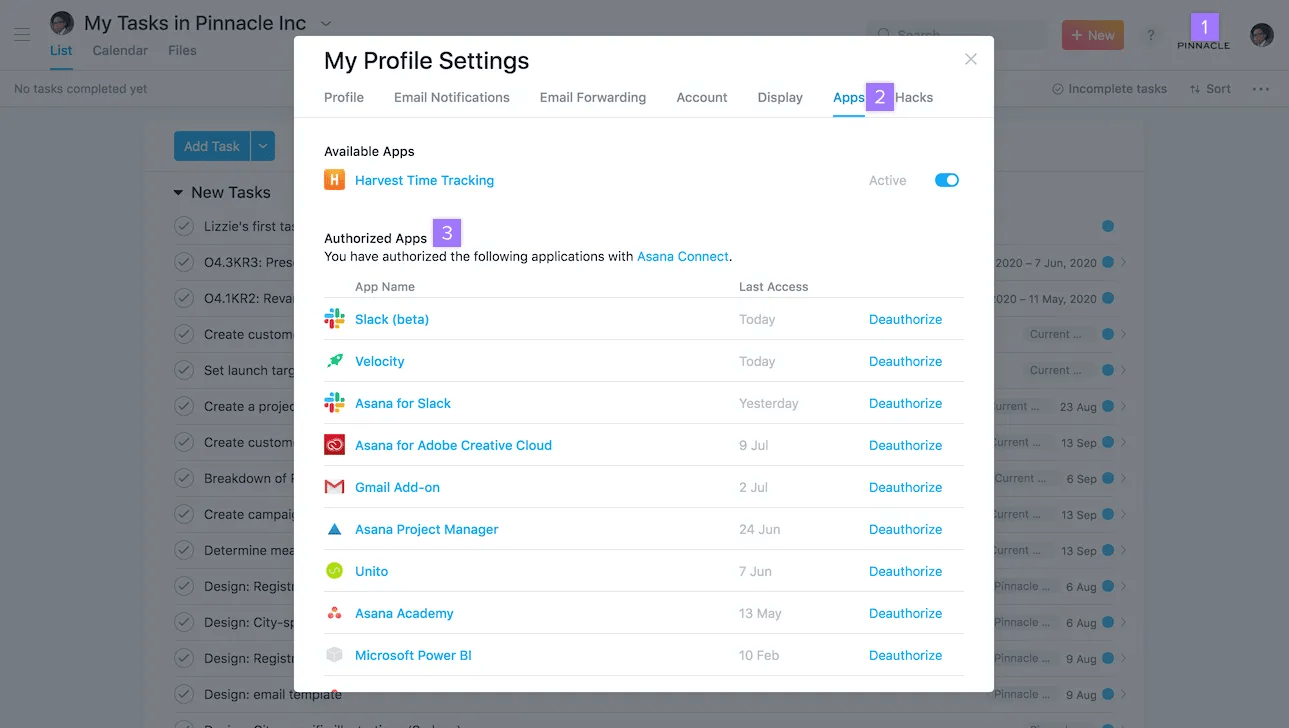
You can revoke an app's access at any time from this tab using the Deauthorize button next to that app's name.
If you're a developer, use the Developer App Management page to create Personal Access Tokens.
You can use this link to access your developer console or follow the instructions laid out in the screenshots below:
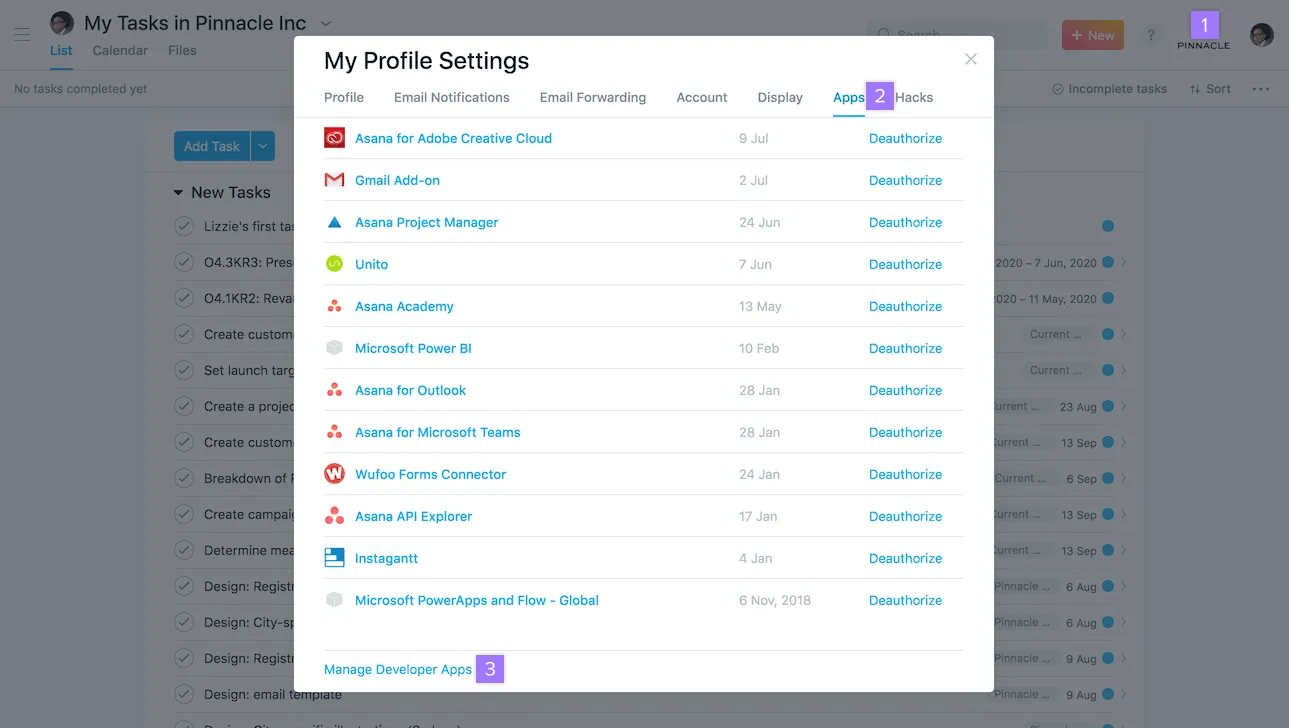
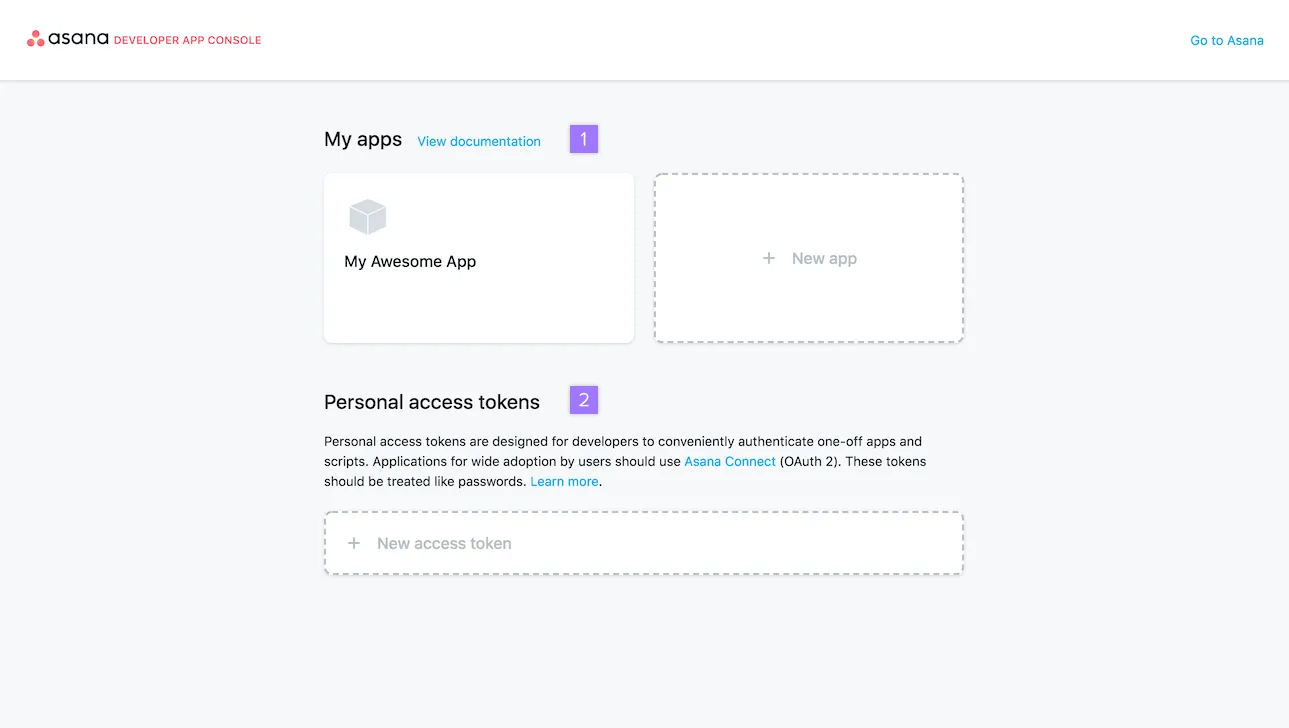
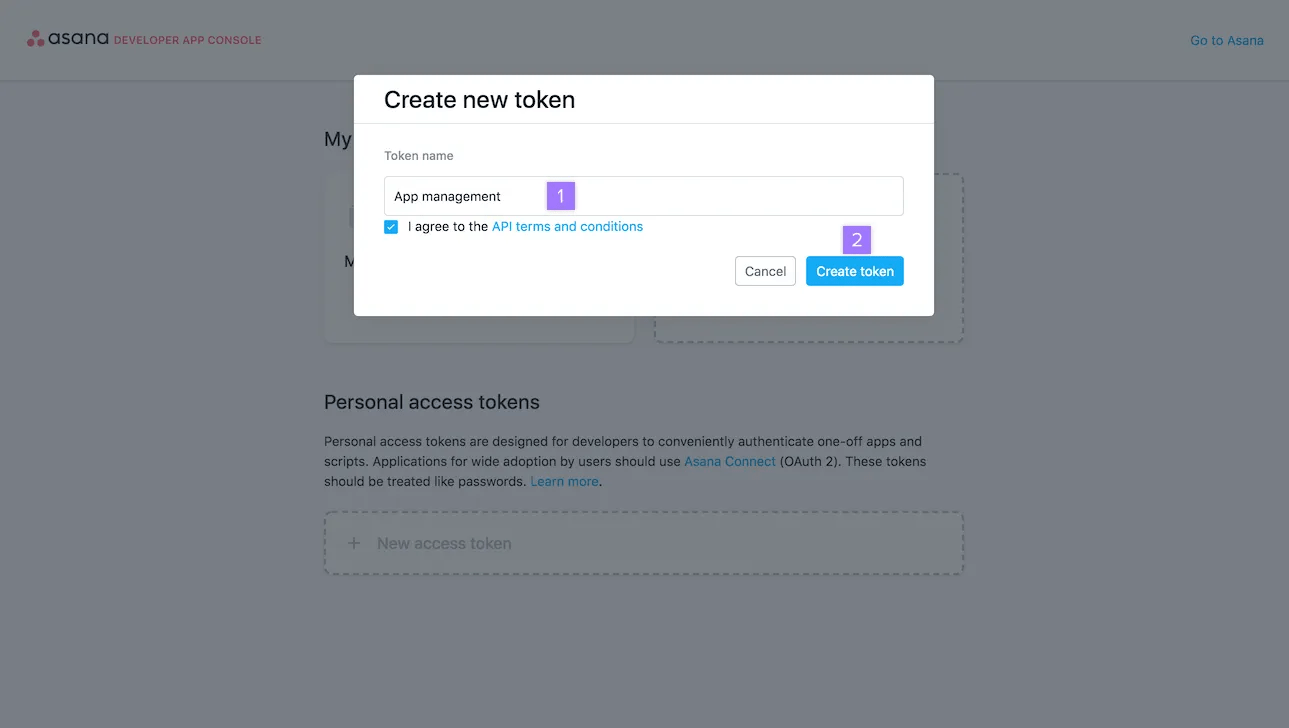
Personal Access Tokens provide individuals with a low friction means to access the Asana API when writing scripts, working with command line utilities, or prototyping applications. In most cases you should not provide personal access tokens to applications you do not know or fully trust the creator of.
You can use this link to access your developer console or follow the steps below:
Note
Read more about working with authentication in the Asana API in our developer documentation.
Applications that support accessing Asana on behalf of many users should make use of Asana Connect rather than Personal Access Tokens.
It's good practice to regularly review and deauthorize access tokens you no longer want or need.
Asana's API allows software and scripts to read information from Asana, input external data, and automatically react to changes. Common uses include automating repetitive tasks, creating reports, and syncing with tools like Slack or Salesforce.
Asana Connect is a secure authentication method using OAuth 2.0 that grants third-party applications API access without sharing your username and password.
Personal Access Tokens provide individual access to the Asana API for writing scripts, working with command line utilities, or prototyping applications. You create and manage them through the Developer App Management page in your Asana Settings.
Applications that access Asana on behalf of many users should use Asana Connect, while Personal Access Tokens are designed for individual use in scripts and prototypes.
Like what you see? Get started with a free Asana trial today. Try for free.

