Rules and integrations work together to automate routine tasks and establish workflows across your team's favorite tools. This article shows how rules integrations can help make the most of your cloud storage and file sharing solutions when using Asana.
See How to create a rule for tips on getting started with rules.
Related articles
Dropbox
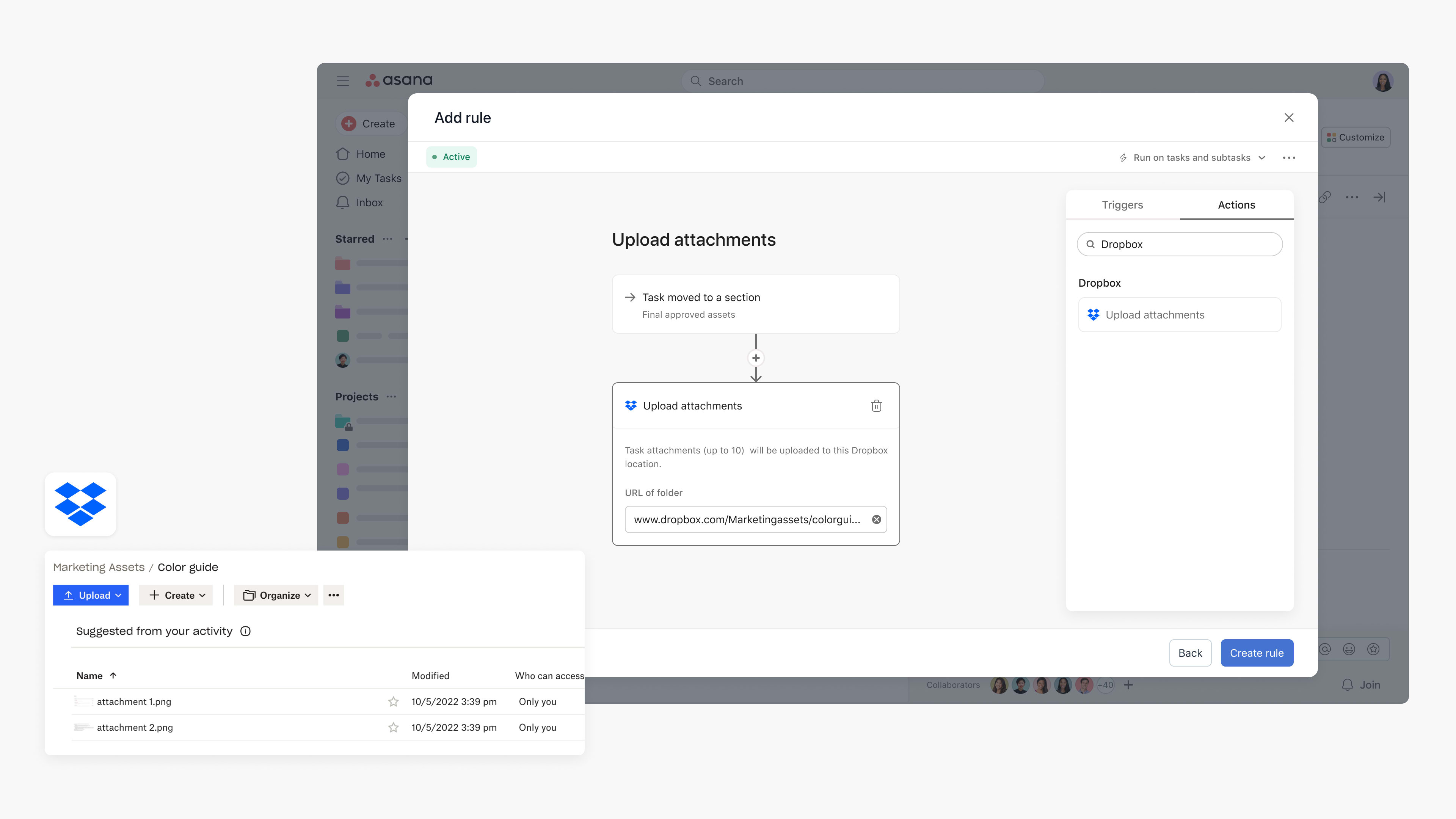
With Asana Rules, teams can automatically upload task attachments to a specific Dropbox folder to streamline sharing, storage, and collaboration. Teams can go from manually transferring files to choosing triggers that automatically and securely upload task attachments to Dropbox for easy reference.
For example, teams can use Asana to work on asset approvals and, following approval, automatically upload the task attachment to a specific Dropbox folder to ensure final assets get uploaded to the correct location.
Considerations when using this integration:
- Rules that trigger on tasks with more than 10 attachments will upload only the most recent 10 attachments.
- File uploads where the file has the same name as an existing file in the associated Dropbox folder will be automatically renamed and successfully uploaded.
Steps to configure rules integration
- Navigate to the specific Asana project where you’d like to add a rules integration
- Click Customize in the top-right corner, navigate to Rules, and select + Add rule
- Select Dropbox from the left column
- You can select a preset rule or click Create custom rule
- If creating a custom rule, add a name, and choose a trigger and action to get started
- Authenticate by clicking Connect to Dropbox Rules and following the steps
- Add the Dropbox folder URL found in the web app
Box
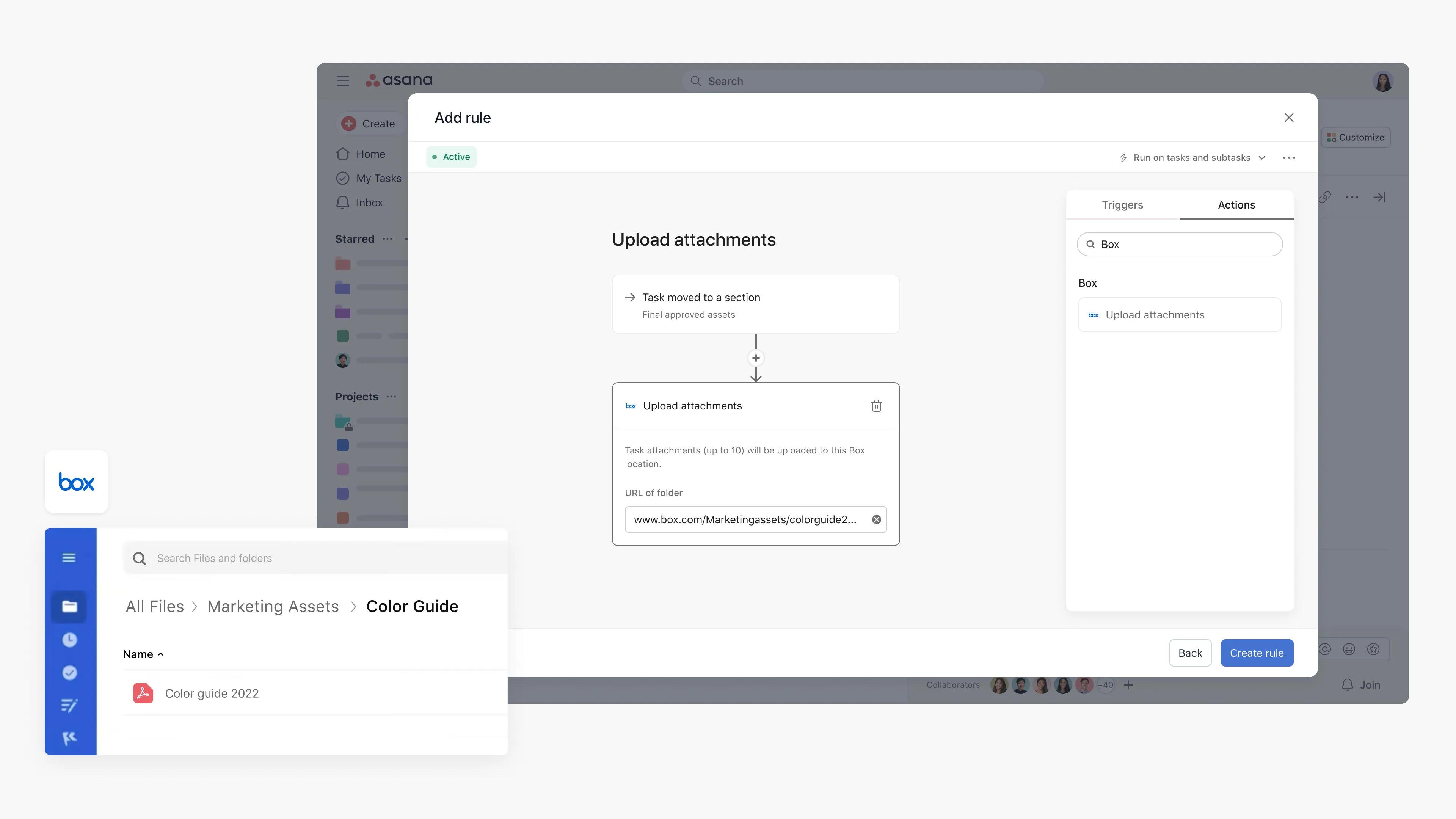
Use Asana Rules to automate the process of uploading content to Box when certain actions take place in Asana. Teams can save time by setting triggers that will automatically transfer attachments from your Asana tasks to Box.
For example, design teams working on assets can create a rule to upload the attachment to Box once the task moves to the “Final approved assets” section.
Considerations when using this integration:
- Rules that trigger on tasks that have more than 10 attachments will upload only the most recent 10 attachments.
- Attempted uploads of files with the same name as an existing file in the Box folder will result in an error to the rule. To fix this error, rename the existing file, edit and resave the rule, and trigger the upload action again.
Steps to configure rules integration
- Navigate to the specific Asana project where you’d like to add a rules integration
- Click Customize in the top-right corner, navigate to Rules, and select + Add rule
- Select Box from the left column
- You can select a preset rule or click Create custom rule
- If creating a custom rule, add a name, and choose a trigger and action to get started
- Authenticate by clicking Connect to Box Rules and following the steps
- Add the Box folder URL found in the web app
Microsoft OneDrive
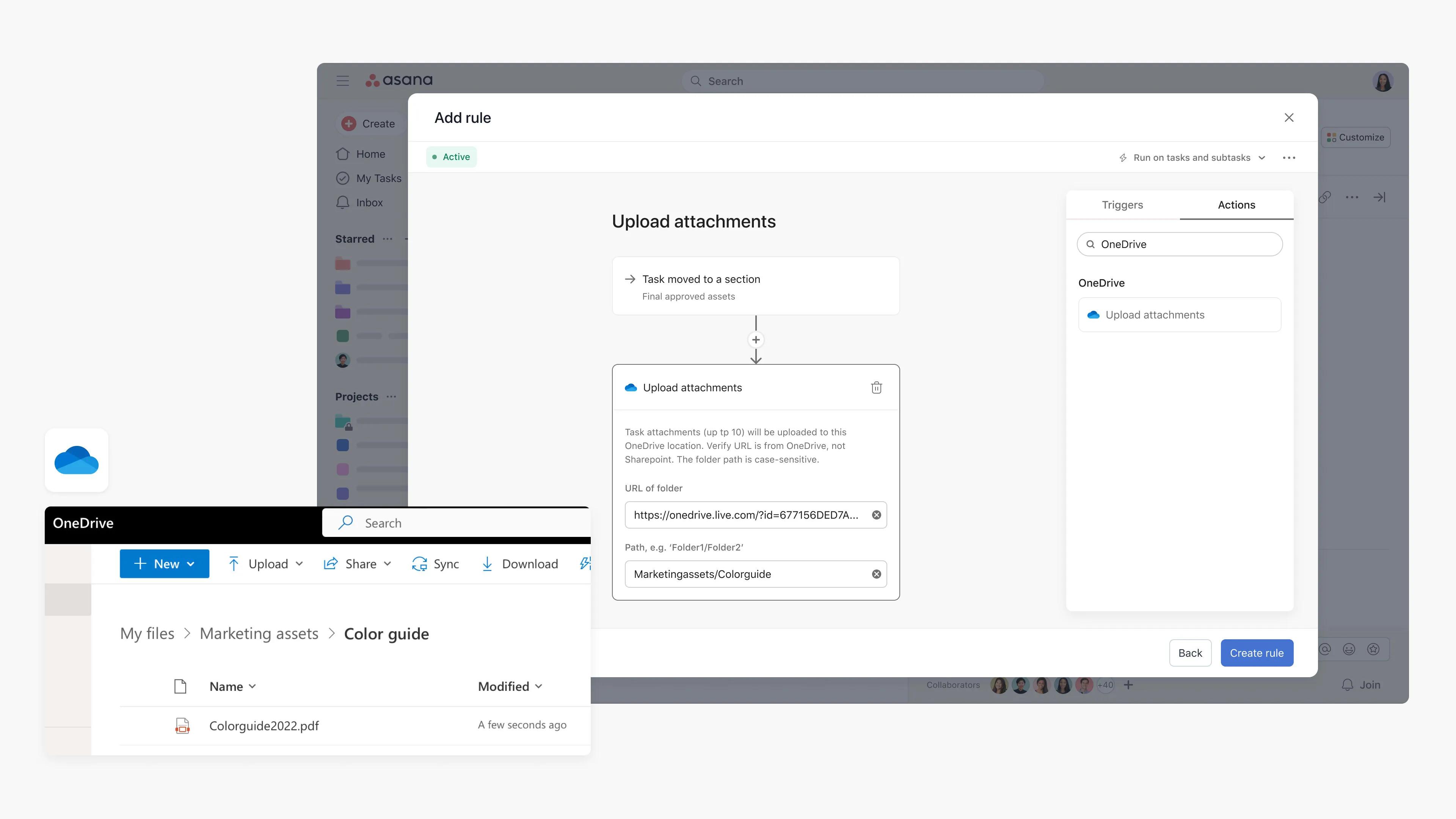
With Asana Rules, teams can automatically upload task attachments to a specified OneDrive folder to streamline sharing, storage, and collaboration, while reducing manual work.
For example, teams can use Asana to work on asset approvals and, following approval, automatically upload the task attachment to a specified OneDrive folder to ensure final assets get uploaded to the correct location.
 Note
Note
Please note that this integration works with OneDrive, not Sharepoint. Work or school accounts are also not supported with this integration.
Considerations when using this integration:
- Rules that trigger on tasks that have more than 10 attachments will upload only the most recent 10 attachments.
- Files uploaded where there is an existing file by the same name in the OneDrive folder will replace the existing file. If this is not intended, ensure files have different names.
Steps to configure rules integration
- Navigate to the specific Asana project where you’d like to add the integration
- Click Customize in the top-right corner, navigate to Rules, and select + Add rule
- Select OneDrive from the left column
- You can select a preset rule or click Create custom rule
- If creating a custom rule, add a name, and choose a trigger and action to get started
- Authenticate by clicking Connect to OneDrive Rules and following the steps
- Add the OneDrive folder URL found in the web app, and the path. The path can be found in More details of the OneDrive folder. My files should be excluded from the path.
Note
Please note that an admin needs to grant consent through the API permissions page of the application registration in the Microsoft Entra admin center.