One of the most important parts of any workflow is ensuring that information gets to the right people at the right time. By using a combination of rules and custom fields, we can ensure that tasks are assigned to the relevant person without manual intervention or the need to search for the right stakeholder.
This article shows how to add a custom field to a project, select the relevant values, and leverage rules to assign tasks to the right people based on those value selections. It uses the example of a bug tracking project, where colleagues report on bugs that have been found in-product.
To get started, you'll need to add a custom field to the project and select some field values. These values will allow the rule to be triggered later on.
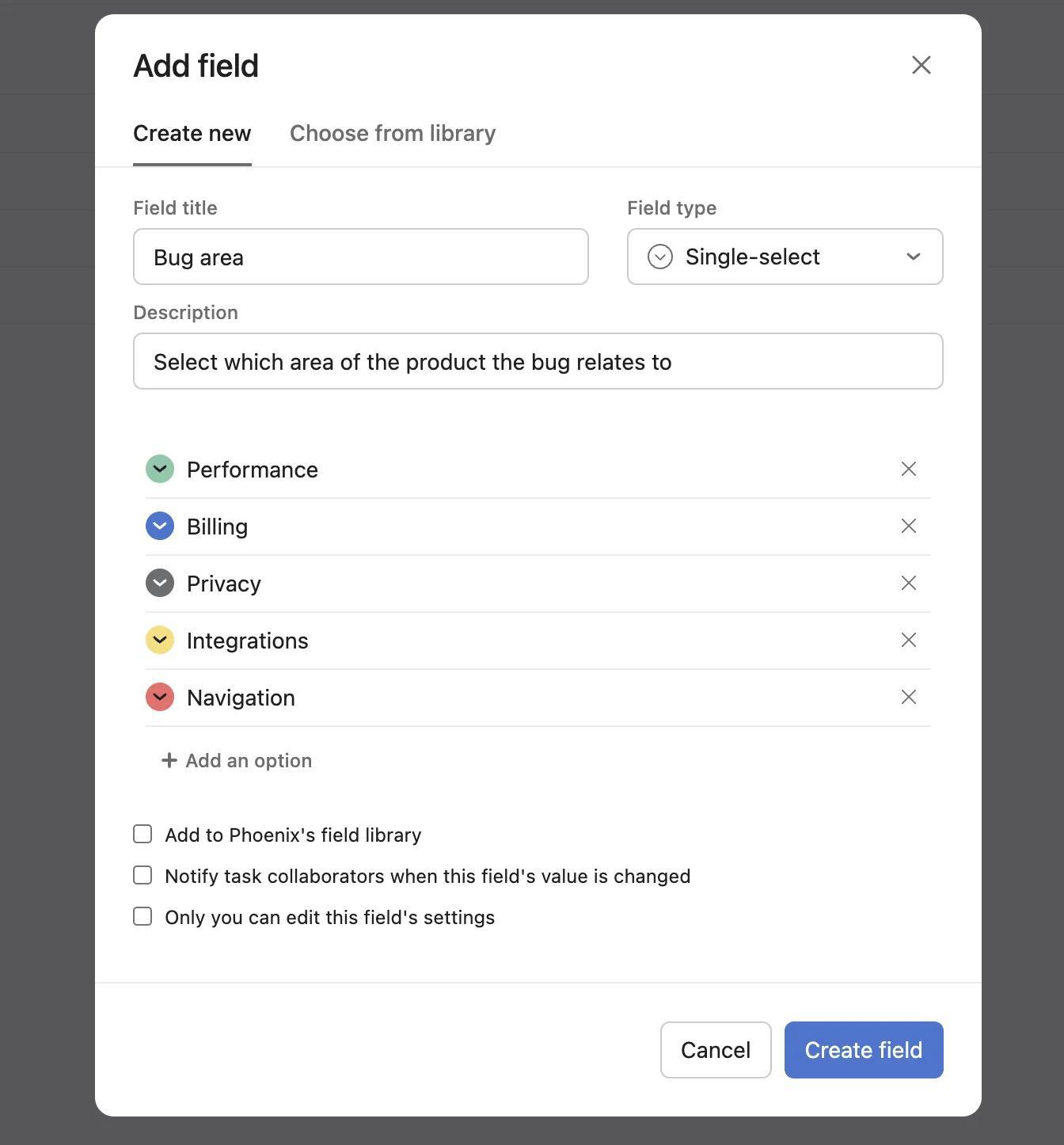
Now you've added the Bug area custom field to your project, the field and the field value selected will be displayed on each task in the project. This sets the stage for leveraging rules to automatically assign tasks to the relevant people.
Next, add a rule by clicking the Customize button in the top-right of your project.
Select + Add rule from the pop-out menu.
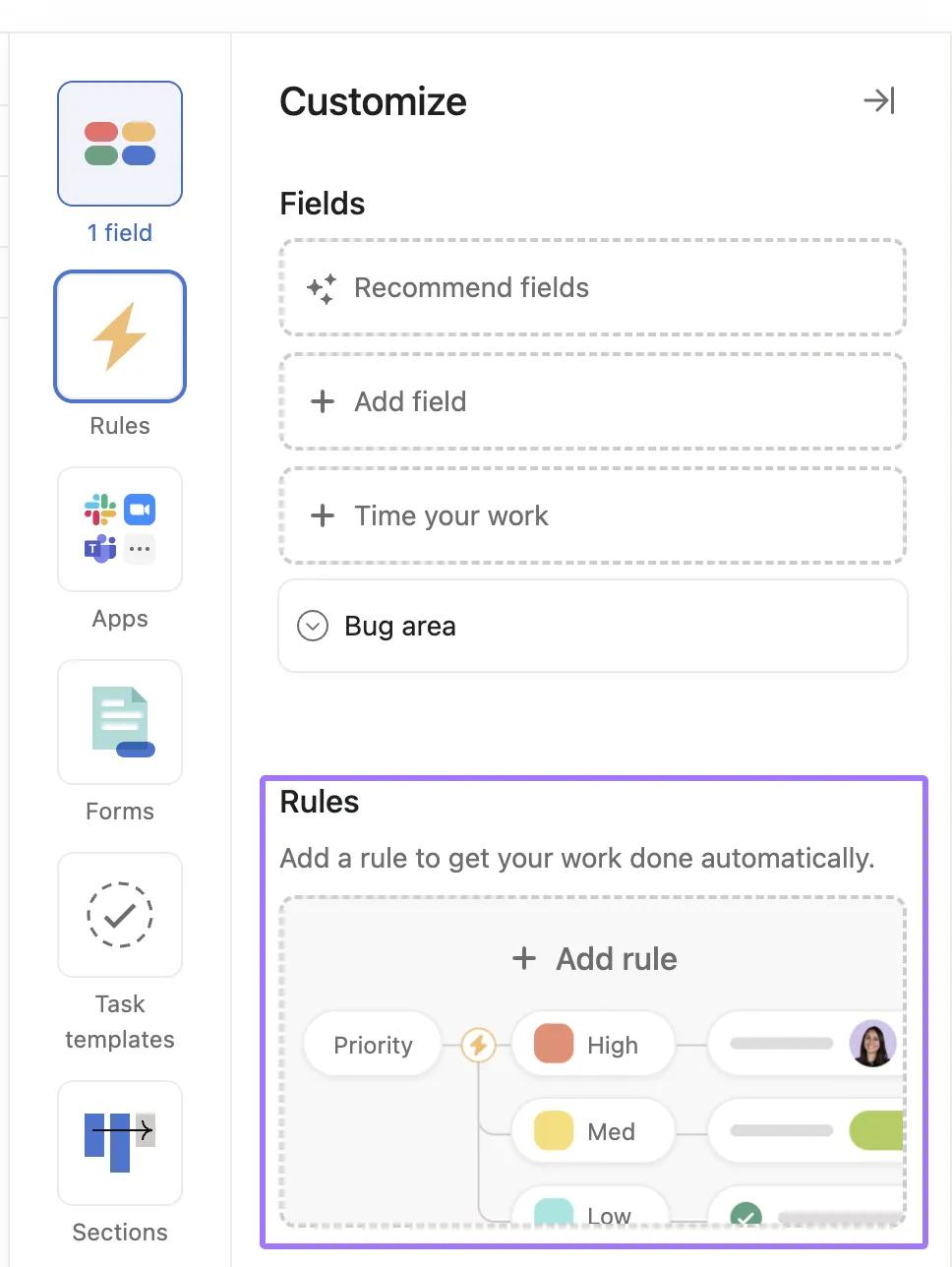
The rule that is implemented is fairly straightforward, though it does contain a number of branches for a number of different scenarios. When the custom field changes, the task is assigned to someone based on the particular value selected.
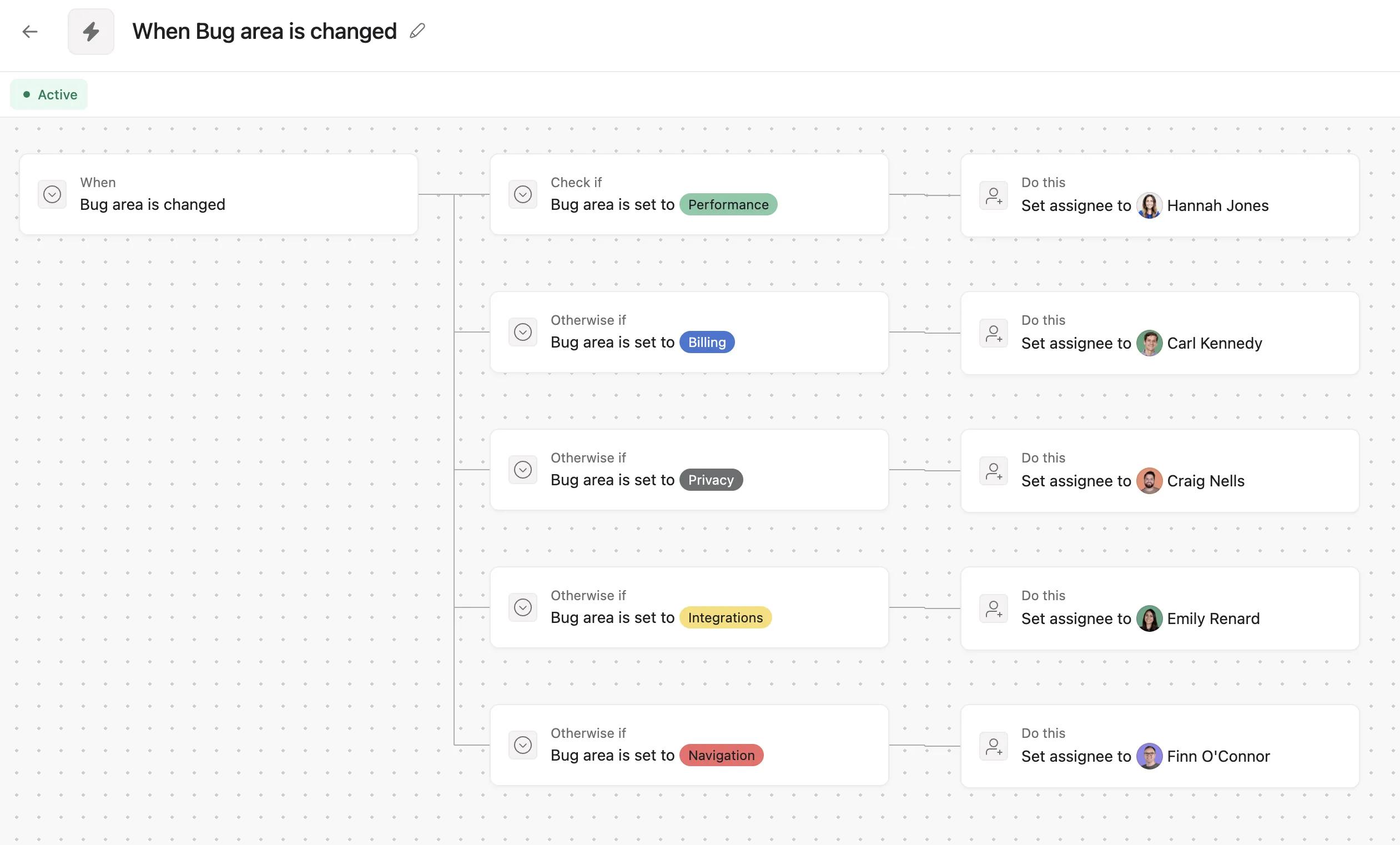
Looking at the workflow in detail, when the custom field value for Bug area is changed, Asana checks which value has been selected; one of Performance, Billing, Privacy, Integrations, or Navigation in this example. When the relevant value is selected, the action taken by the rule is to assign the task to the person responsible for that area.
This is how a workflow can use custom fields and rules together to automatically assign tasks to the right people.

These cookies are strictly necessary to provide you with certain features. For example, these cookies allow you to access secure areas that require registration and set your privacy preferences. Because these cookies are essential to providing services to you, they cannot be disabled. You can set your browser to block or alert you about these cookies, but it may cause some parts of the site to not work.
Third party trackers collect information used for analytics and to personalize your experience with targeted ads. Under the Virginia Consumer Data Protection Act, you have the right to opt-out of the sale of your personal data to third parties. You also have the right to opt out of targeted advertising related processing. You may exercise your right to opt out of the sale of personal data and targeted advertising by using this toggle. If you opt out, we will not be able to offer you personalized ads and we will stop sharing your personal information with third parties. For more information please see our Privacy Statement.
These cookies allow us or our third-party analytics providers to collect information and statistics on use of our services by you and other visitors. This information helps us to improve our services and products for the benefit of you and others.
These cookies, provided by our third-party advertising partners, collect information about your browsing habits, as well as your preferences for various features and services. They also provide us with auditing, research, and reporting to know when advertising content has been displayed and how successful the content has been. This information allows us and our third-party advertising providers to display relevant advertising content.
These cookies provide enhanced functionality, providing chat support, allowing you to more easily complete forms, personalizing content to your preferences, and selecting your communications preferences. If you do not enable these cookies, or choose to disable them in the future, that could impact your ability to use certain features.