MOGELIJKHEDEN
Type bedrijf
Standaardiseer hoe nieuw werk binnenkomt, zodat aanvragen voltooid, snel getrieerd en naar de juiste eigenaars gerouteerd worden. Deze vernieuwde handleiding loopt stap voor stap door het opzetten van een werkintakeproject, met praktische tips.
Start een nieuw project en kies bordweergave om aanvragen te visualiseren die door fasen gaan. Borden maken handoffs duidelijk en verminderen statuspings. Maak secties zoals nieuw, triage, in beoordeling, geaccepteerd, gepland, gesloten/geweigerd (geef ze een andere naam die bij je proces past). Secties vertegenwoordigen workflowfasen en kunnen regels activeren wanneer taken tussen hen bewegen.
Voeg aangepaste velden toe die je team zal gebruiken om te sorteren en prioriteiten te stellen - bijvoorbeeld aanvraagtype, prioriteit, impact, inzet/complexiteit, team van aanvrager. Deze gestructureerde aanpak maakt prioriteitstelling eenvoudig en zorgt ervoor dat projecten met een grote impact snel vooruitgaan.
Om projectaanvragen te verzamelen, gebruik je formulieren die informatie van de aanvrager in een taak verzamelen. Het formulier verzamelt alle benodigde details vanaf het begin, zodat je de resulterende taken kunt prioriteren en toewijzen.
Door de taak in andere relevante projecten te multihoming, wordt de zichtbaarheid behouden in verschillende fasen en in verschillende teams. Multihoming plaatst dezelfde taak in meerdere projecten tegelijk, wat betekent dat wijzigingen die vanaf elke locatie in de taak worden aangebracht, automatisch worden gesynchroniseerd met de andere projecten waarin de taak zich bevindt.
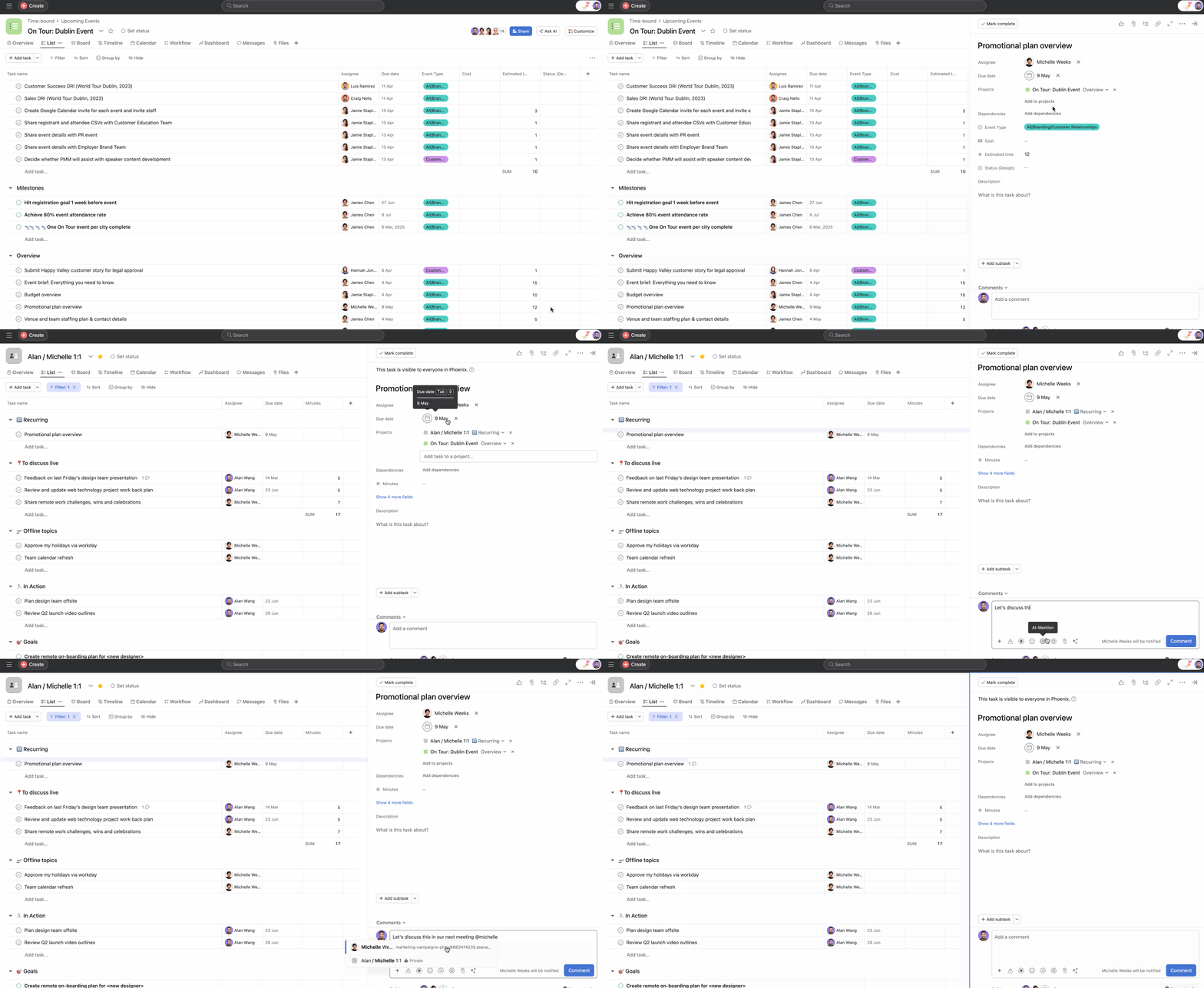
Cross-functional teams kunnen hun projecten en processen op hun favoriete manier opzetten, maar kunnen nog steeds vertrouwen op een enkele taak die in hun respectieve projecten is ondergebracht om als de bron van waarheid te fungeren.
Gebruik regels om je workflow verder te automatiseren, waarbij je automatisch taken toewijst voor de eerste beoordeling en teams op de hoogte stelt wanneer hun projectaanvraag is goedgekeurd, zonder enige handmatige interventie.
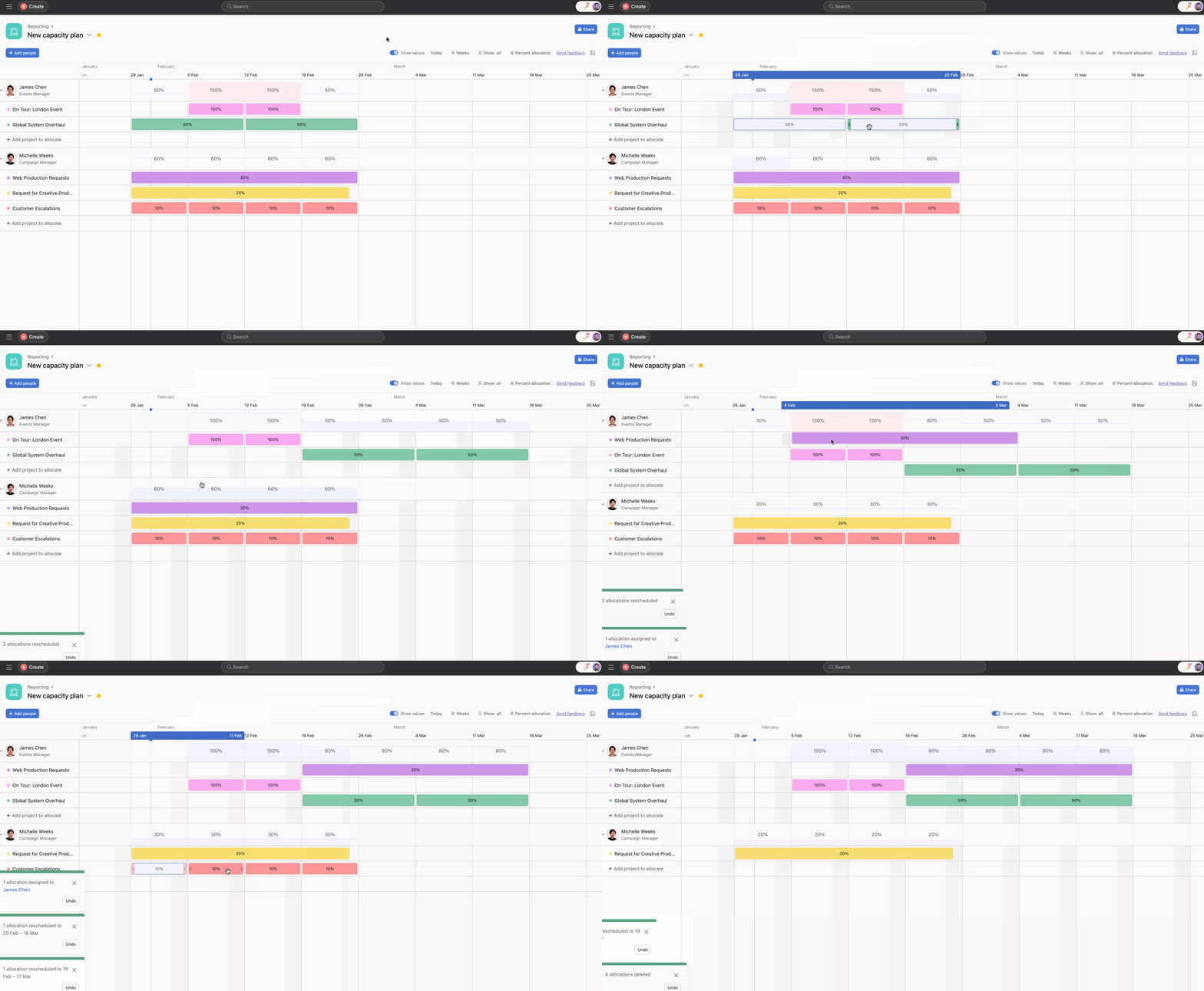
Om de werkbelasting van het PMO-team effectief te beheren, kun je gebruikmaken van de functie capaciteitsplanning. Capaciteitsplanning biedt een uitgebreid overzicht van de bandbreedte van het team op projectniveau, waardoor projecten strategisch kunnen worden toegewezen op basis van beschikbaarheid en expertise.
Opmerking
Dit artikel is vertaald met AI.
Feedback over de vertaling versturen.

