Products


AI Platform


Asana Foundations
Company Type
No articles found for this topic.
No articles found for this topic.

Visit our pricing page for more information.
EnThe Asana for Zoom integration is available to all Asana users. The Zoom transcripts for automation integration is available to paid Asana users.
The Asana for Zoom integration facilitates remote collaboration and work tracking. Use Asana for Zoom to lead better meetings with clear agendas and next steps.
With Asana’s Zoom integration, you can link Zoom meetings to Asana tasks to show their relationship. Users can indicate when a particular task will be solved, discussed, unblocked, or completed and automatically have the recording and transcript from the meeting attached to the linked Asana task for more context and transparency. When linked, tasks will appear in the meeting agenda and have the recording and transcript from the meeting attached to the linked Asana task for more context and transparency.
This integration helps teams track meetings within Asana, lead better meetings in Zoom, and saves admin time by adding the transcript and recording where you need it as soon as it’s available.
Note
App integrations aren’t just for projects. Add apps to your My tasks to integrate with the tools your team uses most.
Connect Asana and Zoom to automate your work. To fully utilize the integration, you’ll need to configure the integration from within Zoom and within Asana.
After you have connected Asana and Zoom search in our app gallery to add the Zoom integration to a project.
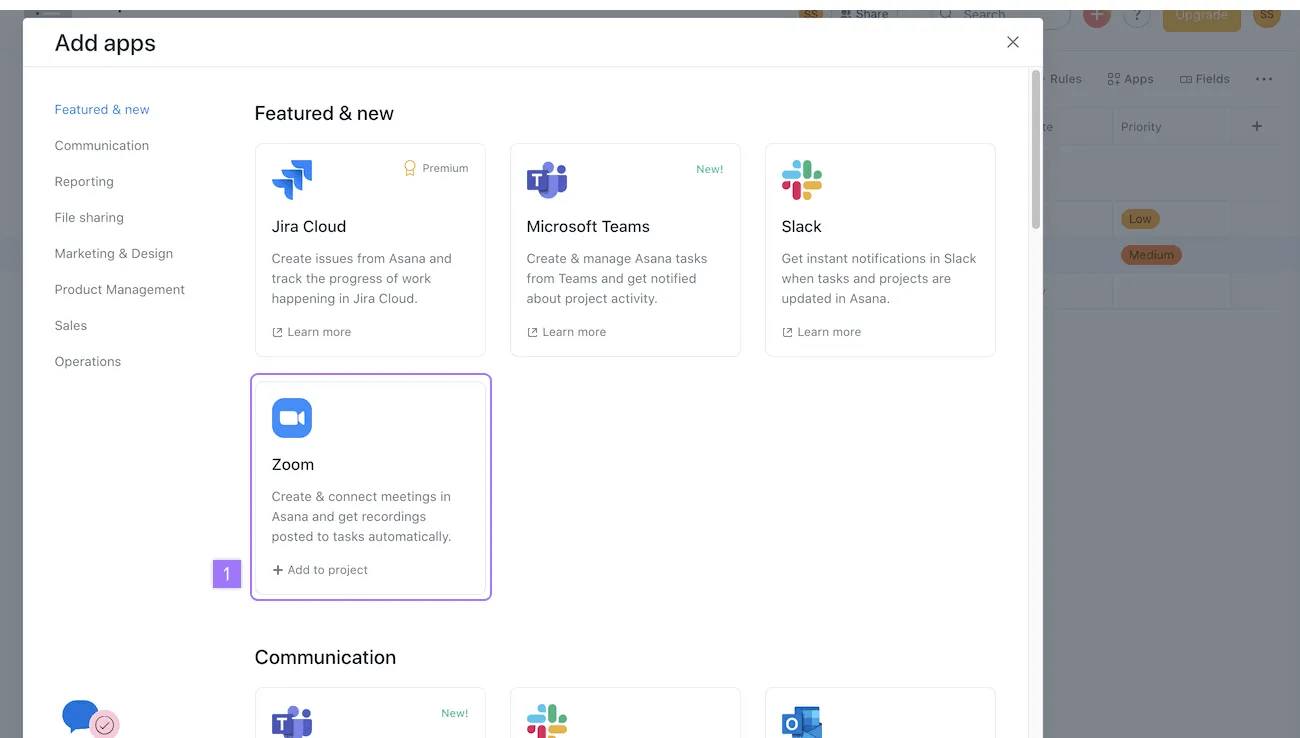
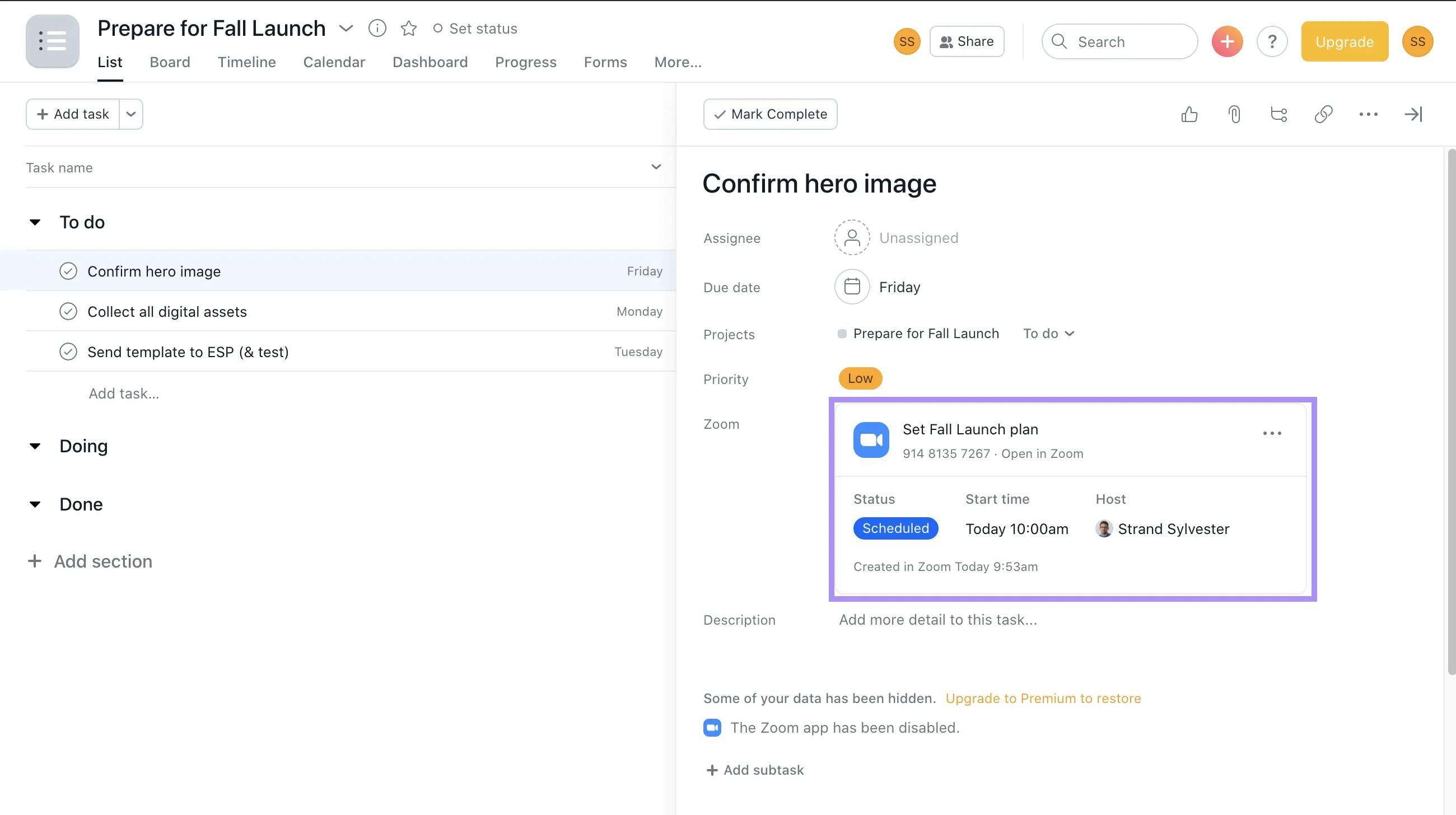
Once added, you’ll see the Zoom field on every task in the project.
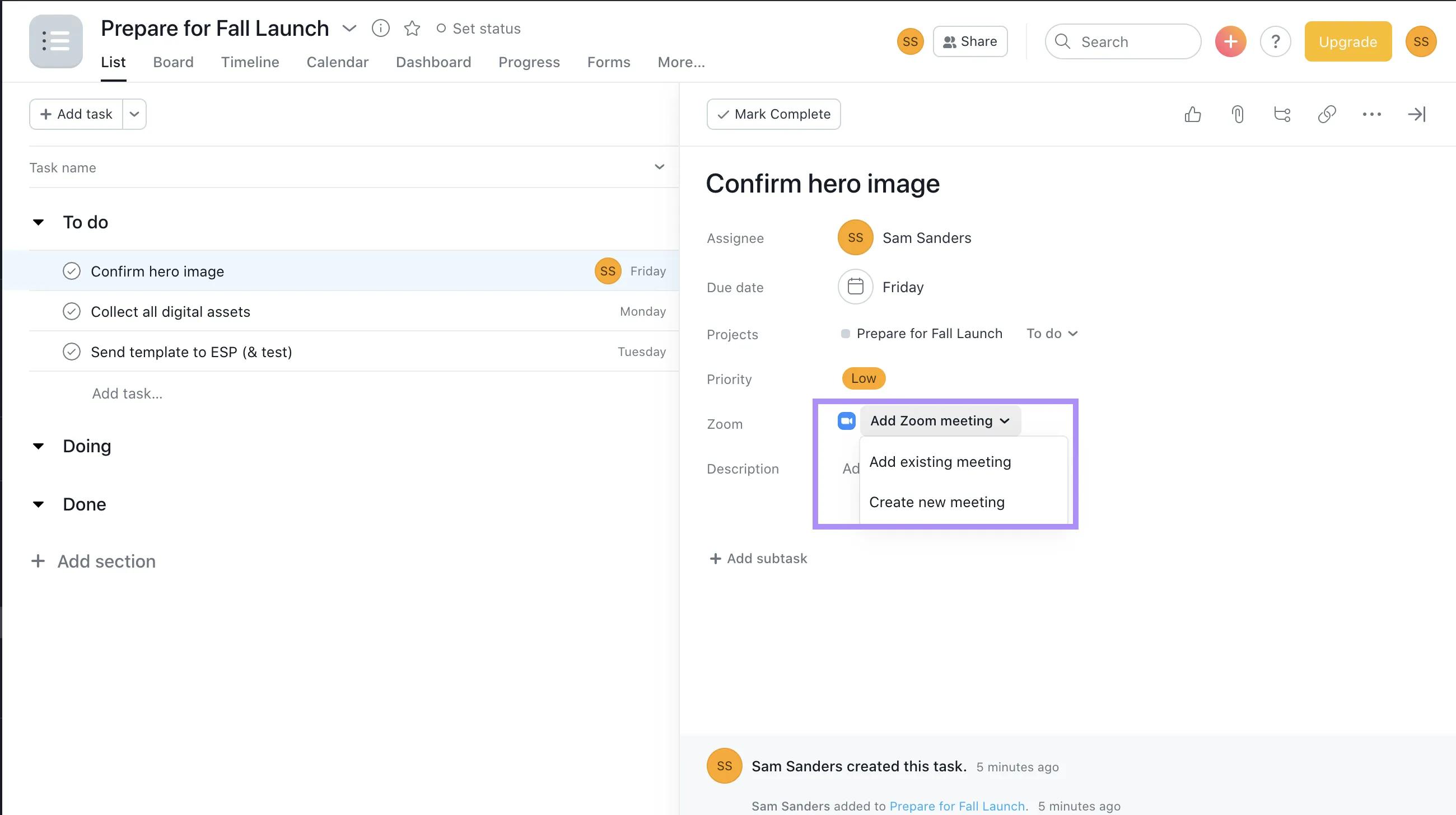
From here, you can schedule new meetings, or link a meeting you scheduled from your calendar.
From the drop down menu from the Zoom field choose Create new meeting
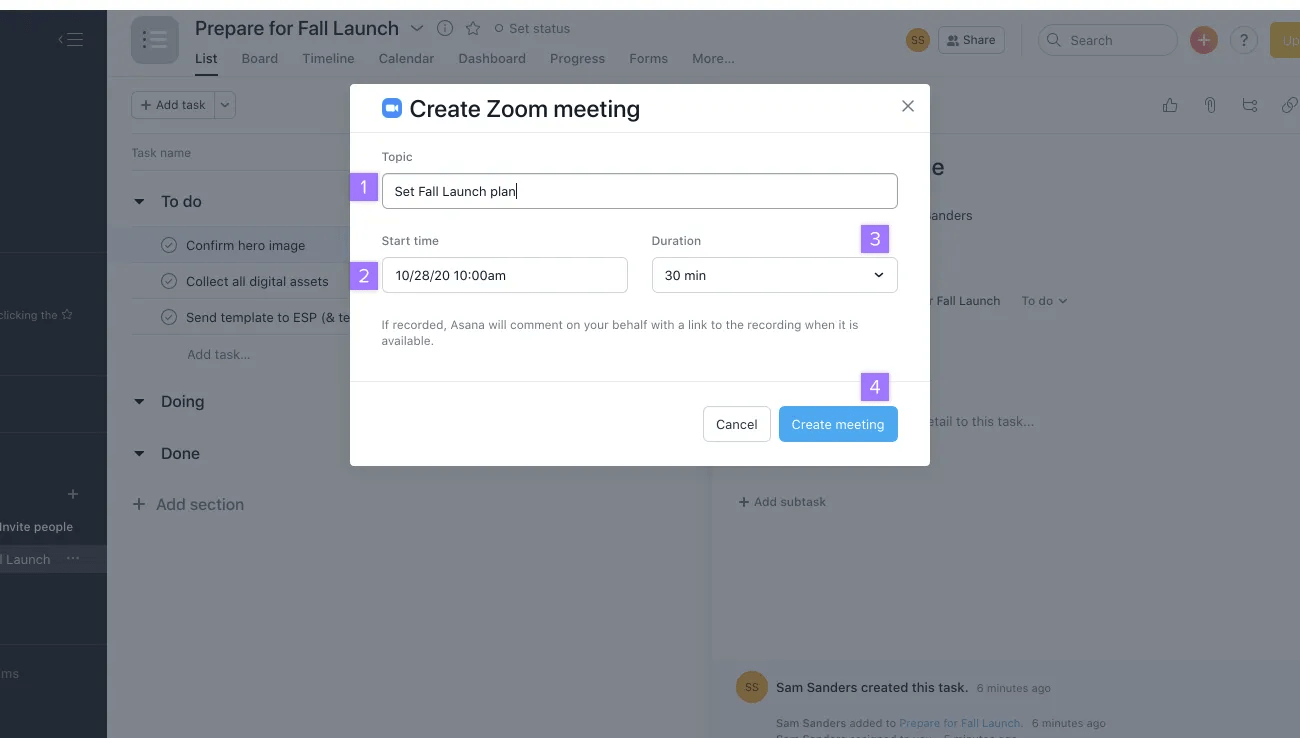
You can then add the Zoom meeting to a calendar event, and invite participants.
You can share the invitation by clicking the Copy URL button, then pasting the URL into an email message to the participants you wish to invite or simply commenting in Asana.
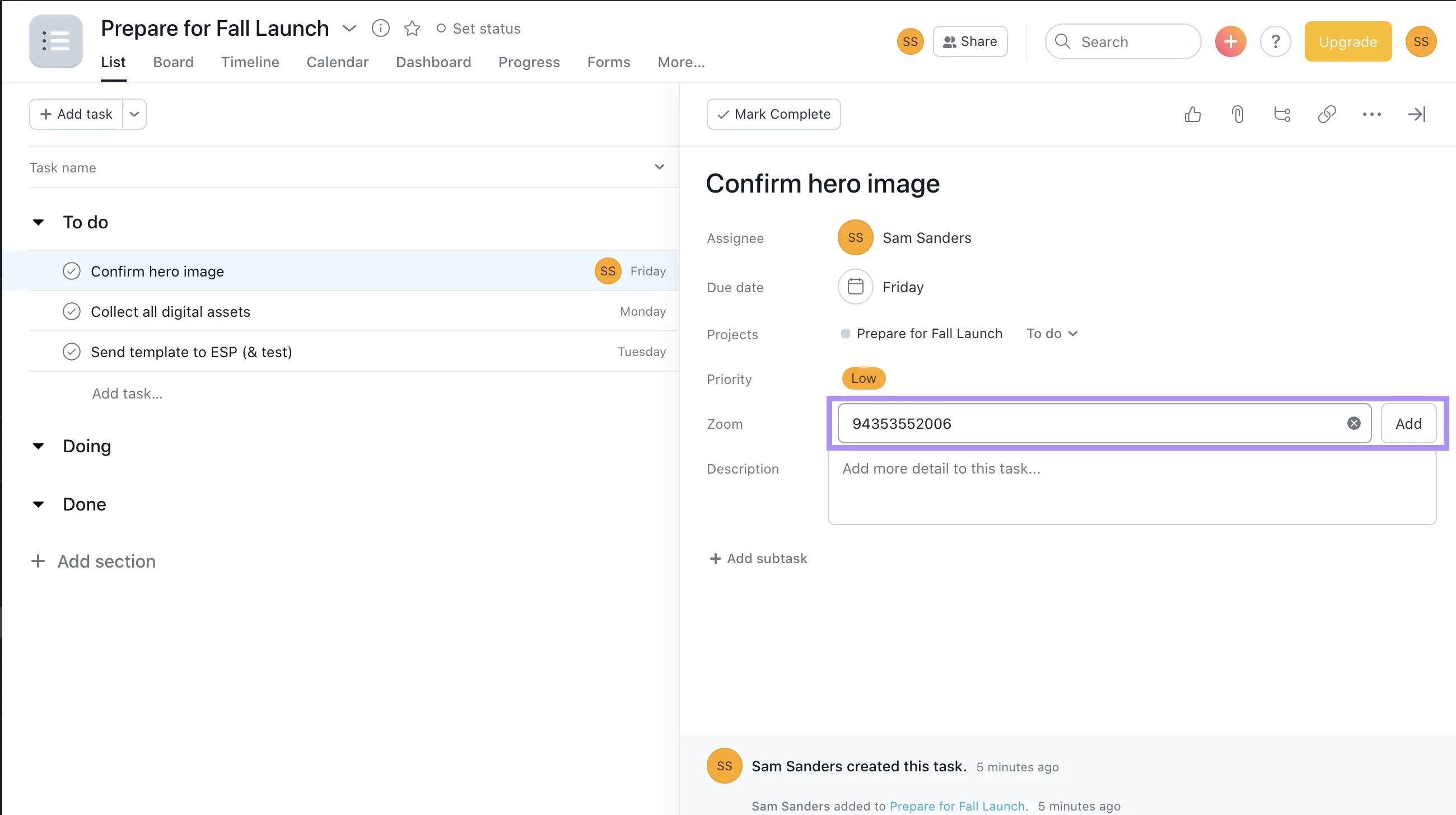
Linking a Zoom meeting to a task brings clarity to a team meeting and ensures nothing falls through the cracks. After you locate the Zoom field in your Asana task field, it is easy to link or create a meeting in the task. Finally share and invite participants. When you load the Asana app within Zoom, any tasks linked to the meeting in Asana will be visible and will serve as the agenda for the meeting. Participants with the Asana Zoom app installed and with access to the tasks in Asana will also see them in Zoom!
Meeting details get updated every time the task is loaded. It includes the status of the meeting, who the host is and timings.
During a Zoom meeting, opening the Asana App will show all tasks that are currently linked to the meeting. This is a great way to add tasks to the relevant meeting agenda, and make sure they’re discussed. When users open the App in the meeting, they’ll see the ‘Meetings tasks’ list. New tasks created in the meeting will also be visible here! You can also curate your tasks in whatever order you like.
All participants in the meeting who have the App added, and have access to the tasks in your workspace will be able to see it.
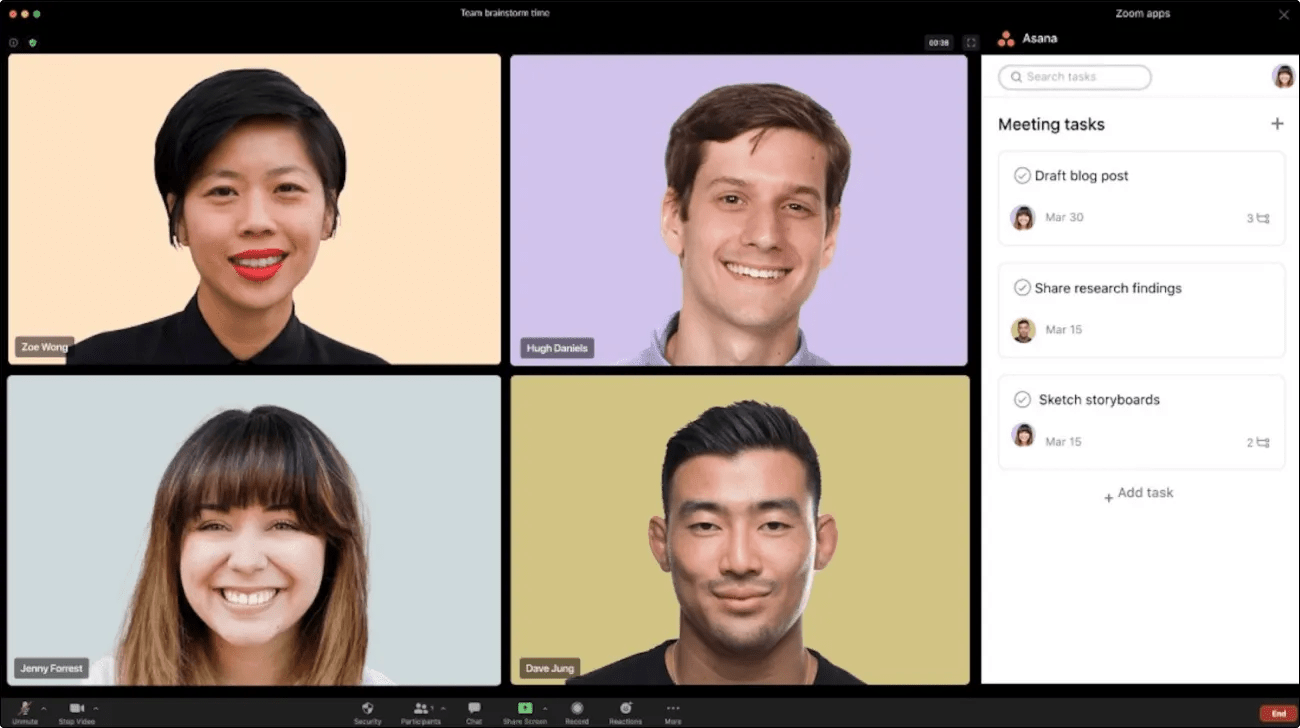
If you want to create an action item in the meeting that isn’t relevant to an existing linked task, navigate back to the Meetings tasks list, and click the + icon in the top right corner to create a brand new task.
Once the meeting is in progress, click on the meeting details where you automatically get sent a link to join the meeting. Cancel if you don’t want to join at this juncture.
If your Zoom plan has access to recordings and/or transcripts, and your account has it enabled, Asana will automatically retrieve the recording link and/or transcript and attach them to the linked task in Asana.
If you link the meeting to multiple tasks, all of the tasks will have the attachments added.
This way everyone has a clear record of who’s doing what and by when, moving the project forward with focused accountability.
This integration is available to all free and paid Asana customers but may require a paid Zoom account for functionalities like recordings and transcripts. Contact Support if you need assistance.
The text of the meeting transcript will be searchable, and you can locate the relevant task by searching discussion topics in the meeting.
You can remove the Zoom integration from a project by:
Like what you see? Get started with a free Asana trial today. Try for free.

