MÖGLICHKEITEN
Art des Unternehmens
Verwenden Sie Formulare in Asana Starter, Advanced, Enterprise, und Enterprise+-Abostufen sowie ältere Abostufen Premium, Business und Legacy Enterprise.
Besuchen Sie unsere Preisübersicht für weitere Informationen.
In diesem Artikel erfahren Sie, wie Sie die Feldzuordnung nutzen können, um bestimmte Informationen mithilfe von Formularen zu erfassen und sie über benutzerdefinierte Felder mit Ihrem Workflow zu verknüpfen.
Fügen Sie eine neue Frage hinzu, klicken Sie auf das Feld Verbinden mit und wählen Sie aus den verfügbaren Feldern. Sehen Sie auch, welche Felder bereits verwendet werden.
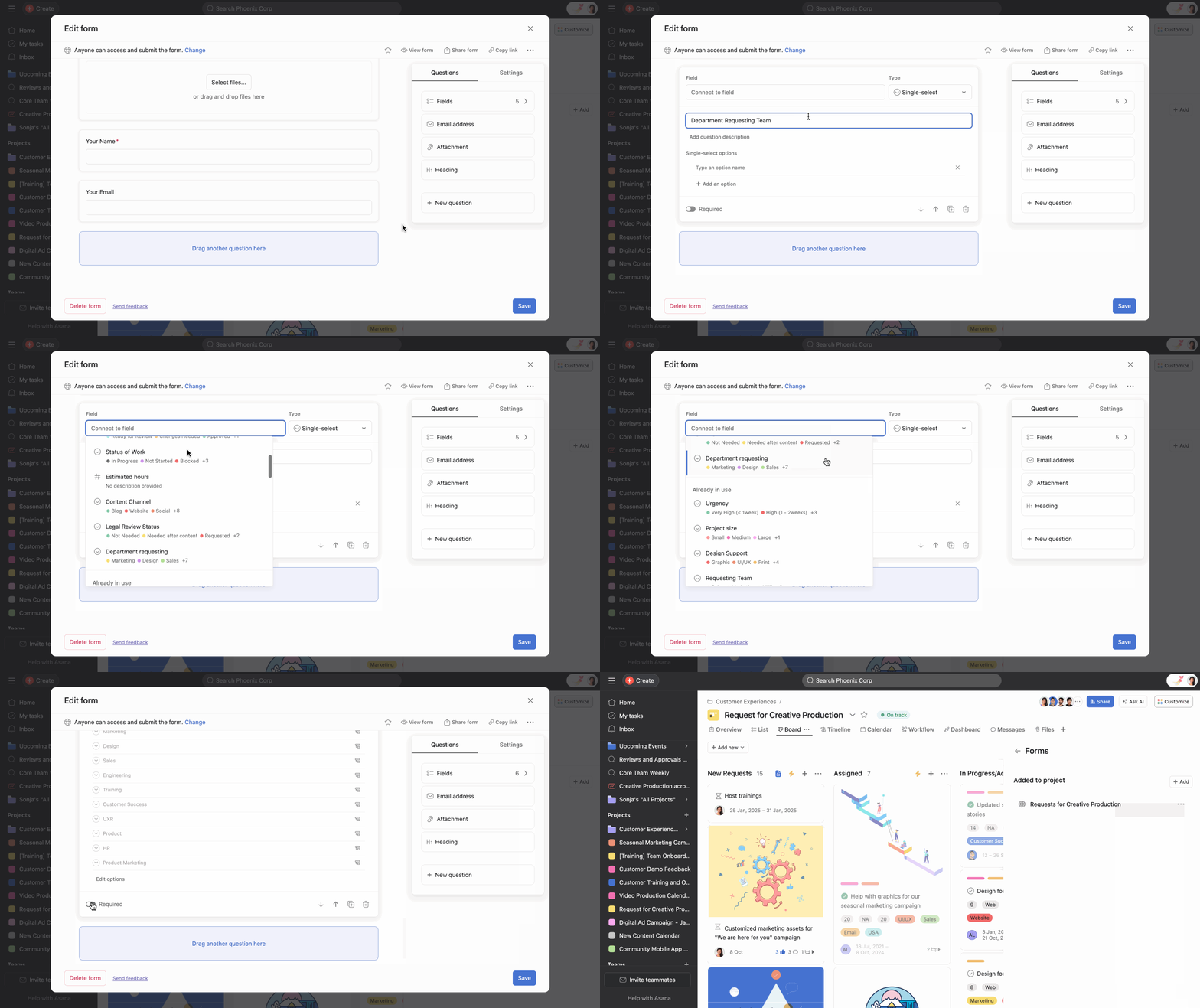
Um ein neues Feld direkt aus dem Formular zu erstellen, beginnen Sie mit der Eingabe in das Feld Mit Feld verknüpfen und die Option + Hinzufügen wird angezeigt.
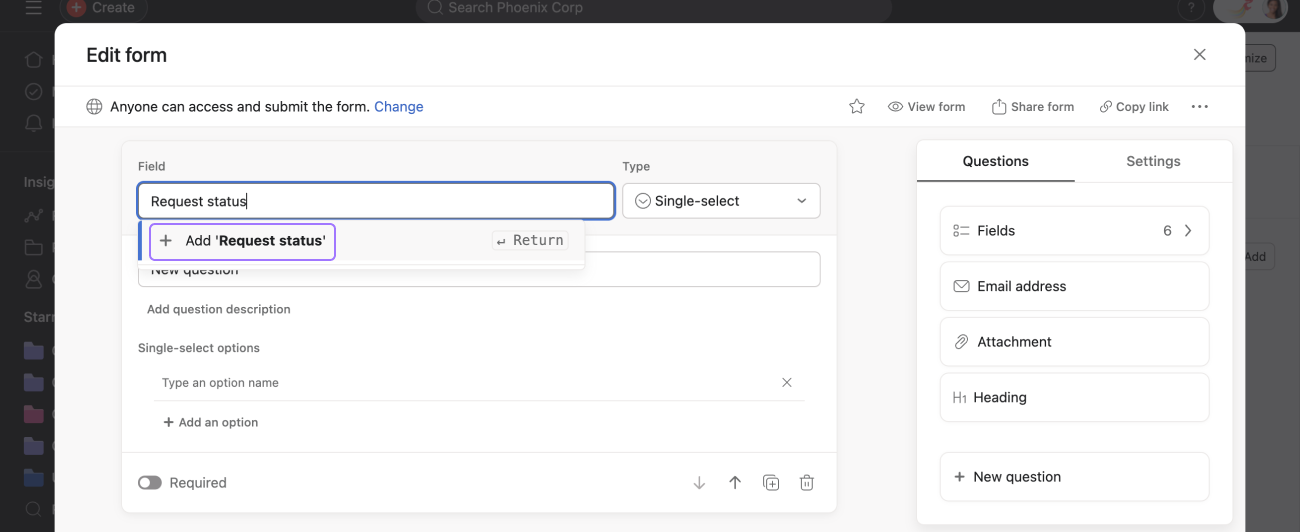
Verbinden Sie das Feld, und es erscheint im Formular.
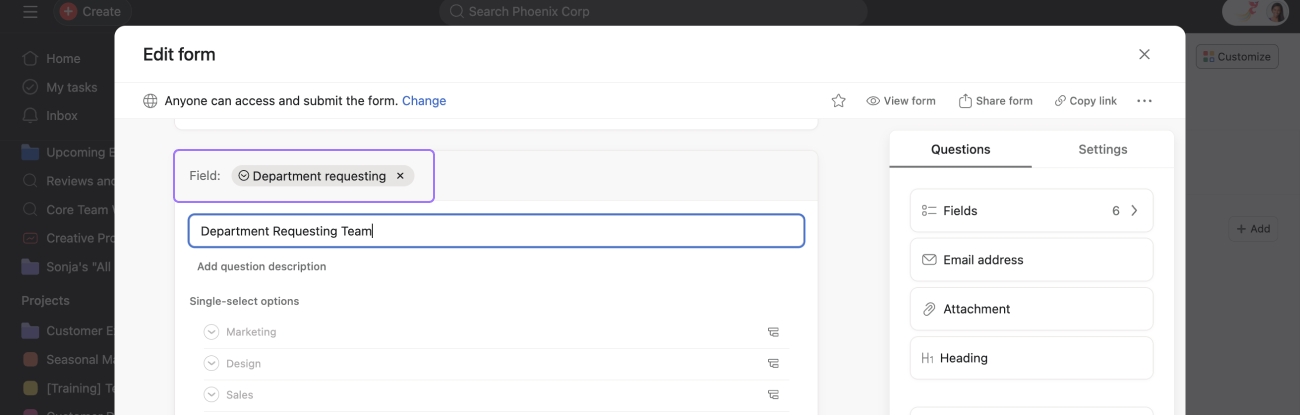
Bei Datumsfragen können Sie die Formularantworten mit den folgenden Datumsarten verknüpfen:
Wählen Sie einen einzelnen Tag oder einen Datumsbereich aus.Wählen Sie Einzelner Tag aus, wird das Datumsfeld zu Fälligkeitsdatum.
Wählen Sie Datumsbereich aus, um ein Eingabefeld für Startdaten und Enddaten zu erhalten.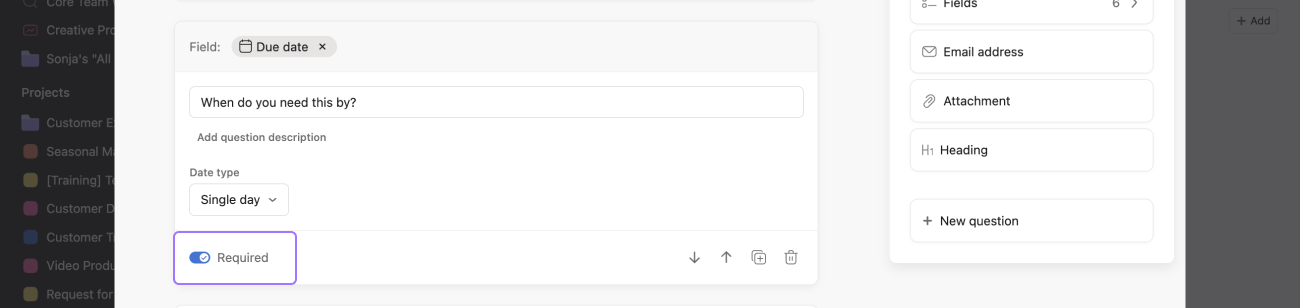
Fügen Sie benutzerdefinierte Felder in großen Mengen hinzu oder entfernen Sie sie, um den Prozess der Formularerstellung zu optimieren. Verwalten Sie Formularfelder einfach mit diesem Prozess.
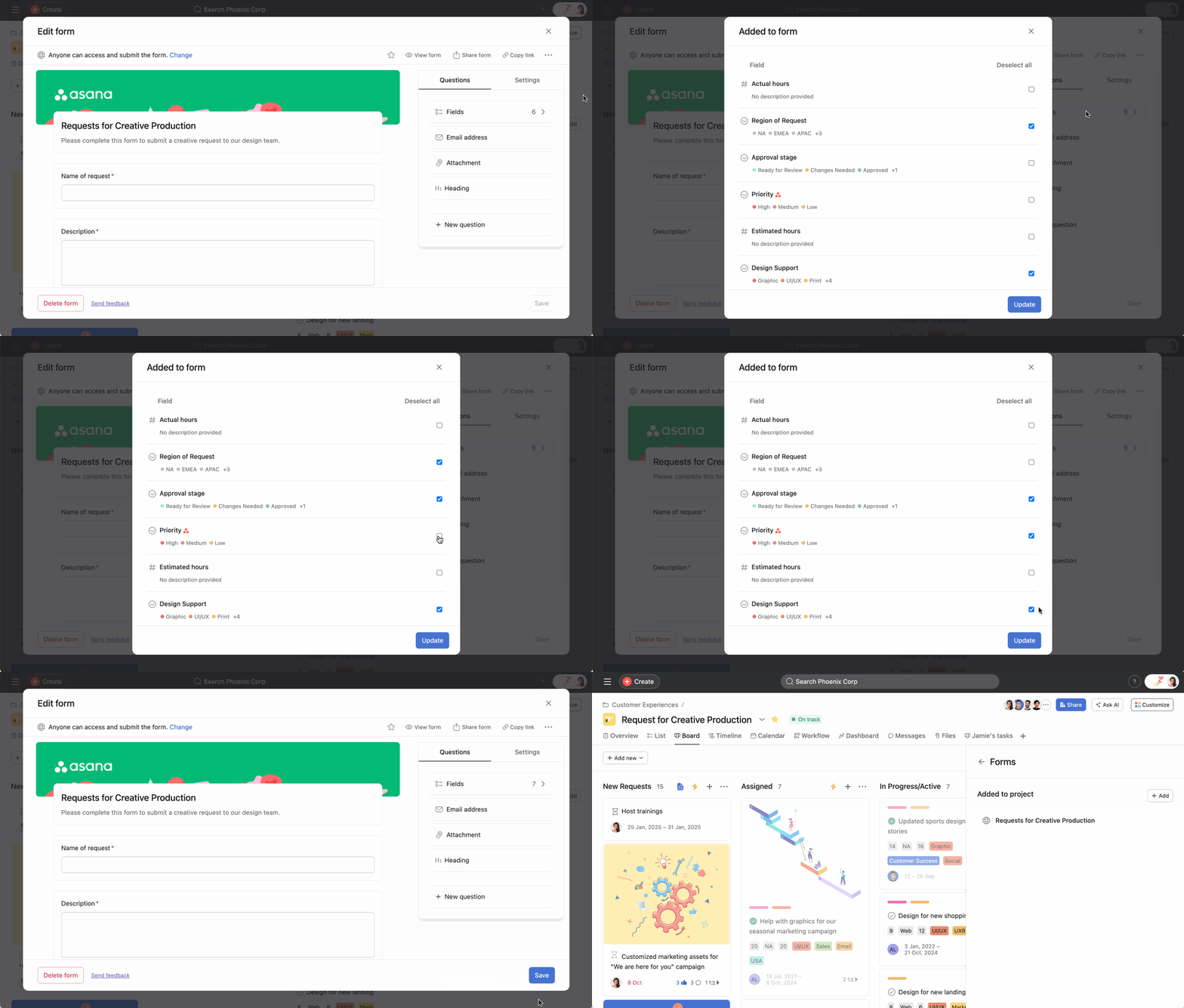 Fügen Sie benutzerdefinierte Felder in großen Mengen hinzu:
Navigieren Sie zu dem Formular, das Sie in Ihrem Projekt aktualisieren möchten. Klicken Sie im Tab Fragen auf Felder. Wählen Sie die benutzerdefinierten Felder aus, die Sie hinzufügen möchten. Klicken Sie auf Aktualisieren. Klicken Sie auf Speichern.
Fügen Sie benutzerdefinierte Felder in großen Mengen hinzu:
Navigieren Sie zu dem Formular, das Sie in Ihrem Projekt aktualisieren möchten. Klicken Sie im Tab Fragen auf Felder. Wählen Sie die benutzerdefinierten Felder aus, die Sie hinzufügen möchten. Klicken Sie auf Aktualisieren. Klicken Sie auf Speichern.
Um benutzerdefinierte Felder in großen Mengen aus Ihrem Formular zu entfernen, deaktivieren Sie die benutzerdefinierten Felder und klicken Sie auf Aktualisiert.
Hinweis
Dieser Artikel wurde mit KI übersetzt.
Feedback zur Übersetzung geben.

