Products


AI Platform


Asana Foundations
Company Type
No articles found for this topic.
No articles found for this topic.
In This Article

Visit our pricing page for more information.
This article covers sharing forms, including how to share them, who they are shared with and how to embed forms on internal or public websites.
Forms are private to your organization by default. This can be modified in the form settings.

Control who can access the form by choosing one of three options; Anyone can access, Organization only, or Deactivated.
Once your form is ready to share, you can use the Share form button and add recipients by name or email, or click the Copy link button and the link will be copied to your clipboard. You can share the link with your teammates in Asana, as well as anyone who doesn’t have an Asana account, and they’ll be able to fill out the form.
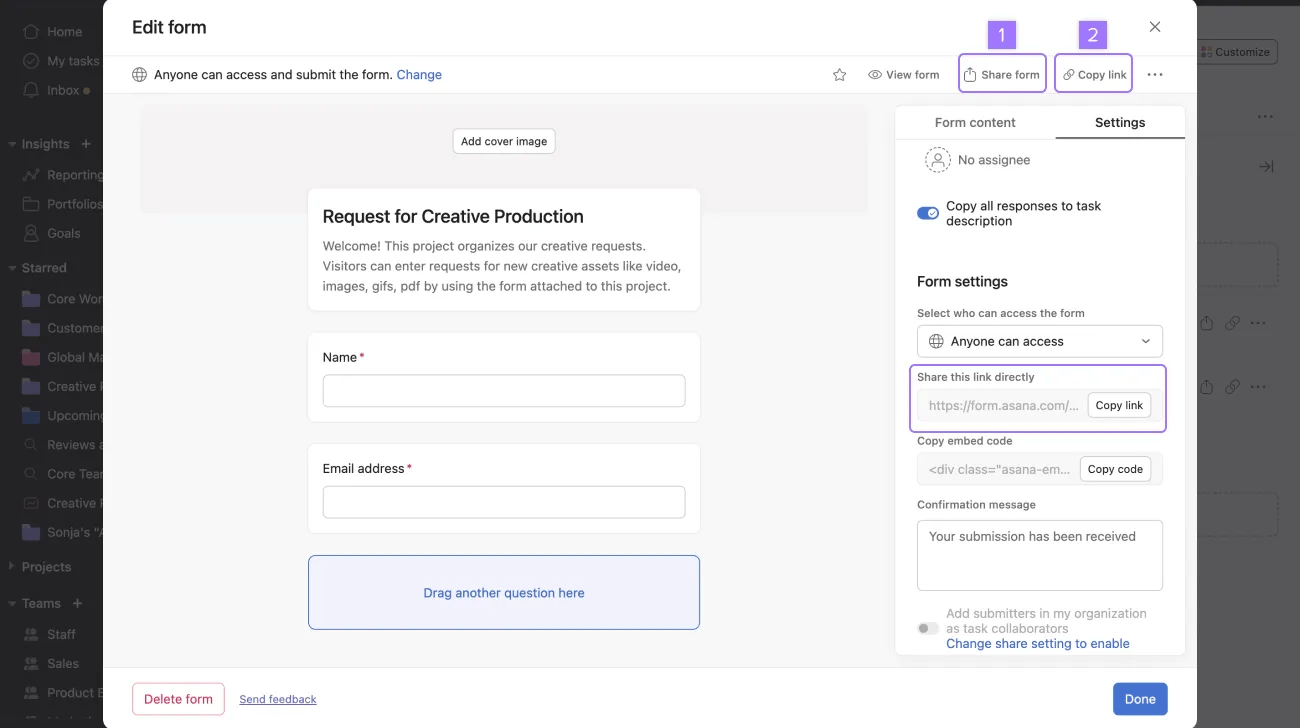
Once the form is filled out, the form submitter will see a confirmation message letting them know that their submission has been received, and their submission will come in as a new task in your project.
A confirmation email with a record of the form submission is also sent after the form is submitted.
Note
The form must include an email question and the submitter must complete the email question for the submission to be sent.
If the submitter is part of your Asana space, you can add them as a collaborator on the task. If they are not part of your Asana space, and you’d like them to follow along, you can send them an invite to join your space.
You can then add collaborators, prioritize work, change task details, and move work forward to ensure that the task gets completed.
Forms can be embedded anywhere. This will allow you to connect submissions directly to your workflow, reducing work about work.
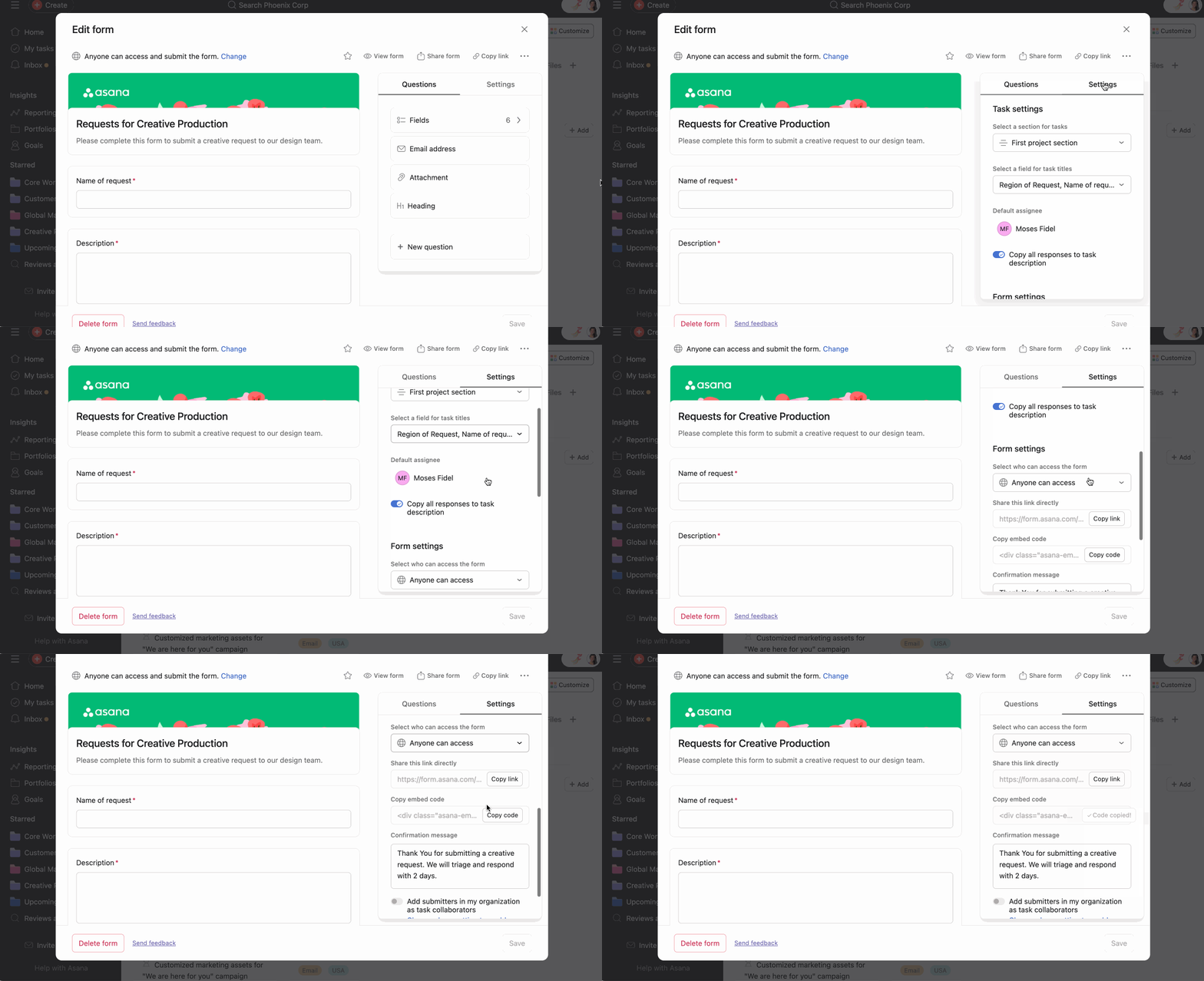
To embed a form:
When embedding a form on a public website, make sure form permissions are set to Anyone can access.
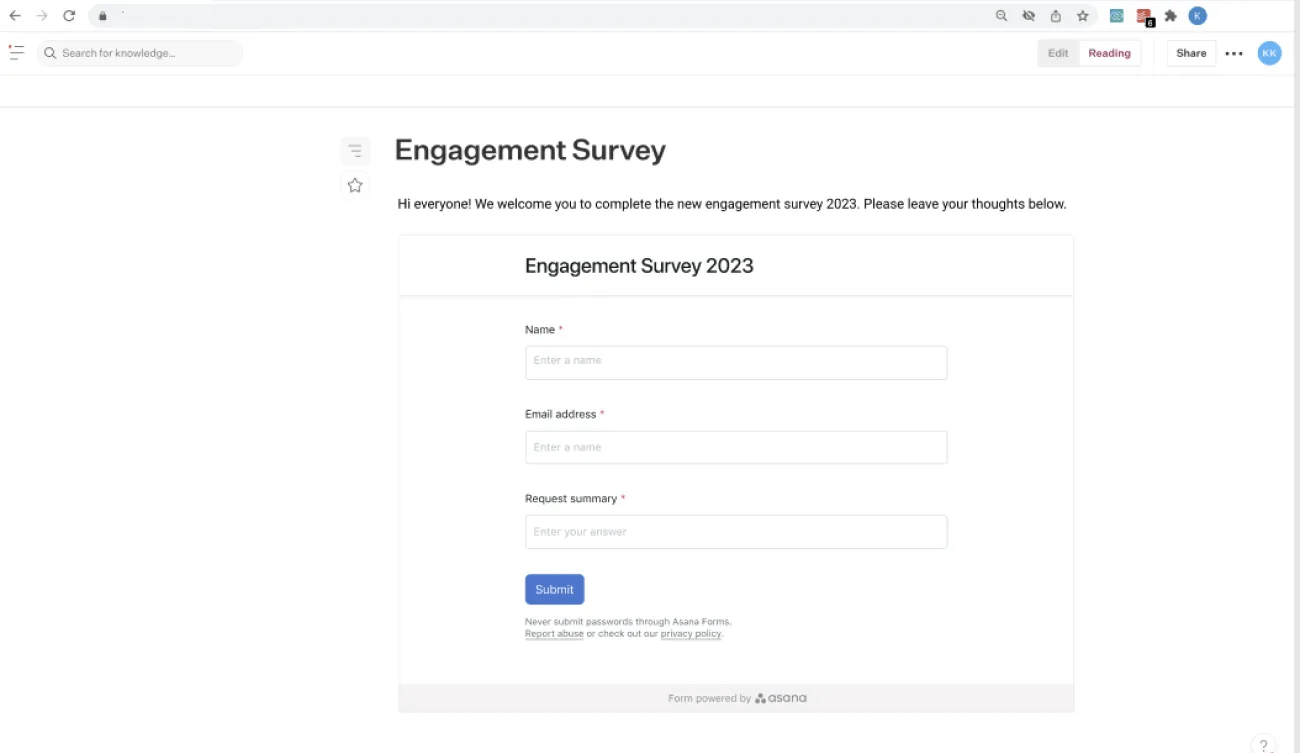
To learn more about form permissions head to our forms access permissions article.
Enterprise super admins may disable the form embedding feature for their domain from the admin console Security tab, under the Admin Controls section.
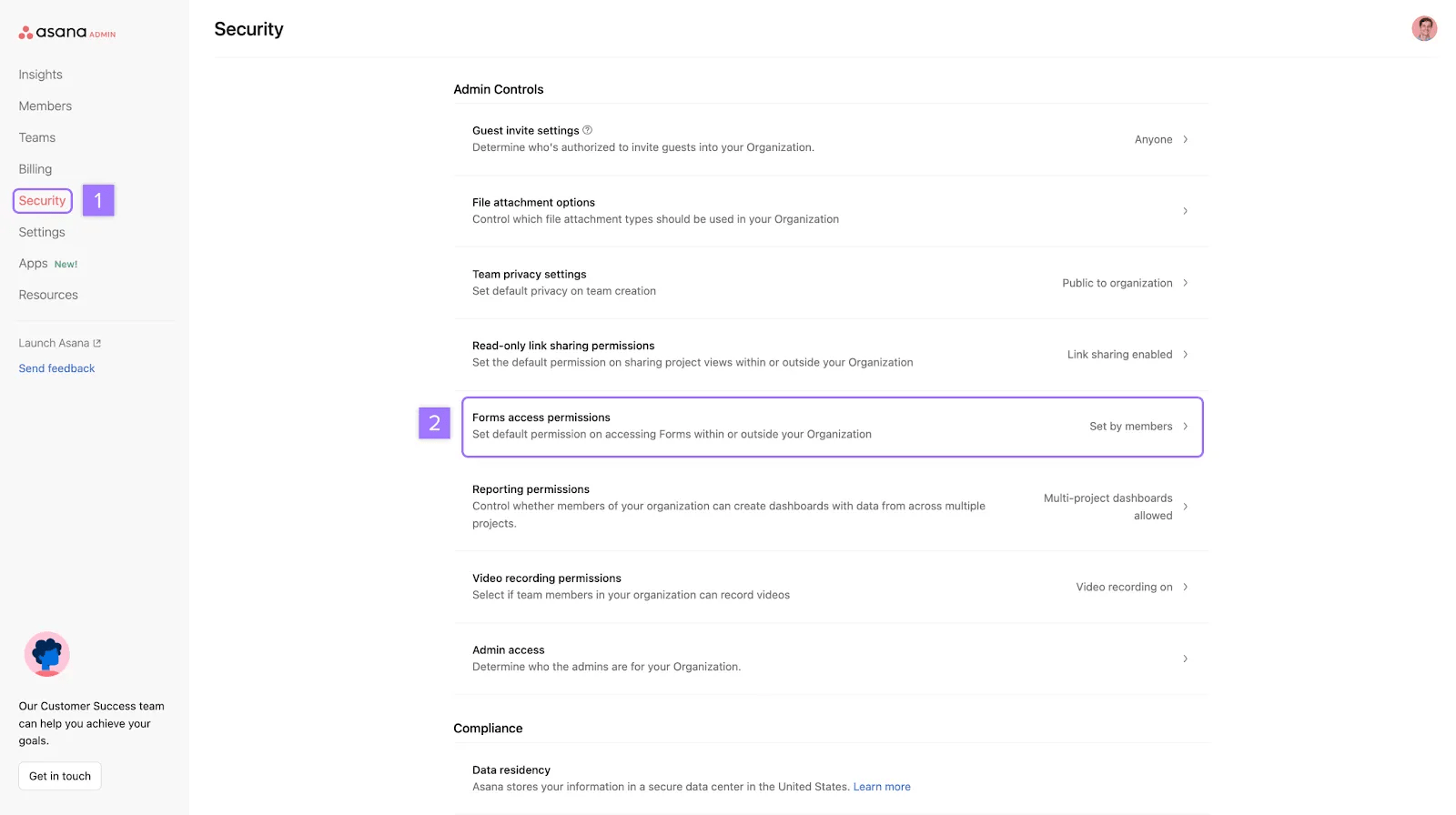
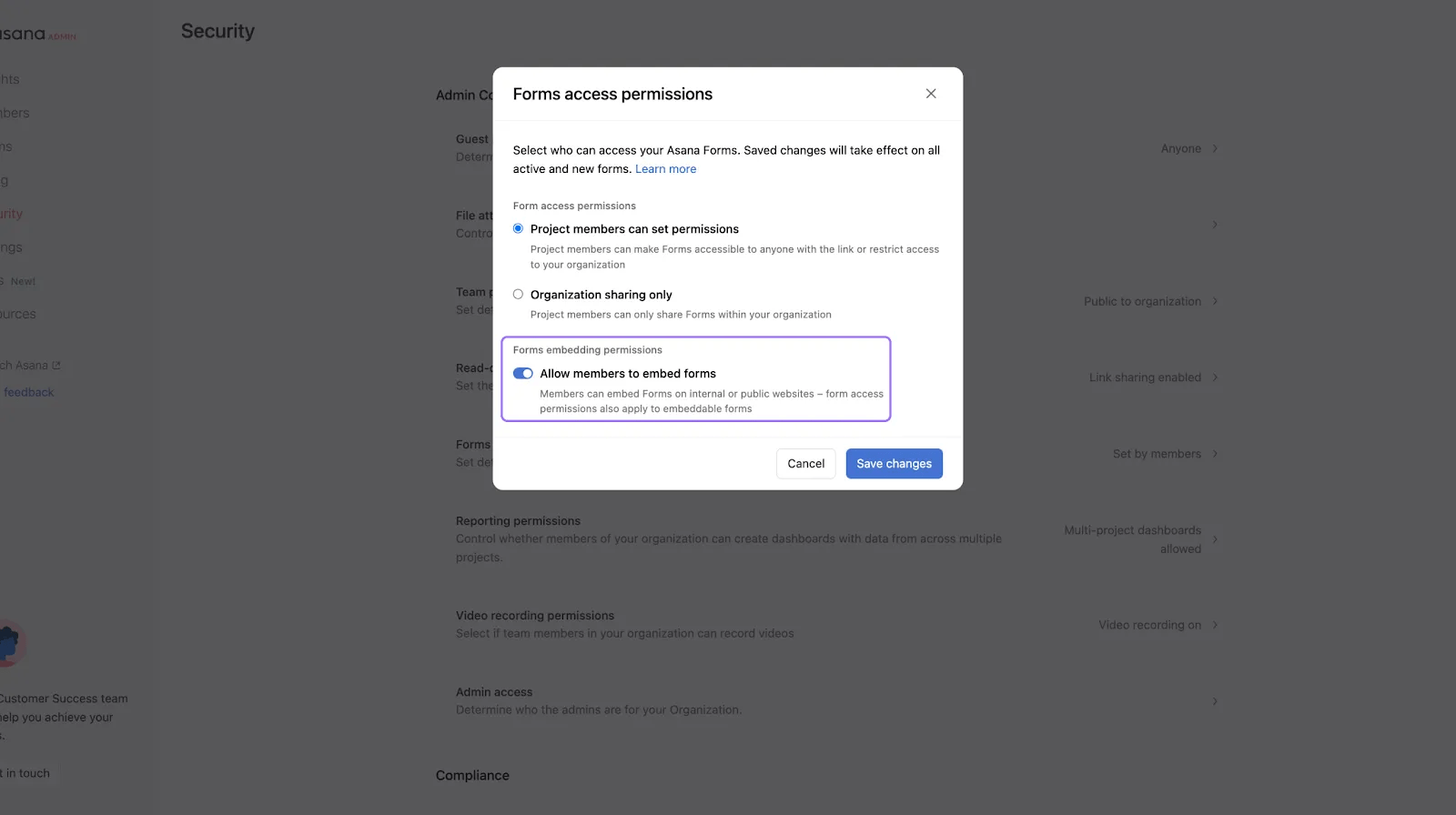
From here, you can enable or disable the Allow members to embed forms option.

