MOGELIJKHEDEN
Type bedrijf
Slimme status is beschikbaar op Asana Starter, Advanced, Enterprise, en Enterprise+ niveaus.
Bespaar tijd door Asana AI te gebruiken om statusupdates op te stellen om blinde vlekken, open vragen, blokkades en een efficiënt pad naar je doelen te identificeren. Je kunt slimme status gebruiken om statusupdates voor projecten, portfolio's en doelen op te stellen.
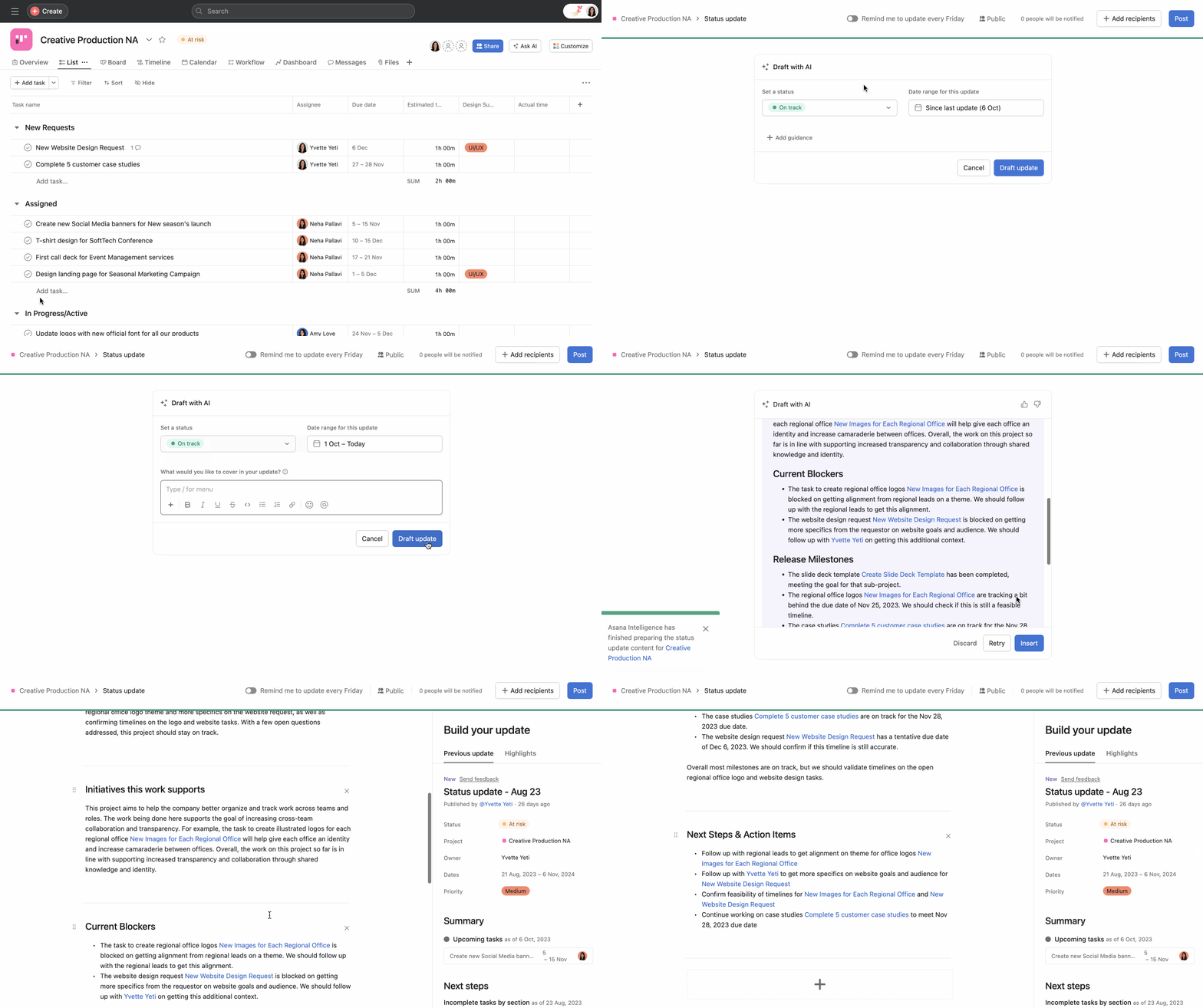
Zodra een concept is gegenereerd, kun je ervoor kiezen om het concept te verwijderen of te bewerken. Zodra je het concept naar wens hebt bewerkt, kun je de status posten door op Posten in de rechterbovenhoek te klikken.
Je kunt de statusupdate op elk moment bekijken via het tabblad Overzicht.
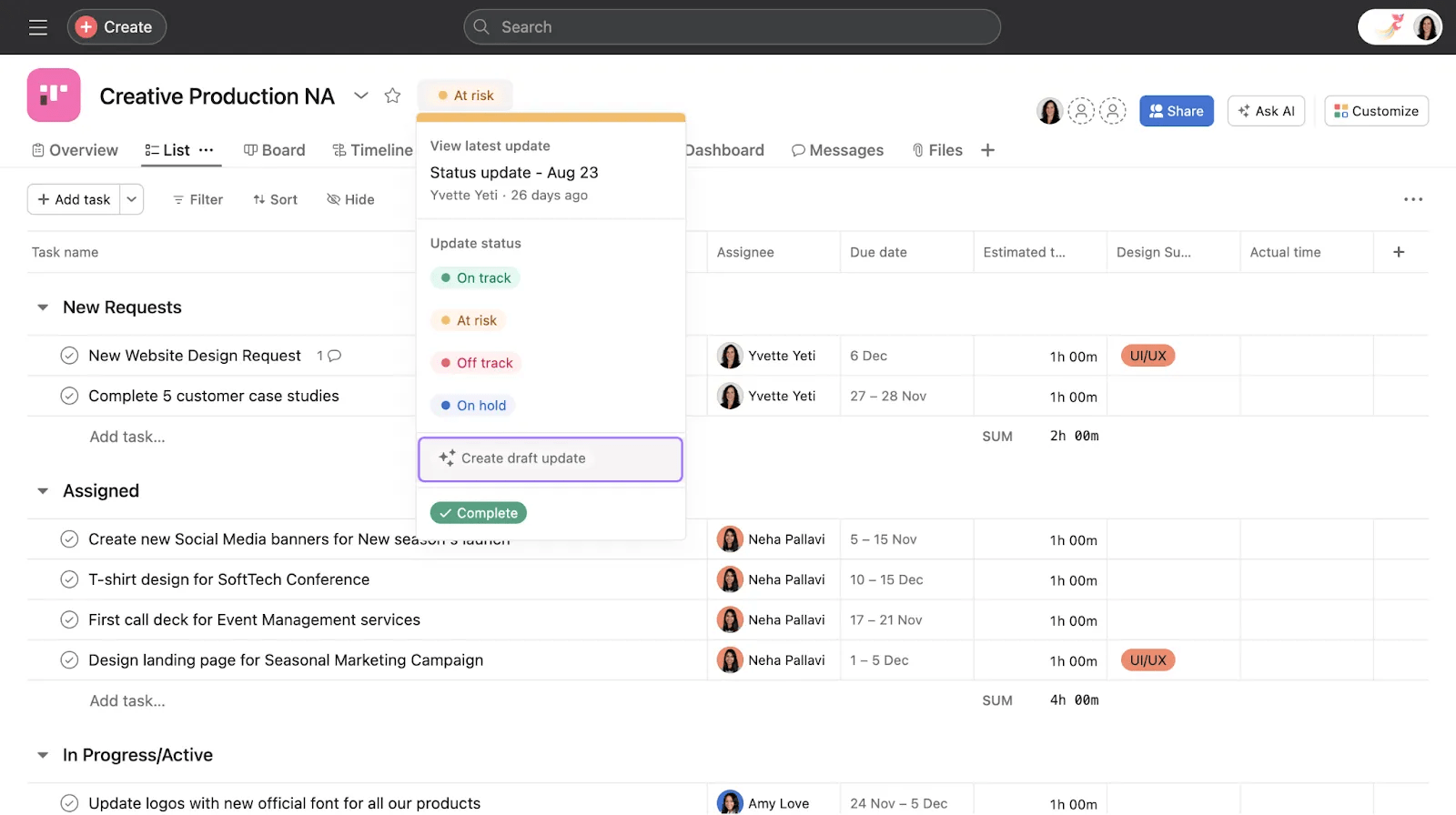
Je kunt ook een statusupdate opstellen met Asana AI in elke projectweergave via het vervolgkeuzemenu naast de projectnaam.
Slimme status voor portfolio's is beschikbaar op Asana Advanced, Enterprise, en Enterprise+ niveaus. Informatie over gebruik vind je hier.
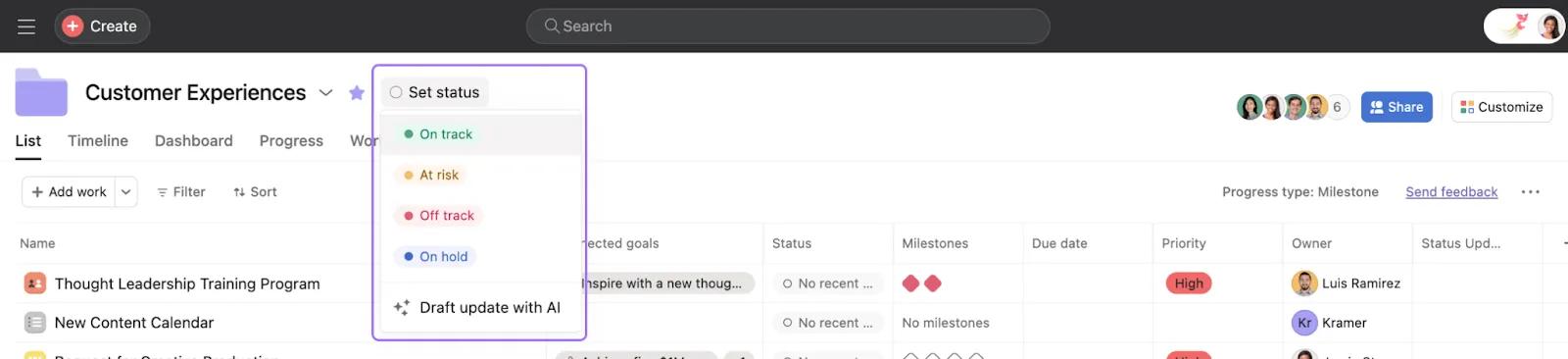
Om een statusupdate met Asana AI voor portfolio's te maken, klik je op Status instellen en selecteer je Concept update met AI.
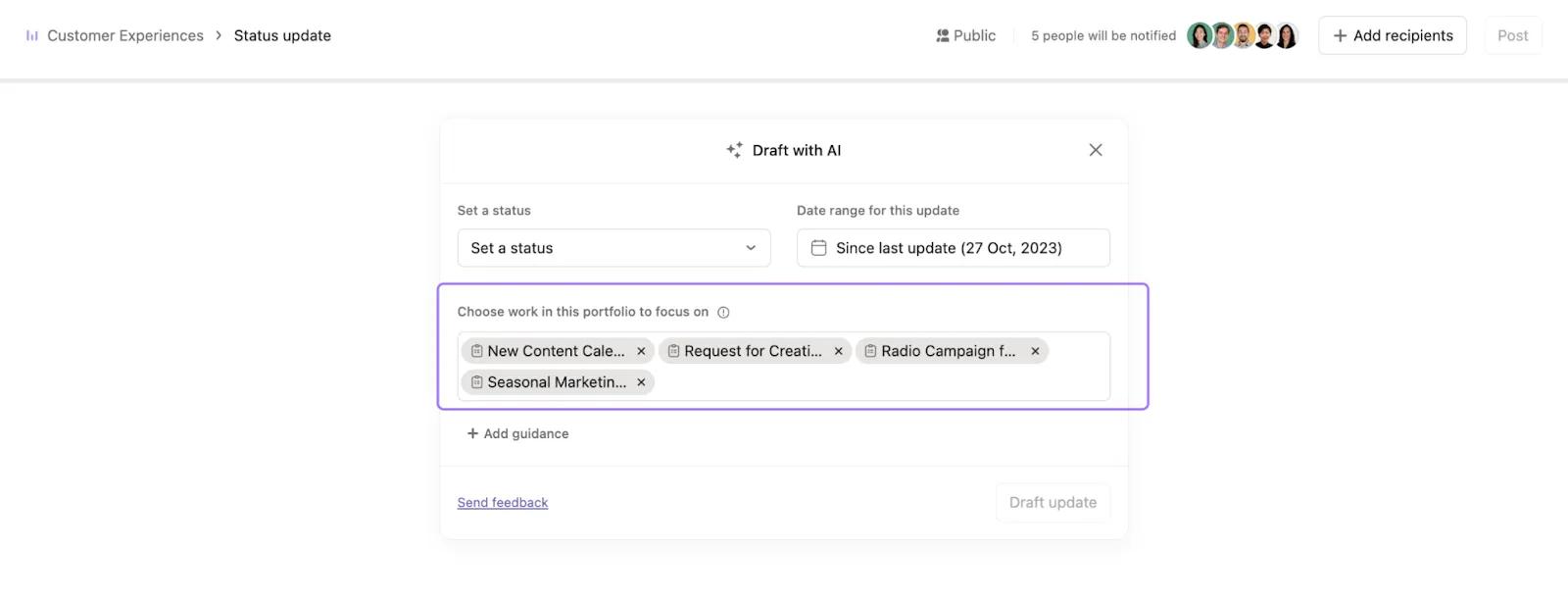
Je kunt vervolgens de projecten uit de portfolio kiezen waarop je je wilt concentreren voor de statusupdate en op + Richtlijnen toevoegen klikken om verdere instructies toe te voegen.
Slimme status voor doelen is beschikbaar op Asana Advanced, Enterprise, en Enterprise+ niveaus. Informatie over gebruik is hier te vinden.
Om een statusupdate met Asana AI voor doelen te maken, navigeer je naar de detailpagina van het doel, klik je op het driepunten-pictogram en klik je op Update opstellen met AI.
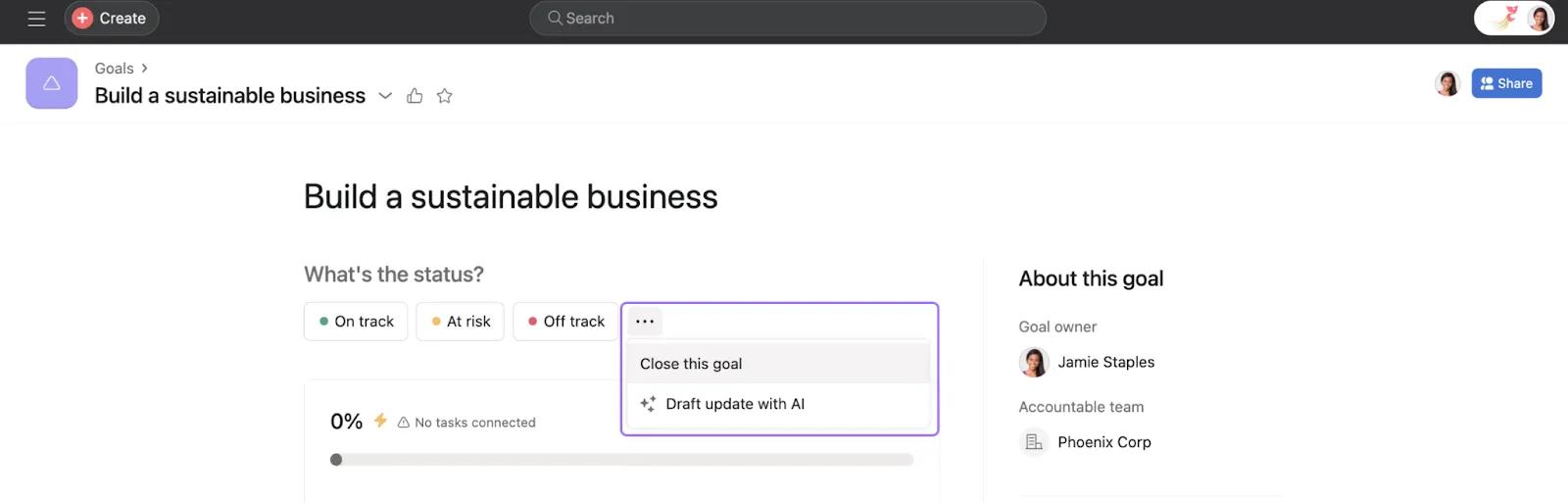
Je kunt vervolgens de subdoelen, portfolio's en projecten kiezen waarop je je wilt concentreren voor de statusupdate en op + Richtlijnen toevoegen klikken om verdere instructies toe te voegen.
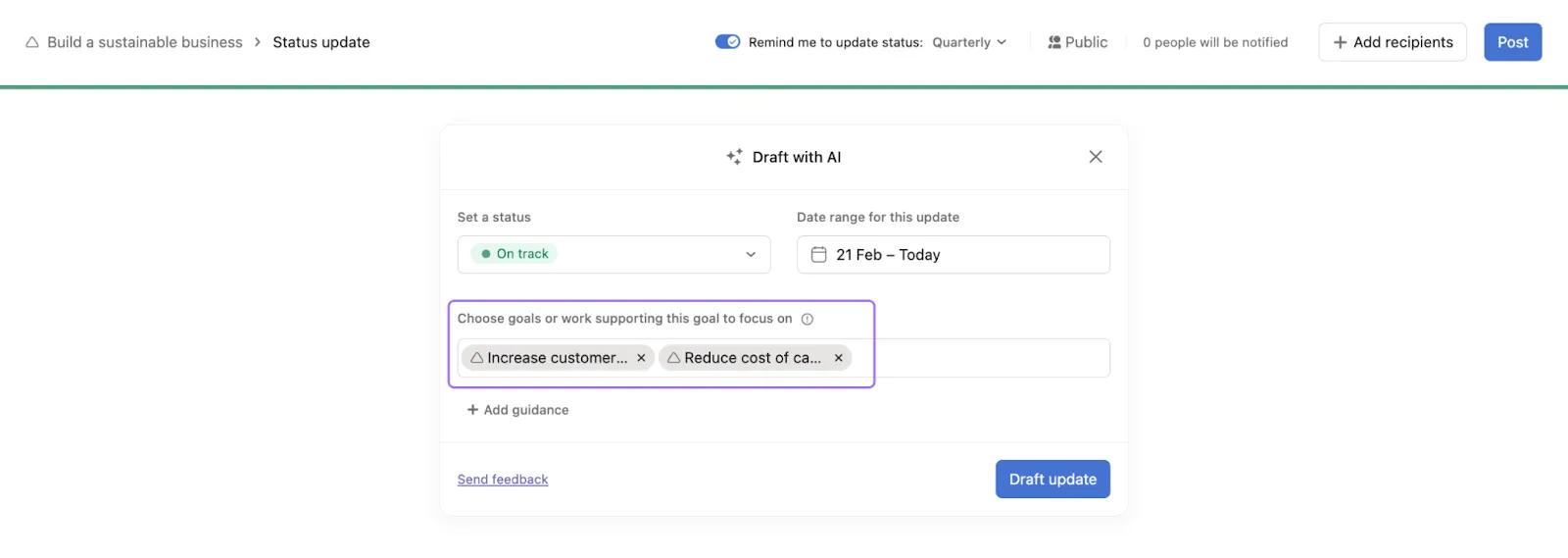
Je kunt Asana AI begeleiding geven om je statusupdate op een specifieke manier te structureren.
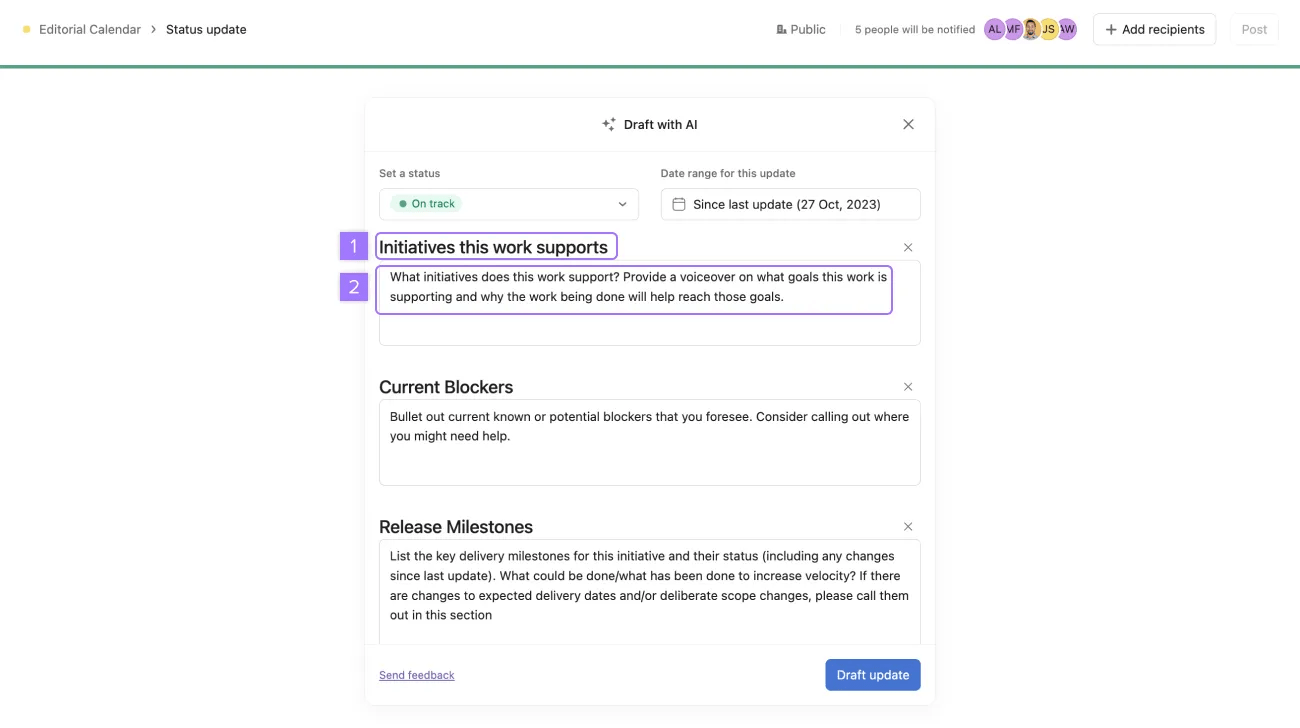
Als er geen instructies worden gegeven, gebruikt Asana AI de vorige statusupdatestructuur (als die er is) of een standaardstructuur.
Voorbeeld 1: Instructies geven - "Huidig bekende of potentiële blokkades die je voorziet. Overweeg om te vermelden waar je misschien hulp nodig hebt".
Voorbeeld 2: Specificeer de structuur, formatteer de titels als koppen in dit geval - 'Initiatieven die dit werk ondersteunt, Huidig blokkades, Volgende stappen'.
Zodra alles is toegevoegd, klik je op Update opstellen. Wacht tot Asana AI je projecten, portfolio's of doelen heeft geanalyseerd en een statusupdate heeft opgesteld. Je ontvangt een melding zodra de update voltooid is.
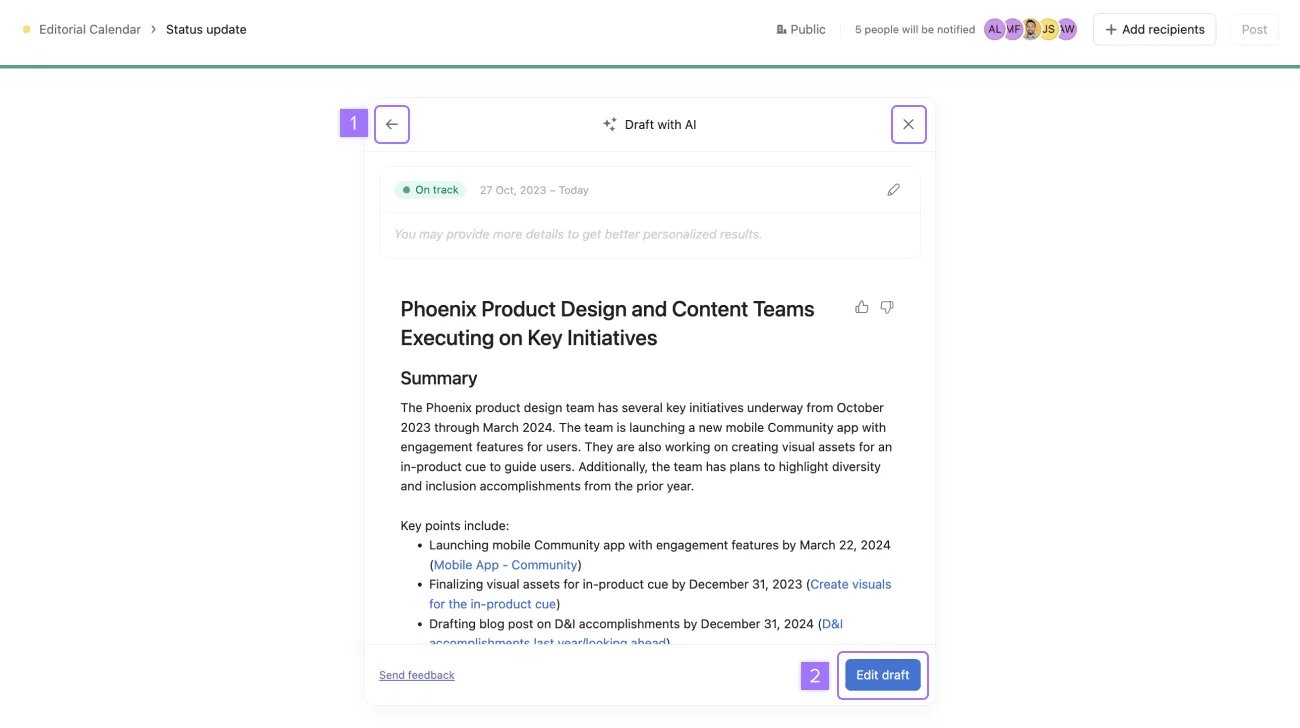
Zodra een concept is gegenereerd, kun je ervoor kiezen om:
Als je op Concept bewerken klikt, wordt het concept in de bewerker ingevoegd.
Nadat je je statusupdate hebt ingevoegd, kun je de AI-gegenereerde statusupdate bekijken en wijzigen in de bewerker en vervolgens op posten klikken in de rechterbovenhoek.
Opmerking
Dit artikel is vertaald met AI.
Feedback over de vertaling versturen.

