Products


AI Platform


Asana Foundations
Company Type

Visit our pricing page for more information.
Messages enable you to communicate within Asana with your colleagues and easily link to relevant work. You can send messages with any combination of individuals, teams, and projects.
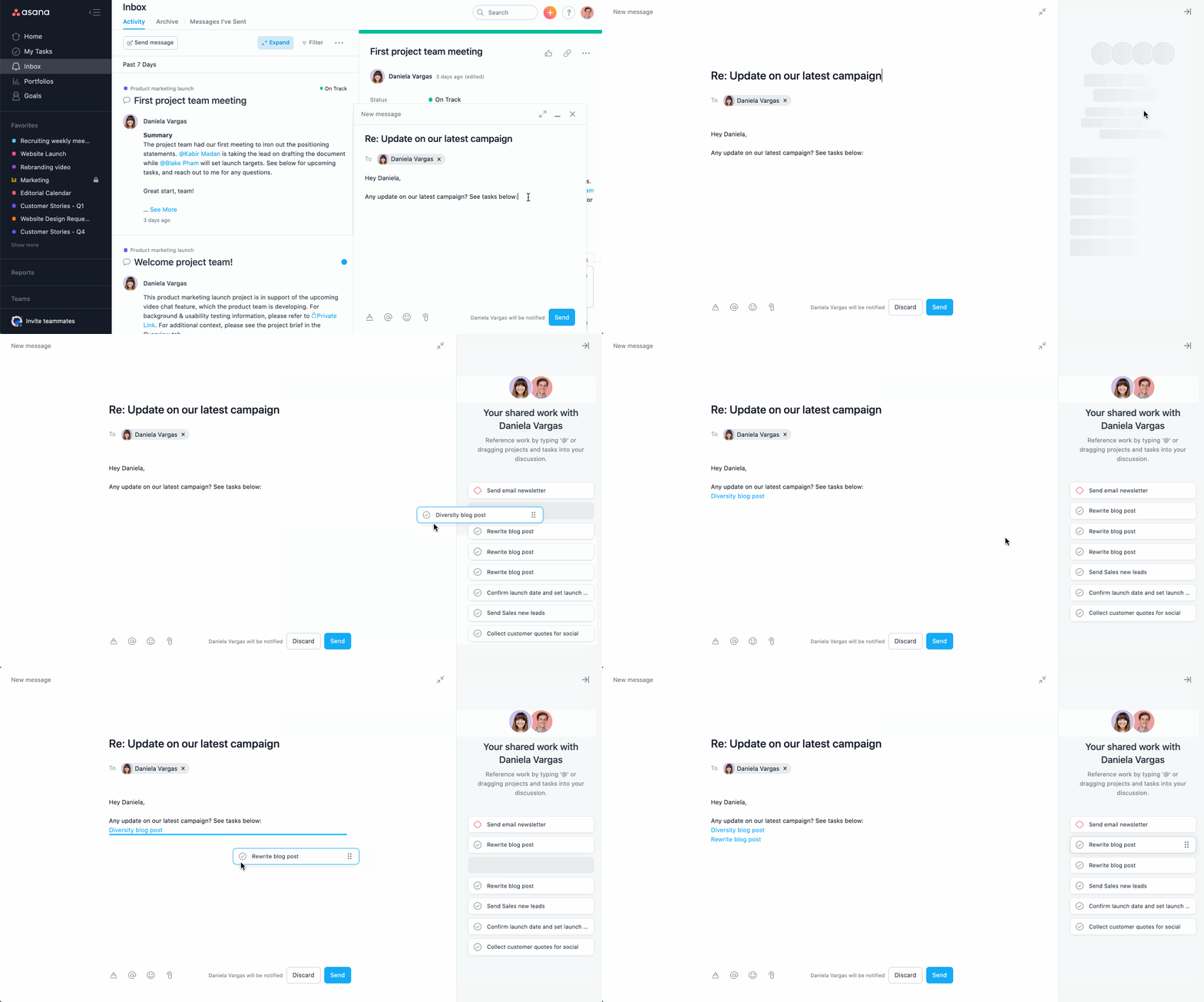
You can send a message to any individual, team, or project using the Create button in the top left corner of Asana.
When composing a message, Asana surfaces suggestions for work you may want to reference. You can access these by switching to full screen compose mode, where you can drag and drop suggestions directly into the body of your message.
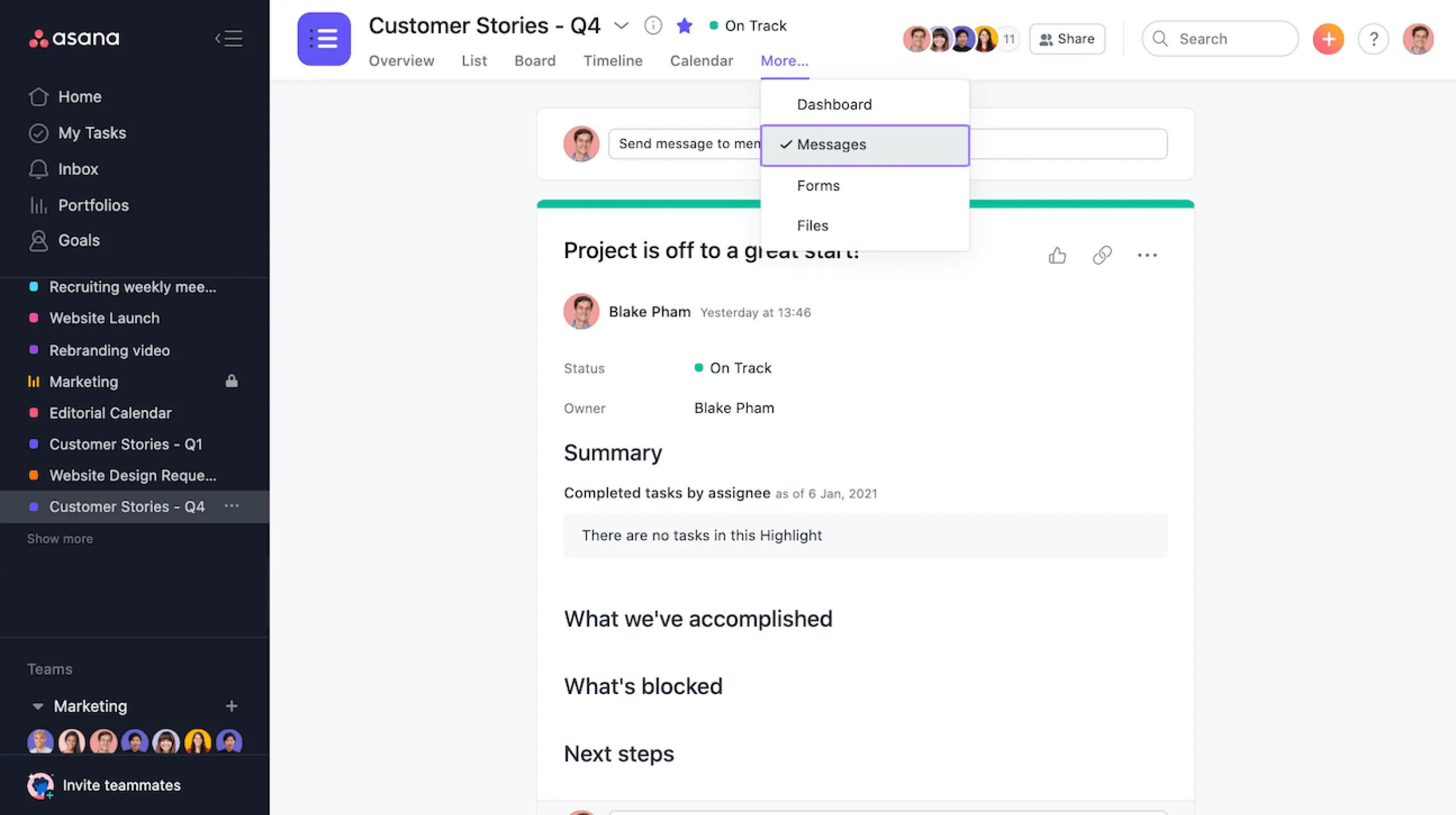
You can access project messages by clicking Messages in your project's top bar.
Team messages can be accessed by clicking on the desired team in your left-hand sidebar and then clicking Messages.
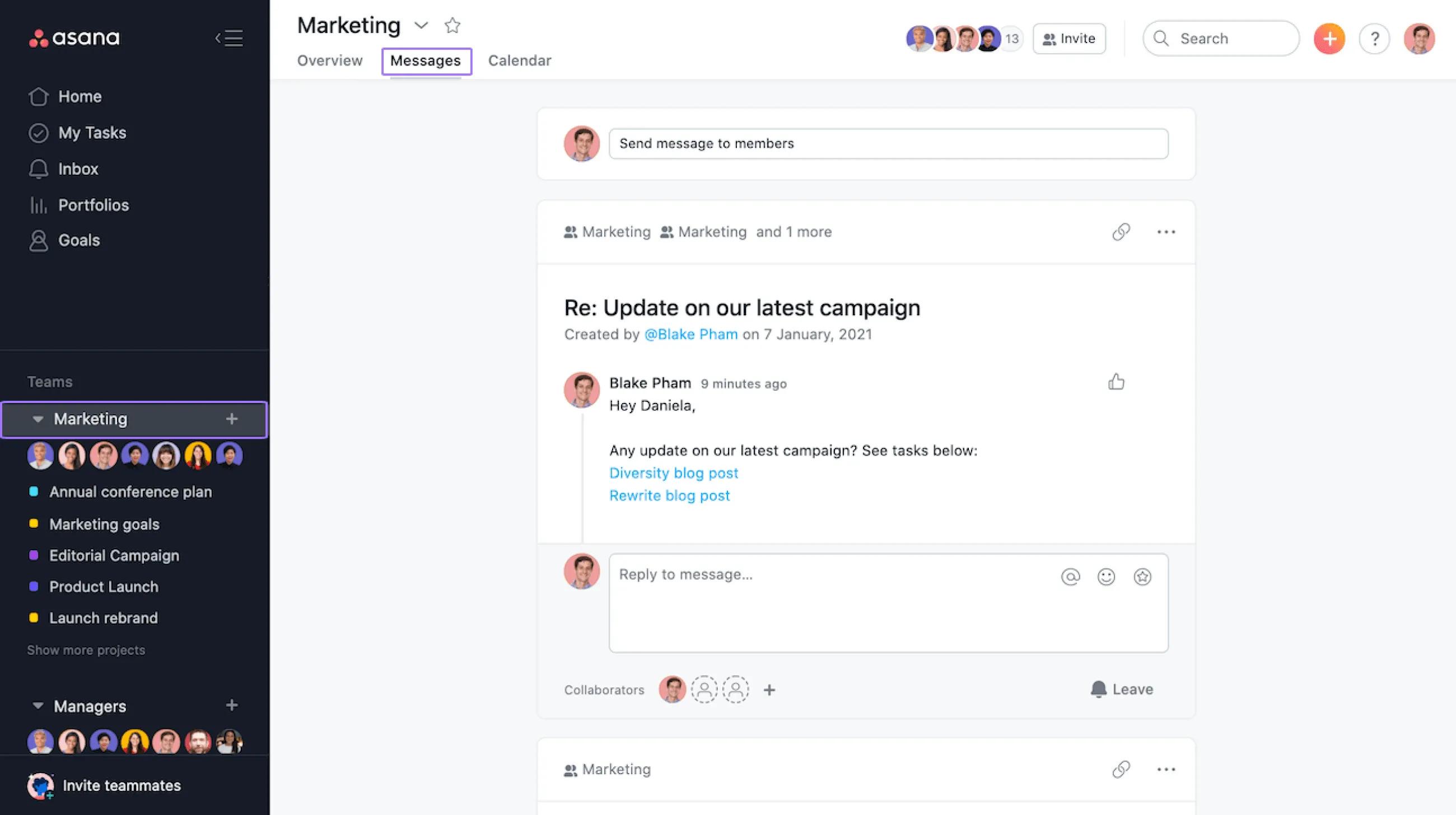
If a message is sent directly to you, you’re automatically added as a collaborator and don’t need to join the message to see replies. If a message is sent to a project or team that you’re a member of, you’ll need to “join” the message to see replies.
When you send a message to a project or team, everyone on that project or team will receive that message and will have access to it. Messages sent to projects and teams will live on the Messages page on those projects and teams. Messages sent to multiple projects and/or teams will live on the Messages page for all of those containers.
When someone creates a message for a person in Asana, they will receive a notification for that message. As long as they’re a collaborator on the message, they’ll receive notifications for all message replies as well. Sending a message to someone in Asana will notify them via an Inbox notification and an email notification. If they have mobile push or browser notifications turned on, they’ll also get a notification through that as well. Message recipients can reply to messages directly from email, and don’t need to sign into Asana to reply.
Note
Like what you see? Get started with a free Asana trial today. Try for free

