Produk


AI Platform


Jenis Perusahaan
Tidak ada artikel yang ditemukan untuk topik ini.

Asana direkomendasikan untuk bekerja dengan Google Ruang Kerja. Menggunakan keduanya bersama-sama adalah cara terbaik untuk menghubungkan pekerjaan Anda di berbagai aplikasi Google dengan mudah dan melacaknya di Asana.
Masuk ke Asana menggunakan SSO Google.
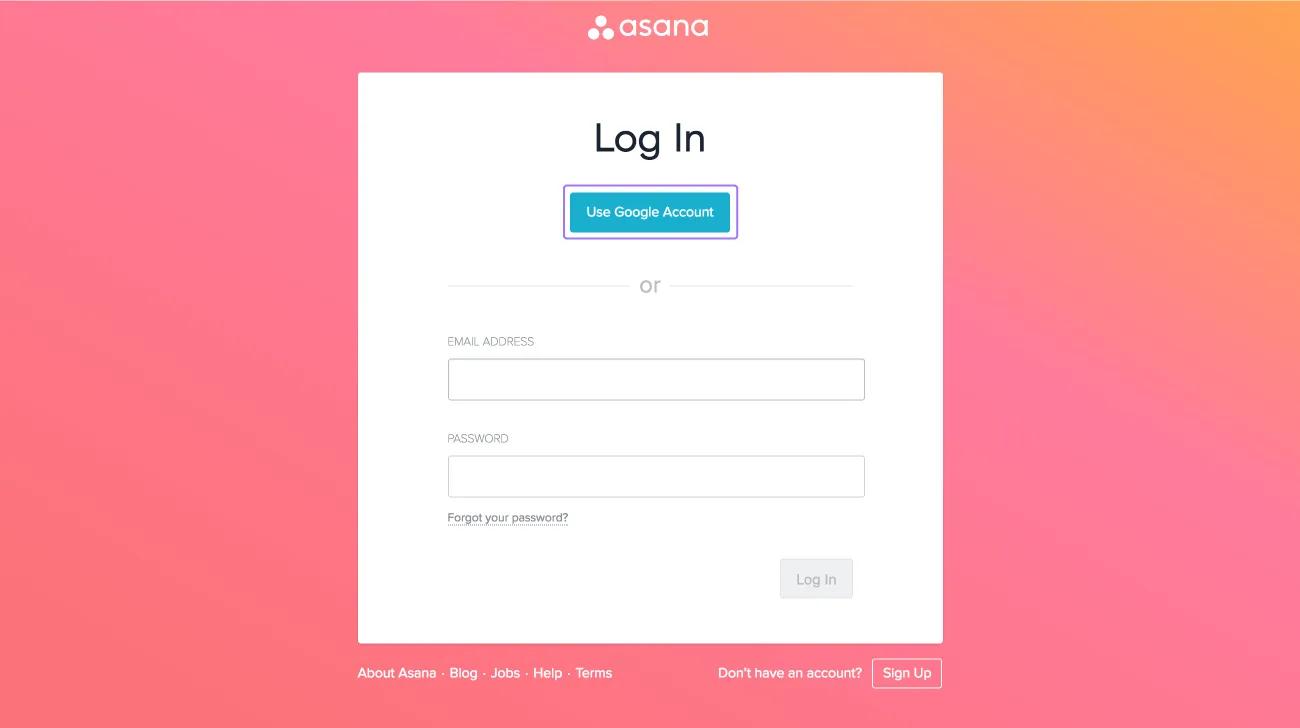
Klik Gunakan Akun Google dari halaman masuk.
Pelajari selengkapnya tentang autentikasi untuk paket berbayar.
Tetap terbaru dengan menyinkronkan tugas Asana ke Google Kalender Anda.
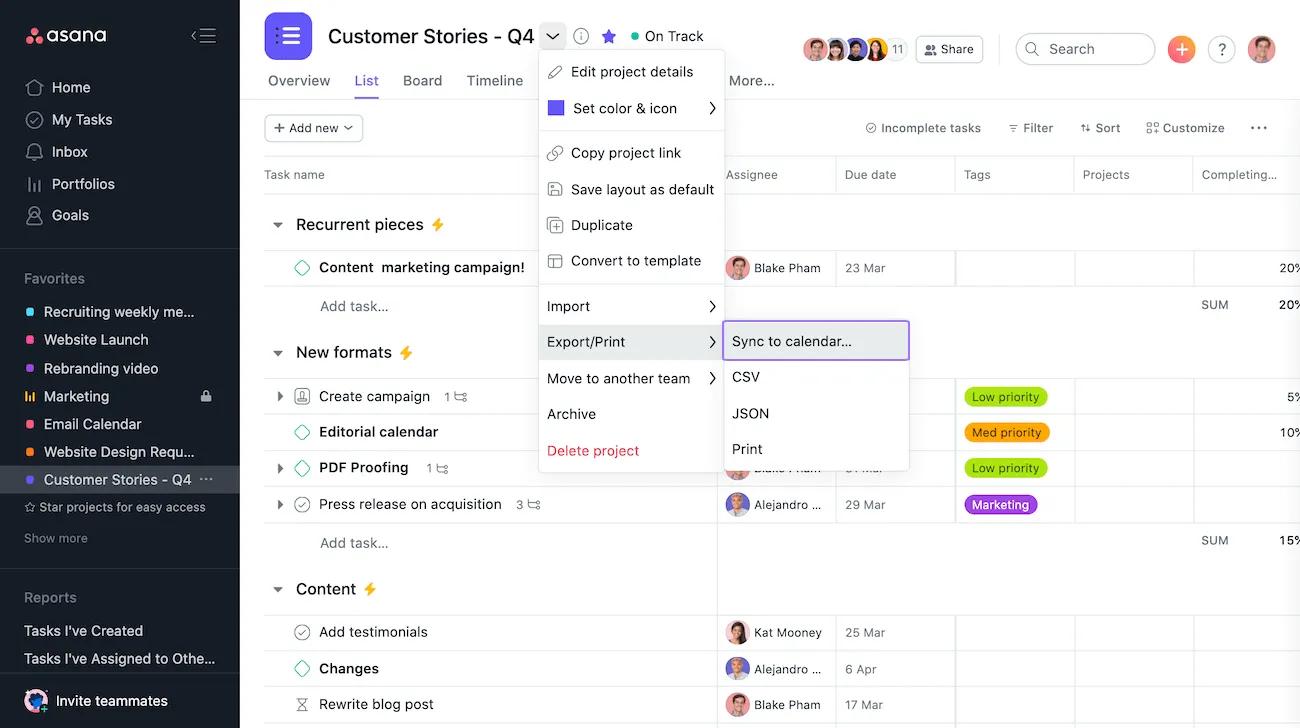
Klik dropdown tindakan proyek dan pilih Sinkronkan ke Kalender.
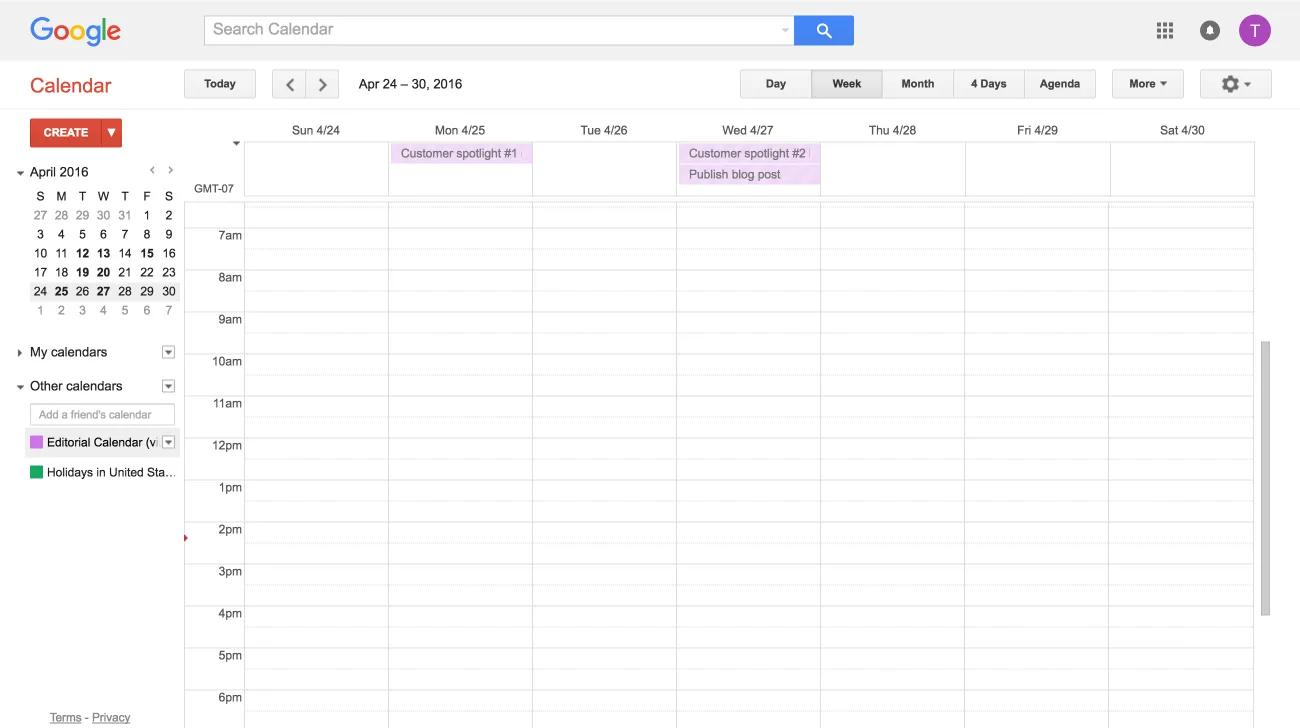
Pelajari selengkapnya tentang cara menyinkronkan proyek Asana ke Google Kalender di sini.
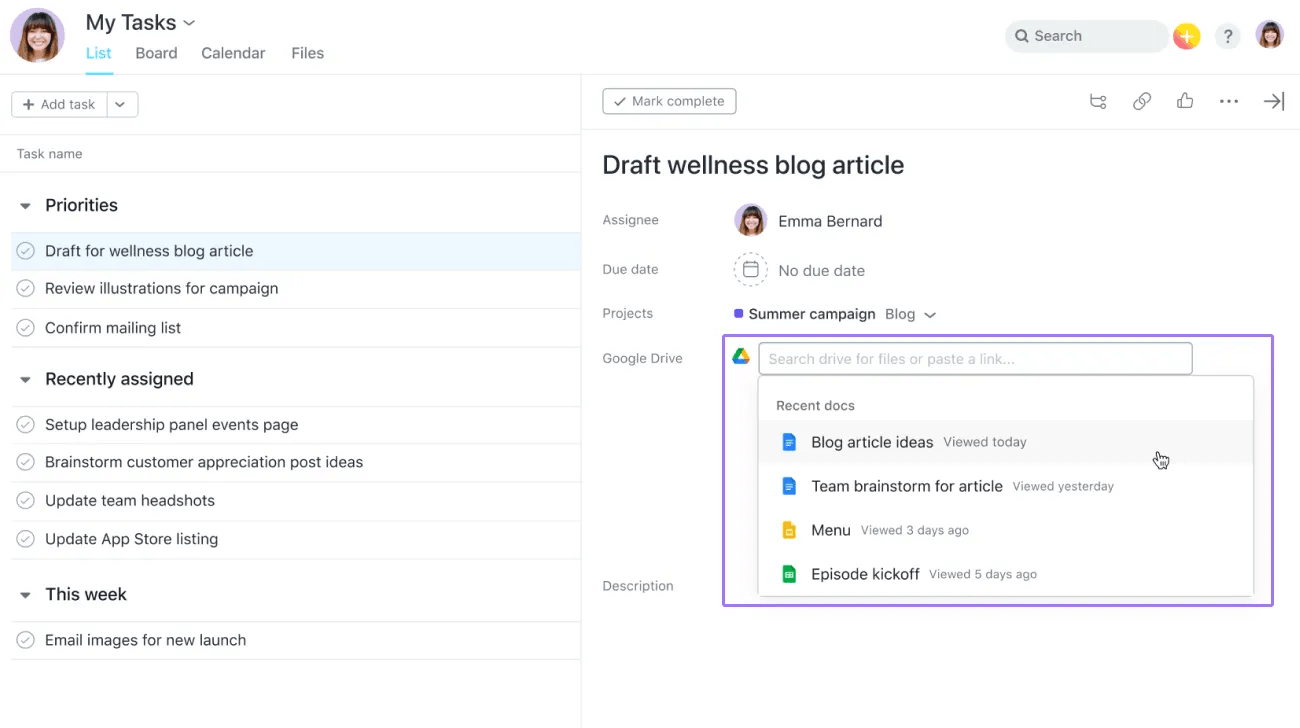
Lampirkan file Anda dengan mudah dari Drive Saya ke tugas Asana dengan mengklik ikon klip kertas di bagian atas panel tugas.
Pilih Google Drive dan tempel URL file atau ketik nama file. Anda akan diminta untuk mengautentikasi jika Anda belum melakukannya.
Pelajari selengkapnya tentang cara melampirkan file Google Drive ke tugas Asana Anda di sini.
Catatan
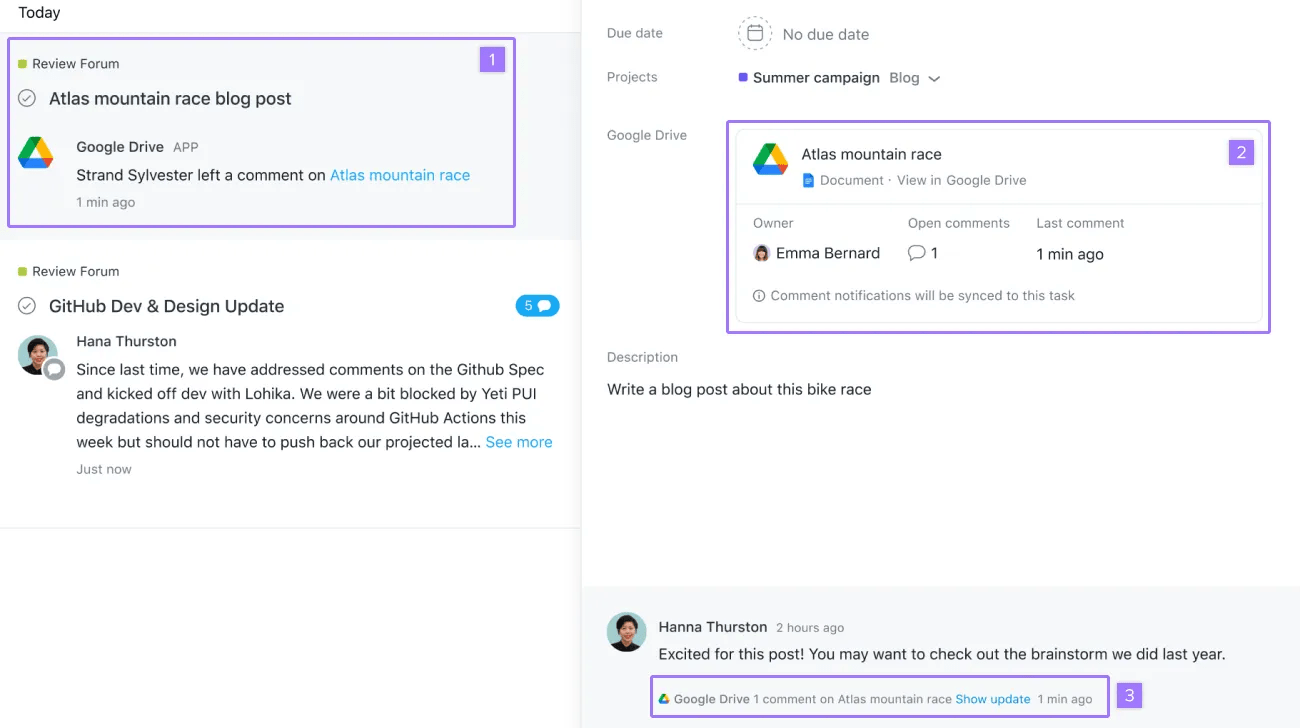
Terima pemberitahuan saat ada komentar baru yang ditambahkan ke Google Docs, Sheets, atau Slides, dan lihat snapshot status dokumen dalam tugas Asana.
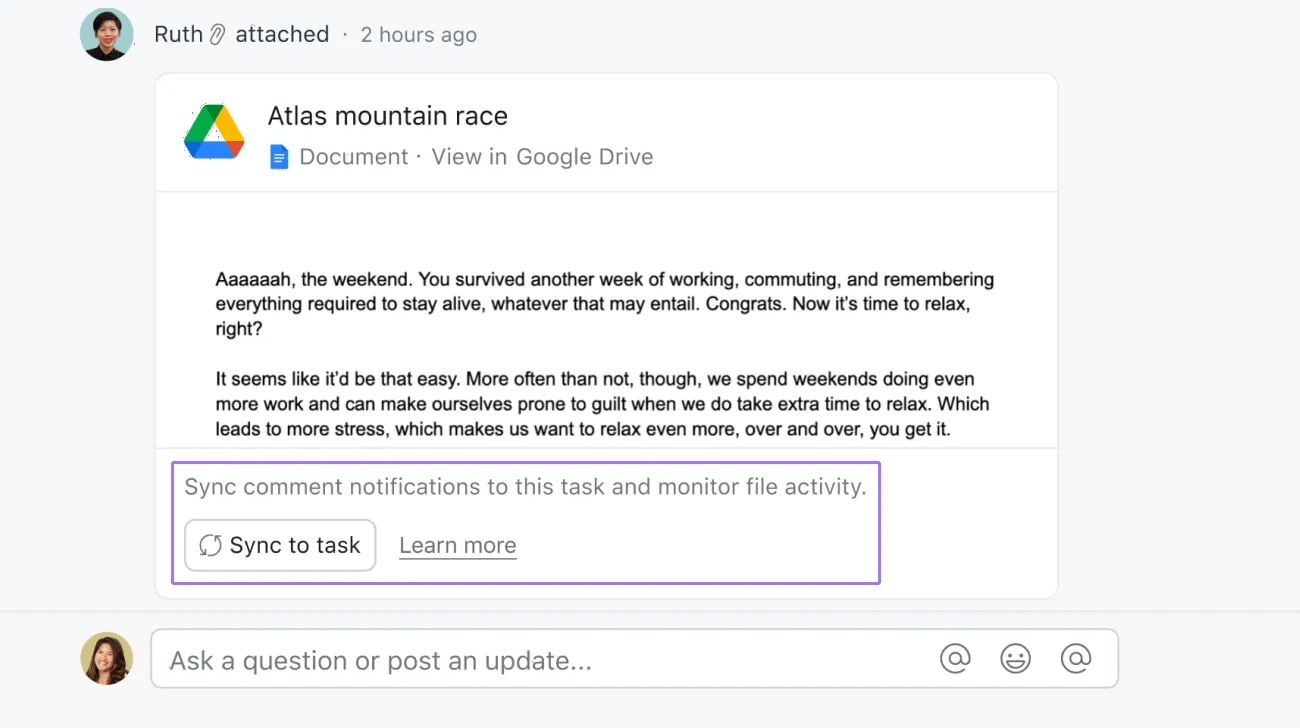
Untuk menyinkronkan dokumen Anda untuk pemberitahuan komentar, klik Sinkronkan ke tugas pada lampiran Google Drive yang ada.
Anda juga dapat menyinkronkan dokumen untuk pemberitahuan komentar dengan menambahkan app Google Drive ke proyek Anda
Buat tugas di Asana langsung dari email di Gmail.
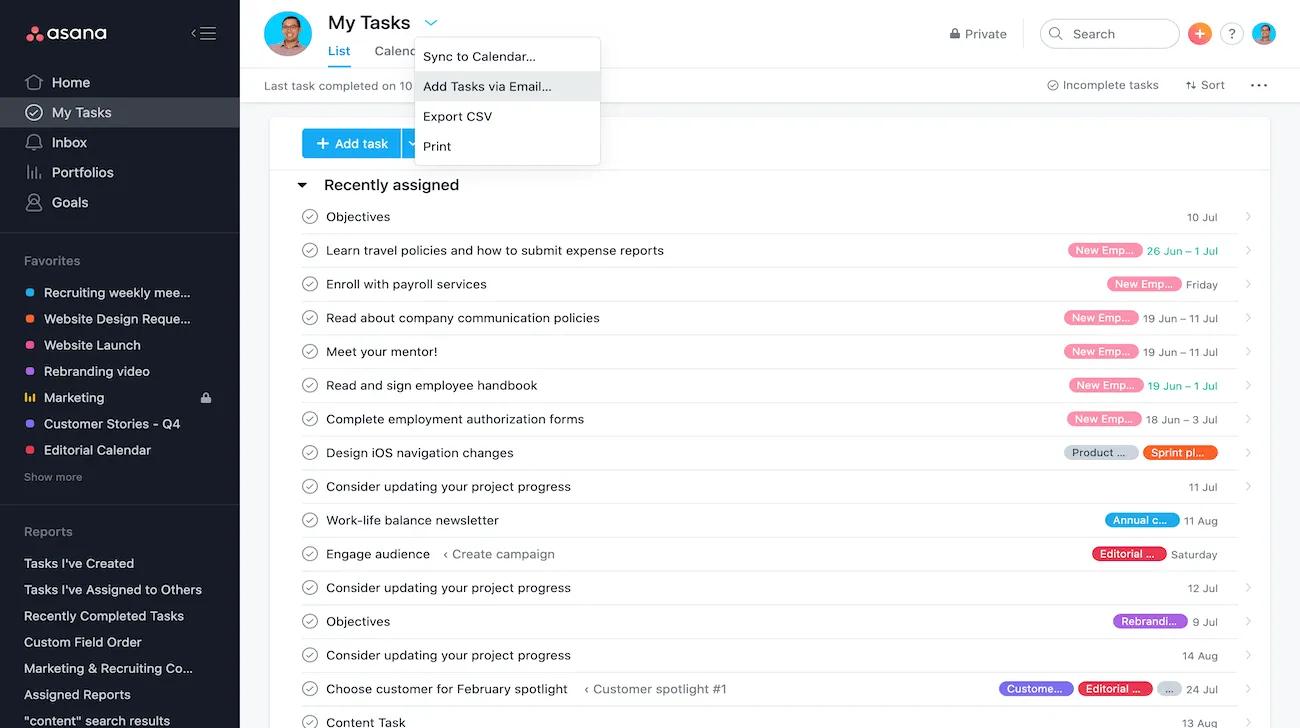
Dari Tugas Saya atau proyek apa pun, klik dropdown tindakan proyek dan pilih Tambahkan Tugas melalui Email untuk menemukan alamat email yang dapat Anda gunakan untuk membuat tugas melalui email.
Pelajari selengkapnya tentang membuat tugas di Asana melalui email di sini.
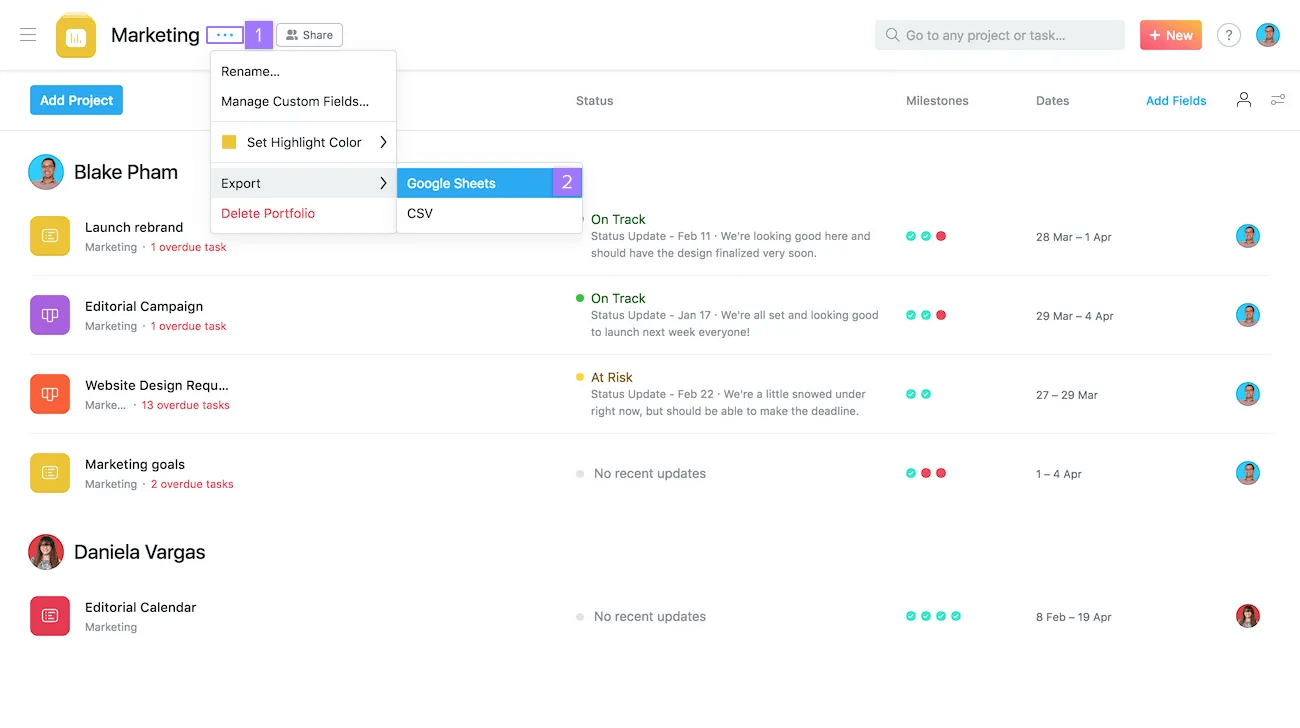
Setelah Anda membuat portofolio, Anda dapat mengekspornya ke Google Sheets kapan saja.
Buat tugas secara otomatis di Asana dari tanggapan Google Formulir.
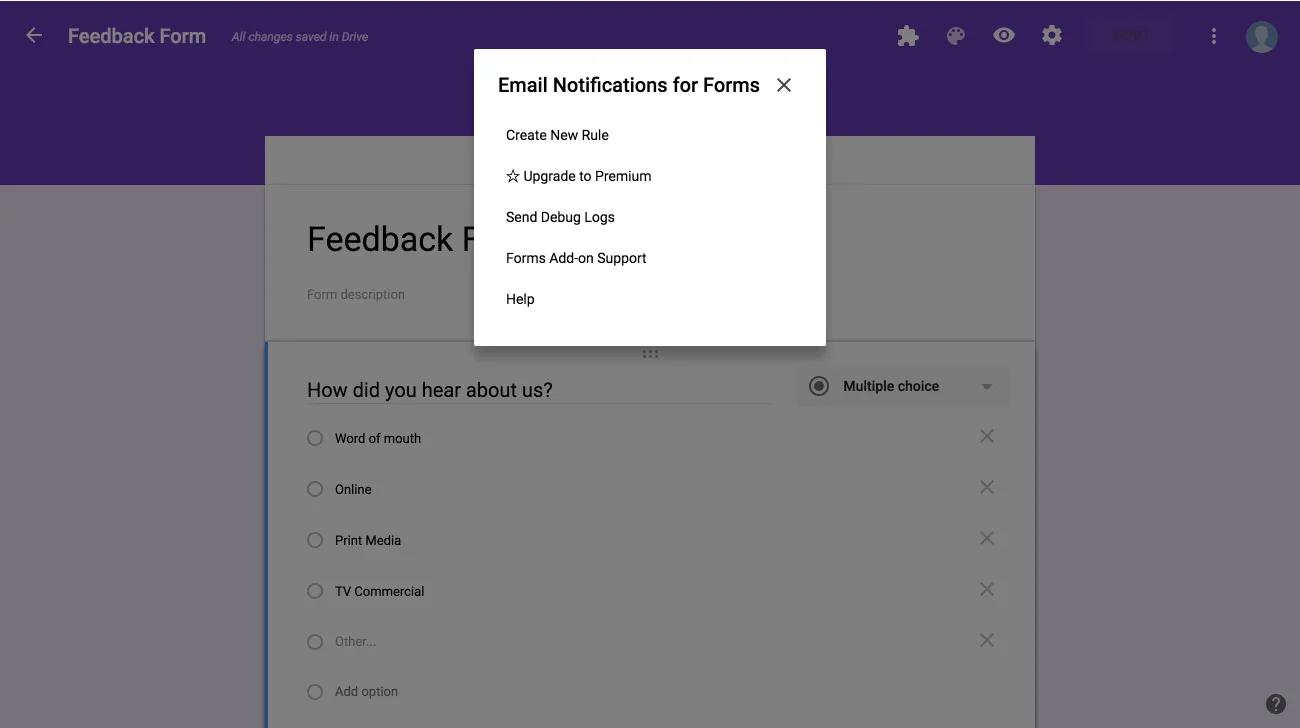
Integrasi ini memerlukan plugin Google Formulir dan berfungsi bersama dengan integrasi Gmail kami.
Pelajari selengkapnya tentang mengirimkan pengiriman Formulir Google ke Asana di sini.
Buat tugas di Asana dengan cepat dan mudah dari halaman web mana pun di Chrome.
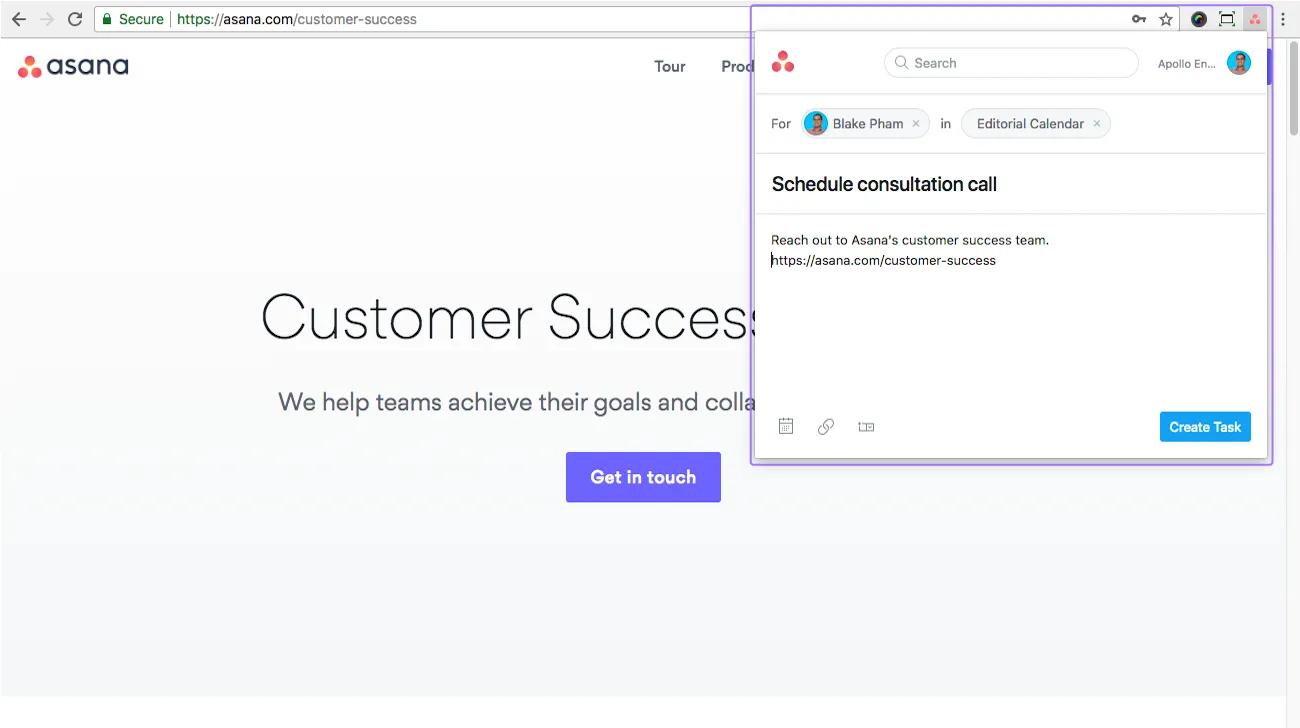
Setelah ekstensi Chrome diinstal, klik ikon Asana di dekat sudut kanan atas jendela Chrome untuk membuat tugas.
Kami sedang dalam tahap awal kolaborasi dengan Google untuk integrasi dengan Hangouts Chat - app perpesanan cerdas baru yang dibuat untuk tim di Google Ruang Kerja. Pantau terus Blog Asana.
Suka yang Anda lihat? Mulai uji coba Asana gratis sekarang. Coba gratis.
Artikel ini diterjemahkan oleh AI.
Kirim umpan balik terjemahan.

