Products


AI Platform


Asana Foundations
Company Type
No articles found for this topic.
No articles found for this topic.

Visit our pricing page for more information.
Project templates in Asana are pre-designed frameworks that you can use as starting points for new projects, saving time and ensuring consistent task structures.
For example, if you frequently run similar marketing campaigns, you can create a project template with standard tasks, deadlines, and instructions, allowing you to easily replicate the campaign structure for each new project without starting from scratch. This ensures a streamlined and consistent workflow.
In this article, you’ll learn about the different types of templates and how to use them.
Project templates are pre-built project setups that you can use repeatedly for similar types of work. Instead of creating projects from scratch each time, you can save time by using templates to replicate a set structure with predefined tasks, due dates, and other details.
You can create templates for recurring workflows or standard processes within your team.
Templates can be based on various project types, such as marketing campaigns, product launches, or onboarding processes.
There are different types of templates you can use:
Project templates can be customizable to include any of the following relevant details:
If you have a workflow that you want to replicate for other projects, you can save an existing project as a template.
For example, you can create a project template for onboarding new hires. This template will allow you to quickly replicate the predefined structure without manually re-creating each task.
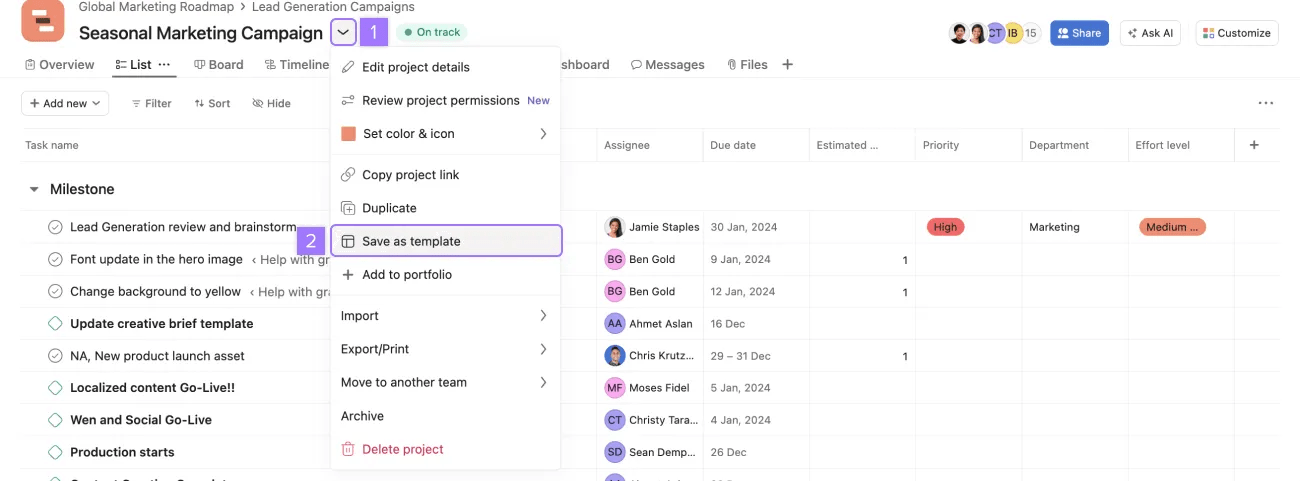
To save an existing project as a template, click the drop-down menu next to the project name and click Save as template.
Asana-curated templates are pre-made templates that can help you set up various workflows that you can further customize to meet your team’s needs.
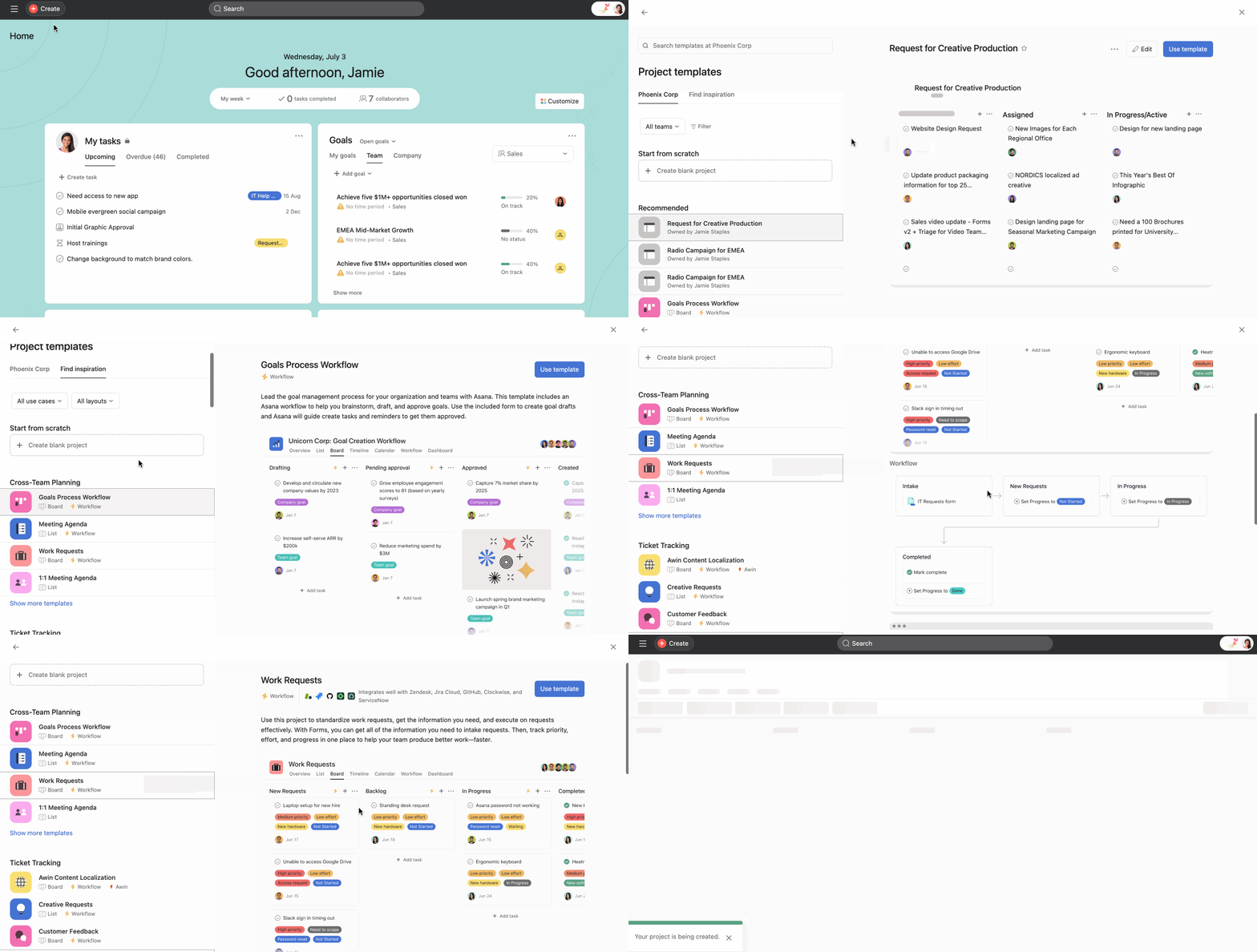
To find Asana-curated templates when creating a project, select Use a template, and navigate to the Find inspiration tab. You can choose a specific type of use case and layout from here. Scroll down to see all the available templates.
You can click on the different types of project templates to see what the structure looks like. To use the template, click Use template in the top-right corner.
A product launch roadmap is a clear example of when to use project templates. It’s likely the project where you track product launches looks the same every year. Instead of creating a project from scratch, you can use a project template with predefined components to create your yearly product roadmap.
Another example is editorial calendars. Every time you create a new piece of content, it follows the same stages and goes through the same process. You can use project templates to simplify the process of creating an editorial calendar.

