Producten


AI Platform


Type bedrijf

Ga naar onze pagina met prijzen voor meer informatie.
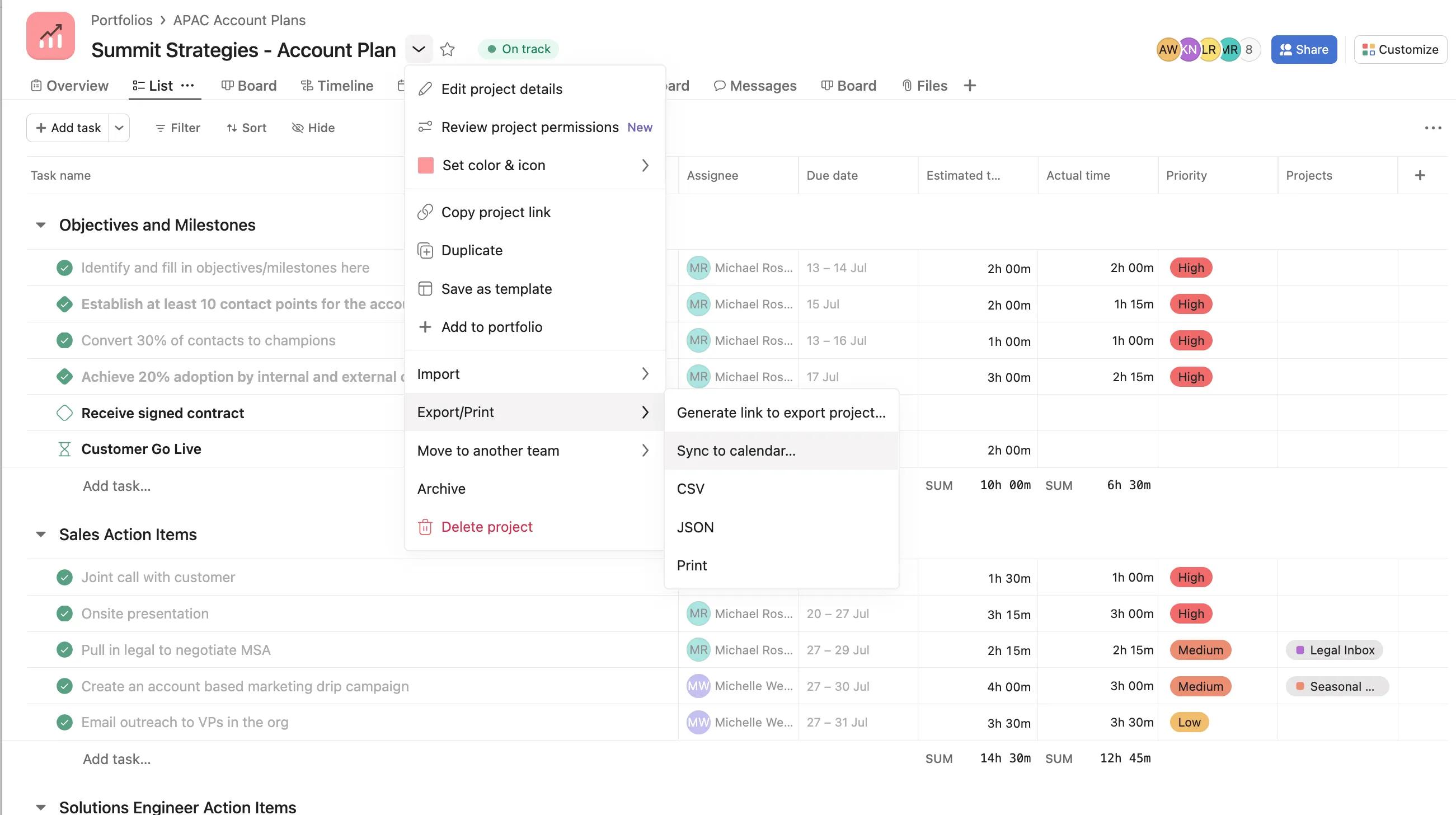
De optie synchroniseren met agenda helpt je deadlines te halen door je taken te synchroniseren met Google Agenda, Apple Calendar, Outlook of een andere agenda waarop je je kunt abonneren via een URL.
Je kunt elk projectlabel of de Mijn taken-lijst synchroniseren met een externe agenda. Eenmaal gesynchroniseerd zie je taken met vervaldatums van die projecten als gebeurtenissen van de hele dag. Je kunt op elke gebeurtenis klikken om de taak in Asana te bezoeken.
Een paar dingen om op te merken:
Opmerking
Deze stappen kun je ook gebruiken om je Mijn taken te synchroniseren.
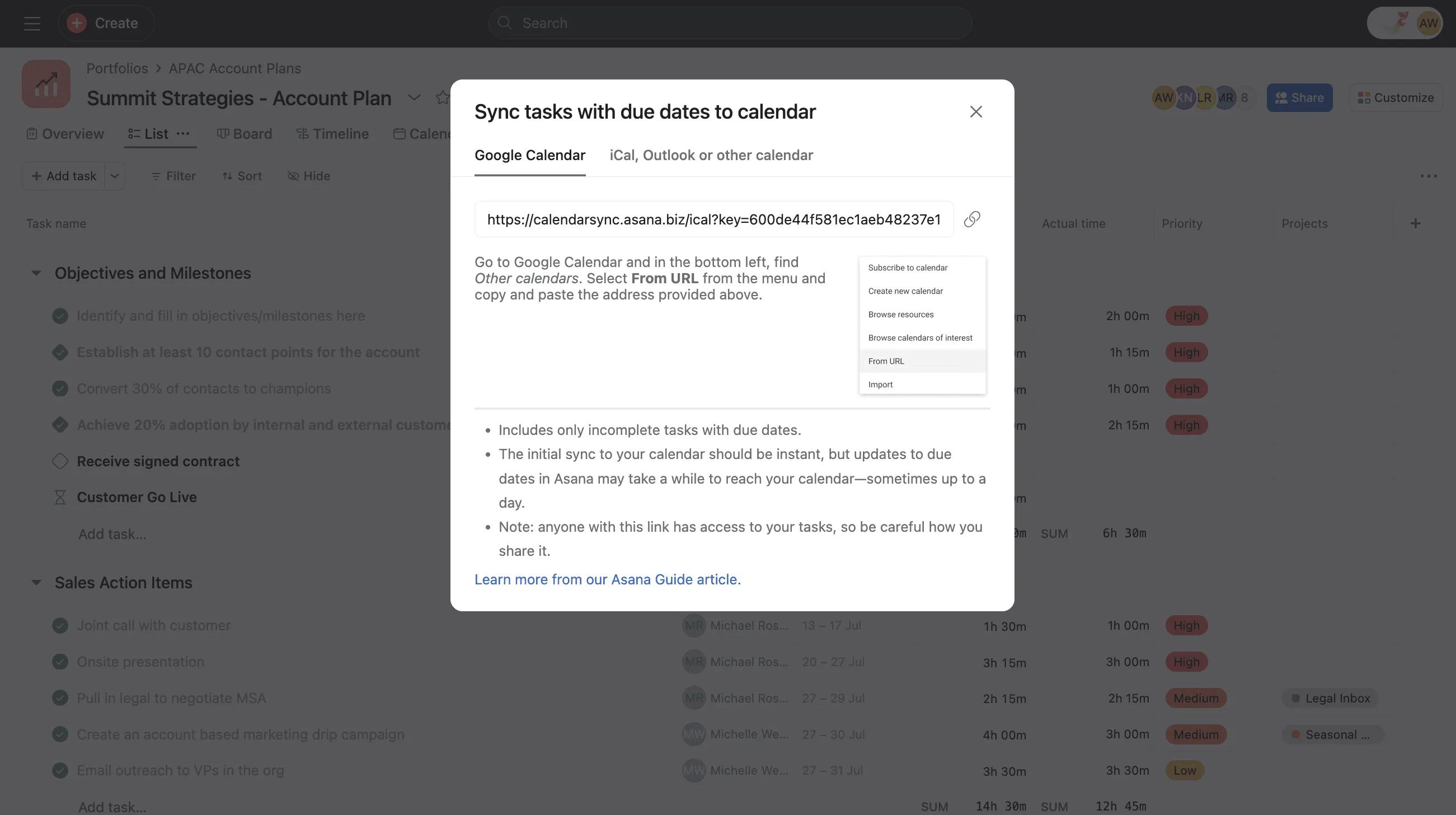
Kopieer vanuit het venster Synchroniseren naar agenda in Asana de volledige link gevonden in het Google Calendar-tabblad. Het domein asana.biz wordt gebruikt om mogelijke problemen te voorkomen met Asana-projecten die na meer dan 24 uur niet meer synchroniseren.
Projecten moeten individueel gesynchroniseerd worden.
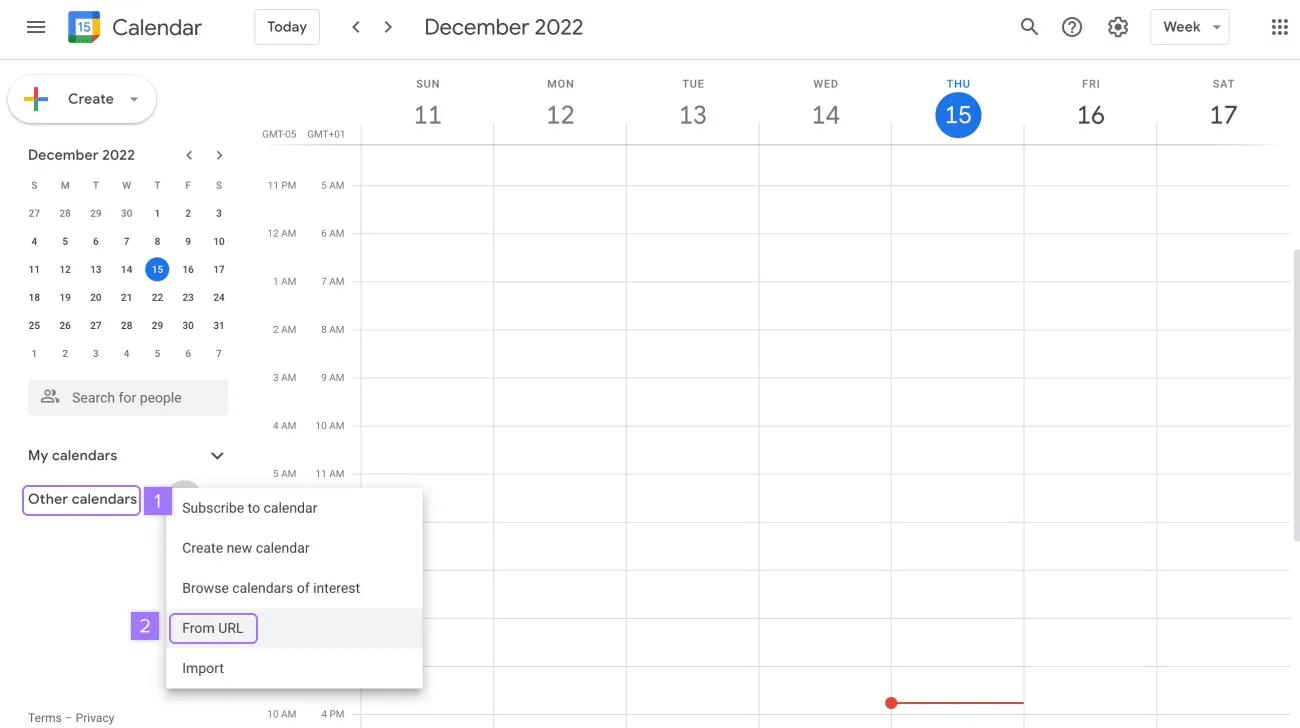
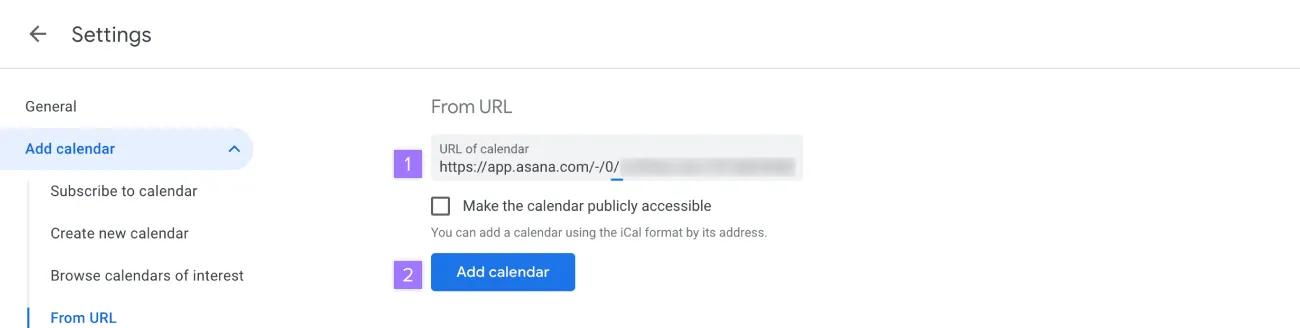
Eenmaal gesynchroniseerd, zie je taken met vervaldatums van dat project als gebeurtenissen voor de hele dag in je agenda.
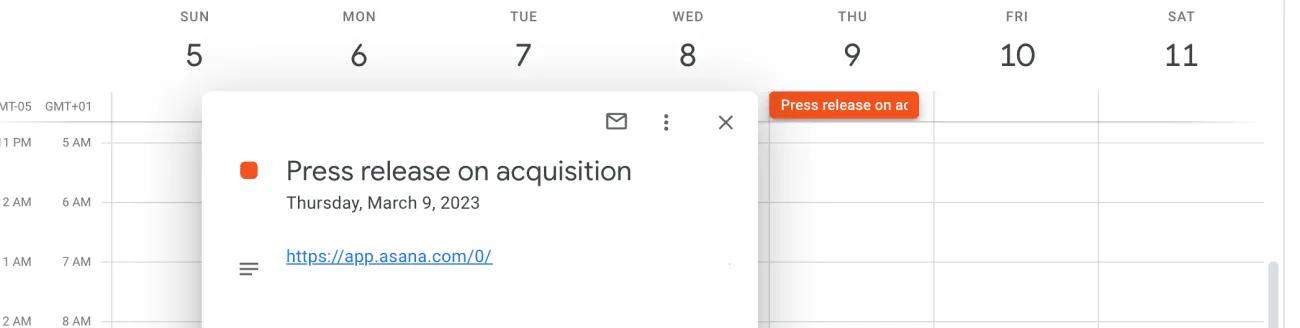
Je kunt op elke gebeurtenis klikken om een link te vinden naar de taak in Asana.
Om een gesynchroniseerd project uit Google Agenda te verwijderen navigeer je naar de agenda-opties, klik je op Instellingen, scroll je naar beneden, klik je op Uitschrijven en klik je op Agenda verwijderen.
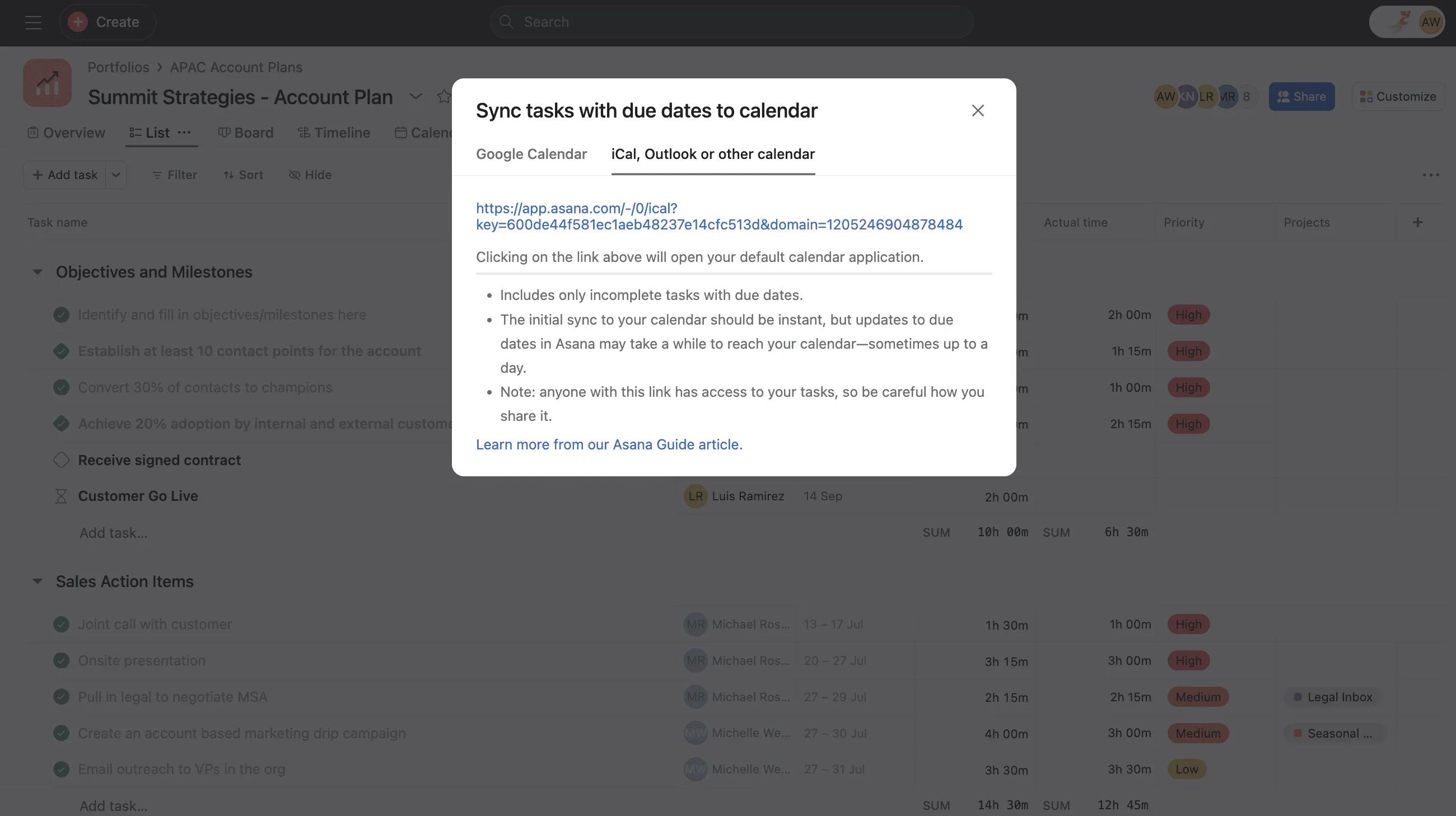
Klik in het popupvenster Synchroniseren met agenda in Asana op het tabblad iCAL, Outlook of andere agenda en markeer en kopieer (maar klik niet op) de hele link.
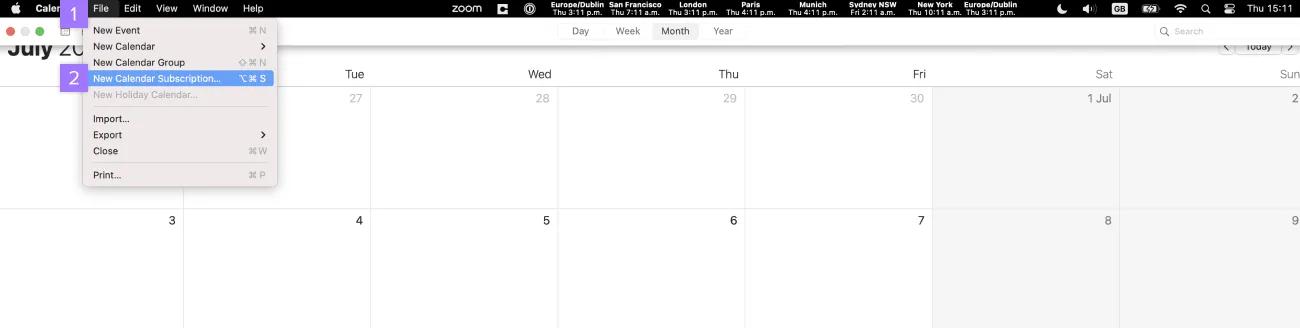
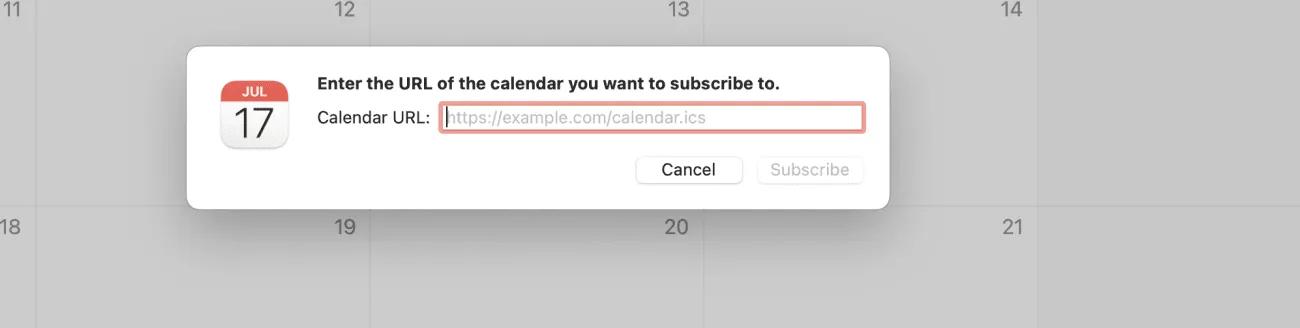
Plak de link die je eerder uit Asana hebt gekopieerd in het veld Agenda-URL en selecteer Abonneren.

Bewerk de opties van de Agenda. We raden aan om automatisch verversen in te stellen op elke 5 minuten. Selecteer Ok als je klaar bent
Eenmaal gesynchroniseerd zie je taken met vervaldatums van dat project als gebeurtenissen van de hele dag in je agenda. Je kunt op elke gebeurtenis klikken om een link te vinden naar de taak in Asana.
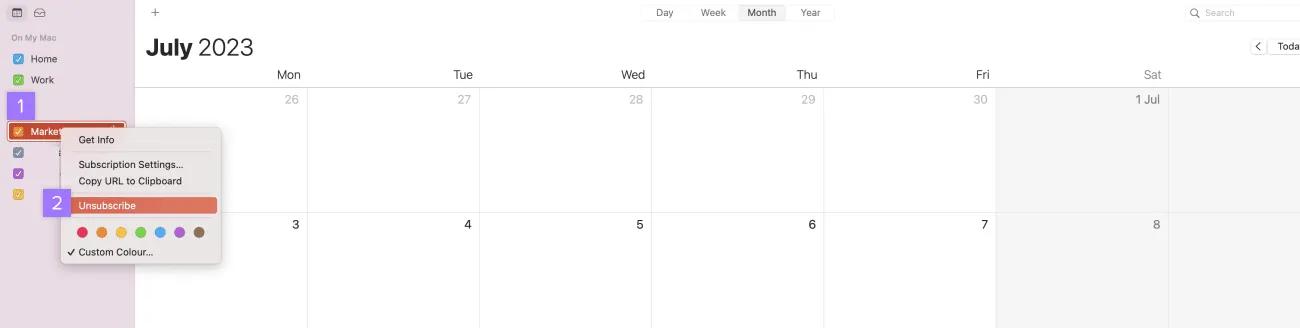
⌘ + klik op een Mac) op de naam van het Asana-project
Raadpleeg dit Helpcentrum-artikel om de Outlook-agenda te synchroniseren met Asana-projecten of Mijn taken.
Op zoek naar een betere manier om je werk te beheren? Ga aan de slag met een gratis Asana-proefperiode. Probeer het gratis
Dit artikel is vertaald met AI.
Feedback over de vertaling versturen.

